
Mainstream
Dragon Age: Origins Crashes, Freezes and Problem Fixes and Solutions

 Dragon Age: Origins is a really great game (expect a review pretty soon!) but it has it’s fair share of problems with certain users. We have already dealt with the DLC-related problems in the game, but now I think we should move one step further and try to find fixes and solutions for more crashing problems, freezings and other issues you might encounter while playing. Let’s hope that the solution for your Dragon Age: Origins problem is here!
1. Problems installing Dragon Age: Origins under Windows 7
An user on the official forums found the solution: if you encounter any trouble installing DA:O under Windows 7 (x64 especially), simply right click the game’s setup file and click Properties. Select to run the program in compatibility mode for Windows XP (Service Pack 2) and run it as an administrator. Ignore any .Net framework errors and install the game!
2. Dragon Age: Origins keeps crashing under Win7 x64
It is reported that this might be a problem with the nVidia drivers. So if you have the latest drivers installed (as you should) try downgrading them to the 190 series and see if that solves your Dragon Age: Origins problem.
3. Keyboard stops responding after playing Dragon Age: Origins for some time
It might be the fact that you have other programs running in the background (like a firewall that pops up a message). Try using Alt + Tab to switch to your desktop and see if there are any running programs in the background. It would be best to turn them all off before starting to play to avoid such freezes from happening.
4. How to fix “failed to initialize physx” error message?
There seems to be only one solution to this error: uninstall your physX drivers and then installing them again by running the installer from Steam\steamapps\common \dragon age origins\ redist\PhysX
Hopefully you have no other Dragon Age: Origins problems and these solutions will help you fully enjoy the game. Have fun!



Are you tired of playing video games all day long? Why not take a break and watch some video game-based movies on Hulu in NZ? With its vast collection of movies and TV shows, Hulu is the perfect platform to satisfy your gaming cravings.
From action-packed thrillers to heartwarming dramas, we would recommend you to get Hulu in NZ, because Hulu has it all. So, without further ado, let’s dive into the top 7 video game-based movies that you must watch on Hulu in NZ.
Assassin’s Creed (2016)
Genre: Action, Adventure, Fantasy
Director: Justin Kurzel
Major Cast: Michael Fassbender, Marion Cotillard, Jeremy Irons
Runtime: 1 hour 55 minutes
The first on our list is the movie adaptation of the popular video game franchise “Assassin’s Creed.” Starring Michael Fassbender and Marion Cotillard, this movie follows the story of Callum Lynch, who discovers he is a descendant of a secret society of assassins. With stunning visuals and breathtaking action scenes, this movie is a must-watch for any Assassin’s Creed fan.
Rampage (2018)
Genre: Action, Adventure, Sci-Fi
Director: Brad Peyton
Major Cast: Dwayne Johnson, Naomie Harris, Malin Akerman
Runtime: 1 hour 47 minutes
If you’re a fan of monster movies and video games, “Rampage” is the perfect movie for you. Starring Dwayne “The Rock” Johnson, this movie is based on the classic arcade game of the same name. The movie follows a primatologist who teams up with a genetically modified gorilla to stop two other genetically modified animals from destroying the city. With its over-the-top action and humor, “Rampage” is a fun-filled ride from start to finish.
Sonic the Hedgehog (2020)
Genre: Action, Adventure, Comedy
Director: Jeff Fowler
Major Cast: James Marsden, Jim Carrey, Ben Schwartz
Runtime: 1 hour 39 minutes
For all the Sonic fans out there, “Sonic the Hedgehog” is a must-watch movie. Starring Jim Carrey as Dr. Robotnik and Ben Schwartz as the voice of Sonic, this movie follows Sonic as he teams up with a human cop to stop Dr. Robotnik from taking over the world. With its fast-paced action and lovable characters, “Sonic the Hedgehog” is a movie that both kids and adults can enjoy.
Mortal Kombat (2021)
Genre: Action, Adventure, Fantasy
Director: Simon McQuoid
Major Cast: Lewis Tan, Jessica McNamee, Josh Lawson
Runtime: 1 hour 50 minutes
If you’re a fan of the Mortal Kombat video game franchise, you won’t want to miss the 2021 movie adaptation. With its gory fight scenes and iconic characters, this movie is a love letter to the fans of the game. The movie follows a group of fighters who are recruited to participate in a tournament to determine the fate of the world. With stunning visuals and non-stop action, “Mortal Kombat” is a movie that will leave you on the edge of your seat.
Warcraft (2016)
Genre: Action, Adventure, Fantasy
Director: Duncan Jones
Major Cast: Travis Fimmel, Paula Patton, Ben Foster
Runtime: 2 hours 3 minutes
Based on the popular MMORPG game, “Warcraft” tells the story of the battle between humans and orcs. Starring Travis Fimmel and Paula Patton, this movie follows a group of human heroes as they try to stop the orc invasion. With its epic battles and stunning visuals, “Warcraft” is a movie that will transport you to a world of magic and adventure.
Tomb Raider (2018)
Genre: Action, Adventure, Fantasy
Director: Roar Uthaug
Major Cast: Alicia Vikander, Dominic West, Walton Goggins
Runtime: 1 hour 58 minutes
Based on the popular video game franchise of the same name, “Tomb Raider” stars Alicia Vikander as the iconic Lara Croft. The movie follows Lara as she sets out on a dangerous journey to solve the mystery of her father’s disappearance. With its intense action scenes and captivating storyline, “Tomb Raider” is a movie that will keep you hooked from beginning to end.
Resident Evil (2002)
Genre: Action, Horror, Sci-Fi
Director: Paul W.S. Anderson
Major Cast: Milla Jovovich, Michelle Rodriguez, Eric Mabius
Runtime: 1 hour 40 minutes
Last but not least, we have the classic zombie horror movie “Resident Evil.” Starring Milla Jovovich as Alice, this movie is based on the popular video game franchise of the same name. The movie follows Alice and a group of survivors as they try to escape from an underground research facility infested with zombies. With its tense atmosphere and pulse pounding action, “Resident Evil” is a must-watch for any horror or action movie fan.
Conclusion
So there you have it, the top 7 video game-based movies that you must watch on Hulu in NZ. From the high-flying action of “Assassin’s Creed” to the terrifying zombie outbreak in “Resident Evil,” each movie offers its unique take on the beloved video games that inspired them.
Whether you are a die-hard gamer or a movie enthusiast, these movies are sure to satisfy your craving for pulse-pounding action and adventure.
Hulu in NZ offers a fantastic selection of movies and TV shows that cater to a wide range of tastes and preferences. With these top 7 video game-based movies, you can immerse yourself in the world of your favorite games and enjoy them on the big screen.

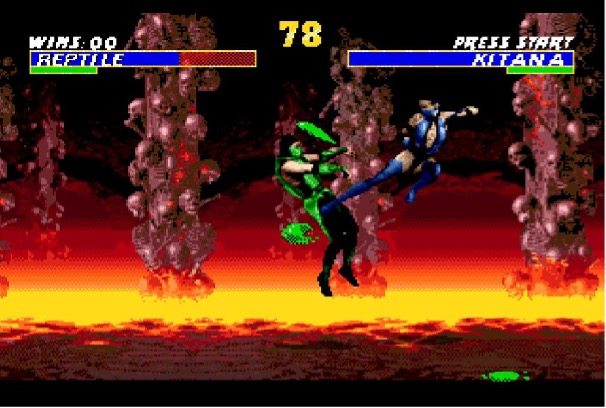
Fighting games have been a major sub-genre of the industry since the dawn of gaming. While the original fist-fighting game came out in 1976, the genre arguably peaked in the 1980s. Dozens of franchises came smashing down arcades, from Mortal Kombat to Tekken.
But gamers do not need to visit the local gaming center anymore to get in on the action, as platform fighters and hand-to-hand combat have long gone mobile. So, are you up for a brawl? Whether you’re into brutal MMA fights or formidable superhero battles, let’s round up some of the best fighting games to play on Android.
Marvel Contest of Champions
While movies and comic books are still at the core of its extended universe, Marvel has also expanded to the gaming medium. Much to mobile gamers’ dismay, though, exhilarating brawler games like Marvel’s Avengers and massive crossovers like Marvel vs. Capcom never made it to smartphones. But Marvel Contest of Champions is more than epic enough to make up for it.
Developed by Kabam, this versus-fighting action game features a pretty strong line-up comprising virtually every Marvel character in the book. Beloved heroes like Wolverine, Spider-Man, and Hulk are all set for battle throughout iconic Marvel locations, such as Asgard, Stark Tower, and Wakanda. Yet players may as well pick supervillains to pit against the good guys. So, assemble the strongest super-heroic team and combine each champion’s unique set of devastating attacks and special abilities. Better yet, this mobile Marvel game allows for competitive multiplayer fighting.
Skullgirls: Fighting RPG
Skullgirls is a solid contender for best mobile fighting game out there. This fighting RPG by Autumn Games has got some incredibly responsive battle animations going for it, and just enough grind to keep players engaged for hours on end. Fun special moves and combos take fast-paced combat to the next level, serviced by colorful background visuals and a jazzy soundtrack that may feel out of place but gives the game that much more flavor.
And all kicking and pummeling aside, Skullgirls has much in the way of the story, too. In an original twist on the genre, this 2D RPG features an all-female cast of quirky yet fierce hand-animated characters. Players may even customize their fighter while searching for the elusive Skullgirl and stopping her from destroying the city of New Meridian.
Mortal Kombat
Alongside Capcom’s Street Fighter, Mortal Kombat is probably the best-known fighting franchise in the world. The series stemmed from the idea of making a video game starring action movie superstar Jean-Claude Van Damme. Funnily enough, JCVD would eventually play center stage in the live-action adaptation of Street Fighter. Still, Mortal Kombat spawned countless installations, TV series, and feature films.
And gamers can now experience the visceral fighting and trademark Fatalities that made the franchise so infamous straight on mobile. Mortal Kombat shows off a whopping roster of over 130 warriors, who level up through challenges of increasing difficulty. Teaming up fighters with matching synergies, mobile players can tackle ferocious enemies in online competitive mode or all on their own. This mobile version of the legendary game also includes a card collection feature.
EA Sports UFC
The intensity of the Octagon translates superbly to the gaming medium. Released by Electronic Arts on multiple platforms, EA Sports UFC quickly became the go-to title for gamers with a knack for mixed martial arts. And the mobile version doesn’t disappoint, pitting up to 97 UFC fighters against one another in heated fashion – and even martial arts legend Bruce Lee as an unlockable bonus. EA Sports UFC may thus be the perfect mobile game to dive into while waiting for the next big superstar comeback.
Meanwhile, prominent fighters like Valentina Shevchenko and Nikita Krylov will keep fans on the edge of their seats in upcoming UFC events. And MMA enthusiasts can even spruce up the experience with a gamble. Reviewers like SBO have laid down the most profitable online bookies for punters to explore. The best sportsbooks offer a range of betting options on MMA, ranging from method of victory to total rounds. Lofty bonuses and welcome packages also await newcomers. And online punters can make bank out of even more sports, from the ultra-popular to the niche.
Fighting games are as old as time. But with improved gameplay and ever-so-striking aesthetics, they’ve remained fresh throughout the decades. And players can now get their fists to do the talking on mobile, from retro titles to inventive entries.

The 21st century has been a great time for gaming and online casinos. We’ve seen explosive growth in both sectors, with new technologies and platforms emerging constantly. The following 10 years promise to be even more exciting, as we’ll see even more innovation and growth in the gaming industry, as well as the online gambling industry.
In this blog post, we’ll look at some of the trends that we think will shape the next decade of gaming and online casino development. So whether you’re a casual player or a hardcore gambler, read on to find out what the next 10 years have in store for you!
The increasing popularity of online casinos and gaming
With many people stuck at home, they turned to digital platforms for entertainment, including gaming and slots sites. As a result, these sectors have seen explosive growth over the past few years. With the increasing popularity of technology, games have moved from physical pieces to digital pixelated ones, allowing for even more immersive and engaging gaming experiences.
With the online world ever-growing, it was only a matter of time before gambling followed suit. Nowadays, casinos are looking for ways to pull in more business through rewarding online slots promotions, as opposed to the regular operations in brick-and-mortar casinos. In addition, advancements in technology have allowed for the development of online slots, poker rooms, and other casino games that are not only secure and safe to play but also offer a level of quality that is comparable to land-based casinos.
Although we have made a lot of progress, especially with online casinos and online slots games, there is still more to come. Here are some of the changes we predict for this billion-dollar online casino industry in the next ten years:
The increasing legalization of online casinos globally
As online gaming becomes more and more popular, we are seeing an increased push for the legalization of online gambling in countries all around the world. With more people playing on digital platforms and experiencing the benefits of online casinos, governments are recognizing this trend and moving towards changing laws to allow for wider access to these online gambling sites.
For example, in the United States, more states are beginning to implement legal gambling solutions due to the US federal government softening its regulations. And this trend will likely continue in the coming years, as more countries begin to recognize the benefits of legalizing online casinos which include increased tax revenues and a better way to regulate gambling in the digital age.
Virtual reality gaming
With the rise of virtual reality technology, we can expect to see casinos offer more immersive gaming experiences. Players will be able to experience realistic casino environments and games through VR headsets, allowing for an even more realistic gaming experience. Game developers are constantly releasing new concept games to online casinos, and we can expect these same sorts of fun, attractive experiences to be available in the next few years.
Blockchain Technology for Transparent and Fair Gambling Systems
Another major trend that we will see in online casinos and gaming over the next decade is the use of blockchain technology. With this technology, players can rest assured that they are getting a fair chance to win while enjoying secure transactions and transparent gambling systems. Blockchain technology allows for all casino transactions to be recorded on an open ledger, making it difficult for casinos to manipulate the outcomes of games. As a result, players can enjoy more trust, transparency, and fairness in their online gaming activities.
Game development
When visiting an online casino, it is essential to find an operator that provides a good variety of games. For instance, slots games are very popular in the digital environment, finding a provider with a good variety of slots games will chance your experience. You could find different slots themes and choose the slot game you like the most. In the next ten years, we could be expecting new games integration with better graphics, creative and fun. Game developers will have a higher demand and they will be providing cool slots themes and other casino games.
Top of the line Live Dealer Games
Finally, we will also see more sophisticated live dealer games in online casinos and gaming over the next decade. With the rise of 4K and 5K resolution cameras, online casino providers have been able to offer gamers a much more realistic viewing experience.
These live dealer games can be streamed from various locations, allowing more people to join and play different types of online games. With a more advanced streaming quality, players can now interact with real dealers in real time and enjoy a variety of table games such as roulette, slots, blackjack, and baccarat. With so many exciting changes coming our way, we can look forward to even more engaging gaming experiences in the years ahead!
In Summary
Overall, it’s clear that the gaming and online casino industries are undergoing major changes as we look toward the future. Whether you’re an avid gamer or just a casual player, there are exciting developments on the horizon that will shape how we interact with these platforms – and how they affect our daily lives. So if you’re looking for the best possible experiences from the gambling and casino industry, in particular, be sure to keep an eye out for these exciting online casino trends as well as online slots promotions that suit your playing style.
-
 Guides4 years ago
6 Proven Ways to Get more Instagram Likes on your Business Account
-
 Mainstream9 years ago
BioWare: Mass Effect 4 to Benefit From Dropping Last-Gen, Will Not Share Template With Dragon Age: Inquisition
-
Mainstream15 years ago
IGN Misses the Point With Football Manager 2009 Review, Removes It
-
 Guides2 months ago
Explore 15 Most Popular Poki Games
-
 Guides1 year ago
Gan Rubik’s Cube vs. Traditional Rubik’s Cube: Key Differences and Advantages
-
 Casual5 months ago
8 Ways to Fix Over-Extrusion and Under-Extrusion in 3D Printing
-
 iOS Games11 years ago
Emoji Pop Answers: Level 12 – 350 to 389 Cheats
-
 Mainstream11 years ago
New Assets Found for Half Life Episode 4
Jhon
November 29, 2009 at 1:19 am
I have problem in the travel in the map the game dose not travel I press in the town where I want to go but no hope
any help
* its not says u can’t travel in this time …
gravour
January 20, 2010 at 6:35 pm
I have the problem that my videocard wasn’t good enough.
so I bought a new one for €200.
I installed it and every other game I played like COD MW2 did it well except DAO.
Could somebody help me??
stevis
March 5, 2010 at 5:26 pm
i play game for 5-10 min then it crash and my pc is restart
i have
window 7 (64 bit)
intel core 2 duo processor 2.4Ghz
nividia 9600m gt graphic card
4 gb ram
i update my graphic card driver nd sound card driver but my game dragon age origin keep crashing nd my pc turn off after 5-10 min with black screen nd with repated sound while im playing the game.
plz help me as soon as possible
frizzb72
April 12, 2010 at 11:38 am
i have recently bought dao,brill-but 1 problem,my machine seems to turn it s self off during play.has any 1 else encountered this problem.my pc specs-amd athlon dual core 5200+,2gig ram,160gig hdrive,nvidia 9500gt.this is the only game that it will die on-i can play it on high settings really well,i have tried lowering video settings and the problem is still there.please help-im at my witts end and ready too smash my pc into tiny particles lol.p s my pc is only 8 month old
frizzb72
April 12, 2010 at 11:40 am
i have recently bought dao,brill-but 1 problem,my machine seems to turn it s self off during play.has any 1 else encountered this problem.my pc specs-amd athlon dual core 5200+,2gig ram,160gig hdrive,nvidia 9500gt,os windows 7 32 bit.this is the only game that it will die on-i can play it on high settings really well,i have tried lowering video settings and the problem is still there.please help-im at my witts end and ready too smash my pc into tiny particles lol.p s my pc is only 8 month old
Lillen
April 21, 2010 at 6:06 pm
I have just recently bought DAO but i cant install it i have windows 7 32 bit. it gets to about 80% of the installation then it says there was an error installing the game but doesnt say what. some1 please help…
NA
May 23, 2010 at 12:47 pm
i already installed Awakening . Then i downloaded patch 1.03 . After it finished , i cant play the game . It keep teeling me i need 2 insert d disk . Please help !
jino87
September 29, 2010 at 10:14 pm
you have to have patch 1.04 to play awakening.
Flynn
May 23, 2010 at 6:13 pm
Hey all,
My issues differ a bit from most, but first here’s my specs.
AMD Athlon 64×2 Dual Core CPU 4200 (OC’d to 2.4Ghz) 2.2Ghz Stock
XFX Radeon HD 4770
4.00GB G.Skill Ram
Windows 7 Ultimate 64bit
My issue is this, When in DAO I get extreme FPS lag and it appears that the rain weather effect is on permanently (Which is probably a cause of my fps lag)
I just recently installed Win7 64, I was using WinXp SP3 32bit before this with not a single problem with lag or anything else, I’ve updated my drivers, and even rolled them back to the version that came on the DVD, Tried WinXp compatibility mode, to no avail.
Any suggestions would help a lot.
Thanks in advance,
Flynn
Darren
October 12, 2010 at 6:11 pm
Go back to 32 or 64 bit XP.
melinbonean
July 1, 2010 at 7:12 am
ive downloaded the blood dragon armor and the shale quest and had to delete all my files and save stuff now when i open the game and go to available content nothing shows what do i do to get the downloads
Brad Fallon
December 21, 2010 at 6:49 pm
I don’t know how this happened but when it say trying to connect to the sever and a min later it just crashed. i read the info why it crashed it says the reason is “STACK HASH” something like that… please help me or tell me what is happening.
Sophie
June 30, 2015 at 5:53 am
When I get on DAO on my dell, it won’t let me click on anything on the homescreen. I can move my mouse and the buttons respond, but it doesn’t do anything.