
Guides
Sims 4 Death Cheats 2023: Cheats to Kill Your Sim

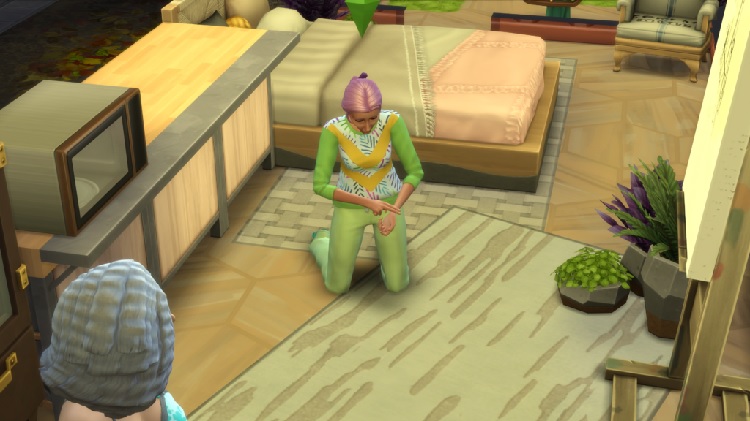
If you like strategy-based video games, chances are that you enjoy Sims. Since its inception, the game has been upgraded to more advanced formats. With Sims 4, albeit with interactive features, the game is profoundly challenging.
Killing off your Sims character in the game isn’t as easy as you thought. Quite the contrary. While the previous versions had heightened chances of accidental death by fire or drowning, things aren’t as easy this time.
Before you get confused, thinking, “Why would you want to kill your Sim?” Well, it can be for multiple reasons. It can be for story progression, annoyance, etc.
This article will explore everything you need about the Sims 4 Death Cheats 2023.
Also Read – Extreme Violence Mod Sims 4: Download, Install & Play
How To Use Death Cheats for The Sims 4?
There is an abundance of death cheats available on Sims 4. However, to use it, you need to know about the steps to enable the cheats in the first place.
Enabling the cheats ensures that the codes you use work without any complication. Here’s what you need to do:
- While on Sims, press down on Ctrl + Shift + C simultaneously.
- This will open the Cheating Console
- In the console, type testingcheats true.
This will enable the cheat codes that you enter henceforth. Not just death cheats, enabling this allows you to test out any cheats on Sims 4.
Sims 4 Death Cheats: Cheats to Kill You Sim
Since there are multiple death cheats available to kill your Sim, we have sorted everything (along with the codes) in the table mentioned below:
| Death Cheat List | |
| Turn Death on and off | |
| Death.toggle | Toggles the death of the Sims character in the game. |
| Kill Sim in Funny Ways | |
| Sims.add_buff Buff_Mortified | Kills the Sim due to heightened embarrassment.It takes a few hours for it to happen. |
| Sims.add_buff Buff_Motives_Hunger_Starving | Kills the Sim due to hunger and starvation.It takes up to 24 hours to happen. |
| Sims.add_buff Buff_Death_Electrocution_Warning | Kills the Sim when they are repairing an electrical outlet.It can kill the Sim instantly. |
| Sims.add_buff Buff_Enraged | Kills the Sim due to extreme rage and anger.It can take a few hours to happen. |
| Sims.add_buff Buff_Hysterical | Kills the Sim due to extreme laughter when they find themselves in a funny situation. |
| Sims.add_buff Buff_Death_ElderExhaustion_Warning | Kills the Sim due to Overexertion.It can take some time to be effective. |
| Stats.set_stat commodity_Vampire_SunExposure -100 | Kills the Vampire Sim when they are exposed to sunlight.It is exclusive to the Vampire Sims only. |
| Turning Sims into Ghost | |
| traits.equip_trait Ghost_Lightning | Effective for the Sims who have died when struck by lightning. |
| traits.equip_trait Ghost_Frozen | Effective for the Sims who have died by being frozen. It is a season-exclusive trait. |
| traits.equip_trait Ghost_Overheat | Effective for Sims who have died due to overheating. |
| traits.equip_trait poison | Effective for Sims in the Jungle Adventure who died due to poisoning. |
| traits.equip_trait Vampire_Sun | Effective for the Vampire Sims who died due to sunlight exposure. |
| traits.equip_trait trait_Ghost_MurphyBed | Effective for Sims in the Tiny living who died by the Murphy Bed. |
| traits.equip_trait trait_Ghost_Beetle | Effective for Sims in Eco lifestyle who died by a bug drink. |
| traits.equip_trait trait_Ghost_Flies | Effective for Sims in Eco lifestyle who does due to a swarm of flies. |
| sims.add_buff Ghostly | Effectively turns any dead Sim into a ghost in 4 hours. |
What are the Base Game Death Types?
Now that you know the different death cheat codes for killing your Sims 4 character let us talk about the base game death types. To be fair, there is quite a handful available. But, we will highlight the top ones you need to be aware of:
Also Read – Sims 4 Toddler Cheats, Skills (100% Tested & Working)
Old Age
If there’s one straightforward way of death in Sims 4, it is Old Age. The most common type of death involves the death of your Sim due to growing age. However, this is a fulfilling form of death because your Sim has lived a long and happy life and is now at their elder life stage.
You’d not know when death is near when your Sim is old. You can only have an idea of the days or years your Sim has lived. So, death might come out of the blue without warning.
However, we’d recommend keeping an eye out on the age bar because it will change in appearance when your Sim is close to death.
Electrocution
If you want to kill your Sim instantly and without any further wait, Electrocution is the best type to explore. This is an excruciating way of death that will claw you with guilt when you watch them suffer.
However, if your Sim character has to die, this is a quick way to get the same done. You need to engage your Sim character in some electrical repair job for this to happen. There are significantly fewer chances that they will survive the electrocution. And, once they are dead, you might get a special visit from the Grim Reaper.
Hunger
Dying out of hunger and starvation is a death cheat that has been around since the first installment of Sims. So, it’s not surprising that it’s available for Sims 4.
Starving your Sims character isn’t as difficult as you think.
All you have to do is place your Sims character in an area without food access. You can lock them in a room and leave them there. Also, when trying to kill your Sim by starving them, avoid letting other Sims travel to your house. This will be counterproductive.
Also Read – How to Fix The Sims 4 Mosaic Blur Glitch / Nude Pixelation
Fire
Fire death is prevalent in Sims 4. It is one of the most common types of death on the platform. If your Sims 4 character doesn’t know how to cook, it is easier for you to utilize this death cheat to kill them off for good.
Sims with lower cooking skills can quickly start a fire in the kitchen, which you can use to your advantage. To kill the Sim, you can also try other fire-setting skills, especially in the laundry room.
If you find your Sims character surrounded by fire and don’t want to save them, let them be in that blazing area. They should die on the spot.
Cowplant
An unconventional mode of death for a Sims character is using the Cowplant. When you plant a cowplant in your garden and don’t take care of it properly, chocolate appears in its mouth.
If you want to kill your Sims character, you need to encourage them to take a bite off of it. The first bite of that cake will not kill the character. It might set off their moodlet and force them to take a shower. You can milk the cowplant and use that to kill your character in the game.
These are extensive death types and cheats you can use on Sims 4 to kill your character for good. However, despite how extensive they are, they do come with a few challenges along the way.
Conclusion
How many of these death cheats on Sim 4 did you know about?
Given that there are so many, we’d recommend you sort out one first. Pick one of the cheats that best align with the surroundings and character of your Sim. Once decided, you can implement the cheat code, kill your Sims 4 character, and go your merry way.
Image Soure – https://ultimatesimsguides.com/wp-content/uploads/2022/01/01-27-22_2-06-24-PM-1024×576.png

Download Minecraft PE 1.21.131 APK for Android
Minecraft Bedrock 1.21.131 is a focused hotfix update — improved Spear combat, two important bug fixes, and better overall stability on Android. No new content, but a noticeably smoother experience.
Spear Knockback Improvement
The window during which a charged Spear attack can apply knockback has been extended. This makes combat feel more reliable — the attack now connects as expected without requiring pinpoint timing, especially useful when fighting multiple mobs at once.
Spear Animation Alignment
Charge attack animations now accurately sync with the Spear’s three gameplay phases: Engaged, Tired, and Disengaged. What you see on screen now matches what the game engine is actually doing — making combat more readable and reducing guesswork in fights.
Performance & Stability
Frame drops on mid-range Android hardware have been reduced. Memory handling improvements prevent sudden freezes during long play sessions. World loading and chunk generation are more reliable, reducing terrain “pop-in” when exploring or moving quickly.
Multiplayer Improvements
Backend updates improve session stability when players join or leave. Fewer disconnects and smoother synchronisation across Bedrock servers. Marketplace content and add-ons also load more consistently during multiplayer sessions.
Adventuring Time Achievement Fixed — The achievement no longer unlocks early. It now correctly requires visiting at least 17 biomes on PC, matching the intended design.
Marketplace Escape Key Fixed — Pressing Escape after using the Marketplace search now reliably returns players to the previous menu instead of getting stuck in a loop.
Add-on World Loading Fixed — A bug that triggered a “Block” error when loading or creating worlds with multiple add-ons installed has been resolved.
Download the APK
Tap one of the Download buttons above. Choose the Standard (no music) version if storage is limited, or the Full version for the complete experience. The ARM64 build is recommended for modern phones.
Enable “Install Unknown Apps”
Go to Settings → Security (or Privacy) → Install unknown apps. Enable the permission for your browser or file manager. Android requires this for any APK installed outside Google Play.
Open the APK File
Open your Downloads folder, find the Minecraft 1.21.131 APK, and tap it to launch the system installer. Follow the on-screen prompts.
Install Over Existing Version
In most cases you can install 1.21.131 directly over your existing Minecraft without losing any worlds or progress. If you see a signature conflict error, uninstall first — but back up your worlds beforehand.
Launch and Sign In
Open Minecraft, sign in with your Microsoft/Xbox Live account, and your existing worlds will load normally. Online multiplayer, Realms, and Marketplace content all work as before.
Download Minecraft PE 1.20 APK for Android
Get the full Minecraft Bedrock 1.20 (Trails and Tales) APK for Android. Supports Xbox Live sign-in. Multiple versions available — stable releases and preview builds.
Download the APK File
Tap the Download button above for the version you want. The APK file will save to your device’s Downloads folder.
Enable “Install Unknown Apps”
Go to Settings → Security or Privacy → Install unknown apps. Enable it for your browser or file manager. Android requires this for any APK installed outside of Google Play.
Open the Downloaded File
Open your Downloads folder (or tap the notification), find the Minecraft APK, and tap it to start the installer.
Confirm Installation
Tap Install and wait for the process to complete. If you see a “signature conflict” error, uninstall your existing Minecraft version first, then retry.
Launch and Sign In with Xbox Live
Open Minecraft, sign in with your Microsoft/Xbox Live account to access multiplayer, Realms, and cross-platform features.
-
 Guides7 years ago
6 Proven Ways to Get more Instagram Likes on your Business Account
-
Mainstream12 years ago
BioWare: Mass Effect 4 to Benefit From Dropping Last-Gen, Will Not Share Template With Dragon Age: Inquisition
-
 Mainstream8 years ago
How to Buy Property & Safe Houses in GTA 5 (Grand Theft Auto 5)
-

 Guides2 years ago
Free Fire vs PUBG: Comparing Graphics, Gameplay, and More
-

 Guides2 years ago
50+ Free Fire ID and Passwords Login List (Giveaway) 2025
-
 Casual3 years ago
8 Ways to Fix Over-Extrusion and Under-Extrusion in 3D Printing
-

 Other2 years ago
Ajjubhai UID: Free Fire Details & Earnings
-

 Features2 years ago
Exploring Valorant eSports Stats: Unveiling the Metrics Behind Competitive Excellence