
Guides
Online Gaming Trends to Follow in 2023

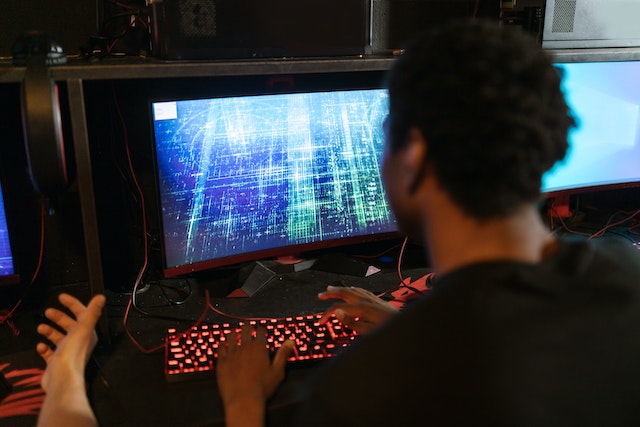
It would be fair to say the online gaming industry has undoubtedly progressed a long way since the turn of the new millennium.
With analysts forecasting the global market could be worth more than $314 billion by 2026, the online gaming juggernaut is showing no signs of slowing down.
Advancements in technology have been primarily responsible for transforming the sector and will continue to do so over the coming years.
There are plenty of developments worth monitoring in the short-term, so read on as we take a closer look at some of the online gaming trends to follow in 2023.
Cryptocurrency gaming payments
Buying games, purchasing credits and in-game purchases are among the most common ways players spend money on their online gaming activities.
This point is particularly pertinent in the associated iGaming sector, with popular games such as online pokies requiring monetary deposits to be made in real money mode.
Debit cards have been the most popular payment option over the past couple of decades, but digital technology has allowed new methods such as e-Wallets to be added into the mix.
Cryptocurrencies are expected to be the next big thing in the industry as gamers gravitate towards more secure payment method technologies.
Cloud-based gaming
The gaming industry was initially built on the success of consoles manufactured by companies such as Atari, Nintendo and Sega.
While the latest editions of Xbox and PlayStation are hugely popular in the modern era, it is unclear what their respective futures may hold.
Cloud-based gaming has made great strides in the past few years and may well start to impact console sales in 2023 and beyond.
Improved Wi-Fi connectivity has made cloud-based gaming much easier to access, thus reducing the necessity for people to invest in expensive hardware.
Fitness gaming
Fitness gaming gained plenty of traction last year and we expect the trend to continue apace during the next 12 months.
The launch of the Nintendo Wii console in 2006 was the industry’s first dabble with fitness gaming, but the genre is now far more sophisticated.
Games such as Ring Fit Adventure, Fitness Boxing 2 and Zumba; Burn It Up have fired fitness gaming into another stratosphere.
Having already enjoyed huge success with fitness gaming titles, developers can be expected to keep pushing the boundaries with their new releases in 2023.
Virtual reality
Virtual reality (VR) technology has been around since the 1950s, but has never really crossed into the mainstream in the way it was expected to do.
VR has long been tipped to have a major impact on the gaming industry, but its adoption has been hampered by the lack of functionality provided by the supporting hardware.
Things have slowly changed over the past couple of years as VR developers have finally got to grips with possibilities in this area.
Some of the most popular game franchises now have VR modes and we anticipate this will become even more commonplace over the next 12 months.
eSports
Given that eSports is a 21st century phenomenon, it is little wonder that the sector appears to be in a continual state of flux.
The next 12 months will likely see more evolution in eSports, particularly as it is scheduled to debut as an official event at the upcoming Asian Games.
We also anticipate that eSports organisations will continue to diversify their revenue streams as they forge stronger links with the traditional sports sector.
Increased interest from major sponsors and broadcasters will also help to further develop the eSports industry during 2023 and in the future.
Independent game development
Game development has historically been labour-intensive, with the process requiring input from teams of people boasting different skill sets.
However, online communities and forums have made it increasingly easier for independent game developers to flourish in the industry.
We expect that trend to continue in 2023 with the creation of more indie games driven by input from creative global fan communities.
This may well lead to more diversity in the type of games being developed, with topics such as disabilities and mental health issues likely to become more prominent in gaming.
Remakes and reboots
Nostalgia is an integral part of the gaming industry, as evidenced by the enduring popularity of characters such as Pac-Man and Mario.
On that basis, 2023 is on track to be an epic year for remakes and reboots, with several iconic titles set to return as remastered games over the coming months.
Resident Evil 4 and Dead Space are among the hugely popular games the reboot treatments this year and they are unlikely to be alone in that regard.
There is also likely to be a growing trend of developers providing players with exclusive supporting content such as documentaries about the process behind the creation of those iconic titles.

Download Minecraft PE 1.21.131 APK for Android
Minecraft Bedrock 1.21.131 is a focused hotfix update — improved Spear combat, two important bug fixes, and better overall stability on Android. No new content, but a noticeably smoother experience.
Spear Knockback Improvement
The window during which a charged Spear attack can apply knockback has been extended. This makes combat feel more reliable — the attack now connects as expected without requiring pinpoint timing, especially useful when fighting multiple mobs at once.
Spear Animation Alignment
Charge attack animations now accurately sync with the Spear’s three gameplay phases: Engaged, Tired, and Disengaged. What you see on screen now matches what the game engine is actually doing — making combat more readable and reducing guesswork in fights.
Performance & Stability
Frame drops on mid-range Android hardware have been reduced. Memory handling improvements prevent sudden freezes during long play sessions. World loading and chunk generation are more reliable, reducing terrain “pop-in” when exploring or moving quickly.
Multiplayer Improvements
Backend updates improve session stability when players join or leave. Fewer disconnects and smoother synchronisation across Bedrock servers. Marketplace content and add-ons also load more consistently during multiplayer sessions.
Adventuring Time Achievement Fixed — The achievement no longer unlocks early. It now correctly requires visiting at least 17 biomes on PC, matching the intended design.
Marketplace Escape Key Fixed — Pressing Escape after using the Marketplace search now reliably returns players to the previous menu instead of getting stuck in a loop.
Add-on World Loading Fixed — A bug that triggered a “Block” error when loading or creating worlds with multiple add-ons installed has been resolved.
Download the APK
Tap one of the Download buttons above. Choose the Standard (no music) version if storage is limited, or the Full version for the complete experience. The ARM64 build is recommended for modern phones.
Enable “Install Unknown Apps”
Go to Settings → Security (or Privacy) → Install unknown apps. Enable the permission for your browser or file manager. Android requires this for any APK installed outside Google Play.
Open the APK File
Open your Downloads folder, find the Minecraft 1.21.131 APK, and tap it to launch the system installer. Follow the on-screen prompts.
Install Over Existing Version
In most cases you can install 1.21.131 directly over your existing Minecraft without losing any worlds or progress. If you see a signature conflict error, uninstall first — but back up your worlds beforehand.
Launch and Sign In
Open Minecraft, sign in with your Microsoft/Xbox Live account, and your existing worlds will load normally. Online multiplayer, Realms, and Marketplace content all work as before.
Download Minecraft PE 1.20 APK for Android
Get the full Minecraft Bedrock 1.20 (Trails and Tales) APK for Android. Supports Xbox Live sign-in. Multiple versions available — stable releases and preview builds.
Download the APK File
Tap the Download button above for the version you want. The APK file will save to your device’s Downloads folder.
Enable “Install Unknown Apps”
Go to Settings → Security or Privacy → Install unknown apps. Enable it for your browser or file manager. Android requires this for any APK installed outside of Google Play.
Open the Downloaded File
Open your Downloads folder (or tap the notification), find the Minecraft APK, and tap it to start the installer.
Confirm Installation
Tap Install and wait for the process to complete. If you see a “signature conflict” error, uninstall your existing Minecraft version first, then retry.
Launch and Sign In with Xbox Live
Open Minecraft, sign in with your Microsoft/Xbox Live account to access multiplayer, Realms, and cross-platform features.
-
 Guides7 years ago
6 Proven Ways to Get more Instagram Likes on your Business Account
-
Mainstream12 years ago
BioWare: Mass Effect 4 to Benefit From Dropping Last-Gen, Will Not Share Template With Dragon Age: Inquisition
-
 Mainstream8 years ago
How to Buy Property & Safe Houses in GTA 5 (Grand Theft Auto 5)
-

 Guides2 years ago
Free Fire vs PUBG: Comparing Graphics, Gameplay, and More
-

 Guides2 years ago
50+ Free Fire ID and Passwords Login List (Giveaway) 2025
-
 Casual3 years ago
8 Ways to Fix Over-Extrusion and Under-Extrusion in 3D Printing
-

 Other2 years ago
Ajjubhai UID: Free Fire Details & Earnings
-

 Features2 years ago
Exploring Valorant eSports Stats: Unveiling the Metrics Behind Competitive Excellence