
Guides
Fantastic iOS Games You Should Play in 2023

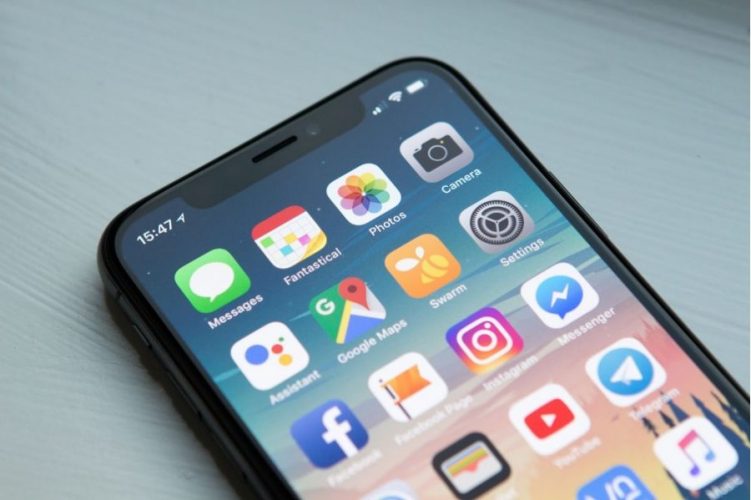
Can you recommend some great iPhone games? Whether you’re an Apple purist or have never owned a mobile device, you’ve probably wondered this at some point. That being said, you’ve come to the perfect place, as we’ve gathered the top iPhone games in one convenient location.
Because we want you to find something that speaks to you personally, we’ve provided a variety of styles. Play anything from Genshin Impact to Candy Crush, and you’re bound to have fun. We aimed to be as inclusive as possible because gamers and even game bettors, like the games they play and what they bet in at sites with casinoreviewers Payforit reviews, come in various forms.
So, without further ado, let’s get into the best iOS games we’ve personally tested and recommended. Have a look at our fantastic suggestions.
Raid: Shadow Legends
Raid: Shadow Legends is a popular mobile game that almost every gamer has at least heard about. There’s good reason to call that beast a monster. It’s visually spectacular, packed with quests and heroes to unlock, and fun to play solo or with others in the online multiplayer mode.
Mech Arena
The developer of Raid: Shadow Legends is also responsible for Mech Arena. However, the two games have radically different themes and gameplay. In this game, you pilot a mech suit and battle it out in an arena against other players who are also piloting mech suits.
As you play, more choices to modify your mech’s performance in battle become available. Since every player has the same amount of influence over their mech’s gameplay, battles can take on a wide range of styles. It’s the kind of thing you’ll play for hours because “just one more game” keeps popping into your head.
Forge of Empires
Do you like to spend your free time developing virtual cities? You’re the type who enjoys a solid tactical RPG. On the other hand, Forge of Empires is a free-to-play game where you can construct a civilization that survives and thrives across all of the time, from antiquity to the far future.
You begin the game with nothing but a small sliver of wilderness on which to construct your humble first town. There are a wide variety of structures available to you, some of which generate resources (such as gold or tools), while others are designed to boost the morale of your people. All these things help your research, allowing you to create innovative construction methods and improve old ones. Forge of Empires has a lot to do, from fighting battles to farming and constructing structures.
Rise of Cultures
After the massive success of Forge of Empires, Innogames struck another home run with Rise of Cultures, another game focused on the gradual growth of civilization over time. The 3D models used in this game give the characters and the cities you create an adorable little appearance and make them feel more tangible than in the other two games.
When compared to similar games, how does Rise of Cultures stand out? Well, one of the best parts about this game is that you can take inspiration from many historical cultures, allowing you to build replicas of iconic structures like Stonehenge and the Colosseum in Rome. It’s also more people-focused because employees have actual schedules and breaks. Try Rise of Cultures even if you’re a seasoned veteran of Forge of Empires.
Epic Seven
Epic Seven is a gacha game with an anime theme called “The Playable Animation.” To play, you assemble a party of heroes (all unlocked at random in true gacha fashion) and lead them into a series of turn-based RPG fights.
Not only is Epic Seven a free-to-play game, but it also features stunningly animated cutscenes that flesh out the tale and increase its appeal. It makes you care much more about what’s happening now.
Magic: The Gathering Arena
Even if you’re unfamiliar with the game, you’ve heard of Magic: The Gathering. You should learn that the award-winning trading card game has also been translated into a mobile game and does a fantastic job of recreating the game’s joy and complexity.
If you’ve been meaning to dive into the world of Magic: The Gathering but have yet to have the chance up until now, this may be the perfect entry point for you. You can always buy a card, but it needs to have the helpful interactive tutorials that the app does. You can play Magic: The Gathering with anybody, anytime, anywhere, which is a huge draw, even if you are an average player.
Genshin Impact
Genshin Impact, a relative newcomer to the mobile scene, has shown skeptics that a full, console-quality product is entirely viable on mobile. Incredible in every way, there are many characters to gather, a vast universe to discover, and many activities to participate in.
Supremacy 1914
You and many other players will simulate the First World War over several weeks or months. You can take control of any one of the participating countries and direct it down whichever road you see fit, be it strengthening its military, expanding its economy, or venturing into unproven new technology.
Here, the past serves just as a guide, and the result of the war is entirely up to you. With the length of each game, you’ll find yourself immersed in the universe of Supremacy 1914. The variety of the numerous nations means you may play it repeatedly and experience something new.
Conflict of Nations: World War III
Both Supremacy 1914 and Conflict of Nations follow the grand strategy MMO template, with the latter set during the Third World War. Here, you can assume the role of many distinct nations, each of which has its unique play style and set of available resources.
Games can go on for several days and often even months. During that period, you will have to prioritize activities contributing to your nation’s future success, including strengthening the military, growing the economy, and making scientific discoveries and technological advancements. You’ll need to prepare ahead if you want to win out over the other players, but the payoff will be well worth the effort.

Download Minecraft PE 1.21.131 APK for Android
Minecraft Bedrock 1.21.131 is a focused hotfix update — improved Spear combat, two important bug fixes, and better overall stability on Android. No new content, but a noticeably smoother experience.
Spear Knockback Improvement
The window during which a charged Spear attack can apply knockback has been extended. This makes combat feel more reliable — the attack now connects as expected without requiring pinpoint timing, especially useful when fighting multiple mobs at once.
Spear Animation Alignment
Charge attack animations now accurately sync with the Spear’s three gameplay phases: Engaged, Tired, and Disengaged. What you see on screen now matches what the game engine is actually doing — making combat more readable and reducing guesswork in fights.
Performance & Stability
Frame drops on mid-range Android hardware have been reduced. Memory handling improvements prevent sudden freezes during long play sessions. World loading and chunk generation are more reliable, reducing terrain “pop-in” when exploring or moving quickly.
Multiplayer Improvements
Backend updates improve session stability when players join or leave. Fewer disconnects and smoother synchronisation across Bedrock servers. Marketplace content and add-ons also load more consistently during multiplayer sessions.
Adventuring Time Achievement Fixed — The achievement no longer unlocks early. It now correctly requires visiting at least 17 biomes on PC, matching the intended design.
Marketplace Escape Key Fixed — Pressing Escape after using the Marketplace search now reliably returns players to the previous menu instead of getting stuck in a loop.
Add-on World Loading Fixed — A bug that triggered a “Block” error when loading or creating worlds with multiple add-ons installed has been resolved.
Download the APK
Tap one of the Download buttons above. Choose the Standard (no music) version if storage is limited, or the Full version for the complete experience. The ARM64 build is recommended for modern phones.
Enable “Install Unknown Apps”
Go to Settings → Security (or Privacy) → Install unknown apps. Enable the permission for your browser or file manager. Android requires this for any APK installed outside Google Play.
Open the APK File
Open your Downloads folder, find the Minecraft 1.21.131 APK, and tap it to launch the system installer. Follow the on-screen prompts.
Install Over Existing Version
In most cases you can install 1.21.131 directly over your existing Minecraft without losing any worlds or progress. If you see a signature conflict error, uninstall first — but back up your worlds beforehand.
Launch and Sign In
Open Minecraft, sign in with your Microsoft/Xbox Live account, and your existing worlds will load normally. Online multiplayer, Realms, and Marketplace content all work as before.
Download Minecraft PE 1.20 APK for Android
Get the full Minecraft Bedrock 1.20 (Trails and Tales) APK for Android. Supports Xbox Live sign-in. Multiple versions available — stable releases and preview builds.
Download the APK File
Tap the Download button above for the version you want. The APK file will save to your device’s Downloads folder.
Enable “Install Unknown Apps”
Go to Settings → Security or Privacy → Install unknown apps. Enable it for your browser or file manager. Android requires this for any APK installed outside of Google Play.
Open the Downloaded File
Open your Downloads folder (or tap the notification), find the Minecraft APK, and tap it to start the installer.
Confirm Installation
Tap Install and wait for the process to complete. If you see a “signature conflict” error, uninstall your existing Minecraft version first, then retry.
Launch and Sign In with Xbox Live
Open Minecraft, sign in with your Microsoft/Xbox Live account to access multiplayer, Realms, and cross-platform features.
-
 Guides6 years ago
6 Proven Ways to Get more Instagram Likes on your Business Account
-
Mainstream12 years ago
BioWare: Mass Effect 4 to Benefit From Dropping Last-Gen, Will Not Share Template With Dragon Age: Inquisition
-
 Mainstream8 years ago
How to Buy Property & Safe Houses in GTA 5 (Grand Theft Auto 5)
-

 Guides2 years ago
Free Fire vs PUBG: Comparing Graphics, Gameplay, and More
-

 Guides2 years ago
50+ Free Fire ID and Passwords Login List (Giveaway) 2025
-
 Casual3 years ago
8 Ways to Fix Over-Extrusion and Under-Extrusion in 3D Printing
-

 Other2 years ago
Ajjubhai UID: Free Fire Details & Earnings
-

 Features2 years ago
Exploring Valorant eSports Stats: Unveiling the Metrics Behind Competitive Excellence