
Guides
Why Major Sports Leagues are Embracing Crypto Betting?

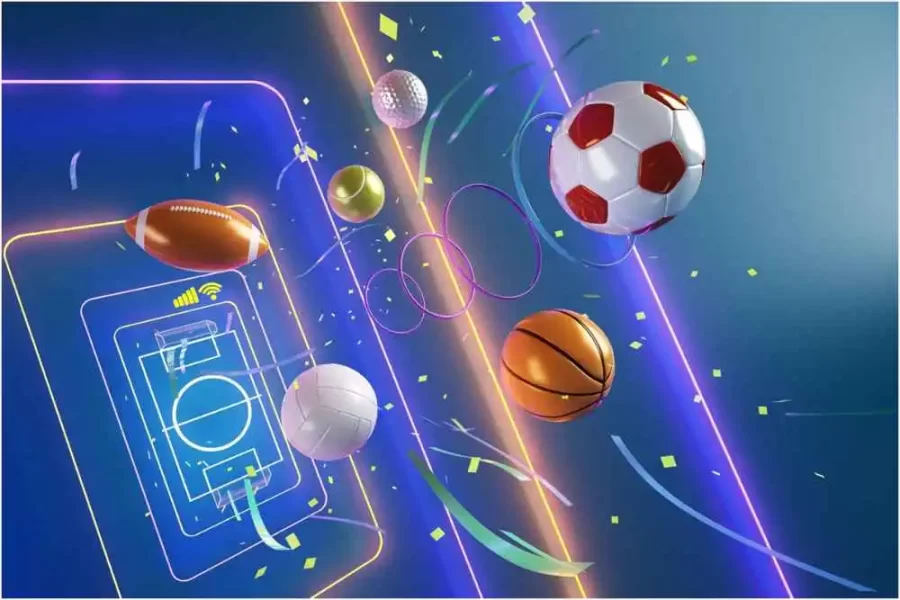
Major sports leagues and players are embracing crypto, and it can no longer be ignored as the industry has become a booming business, bringing massive changes.
A Bitcoin payment provider called BitPay sponsored the St.Petersburg Bowl in 2014, a college football game on ESPN. Although it was not a major sports league, it certainly marked a great milestone as one of the first crypto sports deals in the world. In 2021, cryptocurrency entered the national football league as the NY Giants became the first team in the league with a cryptocurrency sponsorship that partnered with the leading Grayscale Investments. This article delves into the key reasons behind the increasing adoption of crypto sports betting by major leagues.
Evolution of Leagues in Crypto Sports Betting
While football is the only sport that started the crypto trend of sponsorships in 2021, it soon became a prominent aspect of the sports industry. Portland Trail Blazers, an NBA team, announced its partnership with the cryptocurrency cashback app, StormX. In 2021, Miami HEAT also signed the exclusive naming rights deal with FTX, a leading cryptocurrency exchange, after that renamed the home stadium to FTX Arena. It was a 19-year deal worth a whopping $35 million. After this, the crypto exchange signed the largest sponsorship in virtual currency after partnering with MLB (Major League Baseball) in a 5-year deal in June 2021. With this,the best crypto sportsbooks also became very popular.
To date, payment providers and crypto exchanges have made a bulk of sponsorships in the sports industry that highlights substantial crossovers between cryptocurrency adoption and sports fans. Athletics and teams are starting to accept payments in crypto, and the organization is allowing ticket purchases with digital currencies. Oakland A, an MLB team, offered a full-season suite for 1 BTC in 2021. Based on a 2017 study by the Sports Business Journal, an average MLB fan was in the age group of 50 to 57. Crypto sports betting organizations can expect to see more cryptocurrency sponsorships as a great opportunity of attracting younger fans.
Major Sports Teams Embrace Crypto Betting
Let’s look at the major sports teams that have embraced cryptocurrencies:-
1) Sacramento Kings: As the crypto fever has reached its all-time high, popular sports leagues and teams have started accepting crypto, and Sacramento Kings is one of them. It is the first professional NBA franchise to allow its fans to bet in Bitcoin, through which many fans indulged with sportsbooks that accept Bitcoin sports betting. They also plan to expand crypto payment methods to NBA merchandise and various other products.
2) Tennessee Titans: In April 2021, Tennessee Titans became the first NFL team to accept crypto for tickets, sponsorships, suites, and PSLs. The NFL team already has the biggest crypto fans willing to bet on them. They are betting with crypto using the best crypto sportsbooks on one of the most popular leagues in the world. Tennessee Titans have also partnered with a Nashville-based virtual asset fund, UTXO Management, and Bitcoin Magazine to adopt cryptocurrency further.
3) Oakland Athletics: A popular baseball team, Oakland Athletics, has been accepting virtual currencies to sell their tickets and has reached a milestone. It sold a full season suite for 1 BTC in 2021, and all the purchases were made in crypto. Voyager Digital, a publicly traded cryptocurrency platform in New York, bought a 6-person suite with the most convenient, fastest, and hassle-free experience. The fans and organizers of the team also enjoyed the benefits of crypto.
4) San Jose Sharks: Another popular NHL team, San Jose Sharks, is embracing crypto such as Bitcoin, Doge, and Ethereum. These coins are being used to sell tickets and partnerships in leases. San Jose Sharks is also planning to expand its crypto payments for merchandise, concessions, and single-game tickets.
5) Dallas Mavericks: An impressive basketball team, the Dallas Mavericks, is all ready to accept crypto for purchasing tickets, merchandise, and much more. They currently use Bitcoin to make different payments and are looking forward to accepting Dogecoin.
Rise of Crypto and NFTs in Sports
Blockchain technology, smart contracts, and cryptocurrencies add value to sports teams, athletics, and fans in the form of Non-Fungible Tokens or NFTs. These digital assets allow creators to tokenize collectibles, digital art, or other digital assets on the internet. They have enhanced collectibles since blockchain technology provides for scarcity and provable ownership. The NBA successfully uses NFTs due to its great involvement in NBA Top Shot, a virtual collectible card platform. The game is developed on FLOW, allowing users to trade, buy, and sell NFT payments and store them in crypto wallets run by the blockchain network. The platform has witnessed massive success since it started with 1 million users in 2022.
In Europe, soccer teams are also benefiting from the crypto NFTs. Sorare, a fantasy game, has attracted many licensing partnerships with major European teams, including AC Milan and Real Madrid—players in the game act as managers who assemble teams of soccer NFTs on the ETH blockchain. The teams are ranked depending on the players’ performances on the real-world pitch, similar to the traditional fantasy soccer games. Sorare NFTs sell for astonishing prices but not as high as the NBA Top Shot. The one-of-a-kind NFT of Cristiano Ronaldo sold for a whopping $290,000 in March.
Conclusion
The sports industry has increased crypto usage, where athletes receive crypto payments. This scenario would have been unimaginable even three years ago. The world is already where it is no longer possible to ignore the potential of crypto, blockchain, and NFTs in the sports industry. Sports organizations and teams believe in this technology and the fact that blockchain will find its stage within the global financial systems.
As Blockchain, crypto, NFTs, and Web3 march through their initial phases, we can only expect to see more people from the sports industry accept digital payments as the technology evolves. People indeed value control, speed, and safety, which crypto certainly provides, and this can explain why there has been a rise in the demand for crypto payments among sports players and teams around the world.


Download Minecraft PE 1.21.131 APK for Android
Minecraft Bedrock 1.21.131 is a focused hotfix update — improved Spear combat, two important bug fixes, and better overall stability on Android. No new content, but a noticeably smoother experience.
Spear Knockback Improvement
The window during which a charged Spear attack can apply knockback has been extended. This makes combat feel more reliable — the attack now connects as expected without requiring pinpoint timing, especially useful when fighting multiple mobs at once.
Spear Animation Alignment
Charge attack animations now accurately sync with the Spear’s three gameplay phases: Engaged, Tired, and Disengaged. What you see on screen now matches what the game engine is actually doing — making combat more readable and reducing guesswork in fights.
Performance & Stability
Frame drops on mid-range Android hardware have been reduced. Memory handling improvements prevent sudden freezes during long play sessions. World loading and chunk generation are more reliable, reducing terrain “pop-in” when exploring or moving quickly.
Multiplayer Improvements
Backend updates improve session stability when players join or leave. Fewer disconnects and smoother synchronisation across Bedrock servers. Marketplace content and add-ons also load more consistently during multiplayer sessions.
Adventuring Time Achievement Fixed — The achievement no longer unlocks early. It now correctly requires visiting at least 17 biomes on PC, matching the intended design.
Marketplace Escape Key Fixed — Pressing Escape after using the Marketplace search now reliably returns players to the previous menu instead of getting stuck in a loop.
Add-on World Loading Fixed — A bug that triggered a “Block” error when loading or creating worlds with multiple add-ons installed has been resolved.
Download the APK
Tap one of the Download buttons above. Choose the Standard (no music) version if storage is limited, or the Full version for the complete experience. The ARM64 build is recommended for modern phones.
Enable “Install Unknown Apps”
Go to Settings → Security (or Privacy) → Install unknown apps. Enable the permission for your browser or file manager. Android requires this for any APK installed outside Google Play.
Open the APK File
Open your Downloads folder, find the Minecraft 1.21.131 APK, and tap it to launch the system installer. Follow the on-screen prompts.
Install Over Existing Version
In most cases you can install 1.21.131 directly over your existing Minecraft without losing any worlds or progress. If you see a signature conflict error, uninstall first — but back up your worlds beforehand.
Launch and Sign In
Open Minecraft, sign in with your Microsoft/Xbox Live account, and your existing worlds will load normally. Online multiplayer, Realms, and Marketplace content all work as before.
Download Minecraft PE 1.20 APK for Android
Get the full Minecraft Bedrock 1.20 (Trails and Tales) APK for Android. Supports Xbox Live sign-in. Multiple versions available — stable releases and preview builds.
Download the APK File
Tap the Download button above for the version you want. The APK file will save to your device’s Downloads folder.
Enable “Install Unknown Apps”
Go to Settings → Security or Privacy → Install unknown apps. Enable it for your browser or file manager. Android requires this for any APK installed outside of Google Play.
Open the Downloaded File
Open your Downloads folder (or tap the notification), find the Minecraft APK, and tap it to start the installer.
Confirm Installation
Tap Install and wait for the process to complete. If you see a “signature conflict” error, uninstall your existing Minecraft version first, then retry.
Launch and Sign In with Xbox Live
Open Minecraft, sign in with your Microsoft/Xbox Live account to access multiplayer, Realms, and cross-platform features.
-
 Guides7 years ago
6 Proven Ways to Get more Instagram Likes on your Business Account
-
Mainstream12 years ago
BioWare: Mass Effect 4 to Benefit From Dropping Last-Gen, Will Not Share Template With Dragon Age: Inquisition
-
 Mainstream8 years ago
How to Buy Property & Safe Houses in GTA 5 (Grand Theft Auto 5)
-

 Guides2 years ago
Free Fire vs PUBG: Comparing Graphics, Gameplay, and More
-

 Guides2 years ago
50+ Free Fire ID and Passwords Login List (Giveaway) 2025
-
 Casual3 years ago
8 Ways to Fix Over-Extrusion and Under-Extrusion in 3D Printing
-

 Other2 years ago
Ajjubhai UID: Free Fire Details & Earnings
-

 Features2 years ago
Exploring Valorant eSports Stats: Unveiling the Metrics Behind Competitive Excellence