
Guides
Video Promotion On YouTube: Detailed Guide

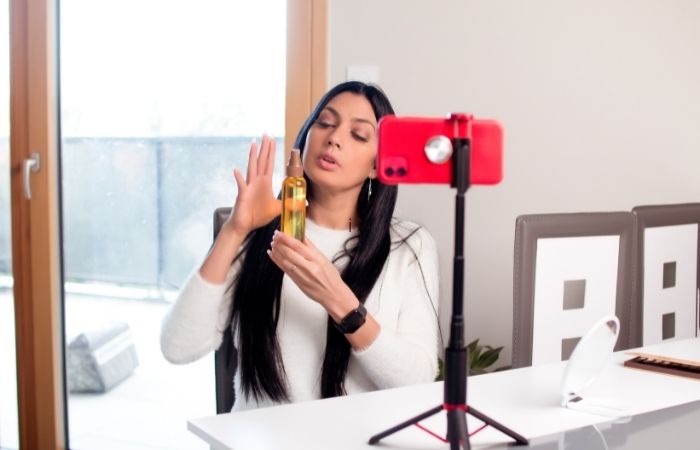
Every month the world’s largest video hosting site YouTube attracts billions of active users. Brands, bloggers, public figures, and ordinary people actively create their own channels on YouTube: some do it to find a loyal audience, others want to make money or gain popularity. But regardless of the goal, each channel requires quality design and serious attention to promotion.
Why do you need YouTube promotion
Promotion on YouTube is a set of actions aimed at increasing the main factors of channel or video ranking in the hosting. Their position is influenced by the number and duration of views, the ratio of likes and dislikes, the number of subscribers, comments, the quality of content, incoming links, and others.
- multimillion-dollar advertising platform
- integration of YouTube videos with Google (hosting is its property) and their display in search engine queries
- interaction with the target audience
- availability of free promotion methods
- ability to track campaign results
Video ranking factors
Creating quality YouTube content requires a lot of money, time and psychological costs. But no less serious work awaits the authors in the maintenance of the YouTube channel.
The position of video clips in the search ribbon is influenced by a number of factors.
SEO optimization
Key words and phrases should be used to ensure high positions in search engines. They are indicated in the title, description and tags for the video, in the description of the channel.
Relinking in social networks
Attaching social media links help to increase conversions.
Inbound links
Mentioning videos or links on any third-party resources helps drive up video positions.
Number of YouTube views
Views are the main indicators that measure a video’s success. To grow this indicator, you can always buy YouTube views from real people.
Number of subscribers, adding to favorites
High indicators give a signal to the system that the video is interesting to users and can be elevated in the search feed ranking.
Comments
A large number of comments indicates a high involvement of the audience which has a positive effect on the search results.
Adding cards to your video
This feature allows you to not only add informative videos but also to attract traffic. The tips pop up as a teaser at a specified time in the settings and, most importantly, they are clickable.
End screens
At end screen appears at the end of the video for 5-20 seconds and allows you to recommend other videos to users, call to subscribe to your channel, or perform other actions.
Tips for optimizing your YouTube video
Promotion of your YouTube channel requires thoughtful actions at each stage. Let’s conditionally divide the ways of promotion into 3 groups and consider each of them separately:
- The external appeal of the channel
- SEO
- Advertising
The external appeal of the channel
Interest the viewer in YouTube can not only the content but also the design. When getting acquainted with the page, each of the guests should form an impression of the channel with high-quality and useful content. To do this, you need to study your audience, understand their main interests, and adjust to their requests.
What should see the viewer opening your channel?
- Channel logo
The emblem will allow users to identify the channel and subsequently make it easier to find in the list of subscriptions.
- Informative channel header
YouTube has provided the header with useful tools (active links to social networks and the site). This makes it possible to invite users from YouTube pages to other official sources.
Moreover, additional conversions can be gained by specifying contact information in the header.
- Trailer
A trailer is a video that automatically plays on the main page of a channel when a user visits it. It should briefly talk about the value of the page, its usefulness for the viewer. At the end of a short video remind guests to subscribe to the channel.
- Thumbnails
We do not recommend using an automatically generated YouTube thumbnail. Previews require careful thought and professional design. But with a limited budget, the cover can be created on Canva.com.
SEO optimization
All activities aimed at video promotion comes down to improving the ranking factors. SEO allows you to use keywords to influence the position of the video in search queries or to display it in the feed of similar videos.
- Title
The title of the video must contain a keyword. Services like VidIQ can help you find the best title. It should reflect the most relevant problem of users, their desires and expectations.
- Description
The description of the video helps users understand the content of the video and form an expectation of watching it. And the first 3 lines are always open for reading, so the main information needs to be placed in this part.
- Tags
Tags are keywords for the topic, category, and specifics of the video. They do not require being original. Tags should preferably include the most frequently mentioned queries when searching for a video. This will increase the chances of your video getting into the “Related Videos” list.
They can be selected using VidIQ or generated suggestions of YouTube itself.
Advertising
The main task of promoting a channel or video is to reach as many viewers as possible. Advertising in this case is an effective way, but in comparison with the previous proposals requires more skill and experience.
There are several options for increasing the visibility of your blog (channel):
- posting on third-party sites or social media pages
- advertising on Google Ads
- collaboration with bloggers
- contests and Challenges
Cross-promotion
You can attract resources from outside and promote your channel in the media, on various websites, forums and social networks.
Think about the value of your channel for the readers of publications and subscribers of social networks, and how you stand out from other content creators. As an option, you can announce your channel’s YouTube releases on your own social media channels and blog.
Google Ads
To promote a channel or video, Google suggests running ads inside someone else’s video or placing them in the contextual media network.
Options for launching ads on YouTube: in-Stream, discovery, bumper Ads. It would be better to find out ads formats on Google support and choose the relevant ones.
Collaboration with bloggers
A blogger can be not only from YouTube but also from any other social network. It is necessary to approach the choice consciously and take into account: the number of subscribers, involvement of the audience, the relevance of the target audience to yours.
Influencers can be searched for on special resources or you can write to them directly.
As you may have noticed, promoting videos on YouTube is an extremely time-consuming activity with many pitfalls.
But regardless of whether you decide to do it yourself or in cooperation with experienced marketers, the content has the power. Remember that today’s users are spoiled and demand high-quality videos, sound effects, useful and interesting ideas.

Download Minecraft PE 1.21.131 APK for Android
Minecraft Bedrock 1.21.131 is a focused hotfix update — improved Spear combat, two important bug fixes, and better overall stability on Android. No new content, but a noticeably smoother experience.
Spear Knockback Improvement
The window during which a charged Spear attack can apply knockback has been extended. This makes combat feel more reliable — the attack now connects as expected without requiring pinpoint timing, especially useful when fighting multiple mobs at once.
Spear Animation Alignment
Charge attack animations now accurately sync with the Spear’s three gameplay phases: Engaged, Tired, and Disengaged. What you see on screen now matches what the game engine is actually doing — making combat more readable and reducing guesswork in fights.
Performance & Stability
Frame drops on mid-range Android hardware have been reduced. Memory handling improvements prevent sudden freezes during long play sessions. World loading and chunk generation are more reliable, reducing terrain “pop-in” when exploring or moving quickly.
Multiplayer Improvements
Backend updates improve session stability when players join or leave. Fewer disconnects and smoother synchronisation across Bedrock servers. Marketplace content and add-ons also load more consistently during multiplayer sessions.
Adventuring Time Achievement Fixed — The achievement no longer unlocks early. It now correctly requires visiting at least 17 biomes on PC, matching the intended design.
Marketplace Escape Key Fixed — Pressing Escape after using the Marketplace search now reliably returns players to the previous menu instead of getting stuck in a loop.
Add-on World Loading Fixed — A bug that triggered a “Block” error when loading or creating worlds with multiple add-ons installed has been resolved.
Download the APK
Tap one of the Download buttons above. Choose the Standard (no music) version if storage is limited, or the Full version for the complete experience. The ARM64 build is recommended for modern phones.
Enable “Install Unknown Apps”
Go to Settings → Security (or Privacy) → Install unknown apps. Enable the permission for your browser or file manager. Android requires this for any APK installed outside Google Play.
Open the APK File
Open your Downloads folder, find the Minecraft 1.21.131 APK, and tap it to launch the system installer. Follow the on-screen prompts.
Install Over Existing Version
In most cases you can install 1.21.131 directly over your existing Minecraft without losing any worlds or progress. If you see a signature conflict error, uninstall first — but back up your worlds beforehand.
Launch and Sign In
Open Minecraft, sign in with your Microsoft/Xbox Live account, and your existing worlds will load normally. Online multiplayer, Realms, and Marketplace content all work as before.
Download Minecraft PE 1.20 APK for Android
Get the full Minecraft Bedrock 1.20 (Trails and Tales) APK for Android. Supports Xbox Live sign-in. Multiple versions available — stable releases and preview builds.
Download the APK File
Tap the Download button above for the version you want. The APK file will save to your device’s Downloads folder.
Enable “Install Unknown Apps”
Go to Settings → Security or Privacy → Install unknown apps. Enable it for your browser or file manager. Android requires this for any APK installed outside of Google Play.
Open the Downloaded File
Open your Downloads folder (or tap the notification), find the Minecraft APK, and tap it to start the installer.
Confirm Installation
Tap Install and wait for the process to complete. If you see a “signature conflict” error, uninstall your existing Minecraft version first, then retry.
Launch and Sign In with Xbox Live
Open Minecraft, sign in with your Microsoft/Xbox Live account to access multiplayer, Realms, and cross-platform features.
-
 Guides7 years ago
6 Proven Ways to Get more Instagram Likes on your Business Account
-
Mainstream12 years ago
BioWare: Mass Effect 4 to Benefit From Dropping Last-Gen, Will Not Share Template With Dragon Age: Inquisition
-
 Mainstream8 years ago
How to Buy Property & Safe Houses in GTA 5 (Grand Theft Auto 5)
-

 Guides2 years ago
Free Fire vs PUBG: Comparing Graphics, Gameplay, and More
-

 Guides2 years ago
50+ Free Fire ID and Passwords Login List (Giveaway) 2025
-
 Casual3 years ago
8 Ways to Fix Over-Extrusion and Under-Extrusion in 3D Printing
-

 Other2 years ago
Ajjubhai UID: Free Fire Details & Earnings
-

 Features2 years ago
Exploring Valorant eSports Stats: Unveiling the Metrics Behind Competitive Excellence