data = about thegameland .net, mobile gaming @thegameland.net, thegameland.net, mobile gaming #thegameland.net
Connect with us

Guides

Assassin’s Creed 4 Cheats and Codes

Published

on

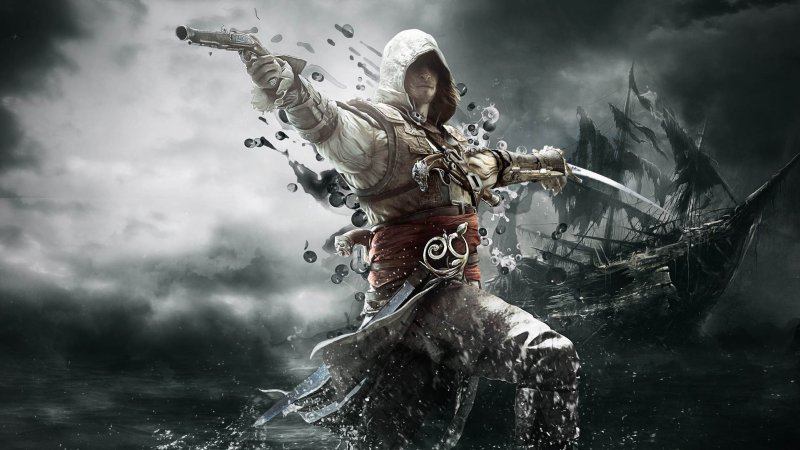
assassins creed 4 cheatsAssassin’s Creed 4 is a really epic game and you probably know already that there are a ton of things that you can do (if not, stay tuned with Unigamesity, as we’re going to cover them all). But until then, you might want to have an easier life in the game and “easier life” means knowing how to cheat your way to the end. You’re at the right place if this is the situation, as we’re going to share with you a series of Assassin’s Creed 4 cheats to help you get going!

Assassins Creed 4 actually comes with a pretty interesting approach to cheats: you don’t have to directly type codes, but instead you unlock cheats by playing the game and completing challenges. I’m talking about the Abstergo Challenges that can be found in the Abstergo Entertainment building. Here are the available cheats and how to get them:

Assassin’s Creed 4 Cheat 1 – Celestial Navigation
Change the day&night cycle to a single setting. Unlock it by completing 10 challenges.

Assassin’s Creed 4 Cheat 2 – Arrr Matey!
Add pop-culture pirate cliches to Kenway’s dialog. Unlock it by completing 20 challenges.

Assassin’s Creed 4 Cheat 3 – No Quarter
Kenway and Jackdaw won’t regenerate health. Unlock by completing 30 challenges.

Assassin’s Creed 4 Cheat 4 – Scourge of the Seven Seas
Maximum wanted level. Unlock by completing 40 challenges

Assassin’s Creed 4 Cheat 5 – Loaded to the Gunwale
Kenway is always drunk. Unlock by completing 50 challenges

Assassin’s Creed 4 Cheat 6 – Poseidon’s Will
Change the intensity of the ocean waves. Unlock by completing 60 challenges

Assassin’s Creed 4 Cheat 7 – Dead Men Tell no Tales
Kenway and Jackdaw are invincible (God Mode). Unlock by completing 70 challenges

Assassin’s Creed 4 Cheat 8 – Shiver Me Timbers!
All enemies are turned into Rabbids. Unlock by completing 80 challenges

Assassin’s Creed 4 Cheat 9 – Armed to the Teeth
Unlimited ammo for Kenway and Jackdaw. Unlock by completing 90 challenges

Assassin’s Creed 4 Cheat 10 – Deceased Crew
The Jackdaw gets a skepeton crew. Unlock by completing 100 challenges

So as you can see, you need to complete a ton of challenges to even get access to the cool cheats, like god mode and unlimited ammo. But fortunately the game is good enough and you won’t feel bad having to play it for so long.
Guides

20 Fastest Cars in Forza Horizon 6 (Ranked by Stock Speed)

Published

on

Continue Reading

Guides

Published

on

Minecraft PE 1.21.131 APK Download Latest Version for Android
Download Minecraft PE 1.21.131 APK for Android | Unigamesity
Verified Release Build
Free APK Download
Xbox Live Supported
Unigamesity › Android Games › Minecraft PE › 1.21.131 APK
⛏️
✔ Hotfix Release · Bedrock Edition

Download Minecraft PE 1.21.131 APK for Android

Minecraft Bedrock 1.21.131 is a focused hotfix update — improved Spear combat, two important bug fixes, and better overall stability on Android. No new content, but a noticeably smoother experience.

Version 1.21.131.01
Released December 2025
Developer Mojang Studios
Platform Android 8.0+
Xbox Live ✔ Supported
📥 Download Options — Minecraft 1.21.131
Minecraft 1.21.131 — Standard (No Music)
Xbox Live + Servers · Music excluded · Smaller download
~270 MB
⬇ Download
Minecraft 1.21.131 — Full Version
Xbox Live + Servers + Full Music · Complete experience
~700 MB
⬇ Download
Minecraft 1.21.131 — ARM64 Version
Optimised for ARM64 (arm64-v8a) processors · Best performance on modern devices
~270 MB
⬇ Download
Get on Google Play (Official)
Always up-to-date · Recommended for most users
—
▶ Play Store
⚠️ Installing APK files requires enabling Install unknown apps in Android Settings → Security. This is needed for any app installed outside of Google Play. You can disable it again after installation.
Version
1.21.131.01
OS
Android 8.0+
License
Free (APK)
Developer
Mojang Studios
Publisher
Microsoft
Xbox Live
✔ Yes
What’s New in 1.21.131
🗡️

Spear Knockback Improvement

The window during which a charged Spear attack can apply knockback has been extended. This makes combat feel more reliable — the attack now connects as expected without requiring pinpoint timing, especially useful when fighting multiple mobs at once.

🎞️

Spear Animation Alignment

Charge attack animations now accurately sync with the Spear’s three gameplay phases: Engaged, Tired, and Disengaged. What you see on screen now matches what the game engine is actually doing — making combat more readable and reducing guesswork in fights.

⚡

Performance & Stability

Frame drops on mid-range Android hardware have been reduced. Memory handling improvements prevent sudden freezes during long play sessions. World loading and chunk generation are more reliable, reducing terrain “pop-in” when exploring or moving quickly.

🌐

Multiplayer Improvements

Backend updates improve session stability when players join or leave. Fewer disconnects and smoother synchronisation across Bedrock servers. Marketplace content and add-ons also load more consistently during multiplayer sessions.

Bug Fixes
🏆

Adventuring Time Achievement Fixed — The achievement no longer unlocks early. It now correctly requires visiting at least 17 biomes on PC, matching the intended design.

🛒

Marketplace Escape Key Fixed — Pressing Escape after using the Marketplace search now reliably returns players to the previous menu instead of getting stuck in a loop.

📦

Add-on World Loading Fixed — A bug that triggered a “Block” error when loading or creating worlds with multiple add-ons installed has been resolved.

Minecraft PE 1.21 Version History
1.21.131 December 2025 · Spear fixes, achievement fix, multiplayer stability Latest
1.21.130 December 2025 · Stability updates, Mounts of Mayhem polish Stable
1.21.124 November 2025 · Bug fixes, performance improvements Stable
1.21.60 2025 · Spring Drop — Pale Garden biome, Creaking mob Stable
1.21.50 2025 · Bundles of Bravery update Stable
1.21.0 June 2024 · Tricky Trials — Trial Chambers, Breeze, Mace Stable
1.21.0.23 May 2024 · Final preview before 1.21 full release Preview
System Requirements
🤖
Android Version
8.0 or higher
💾
Minimum RAM
3 GB
⚡
Recommended RAM
4 GB
📦
Free Storage
1.5 GB minimum
🔧
Processor
ARM64 recommended
🌐
Internet
Required for Xbox Live
How to Install Minecraft 1.21.131 APK on Android
1

Download the APK

Tap one of the Download buttons above. Choose the Standard (no music) version if storage is limited, or the Full version for the complete experience. The ARM64 build is recommended for modern phones.

2

Enable “Install Unknown Apps”

Go to Settings → Security (or Privacy) → Install unknown apps. Enable the permission for your browser or file manager. Android requires this for any APK installed outside Google Play.

3

Open the APK File

Open your Downloads folder, find the Minecraft 1.21.131 APK, and tap it to launch the system installer. Follow the on-screen prompts.

4

Install Over Existing Version

In most cases you can install 1.21.131 directly over your existing Minecraft without losing any worlds or progress. If you see a signature conflict error, uninstall first — but back up your worlds beforehand.

5

Launch and Sign In

Open Minecraft, sign in with your Microsoft/Xbox Live account, and your existing worlds will load normally. Online multiplayer, Realms, and Marketplace content all work as before.

Frequently Asked Questions
What does Minecraft 1.21.131 actually change? ▾
This is a focused hotfix — no new biomes, mobs, or items. It improves Spear combat by extending the knockback window and syncing animations with gameplay phases, fixes the Adventuring Time achievement and an Escape key bug in the Marketplace, and improves overall stability, frame rates, and memory usage on Android.
Will my existing worlds be safe after updating? ▾
Yes. Minecraft 1.21.131 is fully compatible with worlds from earlier 1.21.x versions. Your builds, inventory, and progress are preserved. Always make a manual backup before any update if you want to be extra cautious.
Is the APK version safe to install? ▾
It is safe when downloaded from reputable sources that distribute unmodified files. Verify the file size matches what is listed, and avoid repackaged or “modded” APK files from unknown sites. Once installed, you can revoke the “Install unknown apps” permission for security.
Which download option should I choose? ▾
Most users should pick the Standard (No Music) APK — it’s smaller and gameplay is identical. If you want Minecraft’s full soundtrack, choose the Full Version. The ARM64 build offers the best performance on modern Android phones with arm64-v8a processors; if you’re unsure which chip your phone uses, the Standard version works on all compatible devices.
Do I need to uninstall my current Minecraft first? ▾
Usually no — you can install the new APK directly over the existing version without losing your worlds. If Android shows a “signature conflict” or “version mismatch” error, you’ll need to uninstall first. Back up your world saves before doing this.
Does 1.21.131 work with friends on other platforms? ▾
Yes. Minecraft Bedrock Edition supports cross-platform play across Android, iOS, PC (Windows), and consoles. Sign in with your Xbox Live/Microsoft account to join friends, access Realms, and play on public servers. Your server or friends’ worlds need to be running a compatible version for the connection to work.
What is the Spear in Minecraft 1.21? ▾
The Spear is a melee weapon introduced in the Minecraft 1.21 Tricky Trials update. It offers longer reach than a sword and features a charge mechanic with three phases: Engaged, Tired, and Disengaged. Version 1.21.131 improves its knockback timing and animation accuracy, making it more reliable in combat.
Continue Reading

Guides

Download Minecraft PE 1.20 APK for Android (Latest Version Free)

Published

on

Download Minecraft PE 1.20 APK for Android | Unigamesity
Trusted & Verified File
Free Download
Xbox Live Supported
Unigamesity › Android Games › Minecraft PE 1.20 APK
⛏️
✔ Verified · Free

Download Minecraft PE 1.20 APK for Android

Get the full Minecraft Bedrock 1.20 (Trails and Tales) APK for Android. Supports Xbox Live sign-in. Multiple versions available — stable releases and preview builds.

Latest Version 1.20.81.01
Developer Mojang Studios
Platform Android 8.0+
Price Free (APK)
Xbox Live ✔ Supported
📥 Download Options — Minecraft 1.20.81
Minecraft 1.20.81 — Standard (No Music)
Xbox Live + Servers · Music tracks excluded · Smaller file
270 MB
⬇ Download
Minecraft 1.20.81 — Full Version
Xbox Live + Servers + Full Music · Complete experience
700 MB
⬇ Download
Get on Google Play (Official)
Always up-to-date · Recommended for most users
—
▶ Play Store
⚠️ To install the APK manually, you must enable Install unknown apps in your Android settings. This allows installation outside of Google Play. See the installation guide below.
Version
1.20.81.01
OS
Android
License
Free
Publisher
Microsoft
Author
Mojang Studios
Xbox Live
✔ Yes
All Minecraft 1.20 Versions
1.20.81 April 29, 2024 · Armored Paws — Wolf armor, Armadillo, Mace weapon Latest
1.20.80 April 23, 2024 · Armadillo + wolf variants added Stable
1.20.73 March 2024 · Stability and performance fixes Stable
1.20.70 March 2024 · Trial Chambers preview, Breeze mob Stable
1.20.41 November 2023 · Bug fixes, item duplication patch Stable
1.20.0 June 2023 · Initial Trails and Tales release Stable
1.20.0.23 May 2023 · Final preview before official release Preview
System Requirements
🤖
Android Version
8.0 or higher
💾
Minimum RAM
3 GB
⚡
Recommended RAM
4 GB
📦
Free Storage
1.5 GB minimum
🔧
Processor
ARM64 (arm64-v8a)
🌐
Internet
Required for Xbox Live
How to Install Minecraft APK on Android
1

Download the APK File

Tap the Download button above for the version you want. The APK file will save to your device’s Downloads folder.

2

Enable “Install Unknown Apps”

Go to Settings → Security or Privacy → Install unknown apps. Enable it for your browser or file manager. Android requires this for any APK installed outside of Google Play.

3

Open the Downloaded File

Open your Downloads folder (or tap the notification), find the Minecraft APK, and tap it to start the installer.

4

Confirm Installation

Tap Install and wait for the process to complete. If you see a “signature conflict” error, uninstall your existing Minecraft version first, then retry.

5

Launch and Sign In with Xbox Live

Open Minecraft, sign in with your Microsoft/Xbox Live account to access multiplayer, Realms, and cross-platform features.

Frequently Asked Questions
What is Minecraft PE 1.20? ▾
Minecraft PE 1.20, officially called the Trails and Tales update, was released in 2023 for Minecraft Bedrock Edition. It introduced the Cherry Grove biome, the Sniffer mob, archaeology mechanics, bamboo wood, the Camel mob, Decorated Pots, and more. The 1.20.x series continued through 2024 with additional mobs like the Armadillo and Wolf Armor.
Is it safe to install Minecraft APK manually? ▾
It is safe when downloading from a reputable source that distributes unmodified files. Always check the file size matches what’s listed, and avoid repackaged or “modded” installer files from unknown sites. Once installed, you can disable the “Install unknown apps” permission again for security.
Why do I need to turn on unknown sources? ▾
Android blocks APK installation outside of the Play Store by default to protect users. Enabling “Install unknown apps” temporarily overrides this for a specific app (your browser or file manager). You can turn it off again after installation — it only needs to be active during the install process.
What if the APK fails to install? ▾
Check that your Android version is 8.0 or higher, you have at least 1.5 GB of free storage, and “Install unknown apps” is enabled for the right app. If Android reports a signature or version conflict, uninstall your current Minecraft first. If the file seems corrupted, download it again.
Do I need to uninstall the previous version first? ▾
Usually no — the APK installs over an existing build. However if you get a signature conflict error, you’ll need to uninstall the old version first. Back up your worlds before doing this, as uninstalling Minecraft can delete local save files.
Does the APK version support Xbox Live and multiplayer? ▾
Yes. All official Minecraft Bedrock APK builds include Xbox Live sign-in support, which enables online multiplayer, Realms, and cross-platform play with PC, console, and other mobile players. A stable internet connection is required.
Which file should I download — with or without music? ▾
Both versions have identical gameplay. The “no music” variant (270 MB) is significantly smaller and is ideal if you have limited storage or a slow connection. The full version (700 MB) includes Minecraft’s original music tracks for the complete experience.
Continue Reading

Trending

© Copyright © 2008 - 2025 Unigamesity - The University for Gamers