
Uncategorized
How to Fix NBA 2K12 Crashes, Freezes and Problems

One of my highest anticipated games of the year (of EACH year, to be precise!) is NBA 2K12, and this year’s version is better than ever! However, it’s not a perfect game and even though the game has just been launched, reports about NBA 2K12 crashes, freezes and black screeb problems (to mention a few) have started to appear and I am here to try and help you solve these problems! So if you’re wondering how to fix NBA 2K12 Problems, check out the solutions below. If nothing seems to work, try to post a comment below and hopefully somebody will be able to help you out.
How to fix generic NBA 2K12 Crashes, Freezes and Black Screen
1. First of all, you should make sure that your system meets the minimum system requirements (and try to lower the visuals as much as possible). Also, make sure that you have installed your latest driver for your graphics card and you have your antivirus stopped. The antivirus could also interfere with the game’s installation!
2. Another reason for crashes of the game is the lack of virtual memory (as it happened with NBA 2K11). In order to increase your virtual memory available for NBA 2K12 and hopefully stop the crashes and freezes, here is what you should do (for Windows 7 or Vista users): go to Control Panel > System and Maintenance > System > Advanced System Settings > Performance > Advanced tab > Virtual memory and check the “Automatically manage paging file size for all drives” option. And that’s it!
How to fix NBA 2K12 Install Problems
In order to install the game, you must be connected to the internet. Sometimes, a poorly configured antivirus software might interfere with the game, so make sure that you have your antivirus software turned off before trying to install NBA 2K12 again.
This is it right now, hopefully these fixes will help you enjoy NBA 2K12 to the maximum!
Don’t forget that if you have a possible solution for any problems related to the NBA 2K12 crashes, black screen or performance, post them in the comment section below to help everybody!



Do you live in the Canadian coastal town of Dartmouth in Nova Scotia? You may feel lucky to live in a place that offers a vacation-like vibe even during busy weekdays. Although it’s a beautiful destination, you cannot ignore its Atlantic climate, which exposes you and your home to heavy rain, strong winds, salt air, and freeze–thaw cycles. You can dress up or down according to the weather, but how do you protect your home from these harsh elements? Vinyl siding is often considered the best choice. Since, it is a cost-effictive and low maintenance solution, it has gained a lot of popularity over the years. However, choosing the right siding installation company is essential.
Some companies offer vinyl siding services Dartmouth. Make sure you assess their experience and expertise. Professionals take all the necessary steps during siding installation, ensuring your home’s structural integrity is protected for years to come. Every decision during installation counts; it can be as small as the choice of fasteners. A trained professional knows that only corrosion-resistant nails are reliable. These can be made of galvanized steel or aluminum. They also select the correct sizes. Typically, a nail’s head can be 5/16 in., the shank a minimum of 1/8 in., and it should be driven 1 1/4 in. deep into different nailable substrates.
This level of attention to detail demonstrates their expertise. At the same time, you can rely on them to take the necessary precautions during installation and avoid fastening mistakes that could compromise your siding.
Precautions taken when fastening vinyl siding

Vinyl siding installers know how to use screws, staples, and nails. They take care of the starter strip, in other words, the spacing between the vinyl and the fastener head, and other crucial factors. Since vinyl expands and contracts with the changing weather, the experts also look into this matter. Their preparation goes beyond basic fastening. They first install various accessories, such as window flashing, J-channels, trims, and corner posts. If a nail slot is misaligned, they can use a nail slot punch to create proper space for the fastener. When using staples, they are careful to consider factors such as wind resistance limitations to ensure the siding remains secure and durable.
Common mistakes made during vinyl siding installation
Any misstep can affect the vinyl siding installation. Professionals cannot overlook anything that could compromise their work. For example, fasteners cannot be tightened too much, as this will prevent vinyl siding panels from moving with weather changes. As a result, panels can deform or become damaged. Improper fastener spacing can affect siding’s stability, durability, and wind resistance. Additionally, using staples without proper verification can be problematic, as it may violate local building codes, particularly when staples are used instead of screws or nails.
Vinyl siding installation requires precision and a careful approach. Fasteners and other small components must be carefully selected. You don’t need to worry about these aspects much if you hire the right people. They will carefully choose all the materials based on their advantages, limitations, and properties. You can trust their skills and experience. They will ensure that the siding is installed correctly and performs as intended. For guidance, click Artisanroofing.ca.

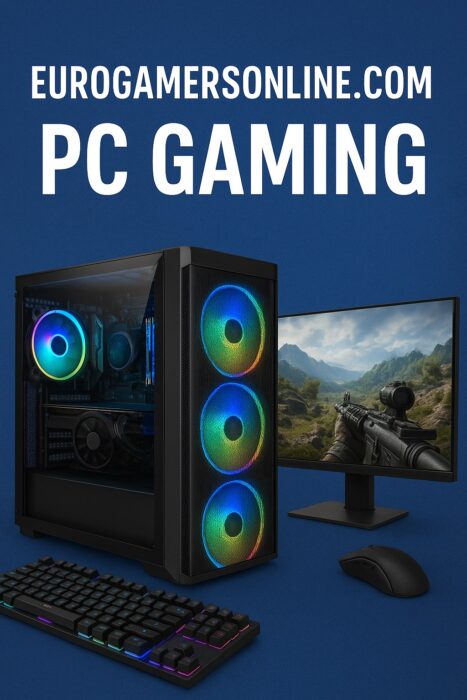
PC gaming has evolved into far more than just playing games—it’s become a vibrant digital ecosystem encompassing communities, competitive esports, content creation, and technological innovation. Modern PC gaming represents a convergence of cutting-edge hardware, social interaction, and immersive experiences that continue to push the boundaries of interactive entertainment.
The purpose of this guide is straightforward: to help both new and experienced gamers build better gaming setups, improve their system performance, and stay updated with the latest trends shaping the industry. Whether you’re assembling your first gaming PC or looking to optimize your existing rig, this comprehensive resource will provide the knowledge and insights you need to elevate your gaming experience.
1. The Evolution of PC Gaming & How Eurogamersonline.com Shapes It
The journey of PC gaming has been nothing short of revolutionary. From the early days of pixel-based games with limited colors and simple mechanics, we’ve progressed to today’s high-fidelity, photorealistic worlds that blur the line between virtual and reality. Games now feature complex physics engines, dynamic weather systems, and environments so detailed they rival the real world.
Perhaps even more significant than the graphical evolution is the fundamental shift in how we play. Gaming has transformed from a predominantly solo activity into a global social phenomenon. Multiplayer experiences, online communities, and shared gaming moments have become central to the PC gaming experience. Players now collaborate across continents, form lasting friendships, and participate in massive online worlds with thousands of simultaneous participants.
Eurogamersonline.com plays a crucial role in this modern gaming landscape by bridging the gap between gamers, industry experts, and developers. The platform offers comprehensive guides that demystify complex topics, community features that connect like-minded players, and timely coverage of modern gaming trends including cloud gaming, AI integration, and emerging technologies. By serving as both an educational resource and a community hub, Eurogamersonline.com helps gamers navigate the ever-changing world of PC gaming with confidence.
2. Building the Perfect PC Gaming Setup
2.1 Core Hardware Components
Building a capable gaming PC requires understanding the essential components that work together to deliver smooth, immersive experiences.
CPU (Processor) – The processor serves as your system’s brain, executing game logic and managing background tasks. Modern gaming demands multi-core CPUs that can handle parallel processing efficiently. While older games relied primarily on single-core performance, today’s titles take full advantage of 6, 8, or even 16 cores. Investing in a modern CPU ensures your system can handle not just current games, but upcoming titles as well.
GPU (Graphics Card) – Your graphics card is the heart of gaming performance. Modern GPUs do far more than render frames—they support advanced features like real-time ray tracing for realistic lighting and reflections, AI-powered upscaling technologies, and complex shader effects. The GPU market offers options ranging from budget-friendly cards for 1080p gaming to powerhouse models capable of driving 4K displays at high refresh rates.
RAM – Memory requirements have steadily increased over the years. While 8GB was once adequate, 16GB or more is now recommended for smooth gameplay in modern titles. Sufficient RAM prevents stuttering, allows for faster asset loading, and enables comfortable multitasking between games and other applications like Discord or streaming software.
Storage – Solid State Drives (SSDs) have become essential for modern gaming. The benefits extend beyond faster boot times—SSDs dramatically reduce game loading screens, enable quick-travel features in open-world games, and minimize texture pop-in. Many recent titles specifically recommend or require SSDs to deliver the intended experience. NVMe drives offer even faster performance than traditional SATA SSDs, though both represent massive improvements over mechanical hard drives.
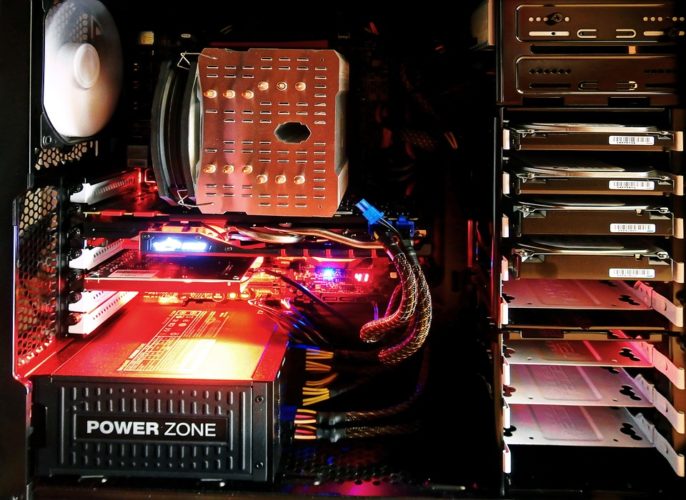
Cooling System & PSU – These often-overlooked components are critical for system stability and longevity. Adequate cooling prevents thermal throttling that can reduce performance during extended gaming sessions. A quality power supply unit ensures stable power delivery to all components, protects against electrical issues, and provides headroom for future upgrades. Investing in reliable cooling and power solutions safeguards your entire system investment.
2.2 Peripherals & Accessories for Competitive / Comfortable Play
The components inside your PC are only part of the equation. Your peripherals directly influence both your performance and comfort during gameplay.
Keyboard – Mechanical keyboards have become the gold standard for gaming, offering responsive, tactile feedback that enhances both typing and gaming experiences. Different mechanical switch types cater to various preferences, from clicky and tactile to smooth and linear. Programmable keys allow you to execute complex in-game actions with single keystrokes, providing a competitive advantage.
Mouse – Gaming mice feature high-DPI sensors that track movement with precision, low-latency connections that eliminate input delay, and ergonomic designs that reduce hand fatigue. For first-person shooters and competitive games, a quality mouse is absolutely essential. The difference between a budget mouse and a proper gaming mouse becomes immediately apparent when precise aiming matters.
Monitor – High refresh rate displays, typically 144Hz or higher, deliver dramatically smoother visuals compared to traditional 60Hz screens. The difference is particularly noticeable in fast-paced games where every frame matters. Modern gaming monitors also feature technologies like G-Sync or FreeSync that eliminate screen tearing, creating a seamless visual experience.
Headset / Audio – Quality audio provides immersive soundscapes that enhance the gaming experience and offer competitive advantages. Spatial sound allows you to pinpoint enemy positions in shooters, hear approaching threats in survival games, and fully appreciate the atmospheric design of story-driven titles. Whether you choose a dedicated gaming headset or high-quality headphones with a separate microphone, good audio is an investment in both immersion and performance.
Customization – Modern gaming setups embrace personalization through RGB lighting that creates ambiance, macro keys that streamline gameplay, and ergonomic considerations like adjustable desks and supportive gaming chairs. Comfort during long gaming sessions isn’t luxury—it’s essential for maintaining focus and preventing physical strain.
2.3 Software & Optimization Best Practices
Even the most powerful hardware won’t perform optimally without proper software maintenance and optimization.
Keep drivers updated – Graphics drivers in particular receive regular updates that improve game performance, add support for new titles, and fix bugs. Similarly, chipset and peripheral drivers ensure all components communicate efficiently. Many manufacturers offer utilities that automate driver updates, making this process painless.
Use OS/game modes to optimize performance – Windows Game Mode, for example, prioritizes system resources for your active game. Many games also include built-in optimization tools that automatically configure graphics settings based on your hardware. Graphics software from NVIDIA and AMD provide game-specific optimizations and performance overlays.
Regular maintenance – Physical and digital maintenance keeps your system running smoothly. Clean dust from intake fans and heatsinks regularly to maintain optimal cooling. Monitor temperatures using software utilities to catch potential issues early. Run benchmark tests periodically to ensure you’re getting expected performance levels. These simple practices prevent many common issues before they impact your gaming.
Backup saves/data before major updates – Game updates, driver installations, and OS upgrades occasionally cause issues. Backing up save files and important data protects against the rare but frustrating possibility of data loss. Cloud save features offered by platforms like Steam provide automatic protection, but local backups offer additional security.
2.4 Comfort, Aesthetics & Sustainability Considerations
A truly great gaming setup balances performance with comfort, visual appeal, and responsible practices.
Desk / chair posture, cable management – Ergonomic furniture prevents long-term health issues. Your monitor should be at eye level, your chair should support your lower back, and your desk height should allow your arms to rest comfortably. Clean cable management isn’t just aesthetic—it improves airflow, prevents accidental disconnections, and makes maintenance easier.
Lighting / ambient setup for focus – Proper lighting reduces eye strain during extended sessions. Bias lighting behind monitors, ambient room lighting, and even RGB lighting can create an environment conducive to focused gaming. Some gamers prefer darker environments for immersion, while others find moderate lighting reduces fatigue.
Energy-efficient components & eco-friendly habits – Modern components offer impressive efficiency, but responsible usage matters too. Switching off unnecessary RGB lighting when not needed reduces power consumption. Properly recycling old hardware keeps electronic waste out of landfills. Enabling power-saving features when gaming performance isn’t critical helps reduce your environmental footprint without sacrificing your experience when it matters.
3. Community, Esports & Social Side of PC Gaming
PC gaming has always had a social dimension, but modern platforms have elevated community interaction to new heights.
Eurogamersonline.com fosters vibrant communities through dedicated forums where gamers discuss strategies, troubleshoot technical issues, and share experiences. The platform facilitates discussions about hardware recommendations, modding tips, and game discoveries. These community features transform gaming from a solitary hobby into a shared passion where knowledge flows freely and friendships form naturally.
The rise of esports has been meteoric, transforming competitive gaming into a global phenomenon with professional tournaments, substantial prize pools, and millions of viewers. Platforms like Eurogamersonline.com connect fans with players through coverage of major tournaments, player spotlights, team news, and competitive scene analysis. Whether you’re an aspiring competitor or an enthusiastic spectator, the esports ecosystem offers endless engagement opportunities.
The benefits of community involvement extend beyond entertainment. Learning from experienced players accelerates your improvement. Collaborating on projects like mods or community events enriches the gaming experience. Discovering new games, hardware recommendations, and optimization techniques through community sharing keeps you informed. Staying updated on industry trends, upcoming releases, and technical developments becomes effortless when you’re connected to an active gaming community.
4. Future Trends Driving PC Gaming (As Highlighted by Eurogamersonline.com)
The PC gaming landscape continues evolving at a remarkable pace, with several key trends reshaping what’s possible.
AI & Machine Learning – Artificial intelligence is revolutionizing game design through dynamic game worlds that respond intelligently to player actions, adaptive difficulty systems that maintain optimal challenge levels, and personalized experiences that cater to individual play styles. AI-powered technologies like DLSS already enhance performance by intelligently upscaling graphics, and future applications promise even more dramatic improvements in both visual quality and gameplay depth.
Cloud Gaming & Cross-Platform Integration – Cloud gaming services eliminate the need for expensive hardware by streaming games from remote servers to virtually any device. This technology enables gaming on tablets, laptops, or even smartphones with the quality previously requiring dedicated gaming PCs. Cross-platform integration breaks down barriers between PC, console, and mobile gaming, allowing friends to play together regardless of their chosen platform. This flexibility represents a fundamental shift in how and where gaming happens.
VR / AR and Immersive Gaming – Virtual reality and augmented reality continue pushing the boundaries of immersion. Modern VR headsets offer increasingly affordable entry points into fully immersive gaming worlds. Motion-tracking setups enable physical interaction with virtual environments. As the technology matures, standalone VR systems and mixed reality experiences promise to make immersive gaming more accessible and compelling than ever.
What do these trends mean for the average gamer? Greater accessibility allows more people to experience high-quality gaming regardless of their hardware budget. Better experiences emerge from technologies that enhance both visual quality and gameplay innovation. Lower barriers to entry mean you don’t necessarily need a top-tier gaming PC to enjoy modern titles. However, adapting to these trends requires staying informed and understanding how to leverage new technologies effectively.
5. Why Eurogamersonline.com Stands Out Among Competitors / What Makes It Unique
In a crowded field of gaming websites and platforms, Eurogamersonline.com distinguishes itself through several key strengths.
The platform combines technical guides with community insights and real feedback from actual players. Rather than simply listing hardware specifications, Eurogamersonline.com provides context about how components perform in real-world gaming scenarios. This practical approach helps gamers make informed decisions based on genuine experiences rather than marketing claims.
Inclusivity defines the platform’s approach—content caters equally to beginners taking their first steps into PC gaming, hobbyists seeking to optimize their experience, and competitive gamers pursuing every possible advantage. This broad appeal creates a welcoming environment where questions are encouraged and knowledge is freely shared.
The balanced approach sets Eurogamersonline.com apart. The platform addresses power and performance without losing sight of education and accessibility. Coverage includes both current gaming realities and future-oriented content exploring emerging technologies like cloud gaming, AI integration, and VR experiences. This comprehensive perspective helps gamers understand not just what works today, but what’s coming tomorrow.
6. Tips to Enhance Your PC Gaming Experience (From the Article’s Suggestions)
Drawing from the insights throughout this guide, several key practices will elevate your gaming experience.
Maintain and optimize – Regular maintenance prevents problems before they impact your gaming. Clean hardware removes dust that impedes cooling. Updated drivers ensure optimal performance and compatibility. Monitoring system performance helps you identify bottlenecks and opportunities for improvement. These ongoing practices keep your system running at peak performance.
Customize for comfort and long-term use – Your gaming environment profoundly affects your experience. Invest in ergonomic furniture that supports healthy posture during extended sessions. Configure lighting to reduce eye strain. Choose peripherals that feel comfortable and responsive in your hands. These comfort-focused improvements enhance both your enjoyment and your long-term physical wellbeing.
Stay involved with community – Engagement with gaming communities enriches your experience immeasurably. Participate in forums to learn from others and share your own discoveries. Explore modding scenes to extend your favorite games in new directions. Share experiences and recommendations with fellow gamers. Learn from the collective knowledge of the community. This involvement transforms gaming from a consumer activity into an active, participatory hobby.
Try to embrace new gaming trends – Technologies like cloud gaming, VR/AR, and modern GPU features open new possibilities worth exploring. However, balance enthusiasm with practicality. Not every trend will suit every gamer, and cost considerations matter. Experiment with new technologies when opportunities arise, but build your setup around what genuinely enhances your personal gaming experience rather than chasing every innovation.
7. Conclusion + Final Thoughts
Modern PC gaming represents far more than powerful hardware and impressive graphics—it’s a rich ecosystem encompassing community, continuous innovation, and perpetual learning. The technical aspects of gaming rigs and performance optimization matter, but they’re merely the foundation for the truly meaningful elements: the friendships formed, the experiences shared, and the memories created.
Whether you’re a newcomer building your first gaming PC or a veteran upgrading an existing setup, the principles remain constant. Build smart setups that balance performance with practicality. Stay curious about emerging technologies and trends. Engage with communities to share knowledge and experiences. Most importantly, enjoy gaming responsibly—maintaining healthy habits, balancing gaming with other life activities, and approaching this hobby with perspective.
The outlook for PC gaming is extraordinarily bright. Evolving technologies like AI, cloud gaming, and VR promise to make gaming more accessible, more immersive, and more versatile than ever before. Hardware continues advancing at a remarkable pace, new game designs push creative boundaries, and the global gaming community grows stronger each year. Whatever your interests within gaming—competitive esports, story-driven adventures, creative building games, or social experiences—the PC gaming ecosystem offers limitless possibilities for engagement and enjoyment.
8. FAQs / Key Takeaways
What hardware specs are good for gaming in 2025?
A solid mid-range gaming PC in 2025 should include at least a 6-core modern processor, 16GB of RAM, a current-generation mid-tier graphics card, and an SSD for your operating system and frequently played games. This configuration handles most games at 1080p or 1440p with high settings. Higher-end builds with 8+ core CPUs, 32GB RAM, and flagship GPUs enable 4K gaming and future-proofing.
Is a high-end GPU always necessary?
Not at all. While flagship graphics cards offer the best performance, mid-range GPUs provide excellent gaming experiences at lower resolutions and settings. Many gamers find that mid-tier cards offer the best value, delivering solid performance without breaking the budget. Your target resolution and desired settings should guide your GPU choice more than the desire for the absolute best.
Can I get a decent gaming experience with a mid-range setup + cloud gaming?
Absolutely. A modest local setup paired with cloud gaming services provides remarkable flexibility. You can play less demanding titles or older games locally while streaming cutting-edge AAA games through cloud services. This hybrid approach maximizes value, allowing you to enjoy a broad gaming library without constant hardware upgrades. However, reliable high-speed internet is essential for optimal cloud gaming performance.
How important is community and social interaction in gaming?
Community has become central to modern gaming experiences. Beyond the obvious social benefits of playing with friends, gaming communities provide learning opportunities, troubleshooting help, game recommendations, and a sense of belonging. Many gamers find that community involvement enhances their enjoyment as much as the games themselves. Whether you’re seeking competitive teammates, creative collaborators, or simply people who share your interests, gaming communities offer valuable connections.
What future gaming trends should I be ready for?
Keep an eye on AI integration that personalizes gaming experiences, cloud gaming that separates games from hardware requirements, cross-platform play that unites gaming communities across devices, VR/AR technologies that redefine immersion, and continued graphics innovations that push visual boundaries. You don’t need to adopt every trend immediately, but awareness helps you make informed decisions about when and how to integrate new technologies into your gaming setup.
Uncategorized
Beyond Compliance: How Local Law 152 Gas Inspections Enhance Building Safety and Liability Protection


Local Law 152, enacted by the New York City Council in 2016, was introduced as part of a broader initiative to improve gas safety across the city’s vast and aging building stock. While the law mandates periodic inspections of gas piping systems, its impact goes far beyond regulatory compliance. It represents a cultural shift in how property owners, managers, and tenants view building safety. By institutionalizing routine inspections, Local Law 152 has become a cornerstone of proactive risk management, helping to prevent accidents, protect lives, and shield stakeholders from legal and financial exposure.
Understanding the Scope and Intent of Local Law 152

At its core, Local Law 152 requires buildings in New York City—excluding those classified under Occupancy Group R-3, such as one- and two-family homes—to undergo gas piping inspections every four years. These inspections must be conducted by a Licensed Master Plumber or a qualified individual under their supervision. The law applies to exposed gas piping systems from the point of entry into the building up to tenant spaces, including mechanical rooms and public areas. The intent is to identify leaks, corrosion, illegal connections, and other defects that could compromise safety.
The law’s staggered inspection schedule, organized by community district, ensures that inspections are distributed evenly across the city. This approach not only makes compliance more manageable but also allows for targeted oversight based on geographic risk factors. The requirement to submit inspection reports and retain certifications adds a layer of accountability, ensuring that issues are documented and addressed promptly.
Enhancing Building Safety Through Early Detection
One of the most significant benefits of Local Law 152 is its role in early detection of gas-related hazards. Gas leaks, if left undetected, can lead to explosions, fires, and carbon monoxide poisoning. By mandating regular inspections, the law ensures that potential issues are identified before they escalate. Licensed professionals use specialized equipment to test for leaks and assess the condition of piping systems. This proactive approach reduces the likelihood of emergencies and enhances the overall safety of the building.
Moreover, the law encourages property owners to adopt a culture of maintenance rather than repair. Instead of waiting for a problem to manifest, owners are incentivized to monitor and maintain their systems continuously. This shift not only improves safety but also extends the lifespan of infrastructure, reducing long-term costs and disruptions.
Liability Protection for Property Owners and Managers
Beyond safety, Local Law 152 offers substantial liability protection for property owners and managers. In the event of a gas-related incident, having a documented history of compliance can serve as a critical defense against legal claims. Inspection reports and certifications demonstrate due diligence and a commitment to tenant safety. This documentation can be invaluable in litigation, insurance claims, and regulatory investigations.
Failure to comply with the law, on the other hand, can expose owners to significant risks. Non-compliance may result in violations, fines, and increased scrutiny from regulatory bodies. In severe cases, it can lead to criminal charges or civil lawsuits, especially if negligence is proven. By adhering to Local Law 152, owners not only fulfill their legal obligations but also protect themselves from reputational and financial harm.
Building Trust with Tenants and Stakeholders
Compliance with Local Law 152 also fosters trust between property owners and tenants. In a city where safety is a top concern, tenants are increasingly aware of building standards and regulations. Knowing that a building undergoes regular gas inspections provides peace of mind and enhances tenant satisfaction. It signals that the owner values safety and is committed to maintaining a secure living environment.
This trust extends to other stakeholders as well, including investors, lenders, and insurers. Buildings that comply with Local Law 152 are viewed as lower-risk assets, which can influence financing terms, insurance premiums, and property valuations. In a competitive real estate market, compliance becomes a strategic advantage, differentiating responsible owners from those who cut corners.
Integrating Technology and Best Practices
As the industry evolves, many property owners are integrating technology to streamline compliance and enhance monitoring. Digital platforms now allow for automated scheduling, documentation, and reporting of inspections. Some buildings are even adopting smart sensors to detect gas leaks in real time, providing an additional layer of protection. These innovations complement the requirements of Local Law 152 and position buildings for future regulatory developments.
Best practices also include training staff on gas safety protocols, maintaining clear communication with tenants, and conducting internal audits between mandated inspections. By embedding these practices into daily operations, owners can ensure continuous compliance and readiness for inspections.
Conclusion: A Holistic Approach to Safety and Responsibility
Local Law 152 is more than a regulatory requirement—it is a framework for responsible building management. By mandating regular gas inspections, the law enhances safety, reduces risk, and protects property owners from liability. Its benefits extend to tenants, stakeholders, and the broader community, creating a safer and more resilient urban environment. As New York City continues to modernize its infrastructure, laws like Local Law 152 will play a pivotal role in shaping a culture of vigilance, accountability, and care. Compliance is just the beginning; the real value lies in the commitment to safety that it represents. Transform your home with expert craftsmanship and innovative design solutions from Zicklincontracting.com, where every renovation begins with your vision.
-
 Guides7 years ago
6 Proven Ways to Get more Instagram Likes on your Business Account
-
Mainstream12 years ago
BioWare: Mass Effect 4 to Benefit From Dropping Last-Gen, Will Not Share Template With Dragon Age: Inquisition
-
 Mainstream8 years ago
How to Buy Property & Safe Houses in GTA 5 (Grand Theft Auto 5)
-

 Guides2 years ago
Free Fire vs PUBG: Comparing Graphics, Gameplay, and More
-

 Guides2 years ago
50+ Free Fire ID and Passwords Login List (Giveaway) 2025
-
 Casual3 years ago
8 Ways to Fix Over-Extrusion and Under-Extrusion in 3D Printing
-

 Other3 years ago
Ajjubhai UID: Free Fire Details & Earnings
-

 Features2 years ago
Exploring Valorant eSports Stats: Unveiling the Metrics Behind Competitive Excellence
CakezZ
October 12, 2011 at 8:44 am
Tried all those steps and still freezes, when playing My Player mode. During match intervals, an ad comes up for a major fixture and goes to a black screen and freezes. And I’ve tried the “Turn OFF Auto-Save” solution. Does not work. Lowered all graphics, etc. My pc defnitly meets the recommended requirements. Please HELP!!! Muchly appreciated.
Michael
October 21, 2011 at 5:32 am
hi i have 560ti duel core 4gb rame and the frame rate is bad and i dont know what to do can any one help me
JD
October 26, 2011 at 4:36 pm
im havin a problem installing 2k12 it always look for png1183.iff when im installing it..
marvin
October 29, 2011 at 10:27 am
hi.i have a problem with nba 2k12.when i am playing the association, the nba today presentation before 4th quarter, it will become black and never play the quarter. What will i do?.i copy only the game but i never install it.help me..plz..tnx
Qolo39
November 2, 2011 at 3:11 pm
Hi, my game freezes in myplayer mode everytime after the comercial in which the starplayer of the teams are presented and everytime i want to start the 4th quarter. i have tried everything. My pc definitely meets the minimum system requirements. Can anyone help me ?
Nikki Elaine
November 9, 2011 at 10:27 am
My problem is, nba2k12_15.cab is corrupted.
What should i do ??
Etotallah
November 20, 2011 at 5:32 pm
lol, the best solution to our problem is to wait the patch for nba2k12 PC game, i am over the requirements of the game but still the errors occurs.. meaning the game itself has the error even though you reach or not the requirements..
THE JEYP
December 6, 2011 at 2:21 am
My problem with My Player mode is the finals
every time I win the championship it crashes
whats wrong?
(My PC meets the minimum requirements)
TRK
March 7, 2012 at 2:06 pm
you need to turn off autosave in my player settings
sotireas
December 7, 2011 at 1:24 am
I have exactly the same problem!when i win the champion it crashes!!do you know when the patch will be released?
Nikki Elaine
December 10, 2011 at 4:02 pm
@THE JEYP , turn off the auto save… that’s all
tassoulis
December 14, 2011 at 1:20 pm
@Nikki Elaine i did that and still the same problem
sotireas
December 16, 2011 at 3:45 pm
tassouli an eisai ellinas pou mallon eisai to ekana kai gw kai douleuei.prosekse,prepei na kleiseis to auto save sto my player mode,oxi sto kentriko menu tou paixnidiou!episis an ksereis kati gia kainourgio patch enimerwse me an mporeis!
Weix
December 20, 2011 at 1:52 pm
Try doing this Run>Regedit>Find 2k12; Remove all found 2k12 in your registry. Worked for me :D Goodluck to all of you!
erol
January 19, 2012 at 12:57 pm
My problem is i have no setup inside the folder in 2k12
Juugo
January 19, 2012 at 5:43 pm
when will patch for pc. i tried all solutions but nothing. im bored with freeze problem on my player mode.
victor
January 19, 2012 at 10:28 pm
necesito que me ayudes con el modo asocciacion se me friza en el 1er y 3er cuarto help .(
Cruz jericho
January 22, 2012 at 7:37 am
dynasty, myplayer, season, playoffs, the association.. everytime i play one of them, i cant continue playing.. 1st quarter commercial (gameday) it always goes back to desktop?? can anyone help me???
slayer
January 23, 2012 at 8:50 pm
im one of u guys! 1st & 3rd quarter gameday commercial bug victim
!
flamekilla
February 7, 2012 at 7:00 am
my problem is in the beginning of the game while my settings are loading, it freezes up. please help
Nikki Elaine
February 7, 2012 at 10:24 am
@tassoulis Or maybe your computer has a problem like you don’t have enough space to operate… example i have 1 gb and i have 90% used and 10% free space.. well that’s the problem you need more than 10% to save or to load… or if you have internet connection unplug it and load your game or save…
(Well if it is doesn’t work try to contact 2ksports in there forum)
-SORRY FOR MY BAD ENGLISH
Nikki Elaine
February 7, 2012 at 10:32 am
or try to exit to your game and play again…..
> EXIT GAME
> START GAME (PLAY AGAIN)
joey
February 9, 2012 at 2:36 am
i have a problem with it freezing in the ” loading settings ” and ” loading roster ” part sometimes the music plays and then it just freeses after the screen freeses, anybody has the solution for this?
manu
February 10, 2012 at 2:49 am
i have the same problem!! what did u do to fix it?!!!
robert
February 10, 2012 at 2:53 am
i have the same problem that @Nikki Elaine had!!
“the cabinet file nba2k12_15.cab required for this installation is corrupt and cannor be used. This could indicate a network error, an error reading from the CD-ROM, or a problem with this package”
WHAT SHOULD I DO????? ANY SUGGESTIONS!???
flamekilla
February 11, 2012 at 3:26 am
WTF! GAME 4 OF NBA FINALS. I BEAT THE SERIES AND IT GOES THRU THE MOTIONS OF ANNOUNCING WINNER. BUT JUST BEFORE THE PRESS CONFRENCE, GAME FREEZES! IT STUCK ON LOADING SCREEN! I HAVE MY INTERNET CORD UNPLUGGED AND I DELETED MY UPDATES. I PLAYED THIS SAME CONFRENCE GAME 5 TIMES AND IM AM 2 SECONDS AWAY FROM THROWING IT THRU A WALL. PLEASE HELP. P.S. IM USING PS3SYSTEM
guyJesus
February 12, 2012 at 2:18 am
My problem with My Player mode is the finals
every time I win the championship it crashes
whats wrong?
bingo
February 14, 2012 at 9:15 am
as for me my 2k12 is running ok when in the game but if i wanna view my endorsement it crashes to desktop. can somebody help me please. thank you and god bless
RonaldoMaia
February 18, 2012 at 12:54 am
My problem with the game (PC, right?), is with the Team Creation; when you create players and add to your team, it just dupplicate (Several times) the players). I know the XBox version had the same problem, but they had a patch for that. What about the PC version? I sent an email to the support at NBA2K12 and no reponse until now… Any clue?
RMaia
February 18, 2012 at 7:18 pm
I have a basic problem that was fixed at XBox. I just do not know if there are fixes for the PC version and where to get it. I tried 2Ksports web site, but did not find it. The problem I have is simple. Creating players and adding them to a created team, several players are duplicated on my created team. Sometimes, the same player is copied 2,3 or more times.
Does anybody know where to get these patches?
Tks
Jackson
February 19, 2012 at 4:43 am
Hi, I had the same problem. ok this will sound weird but turn off auto save trust me it works. Hope I helped
RMaia
February 19, 2012 at 7:13 am
Well, Jackson, if this tip to turn off auto-save, it did not work… Turned off, quit the game, entered again, checked if auto-save was off, edited the team and the problem remains…
Nikki
February 19, 2012 at 9:00 am
@robert try to install it from other computer and clone it !!
Nikki Elaine
February 19, 2012 at 9:05 am
@robert try to install it from another computer and get a flashdrive and clone it, and put it to your pc…. if don’t get want i mean,, reply to me !!
Nikki Elaine
February 19, 2012 at 9:11 am
what !! lol grammar
Jamal
February 20, 2012 at 3:45 am
I can’t even get past the part where it loads the settings. How do u fix it
flamekilla
February 21, 2012 at 2:10 am
River I feel ya pain but eventually, if you keep playing the final game, it somehow gets past the b.s that made it start up in the first place. Trust me, same thing was happening to me
Dean
April 7, 2012 at 8:34 pm
i am in the nba finals in my player mode on the xbox 360 with no xbox live hook ups or anything but after i beat the suns in game 5 to win the nba finals and i go to quit to continue my career it freezes on the loading screen what do i do?! its really irritating and it makes me never want to buy another nba game again! any help or advise would be appreciated.
Jawad
April 19, 2012 at 3:14 pm
RIVER, me too.. always crashes before press conference in final. i turned autosave off, and still same… how to fix it … please someone tell me… i wish someone know how to fix that….
Jawad
April 20, 2012 at 8:09 am
all, i’m succes… i play in PC
just Turn off autosave . but not in main setting, but at my player.
example
Load my player data -> option -> setting -> game mode setting -> autosave turn off..
good luck all…
CLASH
May 31, 2012 at 1:24 pm
I completed the requirements and still have problems with the game… My problem is that when I go to my player mode it ended up crashing and returned to my desktop of my laptop….. I tried the anti-virus step, re-install again…the same problem came again…its so frustrating… I really need help on this annoying problem… Jus to let everyone know… the game worked for about 3-4 weeks i bought it. Then I bought GTA 4 installed it… NBA 2K started its problem…i need help..
Matthew Vasquez
June 17, 2012 at 11:24 pm
I was playing My Player in NBA 2K12 and I logged in and It said an error occurred and I lost all my memory in my player!!!!! I was an all-star and nba champion my rookie year!!! it’s all gone. Please help
kendall
June 19, 2012 at 11:24 pm
what to do when your nba 2k12 my player doesn’t load on xbox
Brandon Ksicinki
June 20, 2012 at 1:03 am
I won te NBA finals in y player mode and it wont load the press confrece pleae help
youngmontez
June 26, 2012 at 2:00 am
Take off auto save before th game
rickavin bobb
June 21, 2012 at 6:54 am
in my player it dosent work i have a black xbox 360 and nba 2k12 dosent work… in my player it says clean disc but its not a scratch on the disc and ii have cleaned the lens with a q tip plzzzz help
isaiah
June 21, 2012 at 5:42 pm
I will get to the game start and it stops to look at the crowd
youngmontez
June 26, 2012 at 1:53 am
every time I click my player and try to create a new it freeze up when it says nike id shoes
Brandon
June 26, 2012 at 6:53 pm
How do you fix freezes and crashes on NBA 2k12 for ps3 ? Like the game freezes when ever it wants to and Idk what to do . Any advice is appreciated thank you
j goodman
July 26, 2012 at 11:53 pm
I did the automate trick and i won the championship. however now my player will not load. need help!
Colby
August 21, 2012 at 4:38 am
I’m past the championship and then I select play next game to go to offseason but it says simulating offseason and then it freezes I’m bout to throw my chic through the wall PLEASE HELP
ejcampi
September 24, 2012 at 7:53 pm
how to fix white hair and the jersey didnt have a number in front in nba 2k12 in pc windows 7?
Clifford Branklyn
September 27, 2012 at 4:24 pm
Won’t freeze on practice but freezes on everything eles “HELP”
Dondre Brown
October 17, 2012 at 6:34 pm
My game freezes when i create or edig player. WHAT DO I DO !!
Dondre Brown
October 17, 2012 at 6:36 pm
my 2k 12 freezes whenever I try to create or edit player. help me I need help
Lee
January 16, 2013 at 8:34 pm
When playing a season as my player the game always freezes after the last game of the playoff final and won’t load another season any ideas welcome,as playing 82 games plus play offs only to crash didn’t put me in a great mood!!! Thanks
Vaughn
March 25, 2014 at 3:22 am
A problem came up when i started the NBA2k12 Game there’s no in-game sound it was totally muted what should i do to put the sound of the game back on its track?
Please help me out and Thank you in advance
herald
June 21, 2014 at 6:03 am
my problem is i can’t continue to the playoffs from seasons.. i already play 81 games but on my carrer i already complete 82 games but my standing is 66 – 15.. after press con it crash. what should i do??/
Michael
October 2, 2014 at 11:47 pm
@Nikki Elaine myplayer, season, playoffs, the association.. everytime i play one of them, i cant continue playing.. 1st quarter commercial (gameday) it always goes back to desktop?? what is the problem ? Can you help me ?
Travis
February 26, 2016 at 2:10 am
My nba2k 12 game is freeking at the end of every game in my player when at the end where u select quit I press it and it does nothing and it locks the whole system up? How do I fix this?