
Video Games
How Big is Fortnite? System Requirements [Complete Size Guide]

Since its launch in 2017, Fortnite has become one of the most popular battle royale games, attracting millions of players worldwide. The game keeps changing with every new season due to its vibrant graphics, thrilling events, and constantly evolving content. However, the game’s file size is an essential factor for players. Knowing how much storage space Fortnite needs might help you make plans, whether you’re a first-time player downloading the game or an experienced player upgrading it.
We’ll explore what influences Fortnite’s storage needs, break down file sizes across platforms, and offer advice on effectively managing space here.
Current Fortnite File Size (March 2025 Update)
The file size of Fortnite changes based on the platform and the content you download as of March 2025. A summary of the most recent size estimations is provided below:
- PC (Windows/Mac): 75-90 GB
- PlayStation 5: 35-45 GB
- PlayStation 4: 30-40 GB
- Xbox Series X/S: 35-45 GB
- Xbox One: 30-40 GB
- Nintendo Switch: 12-18 GB
- Mobile (Android): 6-10 GB
- iOS: Previously 8-10 GB (no longer available on the App Store)
These sizes may change because of Fortnite’s frequent upgrades, seasonal events, and downloadable content packs (DLC). For instance, while optimization improvements may slightly decrease the file size, significant chapter modifications may cause a considerable rise.
Also Read: Fortnite: An Easy Guide on Throwing Shield and Healing Items
Fortnite Download Size vs. Installation Size
It’s essential to understand the distinction between download size and installation size when planning Fortnite.
- Download Size: The compressed data you initially download. This is smaller because files are compressed to reduce download times.
- Installation Size: After installation, the files are decompressed and expanded. Fortnite takes up more space on your storage device than the download size might suggest.
For example, on a PC, the download might be 35-40 GB, but after installation and updates, it can reach 75-90 GB, depending on installed extras like Save the World mode or high-resolution texture packs.
Size Breakdown by Platform
The file size of Fortnite varies greatly depending on the platform you’re using to play. Below is a thorough analysis to help you understand the storage needs of each device.
PC/Mac (Epic Games Store)
- Download Size: 35-40 GB
- Installation Size: 75-90 GB PC users often experience the largest installation sizes due to the availability of higher resolution textures, advanced graphics settings, and optional content packs.
PlayStation 5 and PlayStation 4
- PS5 Download/Install Size: 35-45 GB
- PS4 Download/Install Size: 30-40 GB Sony’s new PS5 console benefits from compression technology that reduces file sizes while maintaining performance. PS5 also supports faster loading speeds through SSD integration.
Xbox Series X/S and Xbox One
- Series X/S Size: 35-45 GB
- Xbox One Size: 30-40 GB Xbox consoles manage storage similarly to PlayStation, with the newer Series X/S consoles offering faster load times and optimized files for better performance.
Nintendo Switch
- Download/Install Size: 12-18 GB The Switch version of Fortnite is smaller due to lower resolution graphics, simplified assets, and reduced game modes to maintain performance on less powerful hardware.
Mobile Devices (Android/iOS)
- Android Size: 6-10 GB
- iOS Size: Previously 8-10 GB (currently unavailable). Mobile versions are optimized for devices with less storage and lower processing power. The game offers scaled-down textures and simplified environments to reduce size without compromising core gameplay.
Also Read: 4 Ways to Fix “Sorry Your Account Is Inactive And May Not Login” Fortnite Error
Factors Affecting Fortnite’s Size
Several key elements contribute to Fortnite’s overall file size, impacting how much storage space it requires on different devices. Understanding these factors can help players manage their storage more effectively.
1. Base Game Engine
Fortnite runs on Unreal Engine, known for its stunning graphics and complex physics. This base framework adds significant weight to the game files.
2. High-Resolution Textures and Assets
PC and next-gen console players can opt for ultra-high resolution textures that enhance visuals but add extra gigabytes.
3. Accumulated Seasons and Map Changes
Epic Games adds new maps, areas, quests, and assets with each new season and chapter, which stack up over time.
4. Cosmetic Items and Character Models
Fortnite’s massive array of skins, gliders, pickaxes, and emotes are all assets that increase file size, especially if you’ve purchased or unlocked many cosmetics.
5. Sound Files and Music
Licensed music, sound effects, and voice lines also contribute to Fortnite’s growing file size.
Also Read: Multithreaded Rendering in Fortnite: Everything you need to know
How Seasonal Updates Impact Size
Chapter revisions and seasonal upgrades greatly impact Fortnite’s size. Major chapter updates (such as going from Chapter 4 to Chapter 5) frequently include complete map redesigns, new game modes, and engine enhancements. These may result in large downloads—sometimes exceeding 10 GB at a time.
However, smaller seasonal updates typically introduce tiny modifications, such as limited-time modes (LTMs) or new characters, which add less data but still impact the game’s total footprint.
Occasionally, Epic Games reduces file sizes by compressing textures and other backend improvements, but adding new material usually surpasses these reductions.
Also Read: The Best Mobile Games for Online Gameplay
Storage Management Tips for Fortnite Players
Are you worried about Fortnite eating up your hard drive space? Here are some tips to help manage its size:
1. Clear Cache and Temporary Files
Clearing temporary files in the Epic Games Launcher or your OS can free up a surprising amount of space on your PC.
2. Delete Replay Files
Replay files are automatically saved after each match and can build up over time. Delete old replays regularly.
3. Remove Unused Game Modes
If you don’t play Save the World, uninstalling it can reduce the file size by several gigabytes.
4. Optimize Texture Settings
Disable high-resolution textures if you don’t need ultra graphics—beneficial for PC users with limited storage.
5. Use External Storage
Console users can install Fortnite on an external SSD or HDD, freeing up internal storage for other games.
Fortnite System Requirements (PC)
Knowing the system requirements helps ensure smooth gameplay and informs your storage needs.
Minimum System Requirements
- OS: Windows 10 64-bit
- Processor: Core i3-3225 3.3 GHz
- Memory: 8 GB RAM
- GPU: Intel HD 4000
- Storage: At least 80 GB of free space
Recommended System Requirements
- OS: Windows 10/11 64-bit
- Processor: Core i5-7300U 3.5 GHz
- Memory: 16 GB RAM
- GPU: Nvidia GTX 960 / AMD R9 280
- Storage: 100 GB of free space (SSD recommended)
Storage Requirements
To prevent performance issues:
- Ensure at least 100 GB of free space.
- Install Fortnite on an SSD for faster load times and better performance. Running Fortnite on an HDD can lead to longer load times and occasional stuttering.
How to Check Fortnite’s Storage Usage
Need to see how much space Fortnite is using? Here’s how to check on each platform:
PC (Epic Games Launcher)
- Open the Epic Games Launcher.
- Navigate to your Library.
- Click the three dots next to Fortnite.
- Select Manage to view file size and options.
PlayStation (PS4/PS5)
- Go to Settings > Storage.
- Select Console Storage > Games and Apps.
- Locate Fortnite to view its size.
Xbox (One/Series X/S)
- Press the Xbox button on your controller.
- Navigate to My games & apps.
- Select Manage game & add-ons for Fortnite to check its size.
Nintendo Switch
- Open System Settings > Data Management.
- Select Software to view storage details.
Mobile (Android)
- Go to Settings > Apps.
- Find and select Fortnite to view app size and storage details.
Comparison with Other Popular Games
How does Fortnite stack up against other popular multiplayer shooters regarding file size?
| Game | File Size (Approx.) |
| Fortnite | 75-90 GB (PC) |
| Call of Duty: Warzone | 150-175 GB |
| Apex Legends | 50-75 GB |
| PUBG | 30-40 GB |
Fortnite’s file size is larger than PUBG’s but smaller than Call of Duty: Warzone’s, making it a middle-of-the-road option for storage considerations.
Tips to Reduce Fortnite’s Storage Size
- Uninstall Save the World Mode: If you only play Battle Royale or Creative, uninstalling Save the World can save up to 10-15 GB.
- Delete Unused Content Packs: You can manage and delete unnecessary content packs on PC and console.
- Disable High-Resolution Packs: Remove or avoid installing optional high-res textures.
Regular Maintenance: Monitor game size and transparent unnecessary files regularly. Epic Games occasionally releases optimization updates, so staying current helps, too.
Conclusion
Although Fortnite’s file size may seem daunting, you may better prepare by being aware of its size on various platforms. Understanding storage needs and following file management best practices guarantees you get the most out of your gaming experience without sacrificing device speed, whether playing on a PC, console, or mobile device.
The best option for most players is to use an SSD and have at least 100 GB of free space. Keep your game updated, manage your storage, and you’ll be prepared to drop in anytime!
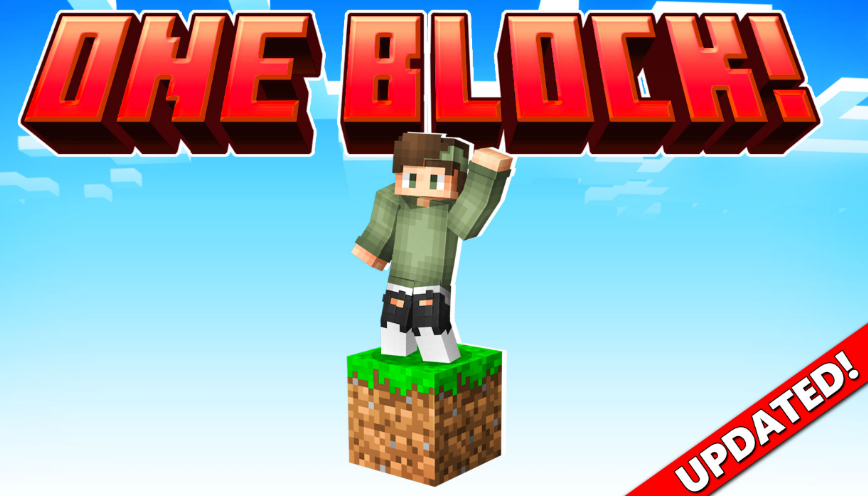
Minecraft is known for giving players endless freedom to create, explore and survive. However, starting a new world can sometimes feel overwhelming, especially when the available resources are limited. One Block survival maps add an extra challenge by changing the traditional Minecraft experience. Instead of exploring a large world from the beginning, players start with a single block and must carefully use every resource they receive.
The popular One Block by Dodo Studios experience for Minecraft Bedrock introduces players to this unique survival concept. While the idea may seem simple, many new players quickly discover that success requires planning, patience and smart decision-making.
Rushing Through The First Stages Too Quickly
One of the most common mistakes beginners make in One Block Minecraft Bedrock is progressing too quickly without preparing their surroundings. Since almost every block can provide important resources, breaking blocks without thinking about what comes next can create unnecessary challenges.
New players often focus only on collecting materials instead of building a safe and organised starting area. Creating storage, setting up basic tools and making sure there is enough space to expand can make a significant difference later in the game.
A good strategy is to treat the first stages as a preparation phase. Even simple improvements, such as creating platforms and organising resources, help players avoid losing valuable items or running into problems when new challenges appear.
Forgetting The Importance Of Resource Management
Another mistake many beginners make is using resources without considering future needs. In a traditional Minecraft world, players can usually travel to new areas to collect missing materials. In One Block gameplay, every resource has more value because progression depends on the blocks that appear.
Players should think carefully before crafting items or using rare materials. Building too many unnecessary objects early on can slow down progress and make later stages more difficult.
Learning how to manage limited resources is one of the most rewarding parts of this type of Minecraft challenge. It encourages players to plan ahead and understand the importance of every decision they make.
Missing Opportunities To Explore New Minecraft Experiences
Many Minecraft players enjoy survival mode because it allows them to create their own goals. However, custom maps and Marketplace content can introduce completely new ways to play. Exploring additional experiences is a great way to discover challenges that are different from the standard Minecraft formula.
Players looking for new adventures can visit Minecraft Bedrock Marketplace to discover a wide range of worlds, add-ons and creative projects. These experiences allow players to try different gameplay styles while keeping the familiar Minecraft foundation.
One Block-style challenges are a good example of how small changes can completely transform the way players approach the game. Instead of simply collecting materials and building freely, players must think strategically and adapt to unexpected situations.
Minecraft continues to remain popular because it gives players the freedom to create their own adventures. Whether someone is new to survival gameplay or an experienced builder looking for a fresh challenge, custom worlds and add-ons offer countless possibilities.
Avoiding common beginner mistakes can make the One Block experience more enjoyable and rewarding. With better planning, careful resource management and a willingness to explore new content, players can turn a single block into the foundation of an impressive Minecraft world.
Drifting turns ordinary racing into something much more dynamic. Instead of simply following the fastest line around a track, players have to manage steering, acceleration, braking, and momentum while deliberately sending the car sideways through corners. The result is a style of racing that rewards timing and control while still being accessible to players looking for quick entertainment.
One of the biggest advantages of modern browser racing games is convenience. There is no need to install a large game client or spend time configuring complicated settings before getting behind the wheel. With a compatible browser and an internet connection, players can jump into a drifting challenge within minutes. For those looking for a collection of accessible titles, try the top free drifting games at the Drift Games Hub, where different styles of online drifting can be explored in one place.
Whether you prefer realistic handling, arcade-style action, obstacle courses, or score-based challenges, these 10 types of browser-based drifting games offer plenty of sideways racing fun.
1. Realistic Drift Simulators
For players who want to concentrate on technique, realistic drift simulators provide a more detailed driving experience. These games often give greater importance to vehicle weight, steering response, acceleration, and traction.
The objective is not simply to turn the car sharply and hold the accelerator. Successful drifting requires players to find the right balance between throttle and steering. These games can be particularly enjoyable for people who want to practice smooth transitions and controlled slides.
2. City Street Drifting Games
City-based drifting games put the action on urban roads surrounded by buildings, intersections, tunnels, and other obstacles. Their environments can make each corner feel different from the last.
Many of these games combine drifting with traditional checkpoint racing. Players need to maintain speed while avoiding barriers and staying on course. The compact layouts also make them suitable for short gaming sessions when you want a quick race rather than a lengthy campaign.
3. Mountain Drift Challenges
Mountain roads are naturally suited to drifting because they are filled with sharp bends and changes in direction. Browser games built around these environments usually emphasize precision and cornering.
A narrow road leaves less room for mistakes, so players have to judge their speed before entering each turn. Holding a long slide without touching the barriers can become a challenge in itself. These games are especially appealing to players who enjoy technical courses rather than wide racing circuits.
4. Drift Score Attack Games
Not every drifting game needs to be about finishing first. Score attack titles make the quality and length of your slides the central objective.
Players typically earn points for maintaining drifts, linking multiple corners, or achieving impressive angles. This creates a different kind of competition because the fastest route is not always the most rewarding one. A slower but longer controlled slide can sometimes produce a much higher score.
5. Stunt and Obstacle Drifting Games
Some online drifting games combine racing with stunt-based gameplay. Instead of simply navigating conventional tracks, players may encounter ramps, barriers, platforms, jumps, and unusual layouts.
These games are often more forgiving and arcade-oriented than realistic simulators. Their appeal comes from experimentation. Players can attempt dramatic slides, discover shortcuts, and figure out how to handle unusual obstacles while keeping the car moving.
6. Traffic Drifting Games
Traffic-based drifting games introduce another challenge: other vehicles. Players have to maintain control while navigating roads populated with moving cars.
The presence of traffic changes the rhythm of a drift. A corner that looks easy can suddenly become difficult when another vehicle occupies the ideal racing line. These games reward anticipation because players need to think about both the upcoming turn and the surrounding traffic.
7. Drift Racing Games With Car Customization
Customization can make an online drifting game feel more personal. Some browser titles allow players to change the appearance of their vehicles, while others provide upgrades that affect performance.
Visual customization might include different paint jobs, wheels, body styles, or other cosmetic details. Performance-focused games can go further by allowing adjustments to handling or acceleration. This adds another layer to the experience because players can experiment with different setups before returning to the track.
8. Time-Trial Drift Games
Time trials combine the technical nature of drifting with the pressure of the clock. Players must complete a course as quickly as possible while maintaining enough control to avoid costly mistakes.
The challenge is finding a balance between speed and precision. Entering a corner too aggressively can cause a spin or collision, while being overly cautious can result in a slow finish. Replaying the same course can therefore become part of the fun as players gradually improve their route and timing.
9. Multiplayer-Inspired Drift Competitions
Some browser-based racing games are designed around competitive features, leaderboards, or multiplayer-inspired challenges. Even when players are not directly racing against opponents in real time, rankings can provide an additional reason to keep practicing.
A leaderboard turns a simple drift into a personal challenge. After learning the track, players can attempt to improve their score, reduce their completion time, or achieve a longer uninterrupted slide. This format works particularly well for short online sessions because every attempt can produce a new target.
10. Casual Arcade Drifting Games
Sometimes the best choice is simply a game that is easy to understand and fun from the first attempt. Casual arcade drifting games typically use straightforward controls and exaggerated driving physics.
These titles are ideal when you do not want to spend time learning complicated mechanics. You can start a race, learn the basic controls, and begin experimenting with corners almost immediately. Their simple approach also makes them suitable for players who are new to drifting games.
What Makes a Browser Drifting Game Fun?
The strongest online drifting games tend to combine accessible controls with mechanics that reward practice. A game can be simple to start but still provide enough depth for players to improve over multiple attempts.
Track design is another important factor. A collection of interesting corners, changing road widths, obstacles, and different environments can make a game much more replayable. Vehicle handling also matters because drifting should feel responsive rather than completely random.
Most importantly, browser-based games benefit from keeping the experience convenient. When a player can open a page, select a car, and start drifting without a lengthy setup process, it becomes much easier to fit a few races into a break or casual gaming session.
Finding Your Next Online Drifting Challenge
Drifting games come in many forms, from technical mountain-road simulators to fast arcade races and score-based challenges. Some are designed around precision, while others focus on stunts, customization, or simply creating entertaining slides.
The variety is what makes browser-based drifting particularly appealing. You can try a realistic driving challenge when you want to concentrate on technique, then switch to a more casual arcade game when you want something faster and less demanding.
With so many online options available, there is always another corner to master, another score to beat, or another track to explore. All you need is a browser, a few minutes to spare, and a willingness to put your car sideways.
The perfect home setup can seem like the condition for taking games seriously: a permanent screen, familiar purchases, and every device within reach. That view misses what a trip can add. Playing abroad puts a familiar hobby next to local conversations, public spaces, and retail displays, so a short session can become a firsthand encounter with another gaming culture. The value comes from attention to place, not from treating travel as a method for changing rules.
Local arcades, game shops, conventions, cafés, esports spaces, and multilingual communities give play a setting that a desk at home cannot reproduce. They can also broaden a player’s sense of online participation, including discussions around game-related earning activity. A resource on how to make money online fits this travel lens when treated as part of international communities and events that reveal how people connect games with online opportunities, rather than as a detached shortcut.
Travel as Cultural Discovery, Not a Region Switch
Travel can reveal local release calendars, physical editions, regional promotions, and the games that receive visible attention in a particular market. It cannot promise earlier access or a different catalogue, because publishers and platforms set availability and release timing by region. The useful move is cultural discovery: browse displays, listen to conversation, and visit public gaming spaces when they are available. Those observations give a trip texture without turning geography into an account workaround.
A game that has been available at home may take on a different character when local players recommend it, discuss it, or display it prominently in stores. Keep three situations separate: playing an existing library abroad, buying a product in another country, and changing an account’s store region. Steam lets existing users keep seeing home-country prices and shop as usual while traveling. A store-country change is intended for people who have moved or live abroad for an extended period; it needs a payment method from that country and is generally limited to once every three months. PlayStation account country or region is selected at creation and cannot be changed later.
Choosing Digital Products With Account Context
Players can buy digital games through official platform stores or digital marketplaces. Eneba offers game keys and gift cards within a broad digital catalogue, while listing details can identify the relevant region and platform for a purchase.
Those details support smart product selection during a trip. Match a purchase to the account country, platform, and activation rules before checkout. PlayStation voucher codes must match the account’s country or region for activation, and some add-ons may not work with a physical game from another region. For physical editions, the relationship between the game’s region and an add-on deserves the same attention. This preparation keeps a purchase aligned with the account already in use.
Publisher and platform rules also determine DLC and preorder availability, so travel is no promise of content ahead of its stated release. The better travel setup values flexibility over a perfect room. A laptop, handheld, console already available at the destination, or a reliable existing account can keep gaming connected to the trip, depending on the game. Digital marketplaces like Eneba offer deals on digital products as a practical part of that travel toolkit.
-
 Guides7 years ago
6 Proven Ways to Get more Instagram Likes on your Business Account
-
Mainstream12 years ago
BioWare: Mass Effect 4 to Benefit From Dropping Last-Gen, Will Not Share Template With Dragon Age: Inquisition
-
 Mainstream8 years ago
How to Buy Property & Safe Houses in GTA 5 (Grand Theft Auto 5)
-

 Guides2 years ago
Free Fire vs PUBG: Comparing Graphics, Gameplay, and More
-

 Guides2 years ago
50+ Free Fire ID and Passwords Login List (Giveaway) 2025
-
 Casual3 years ago
8 Ways to Fix Over-Extrusion and Under-Extrusion in 3D Printing
-

 Other2 years ago
Ajjubhai UID: Free Fire Details & Earnings
-

 Features2 years ago
Exploring Valorant eSports Stats: Unveiling the Metrics Behind Competitive Excellence