
Video Games
How to Get a Birthday Cake in Sims 4 [Complete Guide]

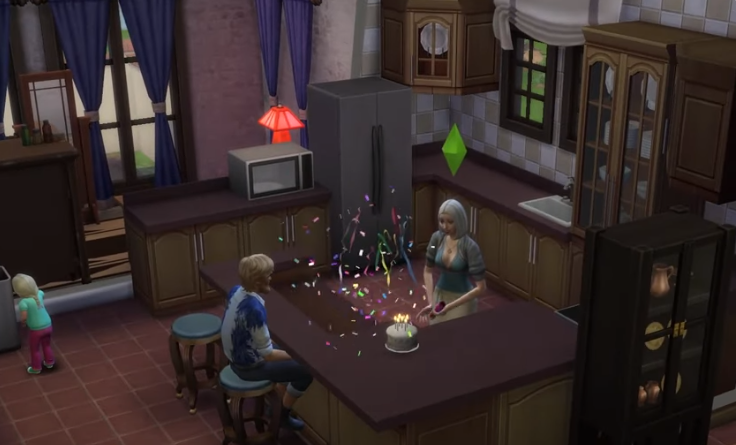
Even though sims do not physically age, they can have birthdays to signify their ages. Getting a birthday cake in The Sims 4 is the ideal way to begin arranging a birthday celebration, but it is difficult( maybe not that!) without proper instructions.
Hop on as we tell you all about birthday cakes on Sims 4 2024 and how you can bake one yourself!!
Importance Of Birthday Cakes In Sims 4
In Sims 4, players are allowed to bake a birthday, and even get an option to select from a variety of cake options based on their culinary ability. After that, all you have to do is set candles and celebrate your birthday lavishly with your friends in Sims 4.
Sims are extremely sociable animals that adore throwing bright and exciting parties! There’s no excuse now; we will tell you everything you can do to make your birthday the best in Sims 4.
How To Celebrate Birthday In Sims 4?
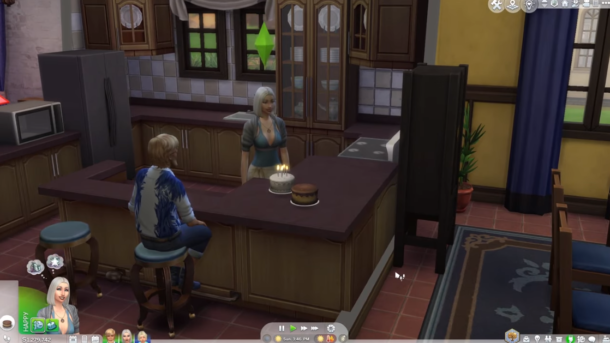
Sims do not age like people do, but they can still celebrate their progress with birthday parties in some circumstances. And different cake recipes will surely make your birthday more special.
Aside from the other fancy gimmicks of Sims 4, the birthday cakes are most special and prominent since they also count your age. Otherwise, how would anyone tell how old your Sims is?
You see, celebrating a birthday is like a piece of cake!!;) In Sims, follow our step-by-step instructions and make sure you don’t miss any step. Then put the cake on the tabletop alongside the candles, and get ready for a blast!! It’s inexpensive and quick to follow, and gives you some motivation for real life!!
But what happens after you cut the cake? After the birthday sim blows out the candles, the cake reverts to its original state. The cake remains edible as long as it is fresh, but it will deteriorate if left out for too long, much like any other food item in-game!!!
Also Read: Simoleon Overload? Here’s How To Get Rid of Money In Sims 4!
Why Can’t You Buy A Birthday Cake In Sims 4?
Getting a birthday cake in The Sims 4 differs slightly from previous games. For example, many Sims installations included buyable birthday cakes, which could be purchased directly from the buy mode. This was feasible in Sims 2 and Sims 3 setups.
However, the birthday cake is no longer a purchasable item in Sims 4. Players must make cakes if they want to host birthday parties in The Sims 4.
Having said that, gamers who own the Dine Out game bundle can purchase a birthday cake in The Sims 4. In certain circumstances, customers can go to a restaurant and get a birthday cake for virtually quick delivery by simply clicking on their assigned table.
Also Read: Extreme Violence Mod Sims 4: Download, Install & Play
How To Get A Birthday Cake In Sims 4?
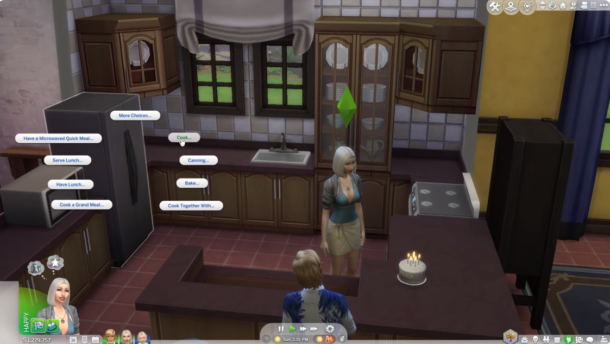
In Sims 4, the player must make the birthday cake; it is not a purchasable item. The sims will have to bake the birthday, so it all boils down to your cooking skills in the game!!
Bake A Cake
Sims can usually make either a white or classic chocolate cake. Players can build a blue confetti cake or strawberry cake if their culinary ability allows.
SimCity cheesecakes and black and white cakes from the gourmet culinary expertise can also be used as birthday cakes. Players with the Up All Night downloadable DLC can make a Hamburger cake.
Also Read: How to Age Up in Sims 4? [Complete Guide]
Steps For Baking A Cake In Sims 4
Cake crafting is simple, especially for Sims with high cooking abilities, who can bake and build more complicated cakes. Beginning with classics like chocolate cakes is a terrific place to start.
Sims will ultimately be able to master the art of preparing gourmet cakes with time, practice, and cooking ability. Let’s look at some of the cake kinds that may be baked:
- Chocolate Cake White Cake
- Blue Confetti Cake (Available at Cooking Level 4)
- Strawberry Cake (available at Cooking Level 6)
- SimCity Honey Cake Cheesecake (Gourmet cooking level 5 is required)
To prepare a birthday cake, Sims must complete the following procedures.
- Select cook from the fridge menu.
- Choose your favorite cake
Sims must set the cake on a countertop or a table stand once cooked. They might put candles on the cake to beautify it and make it appear more enticing. Click on the cake and then pick the “Add Birthday Candles” option.
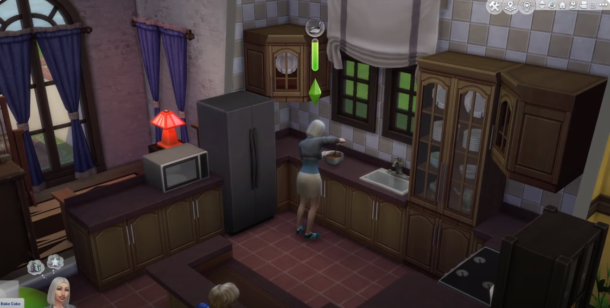
Getting Cake From Caterers
Sometimes, Sims has lavish parties at an out-of-the-way location and hires a caterer. Although it is handy for Sims, it is not always a pleasant experience. Because caterers may fail to meet expectations or prepare meals according to Sims’s preferences, they can be dissatisfied; therefore, creating a cake on their own is preferable.
Also Read: Sims 4 Satisfaction Points Cheat: Unlocking All the Fun!
FAQs
Simmers cannot run cafes. There is no Open For Business where you can operate in any form of business, from bowling alleys to pubs to dance clubs. Get To Work merely delivers fragments of Ambitions and Open For Business, neither worth the time and effort.
In The Sims 4, wedding cakes, like birthday cakes, must be prepared in an oven. A wedding topper must be applied to the final cake before it can be used for weddings. If there is a wedding topper on the cake, no one can eat it until newlywed Sims has cut it or the cake has been sliced.
Final Thoughts
Baking a cake in Sims 4 is easy!! All you have to do is follow these simple steps and bake your favorite cake. Go on, and enjoy your birthday wholeheartedly!!



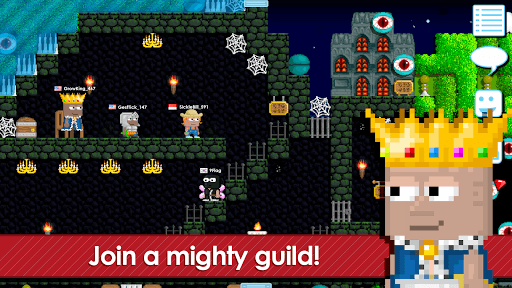
Growtopia has been running long enough that it has its own economy, its own slang, and a player base that treats world ownership the way other MMOs treat guild halls. It is a 2D sandbox where every world is built by someone, every item has a market value, and most of the content you play was made by another person rather than a design team. Published under the name Ubisoft Entertainment, it sits in the Adventure category on mobile stores, though in practice it behaves like a persistent online world with crafting, farming and trading at its core.
The pitch is simple. You get a blank world, a seed, and a few blocks. What you do with that is entirely up to you.
What Makes Growtopia an MMO Rather Than a Sandbox Toy
The distinction matters because it changes how people play. Worlds in Growtopia are shared spaces with names, locks and access rules, so building something is only half the activity. The other half is showing it to people, defending it, or charging admission in the form of world locks, the game’s informal currency.
Farming is the engine underneath all of it. You splice seeds, grow trees, harvest blocks and gems, then either use the materials or sell them. Thousands of unique items exist, and the ones that stop being obtainable become collector pieces. That is how a game about punching dirt turned into something with a secondary market and players who specialise in trading rather than building.
Mini games are the third pillar. Parkour runs, races, PVP arenas, puzzle worlds and story worlds are all player-generated, which means the catalogue grows constantly and quality varies wildly. Finding a good one is part of the experience.
Costumes, Status and the Social Layer of Growtopia
Growtopia leans hard on costume items. You can put together a space knight with a lightsaber, a doctor, a wizard, a queen with a dragon following her around, and the parts come from drops, events and the market. Appearance carries social weight here. Veteran players are recognisable on sight, and rare items function as a status marker in a way that is closer to an MMO than a casual builder.
Seasonal events bring in limited items and themed worlds, and the community organises around them, with trading servers and world shops filling up whenever a new batch lands. If you are the kind of player who enjoys spreadsheet-adjacent market games, that layer alone can hold your attention longer than the building does.
Running Growtopia on Windows for Longer Building Sessions
On a phone, Growtopia works fine for quick harvesting runs and checking your worlds, but placing blocks precisely with a thumb over the screen gets tedious during a large build, and trade chat is slow to type. That is the gap a desktop setup fills, and players who download Growtopia for Windows through an Android emulator usually do it for the keyboard, the mouse precision on block placement, and the ability to keep a wiki or item price list open in another window while they work.
The approach is the standard one: an Android environment running on your PC, with the game installed inside it. Nothing about Growtopia requires heavy hardware, so this is less about performance than about input and screen space.
Where New Players Usually Get Stuck
The early game is slow if you do not know what you are doing. New accounts start with limited inventory space and no world locks, and the fastest route forward is farming a cheap, reliable tree rather than chasing rare items. Learning what splices into what saves hours.
The other common trap is trusting strangers with your items. Scam attempts are a known part of the game’s social landscape, and the drop-and-trade culture makes them easy to fall for.
Shop world owners running a storefront for weeks, or players grinding toward one specific rare splice, are the ones who feel the difference a keyboard makes most: typing out prices in trade chat, lining up blocks exactly, keeping a splice list open while they farm. That’s less a phone game habit and more a routine, which is exactly what a bigger screen and a mouse are built for.
A Minecraft server can look simple from the outside: blocks, tools, farms, and a chat feed moving by at speed. Spend time on established community servers, though, and a much more structured system appears. Prices form around rare materials. Labor gets paid through plugins. Land carries upkeep costs. Whole districts become trade zones with their own routines and unwritten rules. What started as shared survival spaces has, over time, turned into a patchwork of functioning economies shaped by code, scarcity, and player behavior. The strongest servers do not leave that process to chance. They build rules that keep trade moving, wealth circulating, and resource pressure from tearing the whole system apart.
Server currencies, trade, land value, and controlled markets
Community servers use different economic systems depending on how players earn, exchange, and spend resources. Some rely on physical goods such as diamonds or emeralds, while others use plugin-based currencies connected to Vault and EssentialsX. Custom tokens are another option, often distributed through quests, daily tasks, or server events. Each model influences how administrators manage prices, resource availability, and currency circulation.
Player-operated shops form another part of these economies. Chest shops, trading posts, and automated farms allow players to exchange materials, equipment, and crafted goods. On Towny and SMP servers, land ownership also influences prices. Plots near town centers, transport routes, or established marketplaces can command higher prices because they provide better access to customers and trading infrastructure.
Chance-based minigames can operate within these controlled economies, allowing players to use server tokens in activities determined partly by random outcomes. However, virtual-currency minigames differ from real-money casino games, where wagers and payouts involve actual financial transactions. The distinction becomes clearer when comparing server minigames with established table-game categories, including variants grouped under 32Red Tafelspelen. While both formats may use recognizable mechanics involving cards, random outcomes, or virtual chips, their payment structures, currency values, and regulatory requirements are fundamentally different.
Towny and Skyblock produce opposite economic pressures
Two of the clearest examples of economic design in Minecraft are Towny-based survival servers and Skyblock networks. Towny usually produces a decentralized market. Players gather from a finite world, claim land, organize towns, and trade under natural limits set by distance, terrain, and time. Scarcity has weight because ore veins, building space, and safe transport all depend on the map and on local control. In that setting, a currency can act like soft fiat through plugins or remain tied to commodities such as diamonds. Either way, prices emerge from uneven supply and local demand.
Skyblock moves in the opposite direction. Resource generation is often engineered through island systems, minions, spawners, cobblestone generators, and admin-defined progression loops. That setup pushes servers toward a centralized economy, with hard fiat coins minted through tasks, sales, or automated actions. Global auction houses and instant-sell bazaars replace regional trade routes because distance has little meaning. Wealth moves faster, but scarcity is weaker unless administrators create strict sinks.
Those structural differences explain why the same item can hold very different value across server types. In Towny, labor and geography keep prices uneven. In Skyblock, automation and rapid turnover can flatten markets unless upgrades, cosmetic spending, and special enchants absorb currency. One format rewards regional commerce. The other needs firm top-down tuning to prevent runaway accumulation.
Jobs, guilds, and paid labor turn routine tasks into market roles
Many long-running servers add job systems to make repetitive work pay in a predictable way. Mining, farming, woodcutting, fishing, and crafting become income sources through plugin frameworks that assign fixed rewards per action. That changes the economy in a direct way. Instead of relying only on resale value, players can estimate returns from time spent on labor. A wheat farm is no longer useful only for food or villager trading. It becomes part of a wage loop backed by server rules.
Guilds and town groups build on that foundation. A settlement may hire members to gather stone for walls, stock community shops, or harvest wood for construction. Large factions often divide labor into roles: suppliers, builders, transport handlers, and traders. This creates a labor market with visible pay rates and known specialties. Newer players gain a route into the economy through work rather than land ownership or rare gear.
Paid labor also gives administrators another balancing tool. If item prices fall because supply gets too high, wage outputs can be adjusted or tied to daily caps. If a server wants to push agriculture, shipping, or brewing, it can reward those jobs more strongly for a period. That level of control keeps markets moving without forcing every decision through direct price setting.
Wealth gaps appear fast when sinks and limits are too weak
Unregulated Minecraft economies often run into the same pattern. Early adopters secure land, automate farms, and gain access to trade first. Their position compounds over time, especially when there are few maintenance costs and no meaningful limits on stockpiling. The result can be extreme wealth inequality. On some servers, staff have reported Gini-style patterns that resemble severe concentration in real-world economies. Once that happens, normal trade starts to weaken because too much value sits with too few players.
Inflation often grows alongside that gap. If server money is created faster than goods leave circulation, prices climb and common labor pays less in real terms. This happens often on servers with unchecked mob farms, loose sell-shop values, or stacked automation that floods the market around the clock. Rich players can absorb the shift. New arrivals usually cannot.
Communities that stay healthy tend to install several drains at once. Land upkeep taxes remove passive hoards. Nation maintenance in Towny pushes groups to stay productive. Auction fees clip rapid reselling. Limited plots near spawn stop a few players from owning all prime retail space. Some servers also reset resource worlds on a schedule so extraction continues without collapsing the main map’s settlement structure.
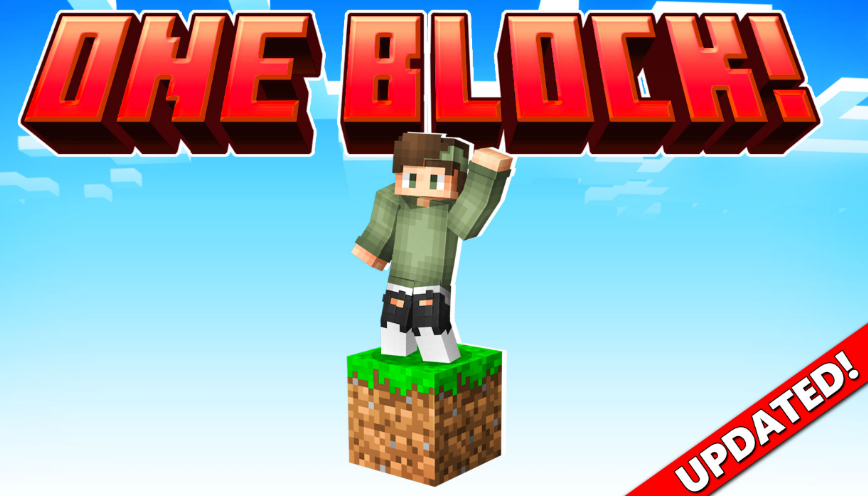
Minecraft is known for giving players endless freedom to create, explore and survive. However, starting a new world can sometimes feel overwhelming, especially when the available resources are limited. One Block survival maps add an extra challenge by changing the traditional Minecraft experience. Instead of exploring a large world from the beginning, players start with a single block and must carefully use every resource they receive.
The popular One Block by Dodo Studios experience for Minecraft Bedrock introduces players to this unique survival concept. While the idea may seem simple, many new players quickly discover that success requires planning, patience and smart decision-making.
Rushing Through The First Stages Too Quickly
One of the most common mistakes beginners make in One Block Minecraft Bedrock is progressing too quickly without preparing their surroundings. Since almost every block can provide important resources, breaking blocks without thinking about what comes next can create unnecessary challenges.
New players often focus only on collecting materials instead of building a safe and organised starting area. Creating storage, setting up basic tools and making sure there is enough space to expand can make a significant difference later in the game.
A good strategy is to treat the first stages as a preparation phase. Even simple improvements, such as creating platforms and organising resources, help players avoid losing valuable items or running into problems when new challenges appear.
Forgetting The Importance Of Resource Management
Another mistake many beginners make is using resources without considering future needs. In a traditional Minecraft world, players can usually travel to new areas to collect missing materials. In One Block gameplay, every resource has more value because progression depends on the blocks that appear.
Players should think carefully before crafting items or using rare materials. Building too many unnecessary objects early on can slow down progress and make later stages more difficult.
Learning how to manage limited resources is one of the most rewarding parts of this type of Minecraft challenge. It encourages players to plan ahead and understand the importance of every decision they make.
Missing Opportunities To Explore New Minecraft Experiences
Many Minecraft players enjoy survival mode because it allows them to create their own goals. However, custom maps and Marketplace content can introduce completely new ways to play. Exploring additional experiences is a great way to discover challenges that are different from the standard Minecraft formula.
Players looking for new adventures can visit Minecraft Bedrock Marketplace to discover a wide range of worlds, add-ons and creative projects. These experiences allow players to try different gameplay styles while keeping the familiar Minecraft foundation.
One Block-style challenges are a good example of how small changes can completely transform the way players approach the game. Instead of simply collecting materials and building freely, players must think strategically and adapt to unexpected situations.
Minecraft continues to remain popular because it gives players the freedom to create their own adventures. Whether someone is new to survival gameplay or an experienced builder looking for a fresh challenge, custom worlds and add-ons offer countless possibilities.
Avoiding common beginner mistakes can make the One Block experience more enjoyable and rewarding. With better planning, careful resource management and a willingness to explore new content, players can turn a single block into the foundation of an impressive Minecraft world.
-
 Guides7 years ago
6 Proven Ways to Get more Instagram Likes on your Business Account
-
Mainstream12 years ago
BioWare: Mass Effect 4 to Benefit From Dropping Last-Gen, Will Not Share Template With Dragon Age: Inquisition
-
 Mainstream8 years ago
How to Buy Property & Safe Houses in GTA 5 (Grand Theft Auto 5)
-

 Guides2 years ago
Free Fire vs PUBG: Comparing Graphics, Gameplay, and More
-

 Guides2 years ago
50+ Free Fire ID and Passwords Login List (Giveaway) 2025
-
 Casual3 years ago
8 Ways to Fix Over-Extrusion and Under-Extrusion in 3D Printing
-

 Other3 years ago
Ajjubhai UID: Free Fire Details & Earnings
-

 Features2 years ago
Exploring Valorant eSports Stats: Unveiling the Metrics Behind Competitive Excellence