
Guides
Age of Wushu Tips & Tricks: How to Make Money Quickly


Age of Wushu is an action MMORPG set in ancient China, where schools, guild and individual groups battle for dominance through different Kung Fu techniques and masteries. As in every MMO, currency is crucial for the well development of any activity in game, however in Age of Wushu players are able to control the market in very peculiar ways, as most useful items in game can only be obtained by crafting and gathering. The only way to obtain high valuable items from each profession is to either buy them with in game cash or create many alternate characters to produce them yourselves, however the second option is extremely time consuming and bothersome. Then, how can you make money (taels) quickly and easily in Age of Wushu? If you’re a VIP, I don’t think you’ll have many troubles making money; nevertheless there are many tricks to increase your income through certain tasks.
Your game’s orientation should conduct your tasks; if you want to keep your fancy hero badge you shouldn’t engage the evil ways to obtain liang. If the orientation points do not concern you, then you can use any of the methods explained below.
Good Ways
If protecting the weak and punishing the guilty is what you love to do the most in Age of Wushu then there’s two major activities to stack up taels: Bounty Hunter and Script Protecting.
1. Bounty Hunter
Criminals are everywhere and in Age of Wushu they’re really everywhere as the game proportionate an evil mechanism that allows anyone to proceed with evil deeds. Whenever a player kills another, there’s a possibility to cast a bounty on the assassin. Furthermore, that player has to kill a certain number of constables in order to get free of his/her bounty. The higher the bounty, the more constables needed, so there’s a huge chance to catch criminals with great amounts of liang on their heads. To become a constable, a paladin of the good, you just need 5 liang and no infamy, then you can hunt them down to claim your reward (speak with the bounty hunter administrator in a major town, such as Chengdu). Note that this work can be harsh sometimes, as you need to become a real spy – search for the target, hunt it down and collect the prize. I recommend focusing on targets with 50 liang bounty or higher, they have more competition but they’re far way more compensating too.
2. Script Protecting
There are several school activities during the week, script events are one of them. Other schools with invade your own with the intent to steal your books and secret skills. If you stop them you will get the scripts for yourself, which is always rewarding, even if you have no use for them you can always sell the manuscripts for a good price. To start this event you need to watch the global notice and speak with your school’s library watchman. Once you’ve started you need to defeat an enemy holding a script and return it to the NPC. This activity is better performed with several players, it may be difficult to catch a single target alone by yourself, though if your team focus a target, the script will be yours in no time. By recovering the stolen scripts you have a chance to obtain rare drops, which sell for great amounts of liang. But if you get a normal one, don’t worry you can still get a decent amount out of it.

Neutral Ways
The neutral ways to obtain liang are the most common methods to farm money and items in every game. In Age of Wushu, nearly every usual item is gathered or crafted by players; however there are still some items that come from instances.
1. Instances
The dungeons or instances are the most traditional way to make money in MMORPG but in this game they are not as crucial as in most MMOs. If you’re looking for reputation and bound money, this is the perfect choice, however if you’re looking forward to make tons of taels, you’ll have to run instances such as Twilight Village many times, because rare drops don’t drop as often as you would wish. Fly books, profession recipes and rare materials drop in instances and they’re wanted by everyone.
2. Gathering
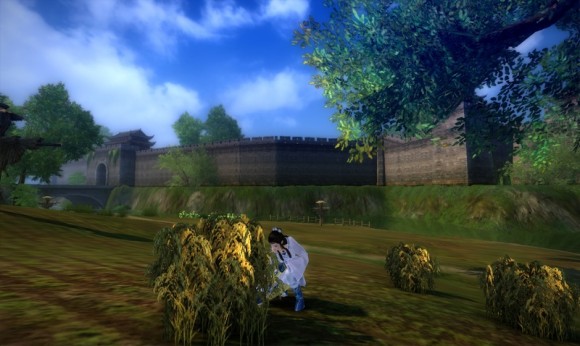
In Age of Wushu, professions are extremely dependent and some can’t function by itself, they require materials from different gathering and crafting professions. Raw materials consist in a great business in this MMO because they are the key to build any secondary item in game. Pills, food, dresses, weapons, poisons, all of them are a result of raw material combinations. Certain natural materials can only be gathered by specific professions, if you’re not a herbalist or poison maker you can’t gather plants, however you can still farm, fish, hunt, mine and cut trees. Selling those materials will assuredly make you prospect in game.
3. Crafting
Crafting is very helpful no matter the profession. As NPC shops do not sell the goods that players need, every profession is able to be really useful. In order to buy better quality gear, food to preventing starving or boosts to become stronger in battle you need to either craft it yourself or buy from other crafters. In Age of Wushu, people are always looking for better gear, so tailors, craftsman and weapon smiths tend to charge more than chefs, herbalists and poison makers, that’s basically because equipment takes way longer to craft and the materials are also harder to get.
4. Enchanting
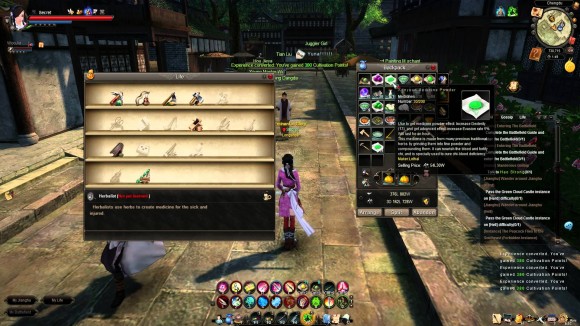
Every gear piece in Age of Wushu needs enchanting in order to obtain certain powers and attributes. Each profession has its own role in game, especially when it comes to enchanting, since all the professions are needed to enchant equipment. The more experienced you are at your profession, the better are the chances to create better enchanting results. You can sell your enchanting services to other players for a certain price. To activate your enchanting service go to your profession panel and click on “set service”, then enable your enchant skill that should be on the first box “add sale”, don’t forget to establish a price as well.
Evil Ways
The evil path has many tasks to go on, however when it comes to make lots of taels most of the activities are not so rewarding. Kidnapping offline players and script stealing are the best ways to obtain money quickly.
1. Kidnapping
Kidnapping can be performed once every hour and it has many peculiar techniques. If you deliver an offline player to a NPC who trades human beings, he/she will award you both currencies, bound and unbound money but the amounts depend a lot. Each NPC has its own tastes, some prefer high level players, some prefer males and so on. You should focus on one single NPC and find out what it prefers in order to get the most taels possible from it. For example brothel owners only accept females and they usually prefer guilldless and low level ones. If you’re not VIP the maximum you can get per kidnap is 5 taels.
2. Script Stealing
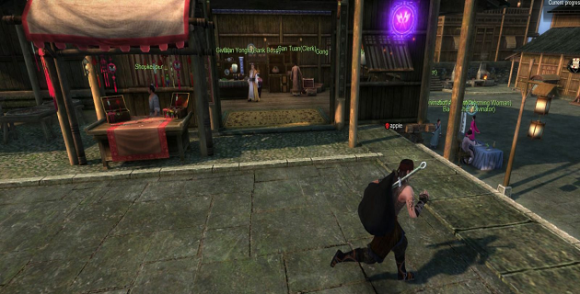
This activity works basically as the script protecting; however in this case you’re the stealer, the merciless thief who will do anything to get those precious books. The logic is similar, you talk to the library NPC when the event is going on and you’ll have to choose which school you want to steal from, then you check that school’s library places (on the activities details) and steal an exemplar. You can steal from NPC’s that walk around with scripts on their back too. Once you have one, you should run as fast as you can and escape from the map you’re currently in, either by foot or by horse. When you manage to do those tasks, you can teleport back to your school and collect the reward, which will be a script as obvious.







Download Minecraft PE 1.21.131 APK for Android
Minecraft Bedrock 1.21.131 is a focused hotfix update — improved Spear combat, two important bug fixes, and better overall stability on Android. No new content, but a noticeably smoother experience.
Spear Knockback Improvement
The window during which a charged Spear attack can apply knockback has been extended. This makes combat feel more reliable — the attack now connects as expected without requiring pinpoint timing, especially useful when fighting multiple mobs at once.
Spear Animation Alignment
Charge attack animations now accurately sync with the Spear’s three gameplay phases: Engaged, Tired, and Disengaged. What you see on screen now matches what the game engine is actually doing — making combat more readable and reducing guesswork in fights.
Performance & Stability
Frame drops on mid-range Android hardware have been reduced. Memory handling improvements prevent sudden freezes during long play sessions. World loading and chunk generation are more reliable, reducing terrain “pop-in” when exploring or moving quickly.
Multiplayer Improvements
Backend updates improve session stability when players join or leave. Fewer disconnects and smoother synchronisation across Bedrock servers. Marketplace content and add-ons also load more consistently during multiplayer sessions.
Adventuring Time Achievement Fixed — The achievement no longer unlocks early. It now correctly requires visiting at least 17 biomes on PC, matching the intended design.
Marketplace Escape Key Fixed — Pressing Escape after using the Marketplace search now reliably returns players to the previous menu instead of getting stuck in a loop.
Add-on World Loading Fixed — A bug that triggered a “Block” error when loading or creating worlds with multiple add-ons installed has been resolved.
Download the APK
Tap one of the Download buttons above. Choose the Standard (no music) version if storage is limited, or the Full version for the complete experience. The ARM64 build is recommended for modern phones.
Enable “Install Unknown Apps”
Go to Settings → Security (or Privacy) → Install unknown apps. Enable the permission for your browser or file manager. Android requires this for any APK installed outside Google Play.
Open the APK File
Open your Downloads folder, find the Minecraft 1.21.131 APK, and tap it to launch the system installer. Follow the on-screen prompts.
Install Over Existing Version
In most cases you can install 1.21.131 directly over your existing Minecraft without losing any worlds or progress. If you see a signature conflict error, uninstall first — but back up your worlds beforehand.
Launch and Sign In
Open Minecraft, sign in with your Microsoft/Xbox Live account, and your existing worlds will load normally. Online multiplayer, Realms, and Marketplace content all work as before.
Download Minecraft PE 1.20 APK for Android
Get the full Minecraft Bedrock 1.20 (Trails and Tales) APK for Android. Supports Xbox Live sign-in. Multiple versions available — stable releases and preview builds.
Download the APK File
Tap the Download button above for the version you want. The APK file will save to your device’s Downloads folder.
Enable “Install Unknown Apps”
Go to Settings → Security or Privacy → Install unknown apps. Enable it for your browser or file manager. Android requires this for any APK installed outside of Google Play.
Open the Downloaded File
Open your Downloads folder (or tap the notification), find the Minecraft APK, and tap it to start the installer.
Confirm Installation
Tap Install and wait for the process to complete. If you see a “signature conflict” error, uninstall your existing Minecraft version first, then retry.
Launch and Sign In with Xbox Live
Open Minecraft, sign in with your Microsoft/Xbox Live account to access multiplayer, Realms, and cross-platform features.
-
 Guides7 years ago
6 Proven Ways to Get more Instagram Likes on your Business Account
-
Mainstream12 years ago
BioWare: Mass Effect 4 to Benefit From Dropping Last-Gen, Will Not Share Template With Dragon Age: Inquisition
-
 Mainstream8 years ago
How to Buy Property & Safe Houses in GTA 5 (Grand Theft Auto 5)
-

 Guides2 years ago
Free Fire vs PUBG: Comparing Graphics, Gameplay, and More
-

 Guides2 years ago
50+ Free Fire ID and Passwords Login List (Giveaway) 2025
-
 Casual3 years ago
8 Ways to Fix Over-Extrusion and Under-Extrusion in 3D Printing
-

 Other3 years ago
Ajjubhai UID: Free Fire Details & Earnings
-

 Features2 years ago
Exploring Valorant eSports Stats: Unveiling the Metrics Behind Competitive Excellence