
Guides
10 Best Minecraft Village Ideas That You Can Try

There are a lot of things you can create in the Minecraft world, the ideas are seamless, your imagination is your best friend in this game. One of the coolest things you can do is make a village, a couple of houses jammed together to look like an actual small village. What is better than that?
The villages are the best part of this game, we have curated a list of Minecraft villages ideas you can be inspired from so that you can also create your little village, all the villages in this list are created by people who are players.
All the villages are complex and are detail-oriented. You also had it to the players who have made it to the list for their craftsmanship.
Here are the Best Minecraft Village Ideas
Unlike barns, bridges and other things that you can create in the Minecraft, Villages are also important and below you can find 10 of the best Minecraft village ideas that you can try.
1. Underground Village
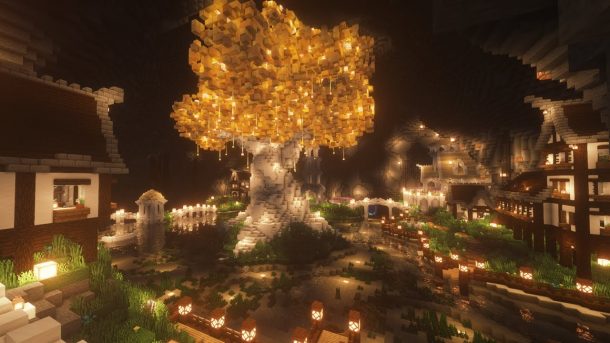
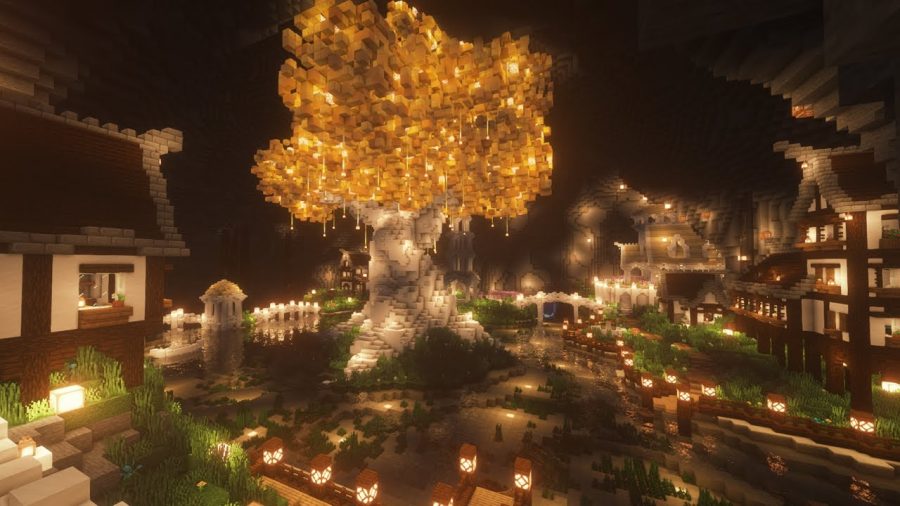
This village, despite its name on a mountain, the resources that you need to make this come from adobe blocks that are available deep in the mountain’s face. The tree in the middle is made out of stone and hanging blocks similar to the ancient relics. There is also no greenery, it is just stones and hanging blocks. One of the coolest, right?
2. Ohayou! Japanese Minecraft Village
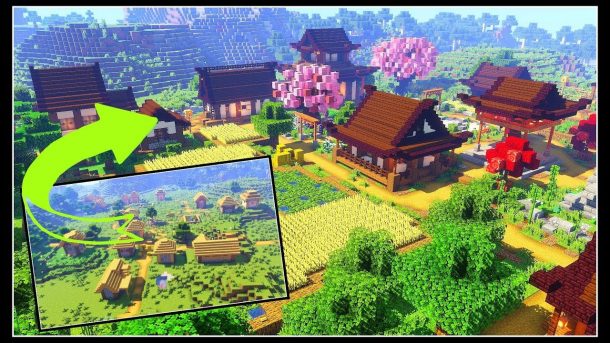
This is an oriental idea where whenever you step outside you are right next to the rising sun. This one has a Shinto shrine, bamboo, sakura trees, you name it, everything authentic to give you a feel of Japan in the virtual world. You also get to build it on your own. You can use anime mods to make this world much better.
3. Kingdom Village
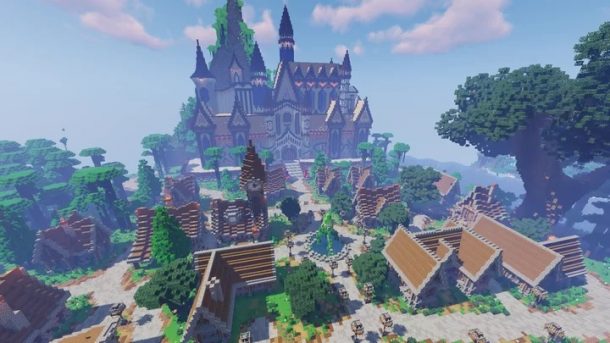
This is one of the coolest village ideas that I have ever seen. It is a glorious red-roofed village that looks large enough to pass off as a city. It is right next to a water body so it’s ideal for resources, this Minecraft village stands out. The design has grandeur with a castle in the middle, make sure you commit to it if you wish to go through with this.
Checkout 7 Minecraft Bedroom Ideas You Must Try in 2021
4. Mercantile Village
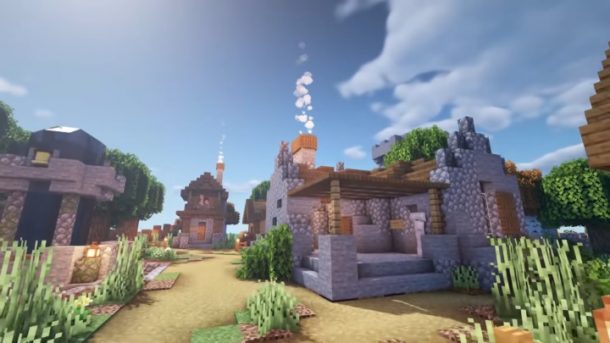
This is a modest but beautiful village idea, the best feature is that every house is centered around the villager’s profession in this game. With farmers and clerics and other very real professions. Every profession’s house will have the things the person from that profession is supposed to have. It also has a town center where campfires happen and villagers have their late-night festivals.
5. Medieval Town
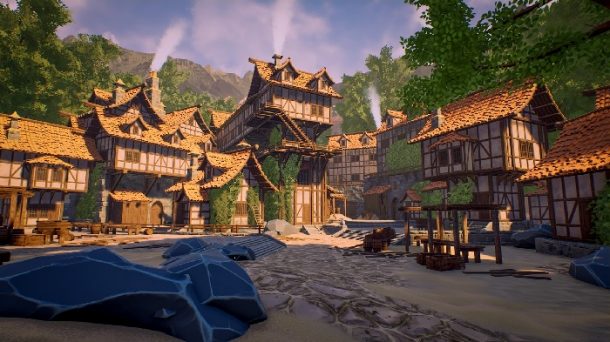
This is a theme that is quite popular with Minecraft, this one has manors that are detailed and blocks that are decorated. A lot of folks also decide to color their roofs. It has a tower on the side to sell you the medieval theme. It is quite creative actually how different players add on to this idea differently. Remember to protect yourself and your villagers from the mobs and raiders by fortifying the area. The main resources for this one would also be easily achieved but it will be time-consuming to build it. Still, it is worth it, thank us later for this great idea.
6. Tiny Village
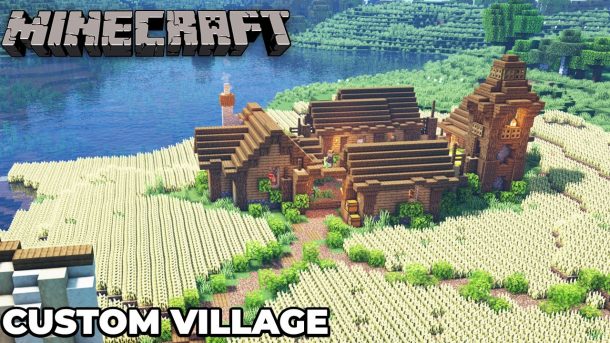
You don’t have time or patience but still want to create a nice village? Great, this is just the idea for you. This is the only kind of village that will take a matter of hours instead of days, you also don’t need a lot of resources for this one. The designs aren’t complex either. It has the bare minimum for essentials for its villagers. It has some small stores, a water hole, a watchtower for protection and a wall fortifying the village, and rows of wheat crops to feed the villagers. If you want to live a modest village life then this is the best way to do it. You also don’t need a lot of resources for this one.
Checkout 10 of The Best Minecraft Floor Designs
7. Taiga Village
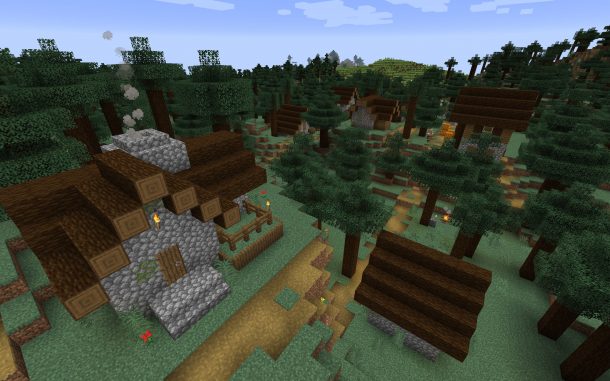
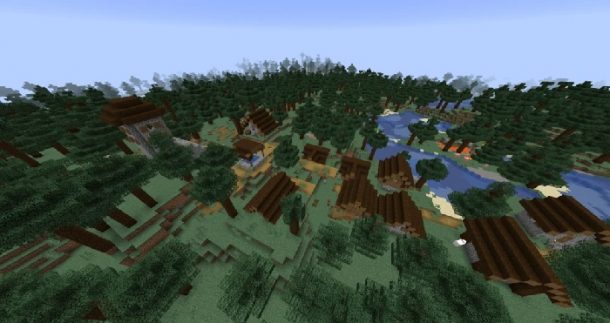
If you liked this previous idea but you also crave a rustic appeal, you can do something like this for yours. This is a conventional village with houses that are spaced out enough.it has space for plots, crops and has a gated fence.
This village has wooden and rural charm, it is idyllic. It doesn’t need an abundance of resources or time.
8. Mountain Village
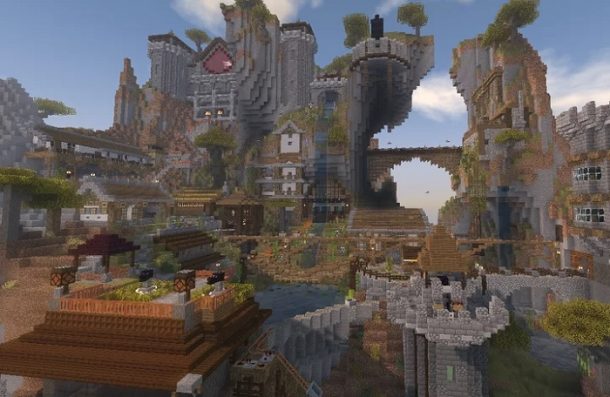
This one has its base built on a rugged peak that lets you in on an amazing view, like the name suggests it is a mountain village. The elevation lets the house be in a multi-layered village of homes that are built on different areas that are not only aesthetically pleasing but also surprisingly logical. This is the only kind of village that will give you the view as well as all the basic needs you want for your citizens. It is a bit time-consuming and the resources are a bit hard to acquire but in the end, it is all worth it.
9. Survival Village
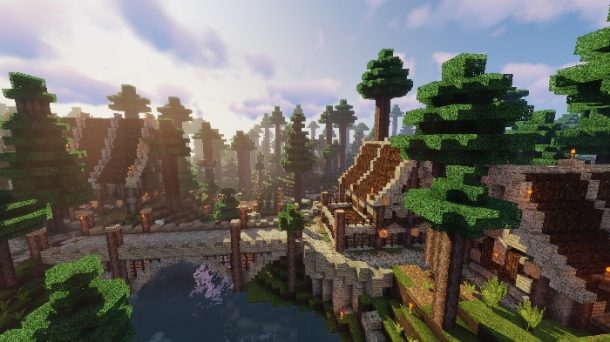
You are scared of skeletons and creepers but you like playing on hard mode? This is the solution for you. You can fortify the base in this and fence your walls to avoid spiders. This is an ideal village idea for someone who likes playing it dangerously but also likes taking calculated risks. You are safe and excited in this kind of environment.
10. Plains Village
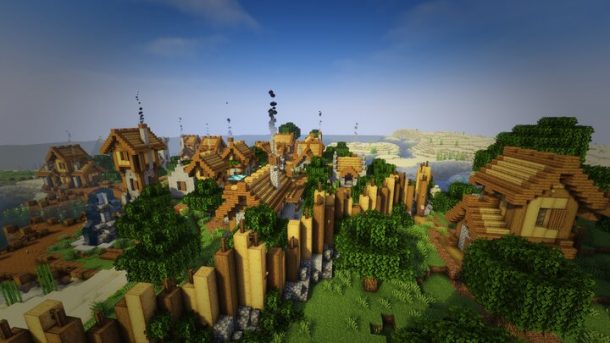
This one may come off as a normal village but it is not. This one has a river which keeps all the villagers happy. It has plants, crops, and livestock. so all the villagers are quite happy here. Once you have a couple of huts ready, give them their charm. This is a kind of village that needs no selling from our side. You just have to figure out the geography for yourself. It is an easy village to build, with easily available resources.
Conclusion.
These were our favorite ideas for Minecraft village, tell us which one is yours and why. There are other things you can do with your village, you can always do your own things but these ideas are bulletproof.





Download Minecraft PE 1.21.131 APK for Android
Minecraft Bedrock 1.21.131 is a focused hotfix update — improved Spear combat, two important bug fixes, and better overall stability on Android. No new content, but a noticeably smoother experience.
Spear Knockback Improvement
The window during which a charged Spear attack can apply knockback has been extended. This makes combat feel more reliable — the attack now connects as expected without requiring pinpoint timing, especially useful when fighting multiple mobs at once.
Spear Animation Alignment
Charge attack animations now accurately sync with the Spear’s three gameplay phases: Engaged, Tired, and Disengaged. What you see on screen now matches what the game engine is actually doing — making combat more readable and reducing guesswork in fights.
Performance & Stability
Frame drops on mid-range Android hardware have been reduced. Memory handling improvements prevent sudden freezes during long play sessions. World loading and chunk generation are more reliable, reducing terrain “pop-in” when exploring or moving quickly.
Multiplayer Improvements
Backend updates improve session stability when players join or leave. Fewer disconnects and smoother synchronisation across Bedrock servers. Marketplace content and add-ons also load more consistently during multiplayer sessions.
Adventuring Time Achievement Fixed — The achievement no longer unlocks early. It now correctly requires visiting at least 17 biomes on PC, matching the intended design.
Marketplace Escape Key Fixed — Pressing Escape after using the Marketplace search now reliably returns players to the previous menu instead of getting stuck in a loop.
Add-on World Loading Fixed — A bug that triggered a “Block” error when loading or creating worlds with multiple add-ons installed has been resolved.
Download the APK
Tap one of the Download buttons above. Choose the Standard (no music) version if storage is limited, or the Full version for the complete experience. The ARM64 build is recommended for modern phones.
Enable “Install Unknown Apps”
Go to Settings → Security (or Privacy) → Install unknown apps. Enable the permission for your browser or file manager. Android requires this for any APK installed outside Google Play.
Open the APK File
Open your Downloads folder, find the Minecraft 1.21.131 APK, and tap it to launch the system installer. Follow the on-screen prompts.
Install Over Existing Version
In most cases you can install 1.21.131 directly over your existing Minecraft without losing any worlds or progress. If you see a signature conflict error, uninstall first — but back up your worlds beforehand.
Launch and Sign In
Open Minecraft, sign in with your Microsoft/Xbox Live account, and your existing worlds will load normally. Online multiplayer, Realms, and Marketplace content all work as before.
Download Minecraft PE 1.20 APK for Android
Get the full Minecraft Bedrock 1.20 (Trails and Tales) APK for Android. Supports Xbox Live sign-in. Multiple versions available — stable releases and preview builds.
Download the APK File
Tap the Download button above for the version you want. The APK file will save to your device’s Downloads folder.
Enable “Install Unknown Apps”
Go to Settings → Security or Privacy → Install unknown apps. Enable it for your browser or file manager. Android requires this for any APK installed outside of Google Play.
Open the Downloaded File
Open your Downloads folder (or tap the notification), find the Minecraft APK, and tap it to start the installer.
Confirm Installation
Tap Install and wait for the process to complete. If you see a “signature conflict” error, uninstall your existing Minecraft version first, then retry.
Launch and Sign In with Xbox Live
Open Minecraft, sign in with your Microsoft/Xbox Live account to access multiplayer, Realms, and cross-platform features.
-
 Guides7 years ago
6 Proven Ways to Get more Instagram Likes on your Business Account
-
Mainstream12 years ago
BioWare: Mass Effect 4 to Benefit From Dropping Last-Gen, Will Not Share Template With Dragon Age: Inquisition
-
 Mainstream8 years ago
How to Buy Property & Safe Houses in GTA 5 (Grand Theft Auto 5)
-

 Guides2 years ago
Free Fire vs PUBG: Comparing Graphics, Gameplay, and More
-

 Guides2 years ago
50+ Free Fire ID and Passwords Login List (Giveaway) 2025
-
 Casual3 years ago
8 Ways to Fix Over-Extrusion and Under-Extrusion in 3D Printing
-

 Other2 years ago
Ajjubhai UID: Free Fire Details & Earnings
-

 Features2 years ago
Exploring Valorant eSports Stats: Unveiling the Metrics Behind Competitive Excellence