
Guides
Best Minecraft Base Ideas

Minecraft has earned a name for itself over the years. The interesting landscapes and gigantic structures make Minecraft a likable game. It is one of the most popular games around the world. The interactive nature of the game also draws a lot of players to it.
Minecraft now has new blocks that make for new and creative structures as your Minecraft base. This is because of the new update, 1.16 Nether that has lured many people back to showcase their creativity on Minecraft. The new update enables players to decide the course of their gameplay, there is no one direction to follow.
Huge Minecraft base ideas are important if you want to safely survive the night. But what should you build? We give you the 15 best Minecraft base ideas that you can try out to make your gameplay more exciting. These base ideas are fun and can be built according to your creative potential.
Here are 15 of The Best Minecraft Base Ideas
Lava Blade Home
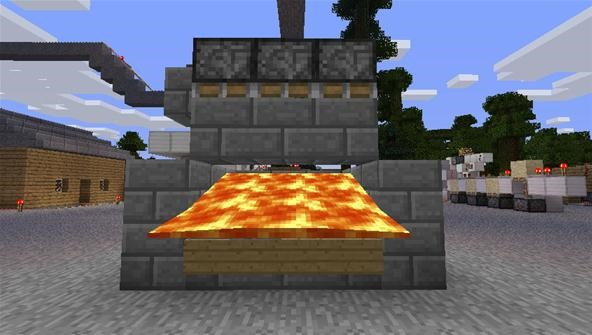
The new and transformed Nether blocks are the craze right now. You can build this house that looks like a sword upside down in the ground. It is a nice change in the game that otherwise has a bright and happy tone. It ranges from dungeons and castles that are ominous to even buildings within Nether itself. Create this Lava Blade house instead of an evil-looking wizard’s castle.
Cherryblossom Mountain House
Who doesn’t like setting up their Minecraft base in mountains up high? They have always been a popular choice for many players. Nestled high above the ground, Cherry Blossom mountain house will give you enough security, and also the breath-taking views are great to look at and enjoy. Many players have changed the trend to build a home within a mountain rather than on top of one.
This Cherryblossom mountain house is a creation by echo0delta. This Japanese-style house is cozy and sits pretty on a mountain. You can add creative lighting with glow stones and lanterns. It is a perfect combination of traditional Japanese design and modernity.
Diorite Castle
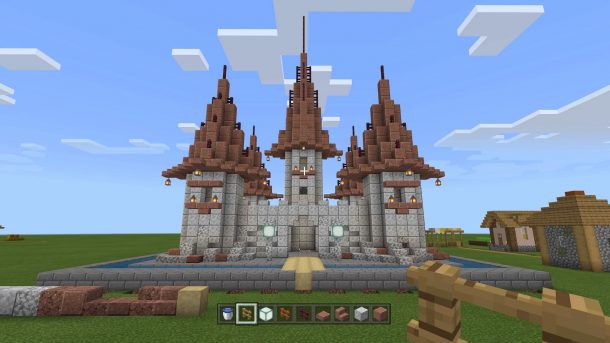
The greatest challenge for any large structure is to get enough raw material of your choice and make it work for you. This castle is completely made of Diorite which is not usually a popular choice for many players but it is creative for sure.
This castle is a difficult feat to achieve in the creative Minecraft world but highly rewarding to see your efforts come to fruition. Take this as a hint to create your Minecraft base, it is perfect for a king to stay in.
Skull Home
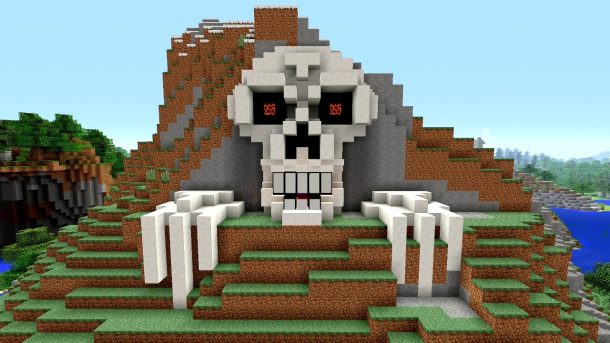
Try out this completely different Minecraft base idea that stands out. A home need not always look like a home, it can also resemble a skull. Any place that has a dedicated bed and is safe to live in is home.
A skull house will sit perfectly in a Minecraft world that is fantasy-based. Check out the skull house by Bloody_corpse to enjoy the strange and creepy house. You can also add the jungle biome or a green forest that will make it look like it has been standing there for ages.
Home in the Sky
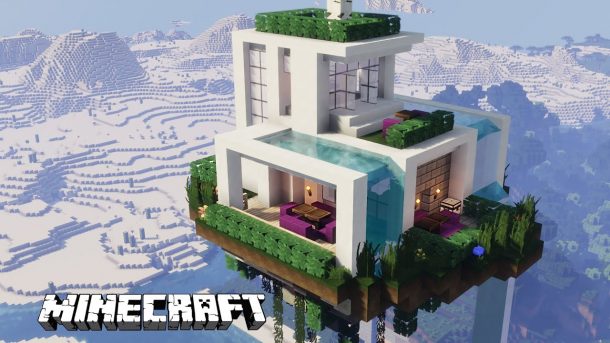
A real challenge to your creativity is when you have to create something out of limited resources. A home in the sky is a great example of this, particularly in Skyblock survival where you have limited space and resources. Just because there isn’t enough space doesn’t mean you can’t build a house in the sky. You can make your Skyblock survival unique by building a home in the sky.
Desert Pyramid
It is true that many Minecraft players are not attracted to the Desert biome but it can make a good Minecraft base. Challenge yourself to build a beautiful desert pyramid on the vast flatlands. These flat grounds don’t require landscaping unlike other biomes and make building an easy task.
You can build it like OnTheSpotLive, which is a Reddit user, and add your unique touch to it.
Classic Castle
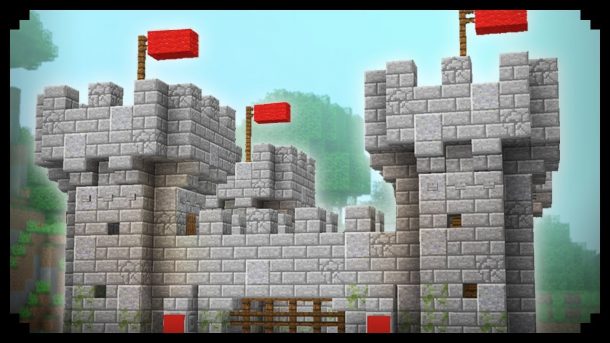
There is the reason why we call something classic because it will never go out of style. Similarly, a classic castle in Minecraft will never go out of style. Build this to make your gameplay more classy and fun. You can build many different types of castles.
Check out the European-style castle built by Varriv, a Reddit user with stone bricks.
Underground Base
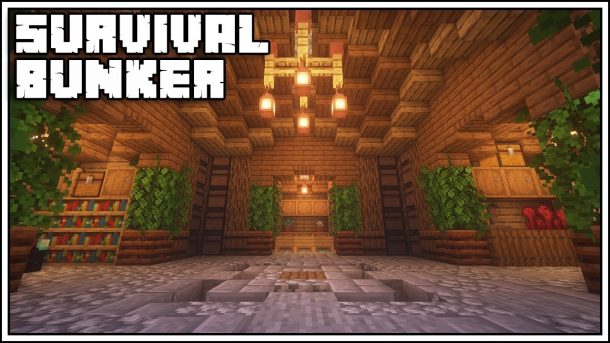
Why not build a Minecraft base underground instead of on the ground or sky? Underground bases will keep you safe and hidden from calamities. You can dig deeper and make a strong underground base. To make it more interesting you can make ceiling glass, that will give you a nice view of the sky. It will resemble a bunker but has everything you need to call it home. It has a storage area, kitchen, furnace, and a bedroom.
Another Reddit user who goes by the name Executive_Tree has got everybody in awe of his underground base that has a unique circular shape. It is made from stone brick and oakwood.
Tower-House Hybrid
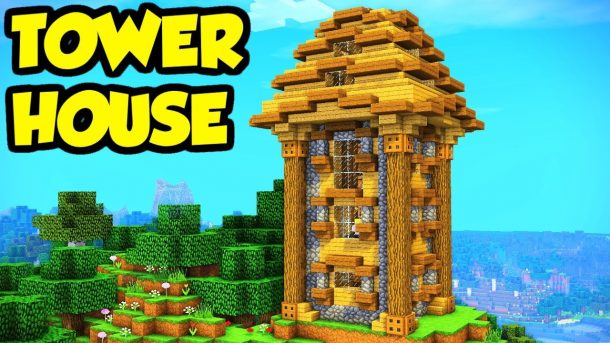
With this Tower-house hybrid, you can survive multiplayer factions or a survival world. This was a BlueBits creation as a starter base. It combines fortresses and tower structures to give you this unique design.
It draws inspiration from homesteads with medieval or castle themes. Players need more resources to build this interesting base. It has a trim platform design for the roof and is made from cobblestone and wood.
It has two built-in towers which protrude from the top. It works as a vantage point to ward off enemies. It also makes the structure aesthetically pleasing.
Double-Pod Underwater Base
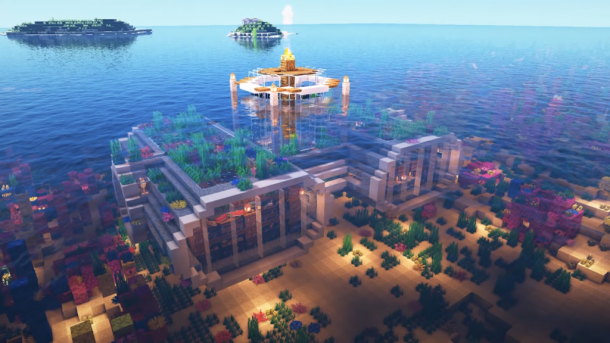
Build an underground base if you are worried or scared of spiders, creepy-crawlies getting into your house. You can enjoy a good night’s sleep surrounded by the calmness of the water.
Build it with glass panes and Quartz blocks which are super resistant and never worry about water leakages. You can keep the essentials here that you will need on your adventures and also keep the chests safe.
Minecraft Mini Fortress
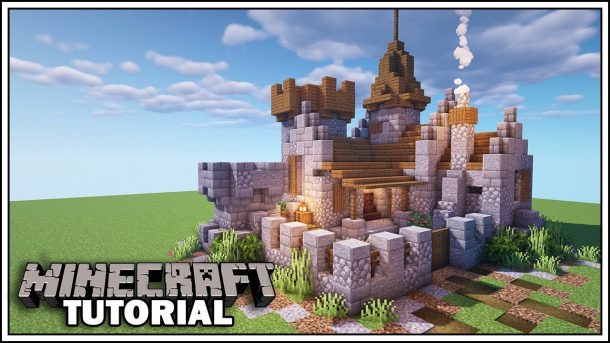
This one is just a usual fortress but miniature in size. A complex surrounded by a stone wall and a tiny structure inside it with a big front gate. This tiny structure is made from humble cobblestone, glass, and oak.
Even though it is compact and small, it has what you need to kill the night. The smaller your base, the easier it becomes to defend it. Having a small base is not always bad. This base idea looks great when implemented as it has a 3d effect. The glass panels will also not look flat on this fortress.
Stone Bridge Temple Base
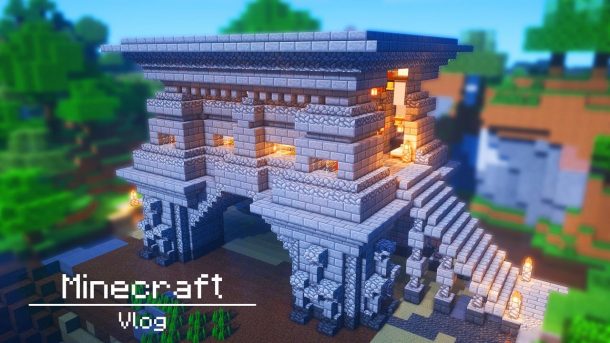
Want to know how you can convert your dreams into reality? Build this stone bridge temple base and live like the Greek gods and goddesses. This survival base was a creation of Moby-Dick that you can try out too.
It is made fully with stone and intricately placed cobblestone slabs over walls and stone slabs with blocks. If an enemy tries to barge into, they will be met with a staircase posing as the initial hurdle. You can enjoy the wilderness around you and come back home to a golden light inside the house.
Mountain Face Base
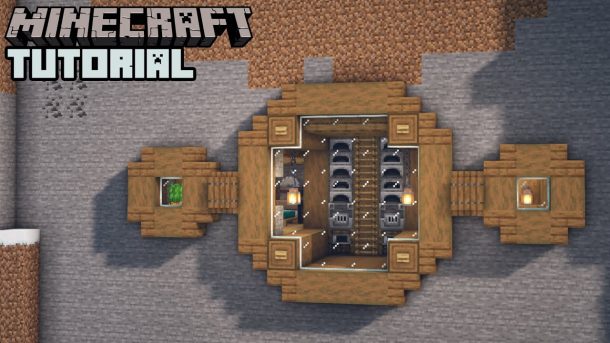
Another unique base idea that you can try out is this mountain face base. This design by ErieGenie will inspire you to make your own base into the mountain, literally! Make a base by carving out the walls of the mountain instead of the base of the mountain. Carving the mountain base is nothing unique but this base is.
You can see the stunning interior work from the outside. It is complete with a modern kitchen, brewing room above the dining room. A bedroom and toilet as well to stay the night.
A Fortified Tower for any Biome
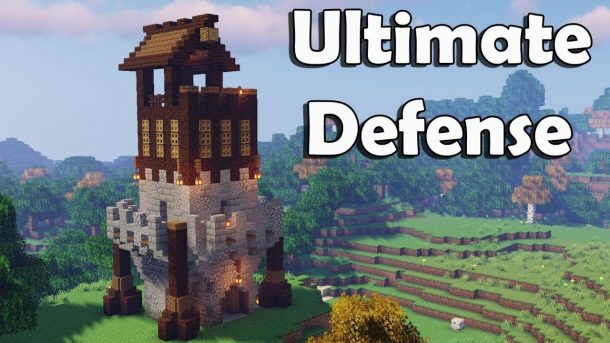
Check out this base idea from Minecraft Sekai. Create a watchtower or outpost for your Minecraft game. This tower has fortifications that are in-built and make it difficult to get in. The towers are made in such a way that a wooden wrap that looks like a spider sits on top of the stone foundation and over it sits a house-like structure. This makes it strong.
The best part about this base idea is that you can build this in any biome, simply change the wood type or use a different material. Enemies might not attack you looking at the sheer wonder.
Multi-Platform Farmhouse
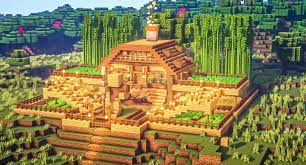
Use this design from JUNS MAB to draw inspiration for your Minecraft base. It organizes farms in a unique way and it also provides protection simultaneously. To build a similar base, you require a good quality mouse because you will be clicking and building.
These multi-layered platforms of dirt have fences for protection. The house remains a comprehensive, single unit making it easier to defend. It will also keep your treasures safe.
Conclusion
Use these 15 best Minecraft base ideas to build your base and protect yourself and your treasures. Many players struggle with making strong bases, but these ideas can help you. Now you can easily survive the dark nights with such wonderful bases to sleep in.
Build a Minecraft base according to one of these above-mentioned ideas, underwater or in the sky. It will surely protect you and make it easy for you to defend your base against a factional mob or an enemy. Get started today to build a grand Minecraft base.





Download Minecraft PE 1.21.131 APK for Android
Minecraft Bedrock 1.21.131 is a focused hotfix update — improved Spear combat, two important bug fixes, and better overall stability on Android. No new content, but a noticeably smoother experience.
Spear Knockback Improvement
The window during which a charged Spear attack can apply knockback has been extended. This makes combat feel more reliable — the attack now connects as expected without requiring pinpoint timing, especially useful when fighting multiple mobs at once.
Spear Animation Alignment
Charge attack animations now accurately sync with the Spear’s three gameplay phases: Engaged, Tired, and Disengaged. What you see on screen now matches what the game engine is actually doing — making combat more readable and reducing guesswork in fights.
Performance & Stability
Frame drops on mid-range Android hardware have been reduced. Memory handling improvements prevent sudden freezes during long play sessions. World loading and chunk generation are more reliable, reducing terrain “pop-in” when exploring or moving quickly.
Multiplayer Improvements
Backend updates improve session stability when players join or leave. Fewer disconnects and smoother synchronisation across Bedrock servers. Marketplace content and add-ons also load more consistently during multiplayer sessions.
Adventuring Time Achievement Fixed — The achievement no longer unlocks early. It now correctly requires visiting at least 17 biomes on PC, matching the intended design.
Marketplace Escape Key Fixed — Pressing Escape after using the Marketplace search now reliably returns players to the previous menu instead of getting stuck in a loop.
Add-on World Loading Fixed — A bug that triggered a “Block” error when loading or creating worlds with multiple add-ons installed has been resolved.
Download the APK
Tap one of the Download buttons above. Choose the Standard (no music) version if storage is limited, or the Full version for the complete experience. The ARM64 build is recommended for modern phones.
Enable “Install Unknown Apps”
Go to Settings → Security (or Privacy) → Install unknown apps. Enable the permission for your browser or file manager. Android requires this for any APK installed outside Google Play.
Open the APK File
Open your Downloads folder, find the Minecraft 1.21.131 APK, and tap it to launch the system installer. Follow the on-screen prompts.
Install Over Existing Version
In most cases you can install 1.21.131 directly over your existing Minecraft without losing any worlds or progress. If you see a signature conflict error, uninstall first — but back up your worlds beforehand.
Launch and Sign In
Open Minecraft, sign in with your Microsoft/Xbox Live account, and your existing worlds will load normally. Online multiplayer, Realms, and Marketplace content all work as before.
Download Minecraft PE 1.20 APK for Android
Get the full Minecraft Bedrock 1.20 (Trails and Tales) APK for Android. Supports Xbox Live sign-in. Multiple versions available — stable releases and preview builds.
Download the APK File
Tap the Download button above for the version you want. The APK file will save to your device’s Downloads folder.
Enable “Install Unknown Apps”
Go to Settings → Security or Privacy → Install unknown apps. Enable it for your browser or file manager. Android requires this for any APK installed outside of Google Play.
Open the Downloaded File
Open your Downloads folder (or tap the notification), find the Minecraft APK, and tap it to start the installer.
Confirm Installation
Tap Install and wait for the process to complete. If you see a “signature conflict” error, uninstall your existing Minecraft version first, then retry.
Launch and Sign In with Xbox Live
Open Minecraft, sign in with your Microsoft/Xbox Live account to access multiplayer, Realms, and cross-platform features.
-
 Guides7 years ago
6 Proven Ways to Get more Instagram Likes on your Business Account
-
Mainstream12 years ago
BioWare: Mass Effect 4 to Benefit From Dropping Last-Gen, Will Not Share Template With Dragon Age: Inquisition
-
 Mainstream8 years ago
How to Buy Property & Safe Houses in GTA 5 (Grand Theft Auto 5)
-

 Guides2 years ago
Free Fire vs PUBG: Comparing Graphics, Gameplay, and More
-

 Guides2 years ago
50+ Free Fire ID and Passwords Login List (Giveaway) 2025
-
 Casual3 years ago
8 Ways to Fix Over-Extrusion and Under-Extrusion in 3D Printing
-

 Other3 years ago
Ajjubhai UID: Free Fire Details & Earnings
-

 Features2 years ago
Exploring Valorant eSports Stats: Unveiling the Metrics Behind Competitive Excellence