
Guides
Age of Wushu: Which Profession is the Most Profitable?

In Age of Wushu there are many professions to choose from, however only one profession can be leant from each advanced group. The primary profession group is an exception, as every occupation in this group can be learnt and cultivated. Through the primary professions, players can gather the required materials to craft the secondary items, the existent gathering professions are: Farmer; Fisher; Hunter; Miner; Wood Cuter. Natural flowers and plants can be harvested too but not using a primary job, as they can only be gathered by specialists.
There are six secondary professions: Blacksmith; Craftsman; Chef; Herbalist; Poison Maker; Tailor. Each one requires its own materials, recipes and procedures, however some can only fully function with the support of another secondary profession. In this game every profession is quite complex – dedication and hard work is essential in order to become a master. As I already stated, each secondary job has its peculiarities, some are harder to develop but they allow a better instant income, others are easier to perform but the income is much slower. So which profession is the most profitable? Let’s analyze the six professions and conclude which one is the most lucrative.
Blacksmith
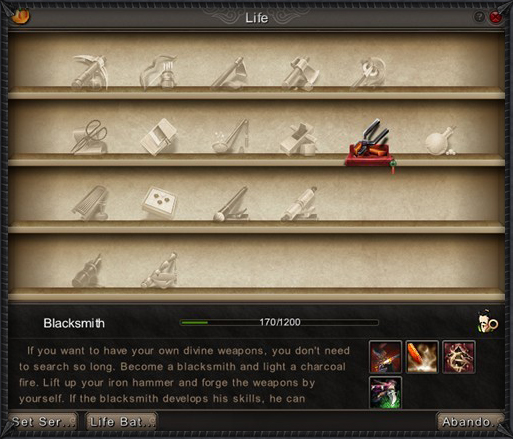
Blacksmiths are the weapon kings of this oriental world, without them players can’t upgrade their weapons. Since each school can use up to three different weapons, blacksmiths have a hard time collecting every weapon recipe. The best thing to do is to do a small research on the server, which school is the most populated and focus on that same school’s weapons. This way you can assure your weapon crafts will be sold quickly even for higher prices because there is a great number of demands. But once players buy a fairly good weapon, they will stop searching for one during some time. Following players’ needs is the best way to keep the business running, however you should look forward to create even better items, specially using enchantments. Blacksmith’s enchantments on weapons are very powerful and the more experienced you are, the better will be the enchantment’s rate.
Craftsman
Craftsman is another gear profession. Who doesn’t need fancy jewelry that gives free attributes? Right, everyone. As blacksmith and tailor, craftsman can sell quite a lot, as NPC shops don’t sell advanced gear, however the same old problem pays a visit – once players acquire the so wanted item, they’ll stop looking. Creating better quality pieces is the main priority for those three professions. You need to keep your buyers interested, while showing them that there is always better; they can become even stronger. The main challenge for advanced craftsmen is to enchant jewelry with useful and wanted attributes; players rarely buy jewelry with no enchantments, that’s worth close to nothing.
Chef
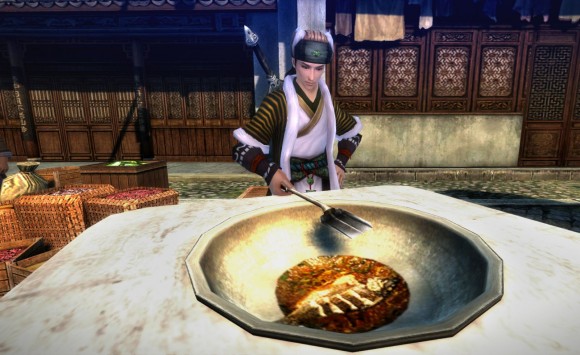
Chefs are extremely important in realm of Wushu, simply because anyone can starve and food is always needed, even the simplest of all foods can satisfy an empty stomach. Steamed Buns are the most common food around, however chefs are able to create all kind of recipes that can boost certain attributes and defenses. Advanced recipes can even grant several attributes simultaneous, however they’re much harder to craft as many ingredients are needed, some of them rare to find. Chef’s enchantments can be quite powerful, especially in weapons; they tend to add extra damage. Selling food is not a problem, it’s constantly needed, there is never enough of it; every player needs to eat regularly every day or they’ll get a harsh debuff.
Herbalist
Herbalists are the masters of boosting and healing, using plants and animals parts, they can create strong powders and pills that increase anyone’s performance in battle. Herbalist crafts are extremely wanted by every type of player – PvP or PvE, those goods are essential and crucial in both fields, as they can heal energy and health in a few seconds, changing the outcome of fights. They are relatively simple to make at early levels, advanced items require a master table, which can only be obtained on instances. Unlike the gear crafting professions, herbalist goods are always needed and an ensured success in the market. This profession enchantment is normally utilized in jewelry.
Poison Maker
Poison Makers are the alchemists of the game, they mix components and toxic plants in order to obtain weapon poisons and pills that buff certain attributes and simultaneously deduce others. Adding a certain effect to your weapon is surely useful in battle, who wouldn’t like a slight chance to stun the opponent every attack? Poison makers can create strong pills that boost an attribute drastically for a few seconds, in return another field will be reduced. This profession enchantment are extremely needed for armor, most defensive equipment require poison maker’s touch in order to obtain a higher quality item.
Tailor
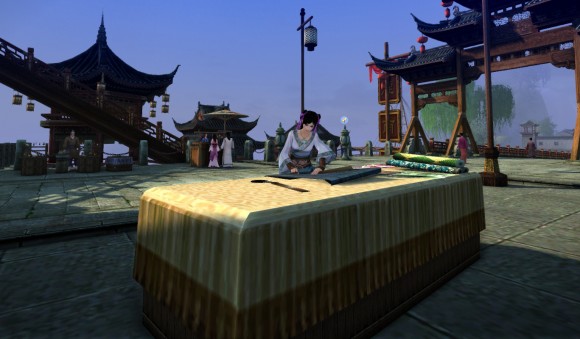
Tailors are the defensive equipment markers. The same aspects referred on blacksmith and craftsmen can be applied here as well. The secret is on innovation, the better pieces you can make, the better price you can set and as obvious, if your piece is unique, it will surely sell no matter the price. A great tip is stacking brawn with stamina, brawn increases melee attack and stamina increases energy, allowing players to cast more skills without resting. Tailor enchants are precious on armor parts.
Overall
After analyzing each profession in detail, what’s the most profitable of them all? It depends, if you’re looking for quick money without much effort, then you should pick Herbalist, it’s probably the most profitable profession for several reasons. Farming the required materials is fairly easy, the medium recipes can be bought with no much effort from other players or by doing low level instances and their crafts are extremely needed. Chef and poison maker are two viable options too; however they tend to sell less, as their effects are not as noticeable as the herbalist’s goods.
If you’re looking for tons of money and you don’t mind tons of work, then you might want to be a tailor or blacksmith. Craftsmen tend to sell less because jewelry doesn’t add any defensive or offensive direct damage, just a few attributes through enchantments. The first two professions are able to craft impressive pieces; a great enchanted advanced armor piece can sell over a hundred pills for example.
Every profession can be profitable in its own way in Age of Wushu, it’s up to you to decide what are you willing to do for a great business.







Download Minecraft PE 1.21.131 APK for Android
Minecraft Bedrock 1.21.131 is a focused hotfix update — improved Spear combat, two important bug fixes, and better overall stability on Android. No new content, but a noticeably smoother experience.
Spear Knockback Improvement
The window during which a charged Spear attack can apply knockback has been extended. This makes combat feel more reliable — the attack now connects as expected without requiring pinpoint timing, especially useful when fighting multiple mobs at once.
Spear Animation Alignment
Charge attack animations now accurately sync with the Spear’s three gameplay phases: Engaged, Tired, and Disengaged. What you see on screen now matches what the game engine is actually doing — making combat more readable and reducing guesswork in fights.
Performance & Stability
Frame drops on mid-range Android hardware have been reduced. Memory handling improvements prevent sudden freezes during long play sessions. World loading and chunk generation are more reliable, reducing terrain “pop-in” when exploring or moving quickly.
Multiplayer Improvements
Backend updates improve session stability when players join or leave. Fewer disconnects and smoother synchronisation across Bedrock servers. Marketplace content and add-ons also load more consistently during multiplayer sessions.
Adventuring Time Achievement Fixed — The achievement no longer unlocks early. It now correctly requires visiting at least 17 biomes on PC, matching the intended design.
Marketplace Escape Key Fixed — Pressing Escape after using the Marketplace search now reliably returns players to the previous menu instead of getting stuck in a loop.
Add-on World Loading Fixed — A bug that triggered a “Block” error when loading or creating worlds with multiple add-ons installed has been resolved.
Download the APK
Tap one of the Download buttons above. Choose the Standard (no music) version if storage is limited, or the Full version for the complete experience. The ARM64 build is recommended for modern phones.
Enable “Install Unknown Apps”
Go to Settings → Security (or Privacy) → Install unknown apps. Enable the permission for your browser or file manager. Android requires this for any APK installed outside Google Play.
Open the APK File
Open your Downloads folder, find the Minecraft 1.21.131 APK, and tap it to launch the system installer. Follow the on-screen prompts.
Install Over Existing Version
In most cases you can install 1.21.131 directly over your existing Minecraft without losing any worlds or progress. If you see a signature conflict error, uninstall first — but back up your worlds beforehand.
Launch and Sign In
Open Minecraft, sign in with your Microsoft/Xbox Live account, and your existing worlds will load normally. Online multiplayer, Realms, and Marketplace content all work as before.
Download Minecraft PE 1.20 APK for Android
Get the full Minecraft Bedrock 1.20 (Trails and Tales) APK for Android. Supports Xbox Live sign-in. Multiple versions available — stable releases and preview builds.
Download the APK File
Tap the Download button above for the version you want. The APK file will save to your device’s Downloads folder.
Enable “Install Unknown Apps”
Go to Settings → Security or Privacy → Install unknown apps. Enable it for your browser or file manager. Android requires this for any APK installed outside of Google Play.
Open the Downloaded File
Open your Downloads folder (or tap the notification), find the Minecraft APK, and tap it to start the installer.
Confirm Installation
Tap Install and wait for the process to complete. If you see a “signature conflict” error, uninstall your existing Minecraft version first, then retry.
Launch and Sign In with Xbox Live
Open Minecraft, sign in with your Microsoft/Xbox Live account to access multiplayer, Realms, and cross-platform features.
-
 Guides7 years ago
6 Proven Ways to Get more Instagram Likes on your Business Account
-
Mainstream12 years ago
BioWare: Mass Effect 4 to Benefit From Dropping Last-Gen, Will Not Share Template With Dragon Age: Inquisition
-
 Mainstream8 years ago
How to Buy Property & Safe Houses in GTA 5 (Grand Theft Auto 5)
-

 Guides2 years ago
Free Fire vs PUBG: Comparing Graphics, Gameplay, and More
-

 Guides2 years ago
50+ Free Fire ID and Passwords Login List (Giveaway) 2025
-
 Casual3 years ago
8 Ways to Fix Over-Extrusion and Under-Extrusion in 3D Printing
-

 Other3 years ago
Ajjubhai UID: Free Fire Details & Earnings
-

 Features2 years ago
Exploring Valorant eSports Stats: Unveiling the Metrics Behind Competitive Excellence
NanNanXS
August 29, 2013 at 9:05 pm
nice :D so helpfull your guide, thx for take your time and share your knowledge
John
December 11, 2015 at 6:49 pm
You didn’t cover diviner and culture life skills…