
Guides
Top 7 Family-Friendly Minecraft Servers For Your Kids

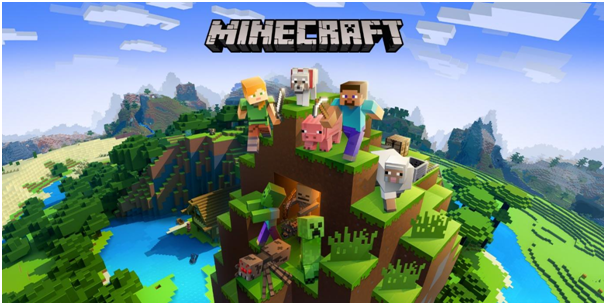
All the kids are Minecraft fanatics these days! If not, then odds are that everyone knows someone who plays Minecraft. Lately, plenty of kids and adults too, have taken an interest in playing the game on servers in order to play with other fans of the game online.
However, we all know that online gaming presents its own set of dangers and can be quite harmful to young impressionable minds. On these online gaming servers, there could be potential offenders along with several other perils.
Hence, it is important to ensure that the server where your child plays, follows the highest safety measures. We bring you the top 7 best family and kid-friendly Minecraft servers where your child can safely play.
Also, Read Best Casino Mods for Minecraft
Recommended List Of Family-Friendly Minecraft Servers
1. Cubeville
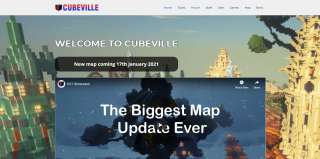
Cubeville is a committed family-friendly server that features a dedicated code of conduct and rules to keep the place as safe as it can be. They also have a tutorial to teach the young ones everything they need to know about server play.
The world of Cubeville features an enormous central city with plenty of small towns. You can do a lot of fun things here and meet several friendly people. It can be a bit crowded but you can always get on a train and reach the edge of the Cubeville map.
There is a very fine money system as well with many quests that will help you earn cash. Moreover, you can also find a land and chest protection system here that allows you to get a special reserved Cubeville corner.
2. Towncraft
Towncraft is the best server that allows you to play along with your child. It also features a grief protection system, so, don’t worry about plunging into grief. Moreover, it has narrative-style gameplay and so, the players can decide what to do such as build the world again after it gets hit by a meteor.
You will also meet zombies here and so, brace yourself for a fun session of gaming on Towncraft. Clearly, it is not just any standard world. The game offers you to pick any trade at the beginning like hunter, merchant, farmer, and so on.
As the game progresses, players can enhance their skills over time and also unlock new powers.
3. Blocklandia

Blocklandia is white-listed and also a family-friendly server. This is one of the safest servers where the moderators stay active. In fact, they will even provide you with a tour and tutorial for building houses.
Among other things, the most impressive thing about this server is its library. The reason being that every book featured here has been written by other players. So, kids can write their own books here besides reading those by other players.
The game doesn’t have a land protection system but it does have a chest and door protection system. Moreover, don’t worry about grief because the active mod team is there to resolve all griefing issues.
4. CrazyPig

Crazypig is the perfect server for all those families with more than one kid. This server features multiple worlds with differing complexities. Hence, both the younger and older child will find the game fun.
This is because CrazyPig has a bunch of interconnected worlds that include easy, hard, and extra hard worlds. There is a mini-game as well and a creative mode one. Here, children get rewarded with colored belts as per their hours of gaming.
Moreover, the site also features an active forum where the kids can display their creativity and skill. Besides, forums can be pretty useful to find answers to any doubts and questions you have.
5. Famcraft
If you were worried about your child’s safety when they are playing on online servers, then this server will help you out. It was built by concerned parents like yourself to ensure a safe platform where the kids can freely play Minecraft.
Famcraft has not been whitelisted yet but you can rest assured because it is safe. When you join the server, you will be offered a tutorial by one of the staff members. The main server is massive and features a seaside village and warps that connect to several locations on the map.
This server has all the standard elements that can be found in other Minecraft servers. Along with that, it also streams family-friendly music and dance parties in the world’s dance area.
6. Minesquish
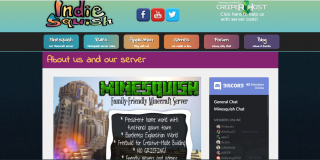
MineSquish has a very strict entry procedure where the player needs to register and introduce themselves on the forums. They also need to participate in the forum discussions for some time before being allowed to the server.
So, the whitelisting process is elaborate and makes the server very safe for kids. The starting town here is free of monsters along with a rail and road system to help the child get around. The chest, doors, and furnaces are lockable.
But, this server does not feature any anti-griefing block protection. Despite that, you don’t have to worry because the players in this community are mostly, well-behaved. Also, the servers will easily catch the griefers.
7. The Sandlot
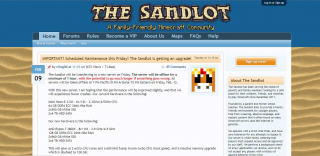
This server is very visually appealing mainly because it takes inspiration from the Harry Potter franchise. It offers worlds specifically suited for both youngsters and also older people.
The Sandlot is whitelisted despite not having voice chat. Besides having a drool-worthy lobby and a great design, it allows players to assume roles in the game. This will reward them with coins which can later be used to purchase items here.
You will also find mini-games and several other exciting worlds here like the Creative, PvP, and so on.
Final Words
Those were our picks for the best and safest Minecraft servers online for your kids. We hope that this blog has taken away your anxiety regarding online server play. Now, you know how to evaluate whether a server is kid-friendly or not.
The whitelisted servers are often the safest. Along with that, you should also ensure that the server has an optimum grief protection system. Also, it should have active moderators to help and protect the kids as and when needed.


Download Minecraft PE 1.21.131 APK for Android
Minecraft Bedrock 1.21.131 is a focused hotfix update — improved Spear combat, two important bug fixes, and better overall stability on Android. No new content, but a noticeably smoother experience.
Spear Knockback Improvement
The window during which a charged Spear attack can apply knockback has been extended. This makes combat feel more reliable — the attack now connects as expected without requiring pinpoint timing, especially useful when fighting multiple mobs at once.
Spear Animation Alignment
Charge attack animations now accurately sync with the Spear’s three gameplay phases: Engaged, Tired, and Disengaged. What you see on screen now matches what the game engine is actually doing — making combat more readable and reducing guesswork in fights.
Performance & Stability
Frame drops on mid-range Android hardware have been reduced. Memory handling improvements prevent sudden freezes during long play sessions. World loading and chunk generation are more reliable, reducing terrain “pop-in” when exploring or moving quickly.
Multiplayer Improvements
Backend updates improve session stability when players join or leave. Fewer disconnects and smoother synchronisation across Bedrock servers. Marketplace content and add-ons also load more consistently during multiplayer sessions.
Adventuring Time Achievement Fixed — The achievement no longer unlocks early. It now correctly requires visiting at least 17 biomes on PC, matching the intended design.
Marketplace Escape Key Fixed — Pressing Escape after using the Marketplace search now reliably returns players to the previous menu instead of getting stuck in a loop.
Add-on World Loading Fixed — A bug that triggered a “Block” error when loading or creating worlds with multiple add-ons installed has been resolved.
Download the APK
Tap one of the Download buttons above. Choose the Standard (no music) version if storage is limited, or the Full version for the complete experience. The ARM64 build is recommended for modern phones.
Enable “Install Unknown Apps”
Go to Settings → Security (or Privacy) → Install unknown apps. Enable the permission for your browser or file manager. Android requires this for any APK installed outside Google Play.
Open the APK File
Open your Downloads folder, find the Minecraft 1.21.131 APK, and tap it to launch the system installer. Follow the on-screen prompts.
Install Over Existing Version
In most cases you can install 1.21.131 directly over your existing Minecraft without losing any worlds or progress. If you see a signature conflict error, uninstall first — but back up your worlds beforehand.
Launch and Sign In
Open Minecraft, sign in with your Microsoft/Xbox Live account, and your existing worlds will load normally. Online multiplayer, Realms, and Marketplace content all work as before.
Download Minecraft PE 1.20 APK for Android
Get the full Minecraft Bedrock 1.20 (Trails and Tales) APK for Android. Supports Xbox Live sign-in. Multiple versions available — stable releases and preview builds.
Download the APK File
Tap the Download button above for the version you want. The APK file will save to your device’s Downloads folder.
Enable “Install Unknown Apps”
Go to Settings → Security or Privacy → Install unknown apps. Enable it for your browser or file manager. Android requires this for any APK installed outside of Google Play.
Open the Downloaded File
Open your Downloads folder (or tap the notification), find the Minecraft APK, and tap it to start the installer.
Confirm Installation
Tap Install and wait for the process to complete. If you see a “signature conflict” error, uninstall your existing Minecraft version first, then retry.
Launch and Sign In with Xbox Live
Open Minecraft, sign in with your Microsoft/Xbox Live account to access multiplayer, Realms, and cross-platform features.
-
 Guides7 years ago
6 Proven Ways to Get more Instagram Likes on your Business Account
-
Mainstream12 years ago
BioWare: Mass Effect 4 to Benefit From Dropping Last-Gen, Will Not Share Template With Dragon Age: Inquisition
-
 Mainstream8 years ago
How to Buy Property & Safe Houses in GTA 5 (Grand Theft Auto 5)
-

 Guides2 years ago
Free Fire vs PUBG: Comparing Graphics, Gameplay, and More
-

 Guides2 years ago
50+ Free Fire ID and Passwords Login List (Giveaway) 2025
-
 Casual3 years ago
8 Ways to Fix Over-Extrusion and Under-Extrusion in 3D Printing
-

 Other2 years ago
Ajjubhai UID: Free Fire Details & Earnings
-

 Features2 years ago
Exploring Valorant eSports Stats: Unveiling the Metrics Behind Competitive Excellence