
Tech
The Branded Game App As An Effective Marketing Channel


When you get it right, game apps can be extremely lucrative – although not in the ways you might think. When a game or game suite suits the style of an online business, not only can you introduce your brand to a huge niche group of online gamers, you also get to show off your creativity and willingness to go beyond the basics for your existing and future customers.
Global consumer spending on mobile apps was up 30% in 2020 – reaching US$111 billion in the fourth quarter of last year. Both iOS and Android apps have enjoyed an upward trend; with lockdowns continuing, we can expect that curve to rise. Furthermore, as technology improves the opportunities for brands to create their own online games and associated apps has become a viable and cost-effective marketing strategy for businesses large and small.
Of course, unless your company can create the equivalent of Arena of Valor, Candy Crush Saga, Rise of Kingdoms and Pokémon Go, you can’t expect a high ROI. You will only get returns on an app that is not connected to a website if your offering excites the masses and is a unique experience. Adding an app to accentuate your brand, however, has many advantages.
It is easy to match game apps to your niche. You can include CTAs within each app that encourage your users to visit your website, leave feedback and comments, and join or form appreciative social media groups. As the top marketing strategies of 2021 are a strong social media presence on multiple networks, high authority, and unique, engaging content, creating a branded game app ticks at least two of these crucial boxes.
Who Downloads Gaming Apps?
Why would I want to limit my target market to the 16 – 24 age group?
There’s a huge myth that game apps are only downloaded by younger age groups who do not have the purchasing power of the over 30s. In truth, mobile app users are spread across most age groups; the average age of the mobile gamer is just over 36 years of age. For many business owners, this is a surprising statistic. Even more surprising is the fact that nearly a third of game applications are used by the over-45s niche.
Gender has very little effect, too. Over 46% of gamers are female – and these tend to play slightly more often and for longer periods than males. The myth that young males with very little income are more likely to purchase your branded app is just that – a myth. Chances are, your own phone – whatever your age – has at least a couple of games on it that you turn to when travelling, relaxing, feeling bored or in the mood for a little competition.
How Expensive Is App Development?
You don’t need to invest serious sums into app development – as long as you are happy with using templates. Mobile app builders that do not require the user to have coding knowledge can be found all over the Internet. Select low-code or no-code application development platforms and the majority of the work is done. Bear in mind that many of the lower-priced online app developers charge a percentage of the revenue when you implement their templates. If they charge a higher monthly rate without asking for a percentage, royalties may still be charged via in-app monetization features. While these cut into your app ROI, this visual, fresh and fun channel has the potential to boost a broad range of marketing strategies.
Be prepared to spend at least US$50 per month for each game if you create an app using a template. Lower-priced plans will limit branding capabilities. Most build features include a set or unlimited number of worlds and scenes with or without splash-screen customisation (a priority when linking a game app to your business). Other essential features include app launch on mobile and desktop devices, integration with monetization partners, analytics and in-app purchases. Take your time to read the fine print and compare services. There is no need to spend thousands on a custom app unless you own a multinational company.
Hiring a professional service to develop a unique app means costs run into thousands of dollars. It is not unknown for popular games to have required investments of a quarter of a million US dollars. Most of these are revenue-based and create returns through ads. For example, Candy Crush Saga gives players the opportunity to view ads for free plays and tools. When developing an app to support an existing online business, ad revenue should be very limited. This means a pure app to revenue ROI is low; costs are reimbursed through app-related brand awareness and increased traffic.
Using freelance services offered by individuals may cut costs but be sure to research experience levels and ask for a portfolio of previous work. Agencies that offer turnkey app development packages ask high prices but generally produce a finished product that works well according to individual specifications. Again, portfolios of previous apps should be available to any agency’s potential customers.
How Long Before I Get Results?
With the right game, design, technology and marketing, there’s no reason why you shouldn’t start to see a return on your investment within 3 to 6 months. For many budding entrepreneurs, this is too long. And if you are thinking of ROI on app development costs, it is unlikely you are implementing your brand-focused game with the correct intentions.
Your app should be part of a marketing strategy for your existing service or business. It is a traffic provider, a brand advertiser and a source of data. It is a means of existing and potential customer engagement, a platform that informs individuals about your niche topic, a way to get similarly-minded individuals in contact with each other, and an additional but often ignored media channel.
This means branded game app results have the potential to affect all aspects of your business plan. However, you won’t be able to point your finger to one specific monetary source and thank your stars you decided to develop a mobile game.
The first statistic you should bear in mind when thinking about developing an app is that paid apps make up less than 4% of total downloads. Nearly 97% of downloads are comprised of free apps, with or without in-app purchasing. There is very little point in developing a paid app unless you are a known, trusted and popular game brand. Even low-priced apps turn off millions of potential users. In short, your branded app must be free.
Planning Your Game App
Naturally, planning which game to use is central to the success of an application. There’s no point designing a shoot-em ‘up game for Amnesty International unless the goal of your marketing strategy is to get people talking about your brand and you don’t care what they say about it. For most of us, this is not the case.
It takes a creative mind, a game planner and a marketer to come up with a winning combination of design, game plot and in-app branding. For businesses that sell new designs every season, integrating the latest fashion, furniture or decoration into gameplay means regular maintenance and update costs. Dressing a personalised virtual model in the clothes your shop sells is a costly undertaking.
Picking a core feature of your service that remains relatively stable drives development costs down. If you supply computer parts, offering a “build your own computer” app that encourages players to use a mix of cheap to expensive generic parts linked to equivalents offered by your company would greatly minimize maintenance costs. Integrating in-app monthly competitions for best performance-to-cost solutions for office, home and professional gamer, for example, could be hosted on social media and linked to your webshop. Your game planner must not only be thinking of a game that is fun and runs smoothly, he or she must continuously incorporate marketing tactics. The best apps are the result of a close working relationship between designer, developer and marketer.
If you sell pet supplies, an app that tells people who are thinking about getting a dog which breed best fits in with their lifestyle and budget has already been done many times by your competition. However, allowing your users to select high activity, medium activity and low activity breeds and then simulate a week of dog-related duties in an engaging and fun way could give your app the edge. At every stage, your brand needs to be visible – either your company logo or, at minimum, your brand colours.
Marketing Your Game App
You don’t need to research your app market in the same way as you have researched your target audience – the gaming app niche is immense. It is very likely that a well-designed game will be downloaded by people far outside the borders of a company niche. Not only does this expand your potential public, it also brings in data from underanalyzed groups. With gaming apps, you have the opportunity to tap into one of the largest global niches.
To get a slice of that market, you need to invest in every marketing channel. This additional cost is rarely included in app builder packages, except in terms of ads. As ads can be off-putting (just read Google Play and App Store game reviews to see how many people complain about excess advertising), limiting this form of monetization is a good idea – especially when you are not linking your app to a pay per click website.
As a branded app is a marketing strategy, it must link to your online presence in the maximum number of ways. If an app user can’t be directed to your website from core pages, something is wrong. If your app can’t publish high scores or player stats to social media profiles with the click of a button, you are not making use of your app’s marketing powers. Influencers should be playing your game online and telling their followers where to find it. Link partners should be redirecting to both your web pages and your app’s Google Play and App Store page. Again, your app is not a service or a product, it is a marketing channel that supports your true online presence – your website.
While website marketing 101 places SEO and content in pole position, such strategies are slow. The inclusion of a social media presence, partner site backlinks, branded app and influencer support are quicker ways to get signups but no-one should ignore the die-hard search engine optimisation route. Getting your app and website added to review sites will make a difference…as long as the feedback is good, of course.
The quickest way to get traffic is to pay for it. And practically every new business invests in regular paid traffic deliveries from professional traffic providers. All of the best web traffic services will be able to supply targeted human traffic from gaming communities for your app, as well as the target niches that best describe your service, from sports enthusiasts to couch potatoes. By forwarding their own website visitors to your online presence – your website – there is a high chance they will – at minimum – navigate your pages. Should you provide sufficient reason for engagement, this investment will most definitely pay off. When targeting the gaming community, you should have these paid visitors redirected to a landing page that advertises, describes and links to your branded app.
When you buy targeted website traffic from a reputable provider, results are immediate. This makes paid traffic ideal as an early marketing campaign. Ordering 250,000 monthly US visitors from both your target audience and the gaming niche at ultimate Web Traffic costs just over $700 per month.
As gaming communities are higher-converting in terms of signups than other eCommerce groups, even a low conversion rate of 2% would provide 5,000 new app downloads every month. These numbers increase at a steady rate and give slower marketing strategies the time they need to catch up. Very few online businesses survive their first months – without paid website traffic, such statistics would be even more uninspiring.
A New Branded App – Small Investment, Broad Return
Cutting corners is usually a prerequisite when it comes to developing a branded app when you’re not one of the big brands; however, app investments bleed returns into every marketing channel.
While it’s tempting to go for the lowest app dev plan, consider your marketing budget first. If you already spend a large percentage of your monthly budget on marketing, why isn’t a proportion of this being released to open up a fresh, exciting, visual and fun channel?
The upfront costs of a new app are not so high when compared to the combined price of continuous fresh content, popular keywords, ads, paid traffic, social media accounts and video footage. At the same time, the excitement a unique game can generate – not to mention its capacity to ensure people know about your brand in a less in-your-face way – adds value to your customers.
Start envisioning what parts of your business could be represented in a fun, competitive way. With this as a starting point, it won’t be long before your business can add this rapidly-expanding channel to its increasingly successful marketing funnel.

You open your map. Resin’s full. Materials are scattered across regions, and your last banner pull is still half-built. Then a new five-star teaser drops, and suddenly, your backlog turns into a crisis.
Staying ahead in Genshin Impact isn’t about reacting when a new character arrives. It’s about preparing long before their banner appears. Resource gaps don’t wait. If your account isn’t ready, you lose momentum, and maybe your shot at early builds.
There’s no shortcut to preparation, but there is a structure. And if you set it up now, every new addition to your roster gets stronger, faster.
Understanding Upcoming Characters and Their Requirements
Leaks, livestreams, and official previews often hint at future characters long before their banners drop. Paying attention to these early signals helps players anticipate what kind of preparation their account will need. A character’s element, weapon type, and combat role often point toward the type of ascension materials they will require, even before full details are confirmed.
Not all preparation focuses on new regions or upcoming bosses. Many characters still rely on materials tied to older areas that players may overlook once they move past early story content. That includes common enemy drops, local specialties, and crafted items sourced from long‑established regions such as Liyue Harbor, where several ascension materials remain relevant across multiple updates. Recognizing this pattern prevents gaps that only appear when a banner goes live.
Players who connect early character information with existing regional requirements plan with fewer assumptions. They keep their inventory balanced, avoid over‑farming the wrong domains, and use Resin with clearer intent. That awareness turns future releases into smoother transitions instead of rushed catch‑up cycles.
Early Resource Tracking and Material Farming Strategy
Planning starts with your inventory. Before pulling for a new character, check your current stock of ascension materials, boss drops, and domain resources. Many players hoard randomly. Focused farming, however, cuts down waste and gives you a head start when the banner arrives.
Resource availability often depends on region and domain unlocks. It’s not just about having Mora or EXP books. If a future character draws from a boss introduced two patches ago, you’ll need to backtrack and gather before demand surges.
This is where smart players start pre-farming. By collecting likely materials ahead of time, even without full confirmation, you reduce Resin pressure during the banner. This strategy helps you build quickly, especially when characters need rare materials like those tied to Columbina.
The earlier you track patterns, the fewer surprises you’ll face. Use existing leaks and past character trends to identify where to farm and when.
Resin Management for Account Optimization
Resin is one of the most limiting resources in Genshin Impact, and its use directly affects how fast you can build new characters. When preparing for future additions, every Resin refresh counts. Wasting it on materials you don’t need creates unnecessary delays once a banner goes live.
The key is timing. Don’t farm artifacts too early if the character hasn’t been confirmed or if their ideal set hasn’t been revealed yet. Focus instead on talent books, ascension materials, and boss drops that are already public knowledge or strongly hinted through leaks.
Condensed Resin offers flexibility, but it shouldn’t be stockpiled blindly. Save it for domains you know will benefit your upcoming build. Keep a log of weekly boss rotations and plan your refreshes around when those become available. This habit makes your account feel ready without needing to rush once new content drops.
Adventure Rank and World Level Readiness
Your Adventure Rank controls how much of the game is accessible. But when it comes to preparing for new characters, it also determines the quality of drops. Higher World Levels unlock better loot tiers, which can save you time and Resin when farming key materials.
If you’re sitting on the edge of a World Level increase, now is the time to push through. Future characters often require elite materials that only drop at higher difficulties. Holding back limits your ability to gather what you need efficiently once their banner arrives.
That said, rushing ahead too soon can make daily fights tougher than necessary. Balance your progression with your current team’s strength. Prepare a reliable squad before increasing the challenge. When you’re ready, advancing World Level turns each domain run into a more rewarding step toward your next build.
Planning Wishes and Managing Primogem Reserves
Every new character banner brings pressure to spend, but players who plan their Wishes don’t rely on luck alone. Saving Primogems ahead of time reduces the risk of missing out on a unit you’ve prepared resources for. Long-term planning keeps your account stable through back-to-back banners.
Track daily and event-based Primogem sources to estimate how many pulls you’ll have by the time a banner drops. Battle Pass rewards, Spiral Abyss clears, and timed quests can all add up quickly. Knowing your potential stash helps you decide whether to go all-in or skip.
Avoid spending impulsively between patches. If a future five-star has already been teased, rerun banners might tempt you to burn through saved currency. Stick to a plan that supports your next target. Aligning your Wish timeline with character prep ensures you aren’t stuck with materials and no unit to use them on.
Establishing a Sustainable Daily and Weekly Routine
A well-structured routine keeps your account steadily progressing between major updates. It’s easy to burn out chasing everything at once, but splitting tasks across the week makes farming more consistent and efficient. Short daily sessions can still push you toward long-term character goals.
Start by clearing daily commissions, then move to one or two domains based on current priorities. Don’t try to cover all material types every day. Focus instead on what the next banner might demand. That could include talent books, ascension gems, or enemy drops, depending on what has been previewed.
Weekly bosses and region-specific activities should be planned around Resin refreshes. If your current team is stable, redirect effort toward pre-farming for future additions. A sustainable loop makes sure you’re always building toward something useful, even when updates slow down. With the right routine, you stay ready without feeling overwhelmed.
Wrapping Up
Preparation begins long before a new banner appears. When you plan ahead, manage your Resin wisely, and track character leaks, your account stays ready for any release. Every small decision builds toward faster, smoother progress. You won’t scramble to catch up. You’ll move forward with purpose, knowing your team has everything it needs from day one.


If you keep tabs on the updates of the Tech world, you must have heard of the Geekzilla T3. We know that it might remind you of a podcast, but it is a powerful, premium-grade technology that works like butter with digital work and games. In the digital world, where every year, a wave of new chips is aiming for better performance, GPU upgrades, and AI-assisted creativity, Geekzilla T3 might be the final end of high-end computing.
The device stands out not just for its raw performance, but because it seamlessly blends three crucial things for device performance: power, portability, and polish. So whether you are a gamer who wants a fluid display with high-FPS 4K gameplay, or a content creator who needs to handle tough editing and managing timelines, or a simple working professional who wants premium speed, T3 has something for everyone.
What Exactly Is Geekzilla T3?
Geekzilla T3 is a top-tier computing machine that was made for users who want high-end performance, but the price becomes a bottleneck. It comes with an equipped Intel Core i7-13700K CPU. This, when paired with an NVIDIA RTX 4080 GPU, 32 GB with DDR5 RAM, and a 1TB SSD that is lightning fast, this device won’t give you performance; it will give you the speed of a brazen bull.
Unlike bulky office desktops or burning laptops built for gaming, it packs a moderate punch with its lightweight aluminum casing, breathable airflow, and total weight of under 2kg, which is genuinely portable whilst still performing as a high-performance machine. Docked in a creative studio or in a briefcase on travel, it stands both ways.
| Feature | Details |
| Processor | Intel Core i7-13700K, 8 cores, 16 threads |
| Graphics | NVIDIA GeForce RTX 4080 |
| Memory | 32GB DDR5 RAM |
| Storage | 1TB SSD |
| Display | 4K UHD, high refresh rate panel |
| Chassis | Aluminum + high-grade polymer |
| Weight | Just under 2 kg |
| Connectivity | USB ports, HDMI, Wi-Fi 6 |
| Ergonomics | Ventilation grills + anti-slip rubber feet |
Who Is Geekzilla T3 Built For?
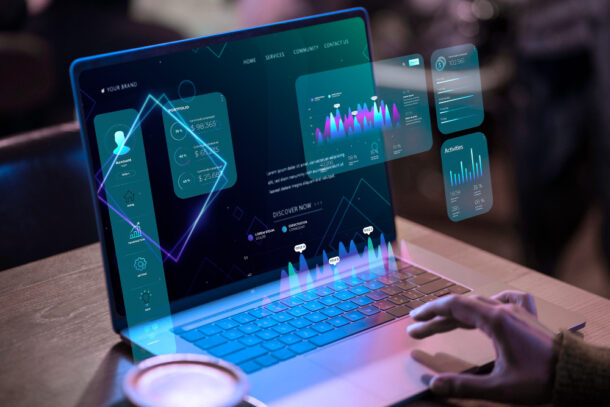
Geekzilla was not made as just another thoughtless product. All of its curation was well thought out and selected with care. The chip selection, design, build, and price, all of it screams that it was made keeping its audience in mind.
- High-tier players who wish to play with stable 120-240FPS at 4K.
- Video creators working in 4K/8K on Resolve or Premiere.
- 3D artists & animators running Blender or Unreal Engine or Maya.
- Streamers & YouTubers who game and capture their content at the same time.
- Developers & engineers who run virtualization, AI inference, or multi-container workflows.
- Remote professionals who just want workstation-class speed while on the go.
The T3 is not for people who simply open Chrome for minimal searching or to watch Netflix; it is only for people whose entire workflow is dependent on their device.
User Input On Geekflix T3
People who rated the gadget also shared these thoughts:
Thermal Performance: The device didn’t throttle under sustained loads
Noise Management: Surprisingly quiet unless encoding in torturous workloads
Aesthetic Finish: Slim and modern, no “gamer flashy” style
Portability: It’s Wild to find this under 2 kg in this class of machine
Hence, the user experience can be summarised as the device being of desktop-class speed, without being stuck to a desk.
Setup Experience: From Box to Use in Minutes
The T3 is built for convenience and has immediate usability. As such, the setup of the device is quite straightforward as well:
- Unbox and inspect — Make sure that you have all the components and that they are intact.
- Connect essential cables — Connect the power supply cord, HDMI/USB, and all other peripherals.
- Power on — Following the guided installation, boot the system on.
- Install drivers & updates — Check that the Wi-Fi and Security Updates are all in order.
- Customize workspace — Now you can customize your workspace according to your needs. Whether that be setting creator tools, game launchers, or pro software.
- Even if you are not technically inclined, the setup completion takes less than 20 minutes.
What Makes Geekzilla T3 Different From Other Brands?

There are many great machines in this area, so why are we hearing so much about T3? The answer is that it has the right combination of features that work well together.
Competitor A (let’s say TechMaster X5) might provide similar raw performance to the Geekzilla, but falls short in usability and experience. Competitor B (let’s say GadgetPro Z2) sells a big spec but doesn’t perform in heat or battery.
What makes Geekzilla T3 different is that it does not have a fatal flaw:
- No excessive fan noise, No flimsy chassis, No screen wobble, No throttle when running.
- It is a machine that honors the user’s investment in performance.
Battery Life, Heat, And Noise — The Three Things That Usually Break Premium Devices
Most high-performance machines fail at exactly three places, which are battery life, an overheated fan, and thermal throttling. Now, Geekzilla T3 does not promise absolute elimination of these issues, because no high-performance gadget can truly overcome these challenges. However, it performs far better than typical gaming/workstation devices.
Battery Life
It is not a 10-hour ultrabook — with RTX 4080 and i7-13700K, you’re realistically looking at:
| Usage Type | Approx Runtime |
| Web + documents | ~5–6 hours |
| 4K video editing | ~2.5–3.5 hours |
| AAA gaming (plugged out) | ~1–1.5 hours |
| Idle / low use | ~7 hours |
Thermal Management
The way its ventilation system is designed has an elevated rubberized base and a dual-fan architecture, which helps because:
- It does not throttle under sustained CPU+GPU load
- The surface heat is under check for long-term laptop or desktop use.
- The fans only get loud when there are exporting or rendering activities.
Noise
During most idle or simple tasks, the laptop stays almost silent. As mentioned, under gaming or rendering work, the audible is controlled and the fan sound is not jet-engine loud.
What Can You Actually Do With Geekzilla T3 in 2025?
Thanks to the way it is built, the Geekzilla T3 is well-made and versatile to do a lot of tasks
1. High-End PC Gaming
It can run any modern AAA title, such as Cyberpunk 2077, Alan Wake 2, and yes, it made it possible before GTA VI came out. Don’t think you have to run any of it on compromised quality. It works as smoothly on ultra setting in 4K with ray tracing and DLSS without frame drops.
2. Content Creation
- Edit 4K/8K videos with a lot of timeline work and color grading.
- Use Blender and Maya with fewer crashes or freezes.
- Gives you the power to stream with stability while gaming or editing simultaneously.
3. AI & Computing Workloads
- It can run any LLM inference locally.
- You can use machine learning frameworks like TensorFlow or PyTorch
- Compile codebases at high speed
4. Professional On-The-Go Workstation
For people in other streams, such as architects, engineers, finance folks, VFX, and Animation works, this tool removes the dependence you have on your desktop. T3 replaces the need for both a desktop and may one mediocre laptop.
Is Geekzilla T3 Worth the Price? (2025 Perspective)

The listed price range currently sits between $800 — $1200 depending on retailer and seasonal discounts. Considering the internals and class it competes with, the pricing is aggressively fair.
Here is a comparison mindset:
| Option | What You Get | Real Problem |
| Cheaper ~$600 laptop | Fine for browsing & office | Useless for gaming/editing |
| Mid gaming laptop ~$900 | OK for medium loads | Fails at professional workloads |
| Geekzilla T3 ~$1000 | Handles everything | None except price barrier |
Availability & Where to Buy in 2025
You can find Geekzilla T3 across:
- Amazon
- Best Buy
- Geekzilla’s Official Website
- Selected Electronic Stores
Buyers should avoid going to unofficial third-party sellers, especially those who have a chance of selling counterfeit components with no warranty.
Conclusion
In 2025, the Geekzilla T3 stands out in an increasingly competitive high-end workstation and gaming market with its rare but achievable blend of usability, performance, and polish. Powered by an Intel Core i7-13700K, NVIDIA RTX 4080, 32GB DDR5 RAM and 1TB SSD, it effortlessly manages any AAA gaming, 4K editing, 3D rendering, streaming, AI workloads, software development, and any high-performance professional use case multipletasking- all with superb results. It remains a classy, compact form factor under 2kg without compromising on thermal characteristics, build quality, or usability.
In the current environment, changing a PDF file into an editable Word document is an important task for people of all professions, students, and even for personal use. Modifying contracts, attending to resumes, or even ‘editing’ repurposing reports in the right way and maintaining the original document’s format is important. Most of the time, due to the carelessness of the software, conversion results in distortion, text separation, graphical separation, and other layout damages.
Change PDF to Word Online
Transforming documents manually is not very efficient and taking a PDF document and changing it to a Word document PDF to Word converter is the best way to do so. One of the benefits is that no prior software installation is needed. Online tools work for a range of different types of files that students and the business community work with in a document, and after posting it, they will get their Word file in a very short time. These user-focused tools are designed to provide the best possible results with attention to minimalism, and the user document gives great results. Users should ensure that their converter is working with a trusted site to prevent information leaks.
Transform a PDF to a Word file for editing.
Efforts of document editing are made simpler with a document converter, as it helps in maintaining formats. One of the benefits is that when branching documents, content can easily be placed in its designated area. Photos, tables, and other specified content are placed in their respective area for maintenance. Word documents can be business-based or academic and lend themselves with ease. Word files can easily be made. It is now possible to edit images and remodel pictures that can be done as simply as text editing. With the new tools available, document editing has helped to ease the process of working with a new document.
Free PDF to Word Converter
Free PDF to Word converters can be really useful, especially if it is your first time using these types of tools. These converters have no cost attached to them. They are typically very user-friendly, featuring drag-and-drop upload, a variety of output formats, quick download, and ease of use. It is very easy to get your work done using basic features, unlike paid ones. It’s even better when there are no watermarks. For students and freelancers, these tools are very helpful for completing their work within budget.
PDF to Word Converter Reviews
The best PDF to Word converter is determined by how fast it gets the job done, its accuracy level, and how easy it is to use. The best converters are those which ensure that there is no change in the layout, fonts, and formatting of the document, even when it is a complex one which includes tables, columns, and graphics. The benchmark for the best quality is Adobe Acrobat, Smallpdf, and Nitro PDF. Pay attention to features like batch conversion, OCR, language, and cloud storage, as those are critical. Customer reviews, security benchmarks, and technical assistance are equally as important as the PDF functions in determining how well it will serve your professional requirements.
Steps to Take to Change a PDF Document Into Word
First, you need to find a reputable online converter. Drag and drop your PDF document on the platform to upload it. After that, click on “Convert to Word or a button with a similar name. It is very important to look at the file after it has been converted. It is very important to check the converted file for image, table, or scanned document accuracy, to ensure nothing is misplaced or missing after the change.
Change PDF Into Word Document While Maintaining The Original Style
Formatting is very important in the conversion of a document from a PDF file into a Word document. It is pivotal for PDF files that are resumes, invoices, or design templates. Certain tools guarantee that your document will look as precise as the original document. Sturdy PDF to Word converter offers strong layout detection and advanced font detection. This way, the loss of headings, bullet points, indentation, and spacing is avoided. Some software provides the option of setting document styling parameters before conversion. In scenarios where design consistency matters, do not settle on a basic tool. Go for the gadget converter with greater accuracy, sophisticated features, and professional-grade options.
Timely PDF to Word Transformation
In any work setting, time is always of the essence, so a timely PDF to Word transformation is critical. Even large documents need to be processed in seconds. Irrespective of the speed, premium tools always have a swift turnaround and layout precision. Many platforms utilising cloud technology provide swift processing and can handle concurrent conversions without lag. If you’re dealing with bulk conversions, try platforms that guarantee speed and have dedicated servers with optimised batch processing features.
PDF to Word Batch Conversion Equipment
An office professional who manages a great number of documents will find PDF to Word batch conversion equipment a necessity. The ability to upload several PDFs for conversions saves hours of work. And, it’s perfect for advanced business, teaching, and legal professionals.
Secure PDF to Word Converter
It is always important to protect your confidential documents. With a safe PDF to Word Converter, encryption is done while uploading documents and files are deleted right after conversion. Always look out for SSL encryption, strict data retention policies, and rigorous data privacy. Business, healthcare, and legal professionals who use these tools need to be GDPR compliant and have password-protected conversions. Trust seals, customer reviews, and privacy policies are good indicators of a secure service.
No Download PDF to Word Converter
They can be accessed through a browser, so no software installation is needed. Cloud-based converters are great for on-the-go edits, travelling, or while on mobile data. As there are no downloads, clutter and malware risk is eliminated. These converters are great for casual and remote workers.
Conclusion
Converting documents from PDFs to Word shouldn’t be difficult if you have the right tools. The new sophisticated converters available online that offer automated smart layout recognition, batch processing, and privacy ensure safety and quick edits. Users no longer have to edit from the very beginning. Deals and scanners, resumes or reports, using a top-notch PDF to Word converter makes sure that the resumes and documents remain user-friendly and professional. Do More Than Just Change The Format, Do It With Absolute Certainty.
-
 Guides6 years ago
6 Proven Ways to Get more Instagram Likes on your Business Account
-
Mainstream11 years ago
BioWare: Mass Effect 4 to Benefit From Dropping Last-Gen, Will Not Share Template With Dragon Age: Inquisition
-
 Mainstream7 years ago
How to Buy Property & Safe Houses in GTA 5 (Grand Theft Auto 5)
-

 Guides1 year ago
Free Fire vs PUBG: Comparing Graphics, Gameplay, and More
-

 Guides11 months ago
50+ Free Fire ID and Passwords Login List (Giveaway) 2025
-
 Casual2 years ago
8 Ways to Fix Over-Extrusion and Under-Extrusion in 3D Printing
-

 Other2 years ago
Ajjubhai UID: Free Fire Details & Earnings
-
 Mainstream13 years ago
Guild Wars 2: The eSports Dream and the sPvP Tragedy