
Tech
Surprising Facts About Internet Laws You Need to Know About


As the number of people across the world using the internet continues to grow, the risks of privacy violations and data breaches are also increasing. Tracing other people using their available online information has become so easy nowadays. Additionally, data breaches have become commonplace, and they pose some of the most harmful threats to internet users. However, there are different internet laws in place that help protect the interests of online users. Here are surprising facts about internet laws that you need to know about.
Why Internet law?
Internet law is the legislation designed to guide the use of the internet by different people in all forms. One striking aspect of internet law is that it is closely related to other laws that pertain to offline information handling and data protection. The most interesting fact about the internet is that it is a global platform. This means that no single government can enforce various laws governing the web. Additionally, no single law can enforce internet privacy protection. The following are some of the common internet laws designed to protect the interests of many users.
Trademark Laws
A trademark distinguishes one brand from the other, creating a unique identity for different companies and products. In most cases, brands perform better when they leave no chance for other companies to copy their original ideas. This is considered brand infringement since trademark laws help protect businesses and their products again such unethical practices. As explained by the experts at Revision Legal, when trademark infringements occur, your company’s position within the marketplace and its entire marketing strategy can be compromised. Trademark infringement usually confuses the customers, but you have a legal right to pursue legal action. You need to consult your lawyer before you file a lawsuit following a violation of your trademark to build a strong case.
Patent Laws
Patent laws include licensing your patent to third-parties to protect individual inventions. This means that the patent holder should not infringe the agreement, or else they will face litigation. All patents should be aligned with business goals, and they should reflect the interests of the original brand.
Copyright Laws
Violations of Intellectual property (IP) are common since any information is accessible from the internet. IP is protected by copyright laws that make it a criminal offense to use other people’s ideas without authorization. The law protects your rights to media, content, and other works you created. Therefore, organizations are encouraged to use the appropriate trademark and copyright notices on their sites to show ownership of the material. They must also register their domain names.

Other Internet Laws
The federal and state governments continue to make strides in protecting the internet users’ privacy, but there is no single law yet that offers comprehensive protection. The users rely on a combination of other laws that include the following:
- The Electronic Communications Privacy Act- protects conversations during wire communications
- Financial Modernization Act- compels financial institutions to protect client information
- Children’s Online Privacy Protection Act- protects minors against disclosure of their information without parental consent
- General Data Protection Regulation- protects users’ data privacy
- The Health Insurance Portability and Accountability Act– protect patient information
Implementation of Online Privacy Laws
According to studies, many internet users have expressed dissatisfaction with the current cybersecurity laws and their implementation. On the other hand, many countries do not have laws to secure data and protect privacy. It is high time that social media platforms are compelled to abide by cybersecurity laws. The other issue relates to determining the prosecution of internet offenses since it is hard to enforce rules when all countries using the internet also have different regulations.
Social Media and Privacy Protection
The advent of social media has made the protection of privacy more difficult as the users can access any information they want from these platforms. While many people are aware that posting personal information on social media limits their privacy, they continue using different sites. If you have many social media accounts, companies and other individuals can use data tracking to discover your preferences. Therefore, it becomes challenging to hold someone liable for a data breach over the information accessed from different social media.
As the number of internet users continues to grow, the threats to privacy and intellectual property are also increasing. Data breaches are common, and they lead to huge losses, both monetary and otherwise. However, the good thing is that different internet laws are tailored to protect the interests of different users. Nonetheless, there is no single government that can control these laws and regulations given that the internet has no physical boundaries, so you must do all you can to protect your rights when surfing the web.

You open your map. Resin’s full. Materials are scattered across regions, and your last banner pull is still half-built. Then a new five-star teaser drops, and suddenly, your backlog turns into a crisis.
Staying ahead in Genshin Impact isn’t about reacting when a new character arrives. It’s about preparing long before their banner appears. Resource gaps don’t wait. If your account isn’t ready, you lose momentum, and maybe your shot at early builds.
There’s no shortcut to preparation, but there is a structure. And if you set it up now, every new addition to your roster gets stronger, faster.
Understanding Upcoming Characters and Their Requirements
Leaks, livestreams, and official previews often hint at future characters long before their banners drop. Paying attention to these early signals helps players anticipate what kind of preparation their account will need. A character’s element, weapon type, and combat role often point toward the type of ascension materials they will require, even before full details are confirmed.
Not all preparation focuses on new regions or upcoming bosses. Many characters still rely on materials tied to older areas that players may overlook once they move past early story content. That includes common enemy drops, local specialties, and crafted items sourced from long‑established regions such as Liyue Harbor, where several ascension materials remain relevant across multiple updates. Recognizing this pattern prevents gaps that only appear when a banner goes live.
Players who connect early character information with existing regional requirements plan with fewer assumptions. They keep their inventory balanced, avoid over‑farming the wrong domains, and use Resin with clearer intent. That awareness turns future releases into smoother transitions instead of rushed catch‑up cycles.
Early Resource Tracking and Material Farming Strategy
Planning starts with your inventory. Before pulling for a new character, check your current stock of ascension materials, boss drops, and domain resources. Many players hoard randomly. Focused farming, however, cuts down waste and gives you a head start when the banner arrives.
Resource availability often depends on region and domain unlocks. It’s not just about having Mora or EXP books. If a future character draws from a boss introduced two patches ago, you’ll need to backtrack and gather before demand surges.
This is where smart players start pre-farming. By collecting likely materials ahead of time, even without full confirmation, you reduce Resin pressure during the banner. This strategy helps you build quickly, especially when characters need rare materials like those tied to Columbina.
The earlier you track patterns, the fewer surprises you’ll face. Use existing leaks and past character trends to identify where to farm and when.
Resin Management for Account Optimization
Resin is one of the most limiting resources in Genshin Impact, and its use directly affects how fast you can build new characters. When preparing for future additions, every Resin refresh counts. Wasting it on materials you don’t need creates unnecessary delays once a banner goes live.
The key is timing. Don’t farm artifacts too early if the character hasn’t been confirmed or if their ideal set hasn’t been revealed yet. Focus instead on talent books, ascension materials, and boss drops that are already public knowledge or strongly hinted through leaks.
Condensed Resin offers flexibility, but it shouldn’t be stockpiled blindly. Save it for domains you know will benefit your upcoming build. Keep a log of weekly boss rotations and plan your refreshes around when those become available. This habit makes your account feel ready without needing to rush once new content drops.
Adventure Rank and World Level Readiness
Your Adventure Rank controls how much of the game is accessible. But when it comes to preparing for new characters, it also determines the quality of drops. Higher World Levels unlock better loot tiers, which can save you time and Resin when farming key materials.
If you’re sitting on the edge of a World Level increase, now is the time to push through. Future characters often require elite materials that only drop at higher difficulties. Holding back limits your ability to gather what you need efficiently once their banner arrives.
That said, rushing ahead too soon can make daily fights tougher than necessary. Balance your progression with your current team’s strength. Prepare a reliable squad before increasing the challenge. When you’re ready, advancing World Level turns each domain run into a more rewarding step toward your next build.
Planning Wishes and Managing Primogem Reserves
Every new character banner brings pressure to spend, but players who plan their Wishes don’t rely on luck alone. Saving Primogems ahead of time reduces the risk of missing out on a unit you’ve prepared resources for. Long-term planning keeps your account stable through back-to-back banners.
Track daily and event-based Primogem sources to estimate how many pulls you’ll have by the time a banner drops. Battle Pass rewards, Spiral Abyss clears, and timed quests can all add up quickly. Knowing your potential stash helps you decide whether to go all-in or skip.
Avoid spending impulsively between patches. If a future five-star has already been teased, rerun banners might tempt you to burn through saved currency. Stick to a plan that supports your next target. Aligning your Wish timeline with character prep ensures you aren’t stuck with materials and no unit to use them on.
Establishing a Sustainable Daily and Weekly Routine
A well-structured routine keeps your account steadily progressing between major updates. It’s easy to burn out chasing everything at once, but splitting tasks across the week makes farming more consistent and efficient. Short daily sessions can still push you toward long-term character goals.
Start by clearing daily commissions, then move to one or two domains based on current priorities. Don’t try to cover all material types every day. Focus instead on what the next banner might demand. That could include talent books, ascension gems, or enemy drops, depending on what has been previewed.
Weekly bosses and region-specific activities should be planned around Resin refreshes. If your current team is stable, redirect effort toward pre-farming for future additions. A sustainable loop makes sure you’re always building toward something useful, even when updates slow down. With the right routine, you stay ready without feeling overwhelmed.
Wrapping Up
Preparation begins long before a new banner appears. When you plan ahead, manage your Resin wisely, and track character leaks, your account stays ready for any release. Every small decision builds toward faster, smoother progress. You won’t scramble to catch up. You’ll move forward with purpose, knowing your team has everything it needs from day one.

Old-school games have probably become so familiar to you that you can even perform speed runs in a dream state, in which case, you should try out ROM hacks as they are the ideal solution for rejuvenating the spirits of the bygone classics. A ROM hack is something completely different from a regular game in that it alters the character, adds new levels, re-writes the story, and balances the difficulty among others.
The end product is not just nostalgia but with a twist – 100% recognizable to be comforting but new enough to catch you off guard at every turn. The love that fuels the whole process is what makes ROM hacking truly remarkable. The outcome of such projects is mostly in the hands of the devoted fans who have a thorough understanding of the source material and are open to making trials.
We have put together a list of 15 hacks that are considered by us to be the best ever due to their creativeness, polish and game-like quality. No matter what your preference is for Pokémon, Mario, Zelda, or the classics, you are bound to find something here that will prompt you to load up and play.
1. The Legend of Banjo-Kazooie: The Jiggies of Time
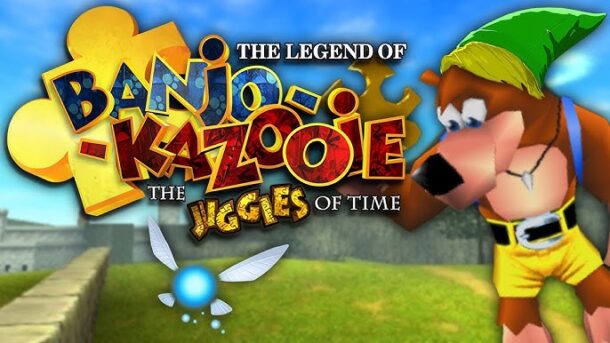
This crossover mixes the universe of Ocarina of Time with the humor and characters of Banjo-Kazooie. The bear and the bird visit nicely done Hyrule places, where they get the same kind of items, confront the same kind of enemies, and hear dialogues that fit both worlds. It’s not merely a change of textures – levels are done in a new way, puzzles are still challenging but in a different way, and the overall feeling is classic all the way between parody and homage.
2. Pokémon Unbound
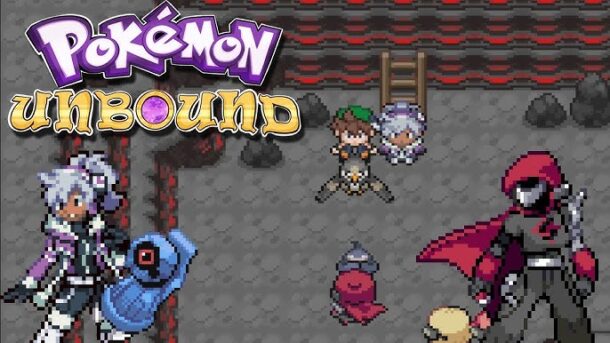
Bringing the original Borrius region to life with a complete storyline, side missions, full customization, and an extensive gameplay experience, this hack built upon FireRed. Encountering Pokémon from different generations will be the case together with the modifications of moves and items, and the varying difficulty settings that will accept both beginners and masters. It is a Pokémon game on its own instead of merely a simple edit.
3. The Legend of Zelda: Voyager of Time
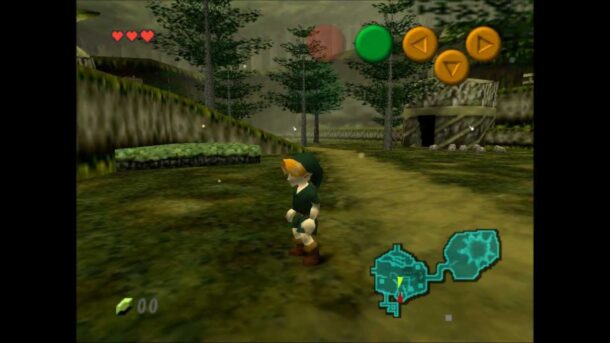
This hack opens up and at times difficult, playful re-imagining of the Ocarina of Time. It displaces dungeons, fills with humor, and makes the riddles harder. Even the signposts are getting a new script with their own characters. If you are an admirer of the original but look for something that keeps you guessing, this one gives you a new adventure without losing the classic’s soul.
For readers interested in cutting-edge emulation hardware and performance benchmarks, Geekzilla T3 : Everything You Need to Know offers a deep dive into a device that many ROM hack enthusiasts rely on for a smooth gameplay experience.
4. Super Mario 64: Last Impact

It is common to call it an unofficial sequel and it unquestionably ranks among the most fascinating Mario ROM hacks ever made. All new worlds, new boss fights, and the keeping of creative mechanics that extend the N64 graphics to their maximum potential should be expected. The level design feels like coming from a professional team and it is also full of secrets, thus easily making it a must-play for every SM64 fan.
5. Pokémon Radical Red

Are you the one who looks for challenges in games? If yes, then this fire-red-based hack is your best option. It rebalances the entire battle system in the game, updates the Pokémon that can be obtained through various generations making the strategizing part the most important. The use of advanced battle systems and clever AI competitors changes the game into a tougher and modern Pokémon experience while still keeping the original’s appeal.
6. New Super Mario World 2: Around the World
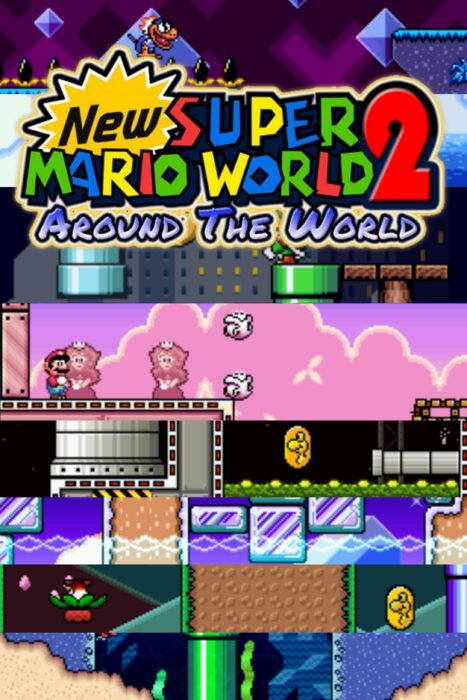
Super Mario World underwent a massive expansion to become this hack that offers new environments, enormous maps, and fantastic level gimmicks. There are over a hundred exits in total and it is a content-filled game that has been created to be explored. The theme of space travel gives it a unique character and maintains the feeling of the adventure being epic.
Much like how Tommy Jacobs Consoles Eyexcon: A Story of Empathy and Leadership highlights innovation driven by vision and community, the best ROM hacks are born from creators who deeply understand both the original games and the players who love them.
7. Super Mario 64: Sonic Edition

Mario is no longer the main character and the Sonic in this crazy rework of SM64 takes his place. Levels are made with speed in mind, and Sonic’s powers such as spinning and homing hitting have an enormous impact on how the stages are played. It’s like the old game but totally different, and it turns a classic platformer into a speedy playground.
8. Super Metroid: Ascent
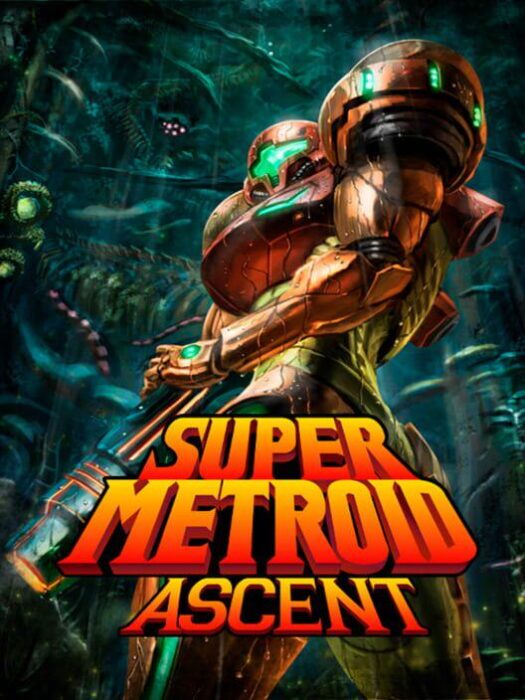
This hack is for those gamers who enjoy exploring and solving tricky puzzles. Larger rooms, less straightforward routes, and sometimes even using your imagination to solve the case can all see you at the next level. It remains the same in tone with the original game and it gives you tougher puzzles along with the sense of discovery that keeps you glued to your screen.
9. Mario Adventure

This NES game, often referred to as an unofficial Super Mario Bros. 4, is an entirely new Mario game. The game comes with changing weather, management of inventory, and ingenious power-ups that are all done while retaining the classic Mario feel. For a retro hack, it is surprisingly advanced.
10. TMNT of Rage: The Final Shell Shock
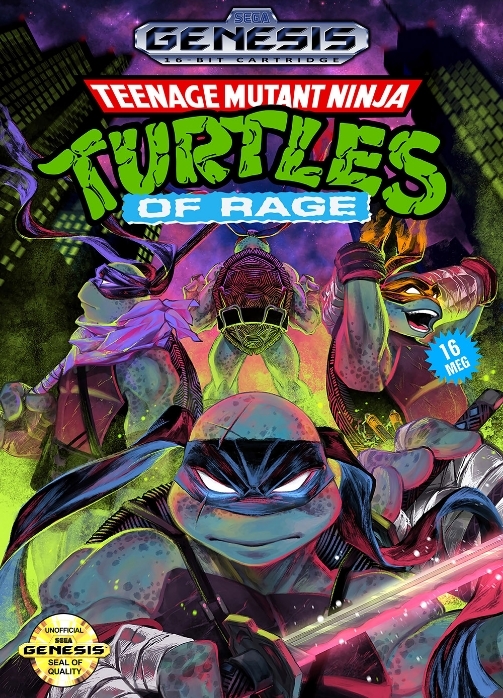
Think about the classic game Streets of Rage but with the Teenage Mutant Ninja Turtles. This total conversion combines the quick fighting, the well-known TMNT villains, and the arcade-style action perfectly. In case you are a fan of side-scrolling beat-’em-ups, then this one is your constant action with the nostalgic intensity attached to it.
11. Pokémon Prism
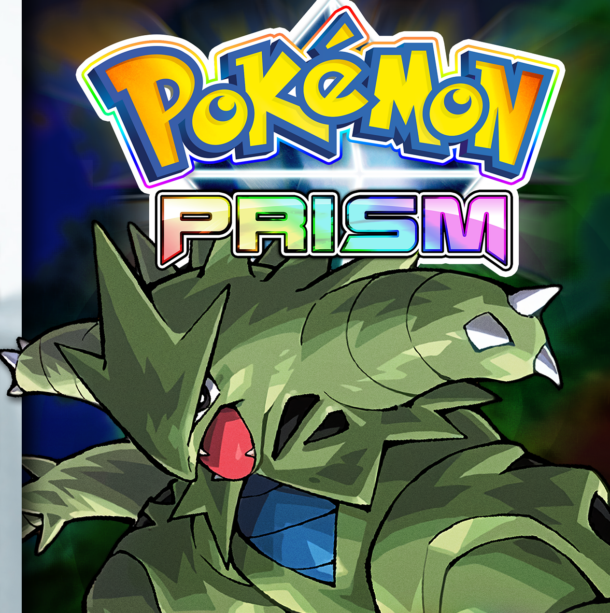
Prism, one of the largest Game Boy Color hacks ever made, opened the door to creating new regions, implementing new mechanics such as playing as a Pokémon, and writing custom storylines. While it had its share of legal troubles, the hack continues to be a fan favorite for being so bold and artistic within the constraints of Pokémon.
For readers interested in Exploring the New Updates GMRRmulator, recent improvements to the emulator have made running and testing classic ROM hacks more stable and accessible than ever.
12. Advance Wars R: Advance Wars Returns
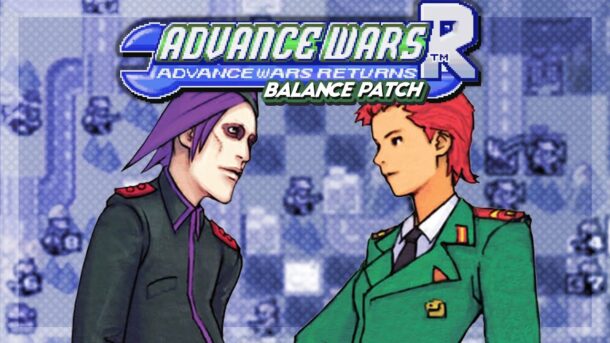
The hack gives the impression of being a gigantic enlargement rather than just a mod. It has a new story with a dozen new campaigns, new commanders with new roles, and even harder challenges. Strategy fans will appreciate how much depth and replay value this one brings to the already laid-back GBA series of its time.
13. EarthBound: Halloween Hack
This hack, which is a darker and edgier EarthBound, actually has horror and psychological tension as its main theme. The humor is crooked, the visuals are creepy, and the plot is full of surprising twists. It is a divisive game, but strikingly so, especially to the players who are willing to take the risk of playing something totally different.
14. Super Mario: Endless Earth

This hack is based on New Super Mario Bros. DS and adds more to the levels such as far-reaching 2D environments as well as the story elements with Rosalina. It resembles Super Mario Galaxy in 2D form, complete with longer stages and cinematic moments.
15. Pokémon Ash Gray Version
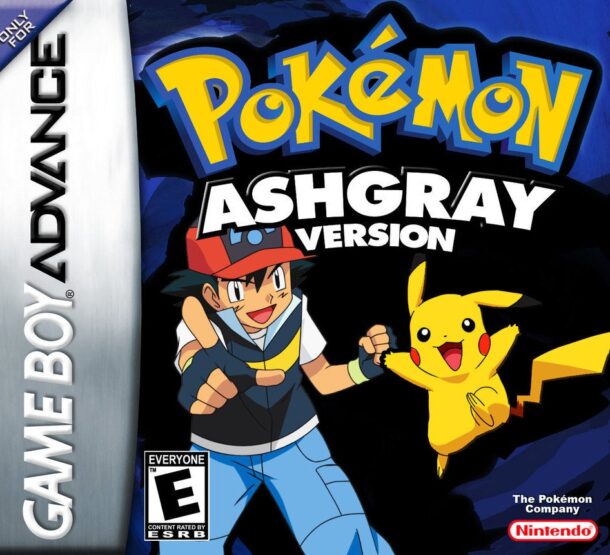
The hack imitates the Pokémon anime very closely and allows you to play Ash through the Indigo League story. You will have the chance to explore the moments of the show and assemble a team as you wish, even picking different Pokémon than Ash. It is a love letter from fans to the first season of the anime.
Why ROM Hacks Are Still Thriving
ROM hacks are still to enlarge the circle of their audience thanks to their ability to rejuvenate the games that were loved by people. They do not simply replace the classics, but they rather develop them, providing new challenges and ideas while keeping the same magic. A lot of the present-day fan developers begin here, thus learning how the games work from the inside out.
How to Start Playing ROM Hacks
The original game file, the patch, and an emulator or flash cartridge are usually the three things you need. The installation process is easy and often takes only a few minutes. Always use legally acquired game files and pay a lot of attention to the given instructions so that you won’t make any mistakes.
Much like Expanding 5E D&D Background Characteristics deepens role-playing by adding nuance and customization, the best ROM hacks stand out for how they expand familiar games into richer, more personalized experiences without losing their original identity.
Conclusion
The universe of ROM hacks is a clear testimony that great games are not old but just changed. The entire spectrum of reimagining and taking up the crossover experiments like The Jiggies of Time to full-scale reimaginings like Pokémon Unbound and Radical Red, all ten games on this list, point out the possibilities when creativity takes the wheel. These hacks are not mere adjustments rather they are new, albeit familiar, adventures. If you’re reviving old memories or scouting for a new one, ROM hacks are the solution as they offer both simultaneously. The underground gaming community is raising the standard of classics along with the developers, and that’s why they keep getting better, bolder, and more personal. If you have never tried a ROM hack before, just select one from this list and enter into it. Most likely, you will be reminded of your first love with gaming – and maybe even get a new favorite game on the way.

If you keep tabs on the updates of the Tech world, you must have heard of the Geekzilla T3. We know that it might remind you of a podcast, but it is a powerful, premium-grade technology that works like butter with digital work and games. In the digital world, where every year, a wave of new chips is aiming for better performance, GPU upgrades, and AI-assisted creativity, Geekzilla T3 might be the final end of high-end computing.
The device stands out not just for its raw performance, but because it seamlessly blends three crucial things for device performance: power, portability, and polish. So whether you are a gamer who wants a fluid display with high-FPS 4K gameplay, or a content creator who needs to handle tough editing and managing timelines, or a simple working professional who wants premium speed, T3 has something for everyone.
What Exactly Is Geekzilla T3?
Geekzilla T3 is a top-tier computing machine that was made for users who want high-end performance, but the price becomes a bottleneck. It comes with an equipped Intel Core i7-13700K CPU. This, when paired with an NVIDIA RTX 4080 GPU, 32 GB with DDR5 RAM, and a 1TB SSD that is lightning fast, this device won’t give you performance; it will give you the speed of a brazen bull.
Unlike bulky office desktops or burning laptops built for gaming, it packs a moderate punch with its lightweight aluminum casing, breathable airflow, and total weight of under 2kg, which is genuinely portable whilst still performing as a high-performance machine. Docked in a creative studio or in a briefcase on travel, it stands both ways.
| Feature | Details |
| Processor | Intel Core i7-13700K, 8 cores, 16 threads |
| Graphics | NVIDIA GeForce RTX 4080 |
| Memory | 32GB DDR5 RAM |
| Storage | 1TB SSD |
| Display | 4K UHD, high refresh rate panel |
| Chassis | Aluminum + high-grade polymer |
| Weight | Just under 2 kg |
| Connectivity | USB ports, HDMI, Wi-Fi 6 |
| Ergonomics | Ventilation grills + anti-slip rubber feet |
Who Is Geekzilla T3 Built For?
Geekzilla was not made as just another thoughtless product. All of its curation was well thought out and selected with care. The chip selection, design, build, and price, all of it screams that it was made keeping its audience in mind.
- High-tier players who wish to play with stable 120-240FPS at 4K.
- Video creators working in 4K/8K on Resolve or Premiere.
- 3D artists & animators running Blender or Unreal Engine or Maya.
- Streamers & YouTubers who game and capture their content at the same time.
- Developers & engineers who run virtualization, AI inference, or multi-container workflows.
- Remote professionals who just want workstation-class speed while on the go.
The T3 is not for people who simply open Chrome for minimal searching or to watch Netflix; it is only for people whose entire workflow is dependent on their device.
User Input On Geekflix T3
People who rated the gadget also shared these thoughts:
Thermal Performance: The device didn’t throttle under sustained loads
Noise Management: Surprisingly quiet unless encoding in torturous workloads
Aesthetic Finish: Slim and modern, no “gamer flashy” style
Portability: It’s Wild to find this under 2 kg in this class of machine
Hence, the user experience can be summarised as the device being of desktop-class speed, without being stuck to a desk.
Setup Experience: From Box to Use in Minutes
The T3 is built for convenience and has immediate usability. As such, the setup of the device is quite straightforward as well:
- Unbox and inspect — Make sure that you have all the components and that they are intact.
- Connect essential cables — Connect the power supply cord, HDMI/USB, and all other peripherals.
- Power on — Following the guided installation, boot the system on.
- Install drivers & updates — Check that the Wi-Fi and Security Updates are all in order.
- Customize workspace — Now you can customize your workspace according to your needs. Whether that be setting creator tools, game launchers, or pro software.
- Even if you are not technically inclined, the setup completion takes less than 20 minutes.
What Makes Geekzilla T3 Different From Other Brands?

There are many great machines in this area, so why are we hearing so much about T3? The answer is that it has the right combination of features that work well together.
Competitor A (let’s say TechMaster X5) might provide similar raw performance to the Geekzilla, but falls short in usability and experience. Competitor B (let’s say GadgetPro Z2) sells a big spec but doesn’t perform in heat or battery.
What makes Geekzilla T3 different is that it does not have a fatal flaw:
- No excessive fan noise, No flimsy chassis, No screen wobble, No throttle when running.
- It is a machine that honors the user’s investment in performance.
Battery Life, Heat, And Noise — The Three Things That Usually Break Premium Devices
Most high-performance machines fail at exactly three places, which are battery life, an overheated fan, and thermal throttling. Now, Geekzilla T3 does not promise absolute elimination of these issues, because no high-performance gadget can truly overcome these challenges. However, it performs far better than typical gaming/workstation devices.
Battery Life
It is not a 10-hour ultrabook — with RTX 4080 and i7-13700K, you’re realistically looking at:
| Usage Type | Approx Runtime |
| Web + documents | ~5–6 hours |
| 4K video editing | ~2.5–3.5 hours |
| AAA gaming (plugged out) | ~1–1.5 hours |
| Idle / low use | ~7 hours |
Thermal Management
The way its ventilation system is designed has an elevated rubberized base and a dual-fan architecture, which helps because:
- It does not throttle under sustained CPU+GPU load
- The surface heat is under check for long-term laptop or desktop use.
- The fans only get loud when there are exporting or rendering activities.
Noise
During most idle or simple tasks, the laptop stays almost silent. As mentioned, under gaming or rendering work, the audible is controlled and the fan sound is not jet-engine loud.
What Can You Actually Do With Geekzilla T3 in 2025?
Thanks to the way it is built, the Geekzilla T3 is well-made and versatile to do a lot of tasks
1. High-End PC Gaming
It can run any modern AAA title, such as Cyberpunk 2077, Alan Wake 2, and yes, it made it possible before GTA VI came out. Don’t think you have to run any of it on compromised quality. It works as smoothly on ultra setting in 4K with ray tracing and DLSS without frame drops.
2. Content Creation
- Edit 4K/8K videos with a lot of timeline work and color grading.
- Use Blender and Maya with fewer crashes or freezes.
- Gives you the power to stream with stability while gaming or editing simultaneously.
3. AI & Computing Workloads
- It can run any LLM inference locally.
- You can use machine learning frameworks like TensorFlow or PyTorch
- Compile codebases at high speed
4. Professional On-The-Go Workstation
For people in other streams, such as architects, engineers, finance folks, VFX, and Animation works, this tool removes the dependence you have on your desktop. T3 replaces the need for both a desktop and may one mediocre laptop.
Is Geekzilla T3 Worth the Price? (2025 Perspective)

The listed price range currently sits between $800 — $1200 depending on retailer and seasonal discounts. Considering the internals and class it competes with, the pricing is aggressively fair.
Here is a comparison mindset:
| Option | What You Get | Real Problem |
| Cheaper ~$600 laptop | Fine for browsing & office | Useless for gaming/editing |
| Mid gaming laptop ~$900 | OK for medium loads | Fails at professional workloads |
| Geekzilla T3 ~$1000 | Handles everything | None except price barrier |
Availability & Where to Buy in 2025
You can find Geekzilla T3 across:
- Amazon
- Best Buy
- Geekzilla’s Official Website
- Selected Electronic Stores
Buyers should avoid going to unofficial third-party sellers, especially those who have a chance of selling counterfeit components with no warranty.
Conclusion
In 2025, the Geekzilla T3 stands out in an increasingly competitive high-end workstation and gaming market with its rare but achievable blend of usability, performance, and polish. Powered by an Intel Core i7-13700K, NVIDIA RTX 4080, 32GB DDR5 RAM and 1TB SSD, it effortlessly manages any AAA gaming, 4K editing, 3D rendering, streaming, AI workloads, software development, and any high-performance professional use case multipletasking- all with superb results. It remains a classy, compact form factor under 2kg without compromising on thermal characteristics, build quality, or usability.
-
 Guides6 years ago
6 Proven Ways to Get more Instagram Likes on your Business Account
-
Mainstream11 years ago
BioWare: Mass Effect 4 to Benefit From Dropping Last-Gen, Will Not Share Template With Dragon Age: Inquisition
-
 Mainstream7 years ago
How to Buy Property & Safe Houses in GTA 5 (Grand Theft Auto 5)
-

 Guides1 year ago
Free Fire vs PUBG: Comparing Graphics, Gameplay, and More
-

 Guides12 months ago
50+ Free Fire ID and Passwords Login List (Giveaway) 2025
-
 Casual2 years ago
8 Ways to Fix Over-Extrusion and Under-Extrusion in 3D Printing
-

 Other2 years ago
Ajjubhai UID: Free Fire Details & Earnings
-
 Mainstream13 years ago
Guild Wars 2: The eSports Dream and the sPvP Tragedy