
Video Games
699+ League of Legends Funny Names

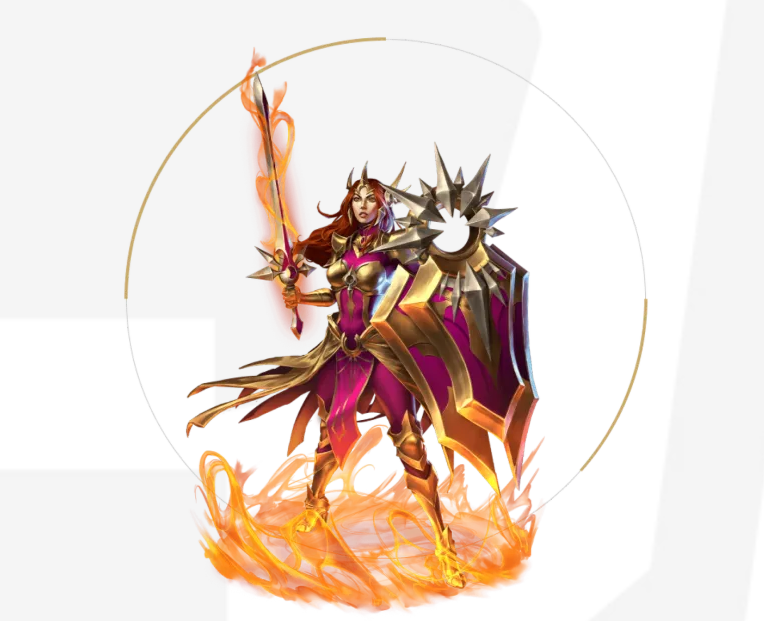
Are you trying to liven up your League of Legends games with some amusing names? With over 699 amusing names, you can make your opponents and teammates laugh.
These names, which range from brilliant wordplay to puns, will give your summoner profile a humorous touch. Choose the ideal name from our vast list to demonstrate your humor and individuality in the Rift. I hope you have fun and laugh a lot while you play!

699+ League of Legends Funny Names
Hilarious Puns
- GankPlankton
- TeemoTherapy
- AsheKetchum
- TwistedBait
- FizzTactics
- LeeSinatra
- BlitzKrank
- ZiggsZag
- MalphiteLite
- AnnieAreYouOK
- Veigarmortis
- WukongFu
- TryndamerePie
- Bart Simpson
- LeBlonde
- FiddleMeTimbers
- KhaZixandTheCity
- JinxedIt
- TaricMyHeart
- AlistarWars
Clever Wordplay
- JhinAndTonic
- YasuoSerious
- LuciOhs
- CorkiAndBeans
- OriannaGrande
- NunuAndWillump
- ZileanPain
- SejuaniSnowcone
- ShyvanaBanana
- EzrealDeal
- KaynYouBelieveIt
- JannaMontana
- LissAndMakeUp
- EliseLemon
- RakanAndRoll
- Sionara
- KalistaKeeling
- Nocturntables
- SwainTrain
- TwitchAndShout
Also Read: How To Check Your League Of Legends MMR System?
Pop Culture References
- DarthVlad
- RickAndGnar
- BlitzAndChitz
- DravenHeart
- SonaTheExplorer
- OlafOfThrones
- FrozoneZilean
- JackSparrowcane
- LegolasBlitz
- HulkSmash
- DeadpoolDraven
- GrootSoraka
- IronManAtArms
- StormzyJanna
- ThreshPrince
- DoctorMundoStrange
- SpidermanRyze
- BatmanBlitzcrank
- HarryPotterZed
- ThorGalio
Food-Themed Names
- BraumBread
- GragasGuzzler
- TahmSpaghetti
- KebabMundo
- PoppyCorn
- LeonaLemonade
- ZacAndCheese
- RumbleAndSpice
- KarthusCakes
- DariusDoughnut
- NidaleeNoodles
- NamiSandwich
- JarvanIVJam
- WukongWaffles
- SorakaSalsa
- ShenAndJuice
- KalistaKettlecorn
- TaliyahTacos
- ZileanZucchini
- RengarRavioli
Also Read: Cheat Code Pokemon Ruby: Full list of codes
Animal Lovers

- MeowKai
- PurrfectRengar
- BarkyBard
- DuckOfDraven
- FurryFiddlesticks
- MooMooAlistar
- HisssteriaCassiopeia
- CorkiSpaniel
- NidaleeTiger
- WolfAmongUs
- ZacAttackDog
- LissandraLioness
- SionSwan
- ReksaiRex
- Gnarwhal
- NamiNarwhal
- AniviaPigeon
- Pug’Maw
- ArmadilloRammus
- WukongMonkeyKing
Silly Names
- SmiteKnight
- RoflRyze
- MemeMasterYi
- NoobNidalee
- ZileanDollars
- BlitzTricks
- GarenTeeHee
- FiddleDidDoo
- QuinnWins
- RumbleTumble
- SingedUp
- GankTheTank
- SonaSoGood
- ChoGapCloser
- UdyrButWhy
- ThreshPrinceOfBelAir
- BaitmasterJhin
- ShacoAndBake
- TryndAndTested
- KennenBall
Also Read: How to Activate Wallhack Command in CS:GO
Unexpected Combinations
- SingedBurger
- PantheonPizza
- NamiTsunami
- VeigarVibes
- ShacoTaco
- EliseCream
- FizzTheRizz
- CorkiPorky
- VladimirRadimir
- KayleAle
- HeimerDingerDong
- PykeTheSpike
- TwitchyWitchy
- VayneTrain
- LucianInDisguise
- IreliaWithIt
- OriYana
- SivirOnTheRiver
- RumbleGrumble
- JhinKazama
Meme Inspired
- PepeTeemo
- KappaKogMaw
- TrollPlank
- DankThresh
- Lolaf
- Memedinger
- PogMaw
- FeelsBraumMan
- PoggersPantheon
- RektSai
- ShacoLOL
- WokeZilean
- LitLeona
- BasedBlitz
- KappaKayle
- ZomgZiggs
- YoloYasuo
- LulLucian
- MemeCannon
- GigaGnar
Also Read: CS:GO Overpass Callouts: Interactive Map [Complete Guide]
Sci-Fi and Fantasy

- StarGuardianLux
- GalacticNasus
- VoidReaver
- AstroNautilus
- CyberEzreal
- SpaceNami
- MechaMalphite
- DragonSlayerVayne
- GalacticRumble
- PulsefireCaitlyn
- DarkStarThresh
- OdysseyKayle
- SpiritBlossomAhri
- BattlecastUrgot
- ElderwoodLeBlanc
- HighNoonLucian
- BloodMoonYasuo
- HextechAnnie
- ElementalistLux
- ProjectZed
Mythological
- MinotaurAlistar
- PhoenixAnivia
- CyclopsSion
- MedusaCassiopeia
- KrakenNami
- GolemGalio
- ValkyrieKayle
- CerberusNasus
- ChimeraRengar
- SphinxKatarina
- HarpyQuinn
- TitanPantheon
- ElfEzreal
- DjinnJhin
- FairyFiora
- GryphonGalio
- SatyrFiddlesticks
- SirenSona
- PegasusHecarim
- DragonShyvana
Also Read: Shroud’s Counter – Strike Settings, Crosshair, and Viewmodel
Music-Inspired
- PunkRockSona
- DJYasuo
- JazzJanna
- HipHopHeimerdinger
- BluesBlitzcrank
- PopstarAhri
- RockNRollRakan
- DiscoNunu
- MetalMordekaiser
- ReggaeRumble
- RapMasterYi
- EDMEzreal
- TechnoThresh
- SkaSwain
- IndieIrelia
- FolkFiora
- ClassicalCassiopeia
- RnBRakan
- CountryCorki
- SynthwaveSejuani
Movie & TV Characters
- HarryPotterZed
- ThorGalio
- HulkSmasher
- IronManAtArms
- SpidermanRyze
- BatmanBlitz
- DarthVlad
- RickAndGnar
- JackSparrowcane
- OlafOfThrones
- DeadpoolDraven
- FrozoneZilean
- GrootSoraka
- LegolasBlitz
- StormzyJanna
- BlitzAndChitz
- DoctorMundoStrange
- ThreshPrince
- StarLordPantheon
- LokiZed
Game-Inspired
- MarioMaokai
- LinkLux
- DonkeyKongWukong
- MasterChiefYi
- LaraCroftKai’Sa
- PacmanZac
- SonicTheHedgeHecarim
- KratosPantheon
- PikachuKennen
- SamusKayle
- EzioTalon
- KirbyCho’Gath
- RyuLeeSin
- DovahkiinTryndamere
- GeraltOfRivia
- CloudStrifeYasuo
- SephirothSwain
- DoomguyGraves
- TifaFiora
- SpyroShyvana
Also Read: Sims 4 Acting Skill Cheat [Acting Skill Guide]
Random Fun Names

- TeemoSupremeo
- BlitzkriegBop
- AnnieCandy
- ThreshPrinceofBelAir
- JinxiePoo
- BrandNewDay
- HeimerdingerDanger
- RumbleintheJungle
- LeeSinCity
- FizzFizzBangBang
- BardlyWorking
- ZedZeppelin
- TryndaMerryGoRound
- KledZeppelin
- PoppyToppy
- RakanRoll
- KalistaFlockhart
- AhriDoinItRight
- TalontedPlayer
- Garen-tedWin
- SorakaPlonka
- AlistarYourProblems
- Malzaharmony
- ZiggsNStones
- LeonaYourLessons
- YasuoAreYouSerious
- BraumBae
- ViktoriousSecret
- SwainTrain
- GragasTheHut
- MissFortuneTeller
- AatroxOnTheRocks
- JarvanAtTheDisco
- IreliaLikeMike
- TwitchInTime
- EzrealSlick
- Gnarlsarkley
- RammusTheHedgehog
- Varus-yNice
- JarJarvan
- PantheonOfTheOpera
- NocturneVision
- ZileanDollarBaby
- Vel’KozmicLove
- Crimson Crusaders
- Celestial Champions
- Crystal Cavaliers
- Chaos Conquerors
- Covenant of the Crown
- Celestia’s Call
- Champions of the Chalice
- Circle of the Cipher
- Corsairs of the Cosmos
- Caverns of the Condemned
- Chimeric Challengers
- Conclave of the Curious
- Crescent Crusade
- Crown of the Conqueror
- Cryptic Commanders
- Cascade Cavaliers
- Celestial Cyclones
- Cursed Captains
- Covenant of Chaos
- Chalice of Champions
Also Read: Pokemon Go Mewtwo Location : Secret Hack Finally Revealed!
More Names
- MasterYiOfDisguise
- AFKBecauseReasons
- UrfDidNothingWrong
- FlashFlyte
- SupportIsALifeStyle
- ThisIsMySmurf
- ScuttleCrabLord
- DefinitelyNotSmurfing
- TeleportsBehindYou
- LaneDominator
- BankaiNoJutsu
- FirstBloodAddict
- UnkillableDemonKing
- PentakillMachine
- OutplayMachine
- FearTheCarry
- ObjectiveObsessed
- BringMeYourTears
- UnLeashedFury
- SkillShotMessiah
- WardingGenius
- OutplayArtist
- LaneMaestro
- TheComebackKing
- KDArenaissance
- NeverBackDown
- CalculatedChaos
- AlwaysOutnumbered
- GankPlankton (Plankton from Spongebob)
- TheTrueRiven
- DravenDraven (Draven main)
- JinxedFate
- FioraEver
- DiamondLeeSin
- MasterYiCan
- TheWanderingJax
- KatarinaKiller
- VayneGlory
- AsheIsComing
- WhisperingWind
- SilentButDeadly
- TheRuinedKing
- LunarEclipse
- CrimsonExecutioner
- TheUnseenBlade
- SymphonyOfSteel
- TheUndyingFlame
- EnigmaOfShadows
- TheLegendUnfolds
- PhoenixAscension
- FabledHunter
- DragonSlayer7
- MoonlitGuardian
- CursedOath
- SpiritWolf
- AscendantOne
- CelestialFist
- ForgottenKing
- HarbingerOfDoom
- JunglerBoi
- SupportMePls
- LagSpikes
- CarryOnMyWaywardSon
- WardrobeMalfunction
- FlashingAwayFromDebt
- MinionWaveRider
- BanterBlitz
- PentakillateralDamage
- ADC-tuallyGood
- YasuoWinddancer
- LeeSinuate
- EzrealComeGetSome
- LuxuriousPlay
- FioraDeForce
- TheKalistaProphecy
- AatroxiouslyGood
- JhinxedLife
- NamiWaves
- BraumTime
- Victorium (Latin – Victory)
- Ferox (Latin – Fierce)
- Kenshi (Japanese – Swordsman)
- Kitsune (Japanese – Fox Spirit)
- Valkyrie (Norse – Mythical Warrior)
- Corvus (Latin – Raven)
- Ddraig (Welsh – Dragon)
- Ronin (Japanese – Masterless Samurai)
- Fuerza (Spanish – Strength)
- Tempesta (Italian – Storm)
- ObjectiveObsessed
- MacroMastermind
- LaneKingdomCome
- VisionaryWard
- UnkillableCarry
- DodgingDives
- ClutchKing/Queen
- OutplayEmpress/Emperor
- LaneBulldozer
- KillStealSpecialist
Also Read: LoL ARAM Tier List: Best Champions Ranked Players
How To Change Your Profile Picture
To change your profile name in League of Legends, follow these steps:
- Go to your account settings: You can access your League of Legends account Using the game client or the official website.
- Go to the account settings by navigating: Search for the settings menu, usually found under your account details on the website or in the upper-right corner of the client.
- Look for the name change option: “Summoner Name Change” or a similar option should be marked in the settings menu.
- Click the name change option to purchase a name change: Generally speaking, League of Legends needs you to use a name change token, which you may get with in-game money called Riot Points (RP). The price could change based on where you live.
- Select a new name for yourself: After you’ve chosen the name change option and verified your payment with RP, you will need to enter your preferred new summoner name.
- Verify the change: Once your new name has been entered, verify the change. The game client and related platforms should reflect your new summoner name.
FAQs
Summoners in League of Legends can modify their name by using a name change token that they can buy with Riot Points (RP). You are free to alter your name as frequently as you wish, but there is usually a 30-day cooling-off period in between.
Riot Games’ naming policy, which forbids the use of trademarks, derogatory language, and impersonation of others, must be followed by your new summoner name. Additionally, names cannot contain special letters or spaces.
If the summoner name you like is currently used by another user, you must select a new one. Because summoner names are exclusive to the League of Legends ecosystem, they can only be associated with a single account at once.
Final Thoughts
Using Riot Points to purchase a name change token makes choosing a new summoner name flexible, improving player identity in the game. To use the functionality, go to your account settings.
To ensure that everyone plays in a pleasant and supportive atmosphere, always remember to choose names that comply with the game’s rules.
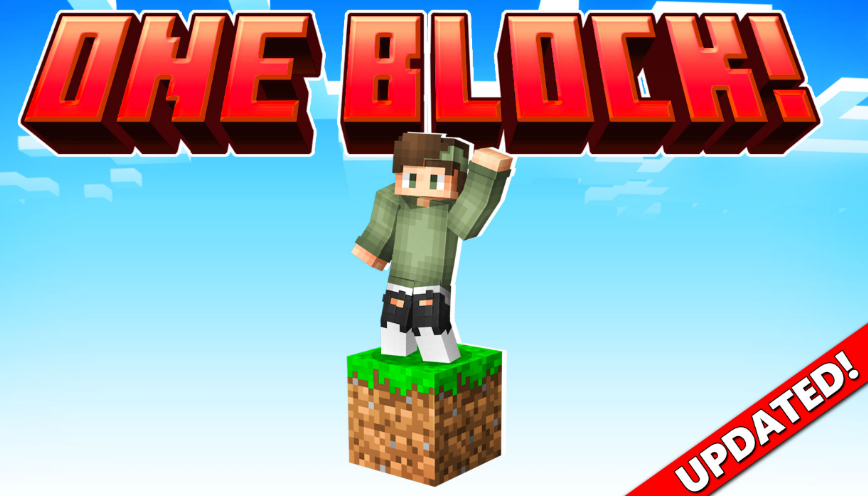
Minecraft is known for giving players endless freedom to create, explore and survive. However, starting a new world can sometimes feel overwhelming, especially when the available resources are limited. One Block survival maps add an extra challenge by changing the traditional Minecraft experience. Instead of exploring a large world from the beginning, players start with a single block and must carefully use every resource they receive.
The popular One Block by Dodo Studios experience for Minecraft Bedrock introduces players to this unique survival concept. While the idea may seem simple, many new players quickly discover that success requires planning, patience and smart decision-making.
Rushing Through The First Stages Too Quickly
One of the most common mistakes beginners make in One Block Minecraft Bedrock is progressing too quickly without preparing their surroundings. Since almost every block can provide important resources, breaking blocks without thinking about what comes next can create unnecessary challenges.
New players often focus only on collecting materials instead of building a safe and organised starting area. Creating storage, setting up basic tools and making sure there is enough space to expand can make a significant difference later in the game.
A good strategy is to treat the first stages as a preparation phase. Even simple improvements, such as creating platforms and organising resources, help players avoid losing valuable items or running into problems when new challenges appear.
Forgetting The Importance Of Resource Management
Another mistake many beginners make is using resources without considering future needs. In a traditional Minecraft world, players can usually travel to new areas to collect missing materials. In One Block gameplay, every resource has more value because progression depends on the blocks that appear.
Players should think carefully before crafting items or using rare materials. Building too many unnecessary objects early on can slow down progress and make later stages more difficult.
Learning how to manage limited resources is one of the most rewarding parts of this type of Minecraft challenge. It encourages players to plan ahead and understand the importance of every decision they make.
Missing Opportunities To Explore New Minecraft Experiences
Many Minecraft players enjoy survival mode because it allows them to create their own goals. However, custom maps and Marketplace content can introduce completely new ways to play. Exploring additional experiences is a great way to discover challenges that are different from the standard Minecraft formula.
Players looking for new adventures can visit Minecraft Bedrock Marketplace to discover a wide range of worlds, add-ons and creative projects. These experiences allow players to try different gameplay styles while keeping the familiar Minecraft foundation.
One Block-style challenges are a good example of how small changes can completely transform the way players approach the game. Instead of simply collecting materials and building freely, players must think strategically and adapt to unexpected situations.
Minecraft continues to remain popular because it gives players the freedom to create their own adventures. Whether someone is new to survival gameplay or an experienced builder looking for a fresh challenge, custom worlds and add-ons offer countless possibilities.
Avoiding common beginner mistakes can make the One Block experience more enjoyable and rewarding. With better planning, careful resource management and a willingness to explore new content, players can turn a single block into the foundation of an impressive Minecraft world.
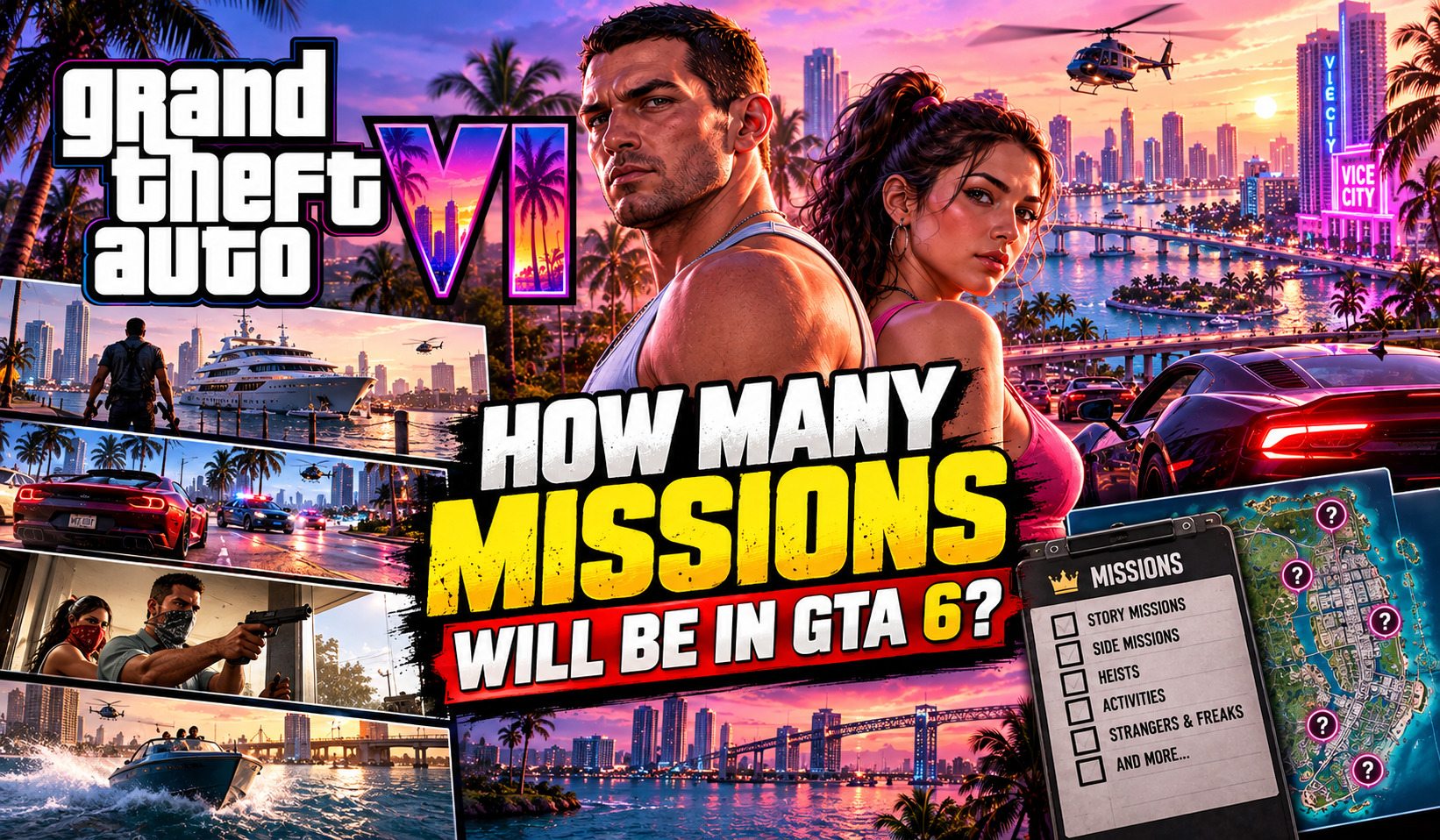
With the release of Grand Theft Auto VI approaching, one of the most common questions concerns how many missions GTA 6 will have.
After all, GTA V provided players with a next-gen sandbox with dozens of story missions, side activities, random encounters, and optional objectives. GTA 6 seems to be expanding on this to an even greater extent by introducing a dual protagonist system, a larger world, a chapter-based story, and a stronger focus on the relationship between Jason and Lucia.
There is, however, a problem – Rockstar Games has not officially announced how many GTA 6 missions there will be.
This means that the current number of GTA 6 missions floating around on the internet should be taken with a grain of salt. Here is everything that we currently know about the GTA 6 missions.
How Many Missions Are in GTA 6?
The short answer is that it is not known yet.
Rockstar has yet to reveal the list of GTA 6 missions, the total number of these tasks, or the chronological order in which they will appear in the game. GTA mission databases only list a few entries for GTA 6 so far.
Community members’ suggestions range from over 100 main missions to just dozens of tasks, with no official confirmation from Rockstar. GTA V, for comparison’s sake, includes 74 main story missions, with the number being slightly lesser if one were to exclude optional and secondary missions.
Therefore, although GTA 6 is likely to have more story missions than its predecessor due to the nature of its open-world design, there is currently no exact figure that could be listed alongside GTA 6’s name.
Why the GTA 6 Mission Count Is Difficult to Predict
One reason the numbers vary so much is that not everyone counts a “mission” in the same way.
A GTA game can contain several types of playable content, including:
- Main story missions
- Optional missions
- Character-specific missions
- Heist preparation and finale sequences
- Random events
- Side activities
- Hobbies and other open-world objectives
For example, a multi-stage robbery could potentially be treated as one major mission or several individual missions depending on how Rockstar structures it.
That makes comparing an alleged GTA 6 mission count with GTA V or Red Dead Redemption 2 particularly tricky.
GTA 6’s Story Will Be Split Into Chapters
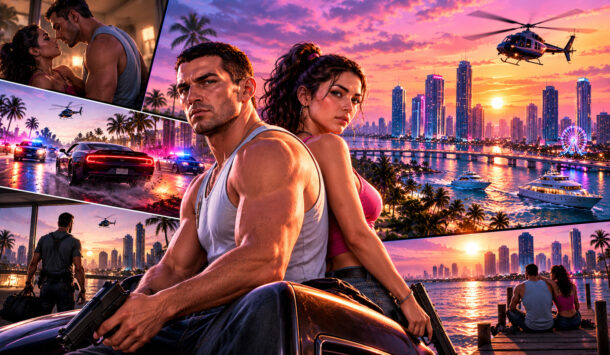
One of the more interesting details about the GTA 6 missions is that the story is structured around chapters.
Rockstar has confirmed the chapter-based structure, although it has not publicly revealed the exact number or names of those chapters.
This is significant because Rockstar previously used a chapter system extensively in Red Dead Redemption 2. That approach allowed the story to develop through distinct stages while gradually introducing new characters, locations and conflicts.
GTA 6 appears to be following a similar broad philosophy, although it is still a Grand Theft Auto game at heart.
The chapter system could allow Rockstar to divide Jason and Lucia’s criminal journey into different phases rather than simply presenting players with one enormous list of disconnected missions.
The number of missions in GTA 6 will also depend on how much of Leonida players can explore, from the streets of Vice City to the wider world featured on the GTA 6 map.
Who Will the GTA 6 Missions Focus On?
The protagonists are Jason Duval and Lucia Caminos, who are both playable.
It seems that their relationship is going to be the most important element of the game since Rockstar’s story summary describes the central conflict as a criminal conspiracy in Leonida that involves both of the protagonists after a simple heist goes wrong.
This makes it possible to have some missions concentrated on one character and some focused on another since GTA 6 does not follow the lead of GTA V and does not introduce three protagonists that share the screen time equally.
It means that instead of telling a story about three friends and focusing on each of them in parallel missions, GTA 6 can shift some missions to one character and give others more screen time to tell a personalized story.
The gameplay footage also demonstrated that Jason and Lucia can team up and participate in the same robberies and escapes as the protagonists whose actions influence the story’s development.
Could GTA 6 Have More Than 100 Missions?
Now it is time for some speculation.
Some guides and fans’ theories about GTA 6 also suggest that the game can have more than 100 missions.
Since GTA 6 appears to be even bigger than its predecessors, it is not hard to imagine that it could include a similarly impressive number.
GTABase, for instance, reported that community members suggested that GTA 6 could have more than 100 story missions.
However, there is not a single confirmation of this theory yet.
There is one popular assumption that was reported by multiple outlets that completing the game for the first time took around 80 hours for one of Rockstar’s employees.
Since this number includes optional activities and the main story missions, it cannot be used to calculate how many missions GTA 6 is going to have.
An 80-hour playthrough is a sign that the game is going to provide players with substantial content, but it does not confirm the theory about GTA 6 having 100, 80, or even 70 story missions.
Alongside the mission count, Is GTA 6 cross-platform? is another key question for players hoping to experience the game together across different consoles.
What Types of GTA 6 Missions Can We Expect?

Although the complete mission list remains unknown, Rockstar’s promotional material has already given players a good idea of the game’s overall direction.
The GTA 6 missions are expected to combine several familiar Grand Theft Auto ingredients:
Heists and Robberies
Crime remains at the center of GTA 6. Jason and Lucia’s story is built around criminal activity, making robberies, scores and increasingly dangerous jobs an obvious part of the campaign.
Character-Based Missions
With two protagonists, missions can explore Jason and Lucia individually as well as together. Their different backgrounds could also create distinct mission scenarios.
Open-World Encounters
GTA 6’s world is designed to be more than a backdrop between missions. Players can expect optional activities and encounters that make Leonida feel active outside the main storyline.
Side Activities
Not everything players do will necessarily advance the central plot. Hunting, fishing, sports, races, mini-games and other activities are part of the broader GTA 6 experience.
This distinction matters when discussing the total number of GTA 6 missions. A game can have a relatively focused main campaign while still offering hundreds of hours of optional content.
Will GTA 6 Missions Have Different Outcomes?
Another intriguing possibility is greater mission variation.
GTA V already experimented with player choice through certain missions and heists. GTA 6 seems to be designed to explore the possibilities of player decisions and consequences.
But you have to be careful not to confuse rumor with reality. Rockstar has not released a detailed description of how many story missions will have branching outcomes or how much impact players will have on the story.
It is worth noting that GTA 6’s two protagonists and chapter-based structure provide ample opportunities for creating alternative mission outcomes.
GTA 6 Missions vs GTA V Missions
| Feature | GTA V | GTA 6 |
| Main protagonists | Three | Jason and Lucia |
| Confirmed main mission count | 74 | Not announced |
| Story structure | Multiple story stages | Chapter-based |
| Heists | Yes | Yes, central to the story |
| Side activities | Yes | Yes |
| Random/open-world events | Yes | Expected |
| Complete mission list available | Yes | Not yet |
When Will the Full GTA 6 Mission List Be Available?
The answer most likely lies around and after the game’s release.
GTA 6 is set for November 19, 2026, and Rockstar has yet to unveil any kind of numbered list of the game’s missions in advance of launch
Once the full game has been launched, its player base will be able to devise a complete list of missions as well as all the optional branches, side missions and requirements for achieving 100% completion. Until then, websites with a definitive pre-release list of every GTA 6 mission should be taken with a grain of salt.
As anticipation builds for GTA 6, speculation around next-generation gaming hardware is also growing, with the latest PS6 specs leak hinting at what future PlayStation consoles could bring to the gaming experience.
Final Thoughts
So, how many missions will GTA 6 have?
Well, for now the only honest answer is nobody knows. GTA V only had 74 main story missions, and some predictions say GTA 6 could even go beyond 100. Rockstar has not confirmed either, for GTA 6. We do know that the game has a chapter-based story, two playable protagonists, a crime-focused narrative and a large array of optional activities.
In other words, maybe the more interesting question isn’t simply how many GTA 6 missions there are, but how many different types of missions can Rockstar squeeze into it. If GTA 6 manages to deliver on the kind of detailed world and interconnected storytelling Rockstar is promising, the final mission count may only play a miniscule part in what makes it’s’ campaign memorable.
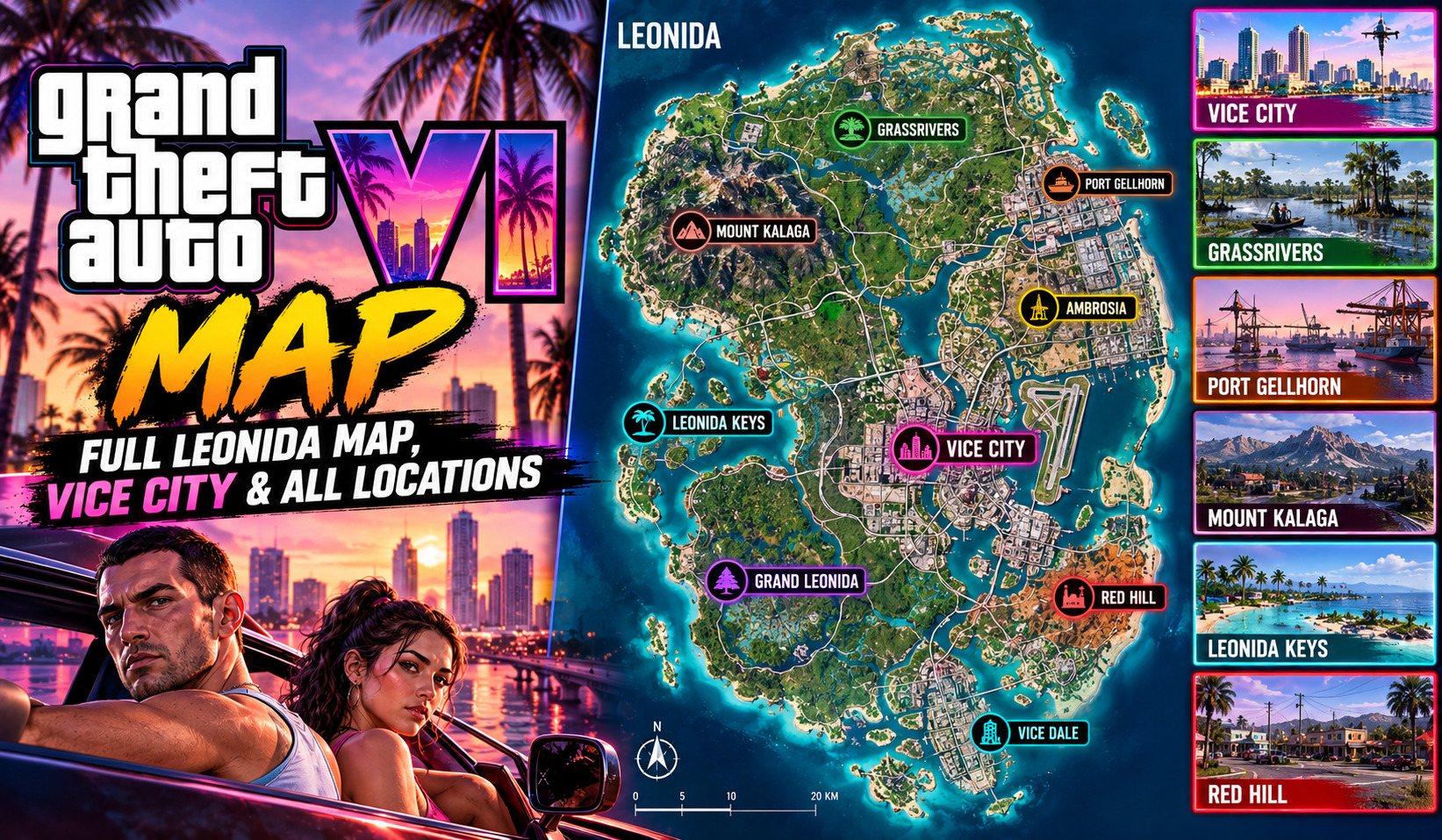
For years, fans knew that GTA 6 would bring players back to Vice City. What was less obvious was just how much would surround it.
Rockstar Games has officially stated that GTA 6 takes place in the fictional state of Leonida, an area inspired by Florida, but with the addition of Vice City and plenty of other completely different environments outside of skyscrapers and beaches. Locations shown in the official screenshots and promotional material already show a variety of environments including tropical islands, swamps, and rural backcountry.
So where is GTA 6 located? The short answer is: Vice City, within the larger state of Leonida.
The longer answer is considerably more interesting.
Where Is GTA 6 Located?
GTA 6 is set in the modern-day fictional state of Leonida, Rockstar’s fictional counterpart to Florida. Vice City is the game’s central urban setting, but it is only one part of a much larger world.
Unlike the 1980s version of Vice City from the 2002 game, GTA 6 presents a modern interpretation of the Miami-inspired city and expands far beyond its metropolitan streets.
Rockstar has officially showcased six major areas through its promotional material: Vice City, Leonida Keys, Port Gellhorn, Ambrosia, Grassrivers and Mount Kalaga National Park.
That variety is what makes the GTA 6 map particularly interesting. One moment, players can be surrounded by neon signs and high-rise buildings; the next, they can be racing through wetlands, exploring islands or heading into heavily wooded territory.
Vice City: The Heart of GTA 6
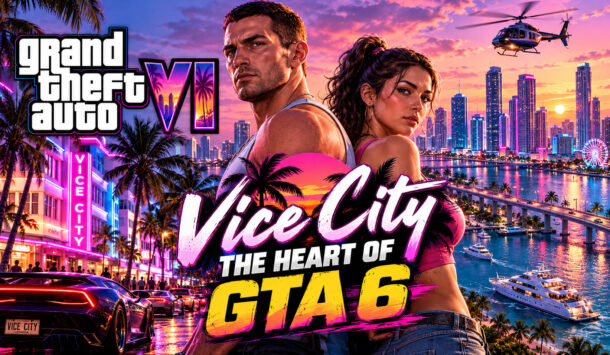
Vice City is the location most players will immediately recognize.
Inspired by Miami, the modern Vice City offers beaches, nightlife, busy districts, commercial areas and the typical excess of the Grand Theft Auto series.
Rockstar’s official media has revealed many details of the city, including its unique skyline, beaches and streets. The promotional descriptions also point toward areas such as Ocean Beach, Little Cuba, Little Haiti, South Beach, Vice City Port and Vice City International Airport.
This isn’t simply a remake of the old Vice City map. The HD Universe version is considerably more ambitious, functioning as one major urban section of the wider Leonida world.
While exploring Leonida’s vast map and its locations, players may also want to know Is GTA 6 Cross-Platform? Crossplay Answer to understand whether they can explore Vice City and beyond with friends on different gaming platforms.
Leonida Keys
South of the mainland lies the Leonida Keys, Rockstar’s fictional take on the Florida Keys.
The region is built around tropical islands, waterways and coastal communities rather than skyscrapers and dense city blocks. Rockstar describes the Keys as a laid-back tropical environment, although GTA’s usual combination of crime and chaos obviously isn’t going anywhere.
The Leonida Keys are also particularly important because footage has shown Jason and Lucia operating in this part of the state.
Among the locations associated with the wider region are Key Lento, along with several smaller islands and coastal areas.
Grassrivers: GTA 6’s Everglades
If Vice City represents Florida’s glamorous side, Grassrivers represents its wild side.
The Grassrivers are heavily inspired by the real-world Florida Everglades, featuring wetlands, mangroves, waterways and wildlife. Rockstar’s promotional material presents the area as an untamed part of Leonida where alligators are only one of the dangers players may encounter.
This area could also provide a major change of pace from traditional GTA driving. With waterways and dense vegetation forming much of the environment, exploration here is likely to feel very different from cruising through Vice City’s streets.
Port Gellhorn
On Leonida’s western side is Port Gellhorn, another location officially showcased by Rockstar.
Port Gellhorn has a distinctly different personality from Vice City. Rather than polished beaches and luxury districts, the area is portrayed as a worn-down coastal community filled with older attractions, motels and commercial areas.
Rockstar’s official artwork confirms Port Gellhorn as one of the major regions of GTA 6, while its promotional descriptions emphasize its rougher, more neglected atmosphere.
For players who enjoy GTA’s smaller towns and backroads as much as its cities, Port Gellhorn could become one of the more memorable sections of the map.
Ambrosia
Located farther inland is Ambrosia, an industrial area associated with the fictional state of Leonida.
The region revolves around industry and the local economy, with the Allied Crystal sugar refinery serving as one of its defining landmarks. Rockstar’s description also points toward a strong biker presence in the area.
That combination gives Ambrosia a very different identity from Vice City’s tourist-heavy districts. It is another example of GTA 6 using different parts of Florida-inspired culture and geography to create distinct environments.
As players explore the massive world of Leonida, the PS6 Specs Leak: Full Technical Sheet and PS5 vs PS5 Pro Comparison offers a closer look at the hardware that could shape the next generation of open-world gaming.
Mount Kalaga National Park
On the northern end of Leonida lies Mount Kalaga National Park, one of the most visually distinctive locations revealed so far.
The park has forests, waterways, rugged terrain and offers activities such as hunting, fishing, kayaking and off-road driving. Rockstar’s promotional material puts a strong focus on its wilderness and backcountry feel.
It also provides GTA 6 with a landscape that is far removed from the beaches of Vice City. The northern environment has its inspiration drawn from northern Florida and the surrounding southern states, making it one of the clearest examples of the geographical diversity Leonida can offer.
GTA 6 Map: What the 2026 Leak Revealed
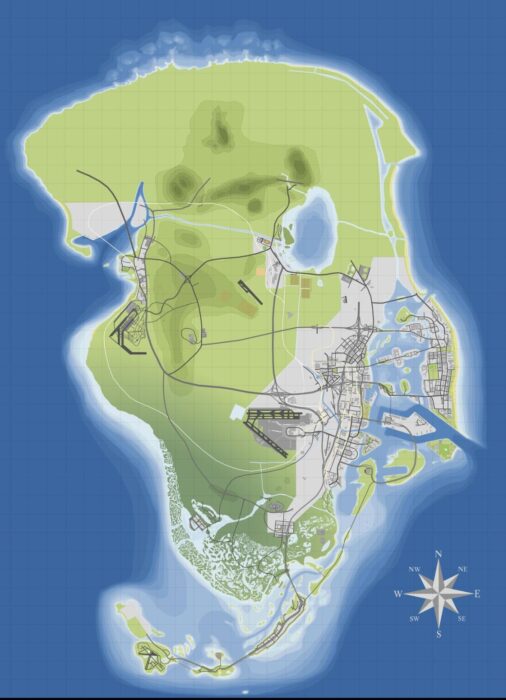
Rockstar has not officially published a complete interactive map of Leonida. However, an alleged full map surfaced online in August 2026 alongside leaked gameplay material.
The leaked map has attracted significant attention because several geographical features correspond with locations and layouts previously shown in Rockstar’s official trailers and screenshots. GTABase’s recreation of the leaked material identifies multiple counties and additional towns and locations.
However, there is an important distinction: the leaked map should not be treated as an official final map from Rockstar. Development builds can contain unfinished, removed or changed content.
For that reason, the officially revealed locations remain the safest reference point when discussing the GTA 6 world.
How Big Is the GTA 6 Map?
One of the biggest questions surrounding GTA 6 is its overall size.
Rather than simply creating another enormous city, Rockstar appears to be building a world that combines an urban center with beaches, islands, wetlands, industrial towns and wilderness.
Unofficial mapping efforts have attempted to estimate the size of Leonida using trailers, screenshots and leaked material, with estimates suggesting that the playable world could be substantially larger than GTA V’s map. Those figures should be treated as estimates rather than confirmed Rockstar specifications.
The more important difference may ultimately be density and variety, not raw square mileage.
While exploring the latest gaming updates, Minecraft players can also learn How to Update Minecraft Bedrock on PC to access new features, improvements, and gameplay fixes.
Will GTA 6 Have More Locations?
There is still plenty that Rockstar has not shown.
The official GTA 6 material already reveals a world considerably broader than Vice City alone, while leaked material has provided clues about additional towns, roads, counties and smaller locations.
That leaves room for plenty of surprises when players finally explore Leonida themselves.
Final Thoughts
So, where is GTA 6 located? It is set in Leonida, a fictional Florida-inspired state, with Vice City serving as its main urban centerpiece.
But Vice City is only the beginning. The GTA 6 map stretches across tropical islands, wetlands, industrial communities, rural roads and northern wilderness, including the Leonida Keys, Grassrivers, Port Gellhorn, Ambrosia and Mount Kalaga National Park.
Rockstar’s official material has confirmed the broad identity of these locations, while the reported 2026 map leak offers a much deeper — although still unofficial — look at how Leonida may fit together.
If GTA V made Los Santos feel like a living region rather than simply a city, GTA 6 appears to be pushing that idea considerably further: Vice City may be the star, but Leonida is the stage.
-
 Guides7 years ago
6 Proven Ways to Get more Instagram Likes on your Business Account
-
Mainstream12 years ago
BioWare: Mass Effect 4 to Benefit From Dropping Last-Gen, Will Not Share Template With Dragon Age: Inquisition
-
 Mainstream8 years ago
How to Buy Property & Safe Houses in GTA 5 (Grand Theft Auto 5)
-

 Guides2 years ago
Free Fire vs PUBG: Comparing Graphics, Gameplay, and More
-

 Guides2 years ago
50+ Free Fire ID and Passwords Login List (Giveaway) 2025
-
 Casual3 years ago
8 Ways to Fix Over-Extrusion and Under-Extrusion in 3D Printing
-

 Other3 years ago
Ajjubhai UID: Free Fire Details & Earnings
-

 Features2 years ago
Exploring Valorant eSports Stats: Unveiling the Metrics Behind Competitive Excellence