
Social Games
Exclusive FarmVille Gifts Introduced – How to Send Them?

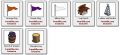 When you logged in today into your FarmVille account on Facebook you certainly realized that, besides the new reindeer and potted plant gifts, there are also a bunch of gifts available to send to your friends. However, beneath them it writes “Farmville.com exclusive” and you probably wonder what that means and how to send them.
Well, it means that Zynga is trying to promote their own website for Farmville (click the link to visit if you wish) which is still connected to your Facebook account but gives you nothing that Zynga games. And it’s obvious that because of that, the developers would rather have you play there instead of Facebook.
So, this answers the question “How to send the exclusive Farmville gifts to friends?”: by going to the FarmVille website and sending them there. When your friends will be accepting it, they will be taken to the Farmville.com website too, so make sure you tell them that it’s OK and it’s still FarmVille they’re playing!
What are these exclusive gifts? As you can see in the image in the upper corner, we’re talking about things like three new flags (Orange, Purple and White), a Log Bench, a Ladder and Bucket, a Wooden Log and a Barrel of Grapes. Pretty cool additions!
If you also care a lot about the state of your farm and you want to expand it as fast as possible, maybe you’d like to check out the details about the FarmVille guide and see if it is what you need. Either way, have fun playing FarmVille, the most popular Facebook game!
Special offer: A complete FarmVille guide can be purchased right now fur just $27. It would certainly put an end to all your problems related to the game and turn you into a FarmVille master. Click the link to check it out!






Online casino research is rarely as simple as it first appears. What begins as a quick search for a bonus often turns into a deeper investigation. You may find yourself having to compare game libraries, check payment options, read withdrawal rules and confirm whether the casino is even licensed in your region.
As the industry continues to expand, this complexity is only increasing. According to Grand View Research, the global online gambling market is projected to grow from $97.7 billion in 2026 to $202.8 billion by 2033. In other words, more platforms are now competing for users’ attention.
And, of course, these operators will want to stand out. They will want to show you that they offer the best possible experience, beginning with the promotions they put in front of you. But you can’t just rely on that information alone to determine whether the operator is worth considering.
After all, a bonus may seem appealing, but its actual value highly depends on the conditions attached to it. That’s part of why platforms like Zamsino are really important.
Casino research is becoming more detailed
If you’ve been in this industry for a long time, you probably remember how straightforward choosing an operator was. You’d maybe find a familiar name, look at the welcome offer, and that was it.
But given how the industry has evolved, you can no longer rely on that simplistic procedure. For instance, if you’re interested in bonus features like the $20 no deposit bonus in NZ, real money, you may have to consider:
- The wagering requirements attached to the offer
- Which games contribute towards completing those requirements
- Whether there is a maximum amount you can withdraw from the bonus
A $20 bonus may sound generous at first, but that headline figure tells you very little about how easy it is to use. You still need to understand the rules surrounding it. Thankfully, Zamsino knows that, so it allows users to explore specific offers while also learning more about the casinos behind them.
Games and bonuses sit alongside each other
Of course, bonuses are only one part of the decision. What happens when you actually start playing matters just as much. Think about someone who enjoys slot games but finds a casino offering hundreds of table games and only a small selection of slots.
Well, it doesn’t matter how attractive the platform’s promos may sound; if the player can’t find the games they actually enjoy, there’s little reason to choose that operator in the first place. This comes at a time when modern consumers have become so aware of their needs. In fact, according to Contentful, over 7 in 10 users in the broader e-commerce now want personalized experiences.
And if these customers find irrelevant experiences, 76% may get frustrated and even leave. It’s the same thing with online gamblers. If a casino offers a broad game library but doesn’t make it easy for players to find their favorite games, that large selection can easily become meaningless.
That’s why you want to know about a casino’s games before signing up. Zamsino’s guides help address this need by putting information about game selections alongside the other details that can influence a player’s decision. Rather than treating bonuses and games as completely separate subjects, the platform gives readers an opportunity to consider both when researching a casino.
Local details can change the casino experience
Think about the number of customers in an industry that’s expected to hit $202.8 billion within the next few years. That figure alone shows that online gambling is now a global phenomenon, meaning it’s drawing the attention of players worldwide.
But these users don’t interact with the platforms in the same way. For instance, when it comes to moving money, an Indian player may prefer a payment method that is completely different from that of a Canadian player.
The same principle applies to the legal environment, as countries can have varying regulatory frameworks. Currencies and verification requirements may also differ. And the last thing you want as a player is to discover these differences only after you’ve already registered with a casino.
That’s where Zamsino steps in as a helpful guide. It features country-specific sections that allow players to look at casino information through the lens of their own market. So, even if you’re based in a non-English-speaking market, you can still find information that speaks directly to the conditions you’re likely to encounter.
Putting information before the decision
One of the biggest challenges in online casino research is that players have more information to consider than ever before. The growth of the market has created more choice, but more choice does not automatically make decisions easier.
And amid this growth is a rising number of scammers. As such, you don’t just want to sign up for a platform simply because it promises great promotions. This is why paying attention to third-party opinions matters. Thankfully, platforms like Zamsino have made it possible to research an operator before making that decision.
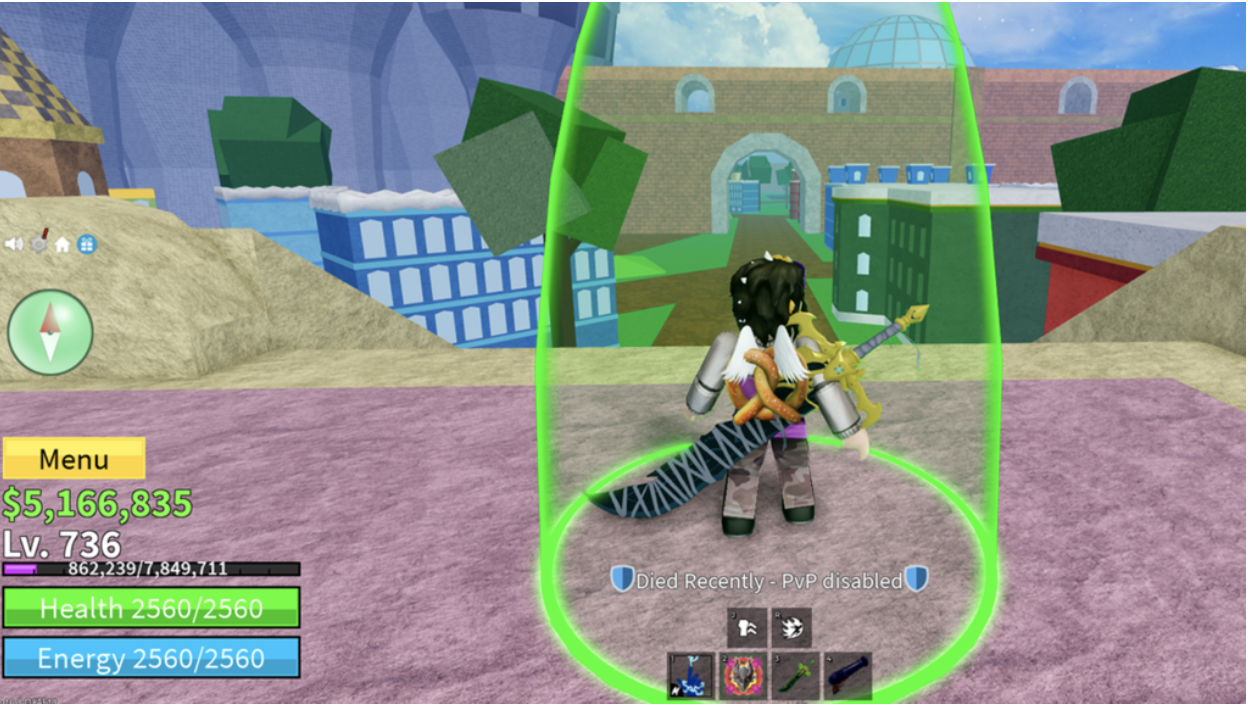
Money is one of three primary currencies in Blox Fruits. It lets players purchase items like Fighting Styles, Swords, Guns, Blox Fruits, Accessories, Abilities, and Raid Chips. While the prices are high, Money is the most accessible currency in the game, players can earn it quickly through straightforward methods.
Players can hold up to $1,000,000,000, giving them substantial purchasing power. In this guide, we’ll reveal the fastest ways to maximize your Money earnings in Blox Fruits, helping you afford the upgrades you need.

How to Get Money Fast in Blox Fruits
Blox Fruits offers multiple ways to earn money. Each method has its advantages, whether you’re looking for steady income or quick cash injections.
Money can be earned through:
- Purchasing with Robux
- Game Passes
- Defeating Enemies & Bosses
- Redeeming codes
- Quests
Let’s break down each method to help you choose the best approach for your gameplay style and goals.
Purchasing With Robux
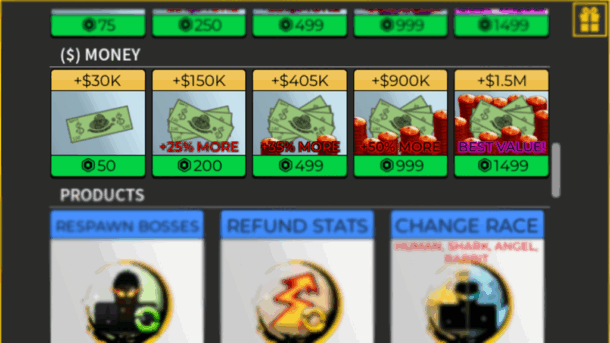
Buying Money with Robux offers instant access to the exact amount you need. Players can purchase:
- 30,000 Money (50 Robux)
- 150,000 Money (200 Robux)
- 405,000 Money (499 Robux)
- 900,000 Money (999 Robux)
- 1,500,000 Money (Best value at 1,499 Robux)
While 1,499 Robux may seem steep, many players choose this route for its immediacy and guaranteed results. Some even buy Robux specifically to acquire their target Money amount, skipping the grind of other earning methods.
To purchase Money in-game, open Menu, select “Shop,” scroll to ($) Money, and choose your amount. Alternatively, visit Blox Fruits on Roblox’s website, click “Subscriptions & Passes,” and buy your desired game pass without launching the game.
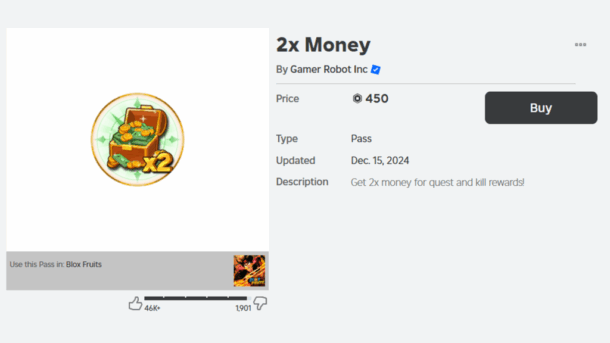
Game Passes – 2x Money
The 2x Money game pass doubles all Money earned from NPCs and Quests. It doesn’t affect chest rewards but maximizes earnings for players focused on combat and mission grinding.
This pass pairs well with questing strategies and NPC farming, making it a powerful tool for efficient Money earning. Players looking to earn money fast through active gameplay will find this especially valuable.

Defeating Enemies & Bosses
Enemies (NPCs) spawn in groups across different areas, providing steady Money drops when defeated. While regular enemies offer little rewards, bosses offer substantially higher Money and EXP.
Sea 1 introduces starter bosses like Gorilla King and Yeti, while Sea 3 features powerful ones like Stone and Hell’s Messenger. Your earnings scale with boss difficulty.
It is always recommended to equip strong fruits like Dragon or Kitsune for Boss farming. These premium fruits maximize your damage output and survival, leading to faster kills and more Money.
Redeeming Codes
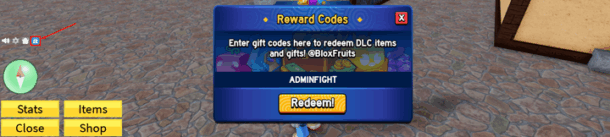
Codes offer a simple path to free Money, though they require patience and timing. Developers give them away through social media, Discord servers, and in-game notifications.
To redeem simply click the gift icon on the left side of your screen and enter your code. While most codes grant EXP multipliers, some provide direct Money rewards. Check official channels regularly for new code releases.
Quests
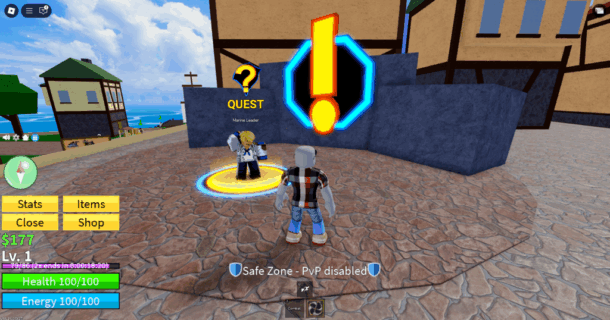
Quests provide steady Money while advancing your character. They scale in difficulty and reward as you progress. Each quest has a level requirement you must meet before accepting. Early quests might ask you to defeat a few NPCs for hundreds of Money. Later quests demand more challenging tasks but pay thousands. This makes questing an efficient way to earn while naturally leveling up.
Final Words
Money is your progression in Blox Fruits. Whether you choose to purchase it with Robux, farm bosses, complete quests, use codes, or combine multiple methods, consistent effort pays off. Pick the strategy that matches your playstyle and resources, then stick to it. The path to earning money is clear, you just need to choose your method.
As players accumulate wealth and unlock their desired fruits and equipment in the game, fans can express their love for the game by creating Neon Signs, bringing the unique aesthetics of Blox Fruits into their own rooms.
Fans can customize Blox Fruits-themed neon lights, replicating classic fruit silhouettes from the game or recreating the iconic combination of coins, swords, and fruits. Using bright, retro neon lights, they can capture the passion and fun of the game in a real-world setting.
Social Games
Ping, Not Panic: A Canadian Gamer’s 2025 Travel Stack – Steam Deck & Switch Updates, Remote Play, Con Wi-Fi Triage, and Instant Data Abroad

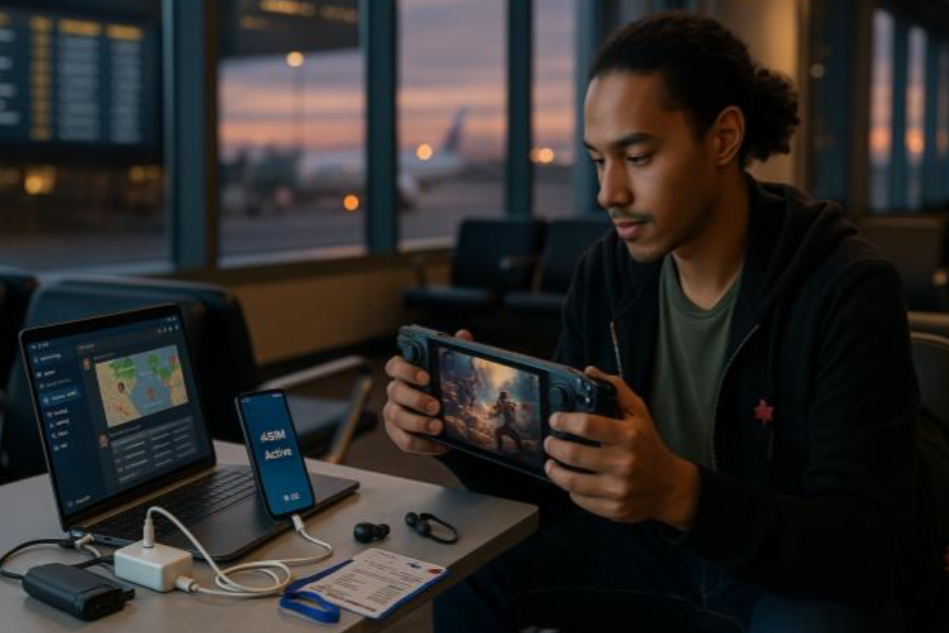
You’ve cleared security at YYZ with a backpack full of cables, a Steam Deck, and a wish to dodge Day-0 patch hell. Across the ocean, a con queue snakes past a venue that’s already melting its Wi-Fi. The goal is simple: play more, fiddle less. This field-tested guide gives Canadian gamers a clean travel stack—latency expectations, handheld tuning, hotspot etiquette, and a data setup that just works when you land.
Latency 101 (Know Your Ceiling Before You Chase Frames)
You can’t beat physics, but you can plan around it. Treat latency like weather: check it, adapt, win anyway.
Practical targets on the road
| Use Case | Target RTT | Bitrate Tip | Notes |
| Cloud gaming (Stadia-like/GeForce NOW) | ≤ 40–60 ms | 10–25 Mbps | Best in major metros; hotel Wi-Fi often too spiky |
| Remote Play (PS/Xbox → hotel/phone) | ≤ 60–80 ms | 5–12 Mbps | Cap at 720p/30 for reliability |
| Online shooters (native on handheld) | ≤ 40–70 ms | 3–6 Mbps | Prefer mobile data over café Wi-Fi |
| MMO/Co-op (native) | ≤ 70–120 ms | 1–3 Mbps | Slight input float is survivable |
Rule of thumb: In crowded venues, mobile data beats venue Wi-Fi for stability. Save giant downloads for hotel fiber; use cellular for sessions and comms.
Connectivity in 3 Minutes (No Kiosk Drama)
Skip airport SIM lines and roaming roulette. Install a travel eSIM at home so Discord, Remote Play, and patch checks work the second you land.
How to set it up
- Buy a plan online; you’ll receive a QR code.
- On your phone: Settings → Cellular/Mobile → Add eSIM → scan → label it Trip Data.
- Set Trip Data as Mobile Data, keep your Canadian number for calls/SMS/2FA.
- Turn Data Roaming ON for Trip Data only. Test once, then toggle data off until touchdown.
Want a simple option you can activate in minutes? Compare and set up Holafly’s esim for travelers.
If data naps after landing: Airplane Mode 10 seconds → confirm Trip Data is active → Data Roaming ON (that line only) → quick reboot.
Device Playbooks (Steam Deck, Switch, Remote Play)
Steam Deck / ROG Ally (and handheld PCs)
- Patch discipline: On hotel Wi-Fi, queue updates manually. Avoid “auto update everything” at 8 p.m. when everyone’s streaming.
- Shader cache sanity: Pre-cache big titles before you fly; it saves battery, heat, and stutter.
- Proton/version pinning (Deck): If a game breaks, roll back to the last known-good Proton. Keep a note of your stable pair.
- Performance caps: Lock to 40–45 fps with a frame limiter + half-rate vsync; drop TDP to keep temps—and fans—civilized.
Nintendo Switch
- eShop regions: Pre-download; don’t count on regional eShop switching abroad.
- Cloud saves: Confirm sync for your travel titles; manual upload before leaving home.
- RF survival: Pair controllers in your hotel room, not on the show floor where Bluetooth is chaos.
Remote Play (PS/Xbox/PC streaming)
- Encode targets: 720p/30 at ~5–8 Mbps is “it just works” on the road. 1080p/60 is hotel-fiber territory.
- Controller input: Wired (USB-C) or 2.4 GHz dongles beat Bluetooth in noisy RF environments.
- NAT hiccups: If your home router gets stubborn, enable UPnP or forward the official Remote Play ports before you travel.
Power & Thermals (The Silent Boss Fight)
- GaN charger: A dual-port 45–65W brick keeps phone + handheld happy.
- Power bank: 20,000 mAh with USB-C PD (at least 30W out) will top up a Deck on trains and in queues.
- Right-angle cables: Friendlier for hands; fewer port mishaps.
- Heat management: Pop a slim kickstand and lift the back off fabric surfaces. In flights, cap brightness and fps to cut heat and whine.
Security & Accounts (No Lockouts, No Leaks)
- 2FA: Keep your Canadian SIM active for OTPs; data rides on eSIM.
- Password manager: Ensure offline vault access for those check-in moments with bad Wi-Fi.
- VPN judgment: Use it for banking; avoid it for services that geo-fence streams/games unless you know the rules.
- Captive portals: Accept the splash page on your phone first, then tether the handheld.
Con & Tournament Survival (Queues, Badges, Backups)
- Badge & ticket hygiene: Screenshot every QR into a “Tickets” album—basements kill signal.
- Backpack loadout: Hard case for handheld, microfiber cloth, tiny stand, spare microSD, earplugs (hotel AC), cable ties for field fixes.
- Comms: Pin a Discord channel for your squad; set slow mode so plans don’t vanish in meme spam.
- Filming etiquette: Ask before filming cosplayers or booths; offer to DM selects.
Data Options: Quick Compare for Travellers
| Option | Setup | Multi-Country | Cost Predictability | Pros | Cons | Best For |
| Carrier roaming pass | None | Limited | Low | Familiar | Pricey daily caps | One-city sprints |
| Airport SIM per country | Queue | No | Medium | Local rates | Time sink + SIM swap | Long single stay |
| Pocket Wi-Fi | Pickup/return | Yes | Medium | Shareable | Extra device/battery | Groups/teams |
| Preinstalled eSIM | ~3 min | Yes | High | Land connected; keep CA number | Needs eSIM phone | Most trips |
Packing List (Gamer Edition, Carry-On Only)
- Handheld + rigid case
- 20k PD power bank + dual-port GaN charger
- Two short USB-C cables (one right-angle), 1x USB-A adapter
- Travel router (optional) to tame hotel Ethernet/Wi-Fi
- Spare microSD (formatted and empty)
- Foldable stand, microfiber, mini cable ties
- Earbuds with foam tips (better isolation on planes)
- Compact multitool (check airline rules if in carry-on)
A 24-Hour “Fly-to-Queue” Timeline (Copy & Tweak)
- T-18h (home): Pre-cache shaders, update core games, verify cloud saves, download offline maps. Install eSIM, test, then toggle data off.
- Airport: Join captive portal on phone, then tether the Deck to check for critical hotfixes.
- Flight: Battery mode: 30–40 fps cap, low brightness, story games > shooters.
- Hotel check-in: Speed test. Queue big downloads now, not at 8 p.m. when everyone’s streaming.
- Con morning: Phone data on, Discord open, badge QR ready. Handheld in case; power bank 100%.
- Evening: Batch-export clips, upload on hotel fiber; schedule posts for Canada prime time.
Troubleshooting in 30 Seconds
- Lag spike mid-fight? Drop res to 720p/30, move off congested Wi-Fi to mobile data, or stand near a window.
- Packet loss on venue Wi-Fi? Forget the network; tether to your phone.
- Deck won’t charge while playing? Use a PD port capable of >30W and a certified cable; lower TDP/fps to stay net positive.
Final Save: Play More, Fiddle Less
Travel gaming works when you make latency predictable, power abundant, and data boring. Pre-patch at home, cap frames smartly, treat venue Wi-Fi as suspect, and land with connectivity already solved. Do that—and keep your crew aligned on Discord—and your next PAX, Gamescom, or Tokyo pilgrimage will be about games, not guesswork.
-
 Guides7 years ago
6 Proven Ways to Get more Instagram Likes on your Business Account
-
Mainstream12 years ago
BioWare: Mass Effect 4 to Benefit From Dropping Last-Gen, Will Not Share Template With Dragon Age: Inquisition
-
 Mainstream8 years ago
How to Buy Property & Safe Houses in GTA 5 (Grand Theft Auto 5)
-

 Guides2 years ago
Free Fire vs PUBG: Comparing Graphics, Gameplay, and More
-

 Guides2 years ago
50+ Free Fire ID and Passwords Login List (Giveaway) 2025
-
 Casual3 years ago
8 Ways to Fix Over-Extrusion and Under-Extrusion in 3D Printing
-

 Other2 years ago
Ajjubhai UID: Free Fire Details & Earnings
-

 Features2 years ago
Exploring Valorant eSports Stats: Unveiling the Metrics Behind Competitive Excellence
zerrin ozcan
November 27, 2009 at 9:56 pm
harika bir oyun bu oyunu oynamaya başladığımdan beri facebooktan ayrılamaz oldum
cheryl
November 28, 2009 at 12:00 am
Won’t let me send – must I be at a certain level of the game to unlock? I tried clicking on the log bench to send and nothing happened :(
sheryl ginn
December 4, 2009 at 2:28 am
ya on the buying farm cash and i wish they would let ya buy the turtles and have know idea how to send the exclusive gifts
sulayla omar
December 4, 2009 at 6:27 pm
i would like the special gifts
jacqueline roldan
December 7, 2009 at 12:02 pm
I WANT THE LADDER AND A BARREL OF GRAPES AND A BARREL OF APPLES. WHY CAN’T YOU JUST MAKE IT A REGULAR PART OF FARMVILLE???
PLEASEEEEEEEEEE!!!!!!!!!!!
alysa
December 12, 2009 at 11:59 am
i want log bench,barrel of grapes and and apple……and last ladder and bucket…i will wait for it.tnx,……..
Vincent Cheah's
December 18, 2009 at 3:16 am
i Love FarmVille play everyday every mins every hrs….
Miodrag Shkrnjic
December 18, 2009 at 5:38 pm
http://www.farmville.com here is link enter farm and send special gifts….
Calin
December 21, 2009 at 12:03 pm
Muriel, you will have to log in using your Facebook login information (the same username and password you use on Facebook).
giuliana
December 21, 2009 at 2:37 pm
how do i send exclusive farmville gifts?
leenlynn
January 20, 2010 at 11:43 am
i want some new gifts
Dragana Zubcevic
January 21, 2010 at 8:56 pm
how can i send garmville exclusive gifts
Ann
February 9, 2010 at 7:56 pm
I want a chiken coop ….please!!
zeny
March 23, 2010 at 4:23 pm
ilike exclusive gift how do i get it?
desiree
March 23, 2010 at 5:47 pm
i hate farmville. i am only going on it maybe once every 2 or three days. my friends send me gifts and 6 out of ten times farmville and internet explorer have a problem and boot me out and take my gifts. it’s frustrating and since it is only a game and unimportant i pretty much ignore it now.
Cheryl
March 24, 2010 at 10:43 am
This does not work at all, I have been sent gift after goft and followed all the setup it is garbage, my friends say the same
Cheryl
March 24, 2010 at 10:50 am
You do not go anywhere to find them as it is not genuine, why do they go to the trouble to set up a page that is just pretty to look at a complete waste of time and effort, I have 30 people on my farmville and each one of them has never been able to get the gifts. So people do not waste your time, just ignore them
Peggy Eden
April 18, 2010 at 10:48 pm
I have received “exclusive gifts”, but how do I send them?
latha
April 22, 2010 at 4:03 pm
m not getting notification in home page shared by my friend and this problem is only with farmville…wat shud i do to get these notification??? pls help me out
rina
April 26, 2010 at 8:25 am
ok guys…its simple to give exclusive gifts from FV. All u have to do is to go to the free gifts page where u send gifts to your neighbours, scroll all the way down to the end and u can see Email Preferences/Support/FarVille Game Bar/FarmVille.com/Forums…etc etc click on FarmVille.com and send your exclusive gifts from there. To receive, the neighbours u sent the gifts to have to do the same or send u back the gifts as a thank you gifts. Hope my explaination is clear…good luck ^^ :D
Sheila Schneider
April 27, 2010 at 2:01 am
I recieved a special horse from fv i accepted it and it’s no where to be found. Am i missing something is there somewhere special I have to go to get it back??????
Jamie Brownell
April 30, 2010 at 1:14 pm
I don’t like how FB changed how we go to our friends FB pages to get gifts for FV, we have to click on the so called item, then it asks if we want to accept (how stupid) why would we had clicked on it to begin with? Then it takes us back to our own farms, I don’t even want to get into how we receive our gifts now, I’m really dissapointed in the changes! BOO!! to the support team, you guy realy suck!
O Garten
October 9, 2010 at 12:05 am
doesn”t any of this work? I”m just looking for exclusive gifts to send!
tammy rollins
May 4, 2010 at 9:04 pm
Gas- i was unable to lock the gas for the 1 unit and 5 unit gas yesterday by doing a coop… i got gas … however today went in to check them today and the 1 unit gas is locked … it shouldnt be…. the 5 unit is not… i have not gotten gas today… Please check into the matter… i am sure if it is this way for me its that way for someone else…. also… when i go on the news feed page i go to “get some” of gas when someone posts it in the room and i get Howdy Farmer! You need to use some of your fuel to be eligible to find more. So get busy farming and come back later!” I get this even when i have only 3+ units of gas….gas is too limited… if that is the case… if not it needs to be fixed … i click on about 5 or more “need some” before i find one that gives me gas….
Melanie Baker
May 8, 2010 at 8:25 pm
How do I sent a farmville exclusive gift?
callum james
May 31, 2010 at 8:54 pm
umm how can i send a olive tree coz it ses loked under it plz reply bak
keron
June 8, 2010 at 11:57 pm
HEY PPL YOU HAVE TO GO TO FARMVILLE.COM TO SEND THE EXCLUSIVE GIFTS NO LEVEL NEEDED TO UNLOCK
sky lock
June 13, 2010 at 9:01 pm
i am trying to get my gifts but dont see a gift box anymore,,i see my friends sending them to me..but cant find them anymore ,,who can help me
rajveer singh
September 16, 2010 at 9:33 pm
how i send exclusive farmville gifts.i am trying to get my gifts but dont see a gift box anymore,,i see my friends sending them to me..but cant find them anymore ,,who can help me
chris
May 28, 2011 at 4:34 pm
have tried 2 times to claim the free farm cash for bing bar and still have not gotten my farm cash. believe i have done everything i was required to do to recieve my farm cash and would like to have it or be told what else i need to do to claim it.