
Tech
Best Cheap Gaming Computers in 2014 That Cost Less than $1,000

2014 will be an amazing year for gaming and with so many great titles about to be released, you’ll want to spend as little as possible on your gaming computer, to have the money for all the games. We’ve decided to come and aid you with the best cheap gaming computers in 2014: all of them under $1,000. We’ve spent hours searching for the best options so that you don’t have to. You just choose your favorite based on your budget and are ready to get your game on.
So let’s check out the best cheap gaming computers under $1,000 below! (Do have in mind that most of these gaming computers don’t have current generation power, but they do the best job possible for their price. Just don’t expect to play the upcoming GTA V for PC on maximum settings, though!)
MaxForce PC Defender 7750
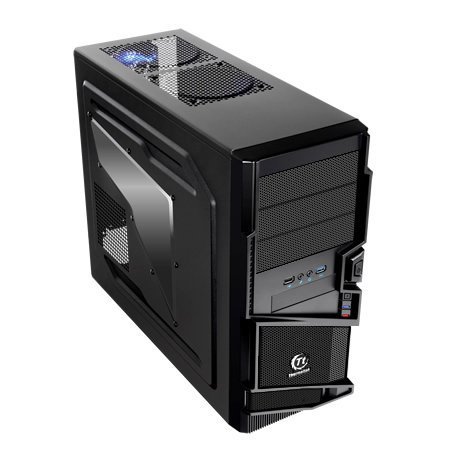
One of the best deals that we managed to find, and clearly the one to start with. Priced at just $700, the PC Defender comes packed with one of the best Graphic Cards on this list: the Sapphire Radeon 7750, which is considered a top 50 Graphics Card over at Futuremark. Add to that the 3.6 GHz FX-Series Quad-Core FX-4100 processor and you have a really good gaming desktop for an insanely low price. Hurry to get it, this baby will sell like cold Mountain Dew on a hot gaming day!
CPU Solutions AM3+ FX-4130
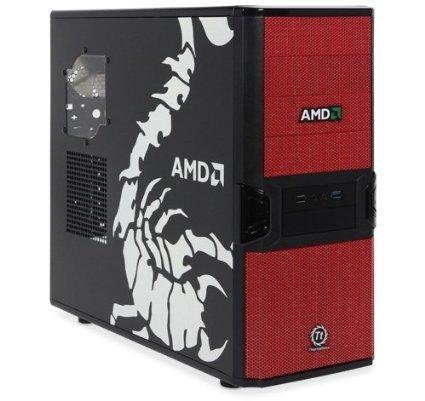
A gaming computer with a 3.8 GHz AMD Quad-Core Processor can’t be wrong. And if you care about the looks of your gaming rig, then this one certainly has them. Plus the ThermalTake V3 case to keep things cool when everything else gets hot on your screen. It also has 8GB of DDR3 RAM, WINDOWS 7 installed and a decent GTX 650 video card with 1GB of dedicated memory. A good by at almost $715 at Amazon (with an applied discount of $85.00!)
Hellion GM1213C
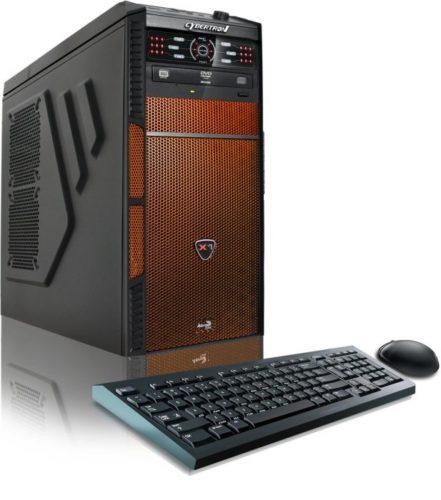
I am not the biggest fan of CybertronPCs, to be honest, but their products are of high quality and for the price asked, I shouldn’t complain too much. That’s why we have the Hellion GM1213C on this list, with some really good features, like NVIDIA GeForce GT 640 2GB dedicated graphics card, an AMD FX 6300 3.50GHz 6-Core processor, no less than 16GB of RAM and Windows 8 pre-installed. A real candy, actually, despite the not so amazing design. Check it out at Amazon before they have no more to sell.
CybertronPC Shockwave GM1213E
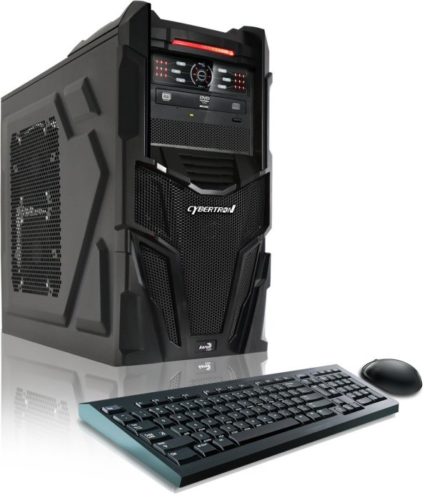
It seems that Cybertron are trying to make me love their gaming desktops. This one comes with an upgraded and sleek design, as well as some better features. It packs a better NVIDIA GeForce GTX650 video card over the similar AMD FX 6300 3.50GHz 6-Core processor and 16 GB of RAM. It also comes with an Aerocool Gaming Mid-Tower Case w/650 Watt Power Supply that really makes it look like one of the good guys (or bad guys) from Transformers. It’s fast, powerful, efficient and quiet. The perfect match for a gamer – so check it out here.
CyberpowerPC Stealth Ronin

There’s nothing stealthy about this little gaming beast that comes packed with lights and a nice combo of a gaming keyboard and gaming mouse. And it’s not just the paint and polish that’s nice about it, it’s also beautiful on the inside! This means Intel Core i5-4570 Processor, 8GB of RAM and a really good NVIDIA GeForce GTX660 Graphics card. Check it out here.
Gamer Power AM781H

The force will be with you with the iBuyPower gaming computer which comes with similarly cool, red buttoned gaming keyboard and mouse. It’s also a bit of a show-off, and you should take that literally, since you can look under the hood thanks to its transparent design, where you will see the beautiful Nvidia GTX650 graphics card at work. It also has a 3.2GHz Intel Core i5-4440 processor to keep things running as smooth as possible, but I am a bit disappointed with its HDD: 500 GB only, but there’s also a 120 GB SSD. You can check this one out at Amazon for more details.
CybertronPC Shockwave GM1213H

And we’re back to the Cybertron gaming computers and this one’s a little rocket. Might not get you all the way too Mars with its AMD FX 6300 3.50GHz 6-Core processor, but it would make it pretty far, actually. And it would be a joy to watch the trip thanks to the NVIDIA GeForce GTX650 graphics card. 1TB of HDD space and 16GBs of RAM should also make things a lot more interesting! So click here to check it out.
Lenovo IdeaCentre K450
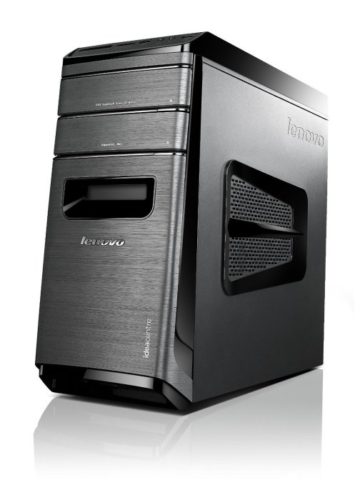
Well, to be honest, I never thought I’d use “Lenovo” and “gaming computer” in the same phrase and certainly not in an article with the best gaming desktops recommendations. But since Lenovo knows their way when it comes to cheap products, here they are with this little beast powered up by an Intel Core i7-4770, 3.4 GHz (yup, i7!), 12 GB of DDR3 and an NVIDIA GeForce GTX 650 graphics card with 2GB of memory. In other words, an extremely pleasant surprise from Lenovo! And right now it’s available at a discounted price that saves you $100, so go get it here!
Microtel TI9032 Gaming Computer
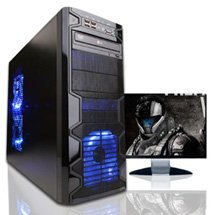
If you’re ready to go all the way to the upper limit and spend an entire thousand (well, $999.99), then the Microtel gaming computer is the best choice. It has an Intel Core i7-3770 3.4GHz (and 3.9GHz Turbo) processor, Nvidia Geforce 640 GT video card, 16GB of RAM and 1TB for all your data. And it also looks good too, just perfect for your room! Check it out here.
And these would be our recommended gaming desktops for 2014. We really hope that you find the one that you’re looking for here and really get some value for your money. There are indeed better options available, but the prices are also higher. Also, if you want, you might consider our best cheap gaming laptops article in case you want to take your gaming everywhere with you!


Speed has spoiled us a little. Once a payment lands straight away, waiting starts to feel unnecessary, whether you are shopping, running a business or cashing out online. Across New Zealand, faster money is changing what people expect from every digital service they use each day.
A Saturday evening payment no longer has to sit around waiting for Monday morning to move, and paying from a phone has become normal for a lot of New Zealanders. Once money starts moving that quickly in everyday life, patience wears thin everywhere else. A slow refund or delayed payout suddenly becomes the bit that can frustrate your day, especially when the rest of your digital life is built around getting things done.
Faster Payments Are Becoming the Baseline
New Zealand consumers are already pretty happy with bank-payment speed. Payments NZ research found 88% were satisfied with the speed of sending payments and 86% with receiving them. Real-time payments also appealed to 76% of respondents, which says plenty about where expectations are heading once waiting becomes optional.
The rules around consumer data are changing too. Customers will have new ways to share banking information with approved services, giving businesses more room to build faster account-to-account payment experiences. Seven-day bank payments have already been running since May 2023, and more than half of surveyed consumers said they had directly benefited from the change.
Waiting Costs Businesses Too
For businesses, payment speed goes straight to cash flow. Among New Zealand small businesses surveyed in 2026, 74% said credit was important for managing cash flow, and 62% used it to deal with delayed payments. Another 29% had used personal credit cards for business expenses. Businesses are asking payment providers for better services as well, with one-third of commercial clients identifying a lack of value-added payment services as their biggest problem with their provider.
That pressure does not disappear just because the sale is complete. A customer may have paid in seconds, but the business can still be waiting for funds to clear.
Faster settlement narrows that gap, giving firms quicker access to money they have earned and fewer reasons to lean on credit.
Cashing Out Is Part of the Experience
The same expectation carries into online gaming because paying in is only half of the transaction. A deposit can clear quickly and the account can be ready within minutes, so a long wait at the other end becomes much more obvious.
Consumers who get used to instant bank transfers and near-frictionless checkout start noticing delays elsewhere. That puts pressure on instant withdrawal casinos to meet the same expectation, with Casino Guru tracking New Zealand operators by payout speed, payment method and Safety Index so players can see where faster cashouts are actually backed by practical detail.
The New Zealand selection currently contains 122 casinos, with fast withdrawals built around cashouts arriving within 24 hours. Crypto can take up to one hour and e-wallets up to 24 hours; cards and bank transfers can run to two to five business days. KYC checks and internal approval can add extra waiting before the payment provider gets involved.
Checkout Is Getting Smarter as Well as Faster
Payment speed is now tied to cutting down the steps between deciding to buy and actually paying. Mastercard and Westpac completed New Zealand’s first fully authenticated agentic transactions in February 2026, testing AI-powered purchases using verified payment credentials with consumer controls built in.
For anyone used to one-tap checkout or buying games from a phone, the attraction is easy to understand. Fewer screens mean less repetition, and there is less hanging around between deciding you want something and actually completing the purchase.
New Zealanders are giving all of this technology plenty of places to prove itself. Online shoppers completed nearly six million extra transactions in 2025, a 6% increase from the previous year. In-store spending grew by 2% in the same period, while the average online transaction reached NZ$120.
Domestic retailers took 79.6% of online spending, so this is hardly a fringe habit driven by overseas marketplaces. A growing chunk of everyday retail now happens through screens, where customers can compare prices quickly and expect the payment stage to work with the same ease. Once that becomes normal across everyday digital services, a delay that might once have been shrugged off becomes something people notice straight away.
Slow Money Stands Out
Fast payments do not need to be flashy to change expectations. They simply have to work often enough that waiting starts to look unnecessary. New Zealand consumers already see money moving faster in several parts of daily digital life, and that gives them a direct comparison when another service drags its feet. The next test for digital businesses is straightforward: when the customer presses the button, how long does the money actually take to move?


Network reliability is a critical factor for businesses that rely on continuous connectivity to operate efficiently and effectively. The implementation of advanced solutions such as Cradlepoint R980 can significantly enhance network reliability by providing robust features designed to meet the demands of modern technological environments. This article explores how Cradlepoint R980 can improve network stability, examines its key features, and discusses strategies to maximize performance across various industries.
Enhancing Network Reliability with Cradlepoint R980

The Cradlepoint R980 plays a pivotal role in ensuring network reliability by leveraging cutting-edge technologies such as Edge Computing and Kubernetes Orchestration. Edge Computing processes data closer to the source, reducing latency and enhancing real-time data processing capabilities. This is particularly beneficial for industries where timely data access is crucial, such as healthcare and finance. Furthermore, Kubernetes Orchestration helps in managing containerized applications across multiple environments, ensuring seamless network operations even during peak traffic.
Beyond these technologies, the Cradlepoint R980 integrates a Load Balancer to distribute network traffic efficiently, preventing bottlenecks and ensuring optimal performance. This is crucial in maintaining the reliability of services, especially for businesses with high traffic demands. By optimizing traffic flow, the device minimizes downtime and improves service delivery.
Incorporating the Zero Trust Security Model into the Cradlepoint R980 ensures that all network activities are continuously verified, thereby enhancing security and reliability. This model is essential for businesses that prioritize data integrity and protection against unauthorized access, which is a common concern in technology-driven sectors.
Key Features of Cradlepoint R980 for Network Stability
The Cradlepoint R980 boasts several features that contribute to network stability. One prominent feature is its API Gateway, which facilitates the integration of different software systems and enables seamless communication between various applications. This integration is vital for businesses employing Microservices Architecture, as it allows for flexible and scalable system designs.
An additional feature is the built-in Content Delivery Network (CDN), which optimizes the delivery of digital content to end-users by caching data at strategic locations. This reduces load times and enhances user experience, making it an indispensable tool for organizations that rely on rapid content delivery.
WebAssembly support within the Cradlepoint R980 enhances the performance of web applications, enabling faster execution of complex tasks and improving overall application efficiency. This feature is particularly beneficial for businesses that require high-performance computing resources to operate their web applications seamlessly.
Real-World Applications of Cradlepoint R980 in Various Industries
In the healthcare industry, the Cradlepoint R980 ensures reliable connectivity for remote patient monitoring systems, enabling real-time data transmission critical for patient care. This reliability is achieved through the device’s advanced features like Edge Computing and Load Balancer, which optimize data flow and reduce latency.
Retail businesses benefit from the Cradlepoint R980 by utilizing its GraphQL Query Language capabilities to efficiently manage inventory systems and customer data integration, offering a streamlined approach to data management and enhancing operational efficiency.
For financial services, the Cradlepoint R980 provides a robust solution for secure transactions and data integrity through its Zero Trust Security Model, ensuring that sensitive data is protected from breaches and unauthorized access. This is vital in maintaining customer trust and regulatory compliance.
Strategies for Maximizing Network Performance with Cradlepoint R980
To maximize the performance of the Cradlepoint R980, businesses can employ several strategies. Utilizing DevOps Pipeline frameworks allows for continuous integration and deployment, ensuring that network configurations and updates are efficiently managed and implemented. This approach reduces downtime and enhances system reliability.
Regular Penetration Testing ensures that the network is secure against potential vulnerabilities, maintaining the integrity and reliability of the network infrastructure. This testing is crucial for identifying weaknesses and implementing necessary security measures.
Integrating UX/UI Prototyping Tools helps businesses optimize user interfaces and improve user experience, which is essential for maintaining user satisfaction and engagement. A/B Testing Frameworks can further refine these designs by comparing various interface options and selecting the most effective one based on user feedback.
Conclusion

Implementing Cradlepoint R980 is a strategic decision for businesses aiming to enhance network reliability and stability. Its advanced features, such as Edge Computing and Kubernetes Orchestration, provide robust solutions for diverse industry needs. By optimizing performance and ensuring security, the Cradlepoint R980 empowers organizations to maintain seamless operations and deliver exceptional service. For businesses committed to leveraging technology for growth, the Cradlepoint R980 offers a reliable and comprehensive solution.
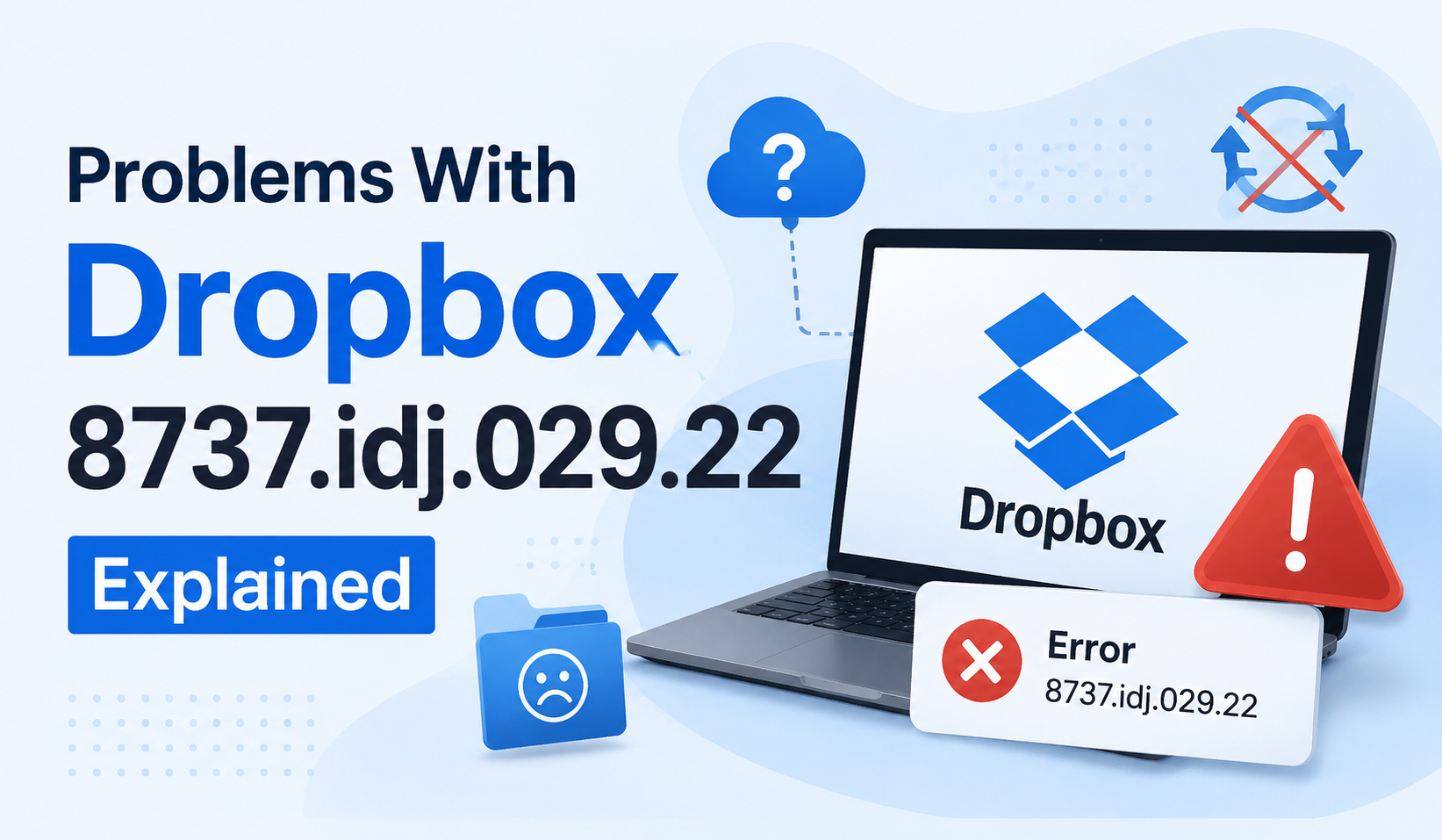
People think using a cloud storage system will solve their problems and make life easier. When an error message appears during a routine task on their cloud storage client, instead of a simple message like “we’re experiencing connection issues”, they get freaked out. They read the error code (let’s say, “dropbox 8737.idj.029.22”) and imagine the worst. When then things don’t work as expected—files won’t sync anymore, a file is stuck in uploading, or their client can’t connect—they might jump to the worst conclusion: their files have been compromised in some way.
Yes, this is a fixable bug.
Although Dropbox have never officially detailed the exact code ‘8737.idj.029.22’, many users have been able to pinpoint the issue to file syncing problems, corrupted cache files, interrupted networks, conflicts with Dropbox apps, or incomplete Dropbox updates.
Stuck with a “The file is too big” error? Don’t worry – we’ve put together this quick guide to explain what’s gone wrong, why it’s happened, and, most importantly, how you can fix the problem without losing your file.
What Is Dropbox Error 8737.idj.029.22?
The error known as “problems with Dropbox 8737.idj.029.22” is generally considered a sync-related system error inside the Dropbox desktop app. In simple terms, Dropbox is unable to complete a background process successfully.
This can affect:
- File syncing
- Uploading large files
- Downloading shared folders
- App startup
- Cloud connection refresh
- Cross-device updates
Many users notice the issue after:
- A Dropbox update
- Changing antivirus settings
- Internet instability
- Simultaneous file editing on multiple devices
- System permission changes
The important thing to remember is this:
Your cloud files are usually safe.
The error mainly affects the local Dropbox application and syncing behavior, not the files stored on Dropbox servers.
If you’re facing access restrictions with services like Dropbox, similar workarounds used in guides such as How to Access Unblocked Games WTF at School, Work or Anywhere can sometimes help bypass network limitations.
Common Signs of Problems With Dropbox 8737.idj.029.22
Not every user sees the exact same symptoms. However, these are the most common warning signs associated with the error:
Files Stuck on Syncing
Dropbox may endlessly display “Syncing…” without actually uploading or downloading anything.
Missing File Updates
Changes made on one device do not appear on another device.
Duplicate or Conflicted Files
Dropbox may create duplicate files labeled as “conflicted copy.”
Dropbox App Freezing
Some users report the desktop app becoming unresponsive after startup.
Extremely Slow Upload Speeds
Large file transfers may fail midway through the process.
High CPU Usage
Dropbox may suddenly consume excessive system resources while trying to sync corrupted data.
What Causes Dropbox 8737.idj.029.22?
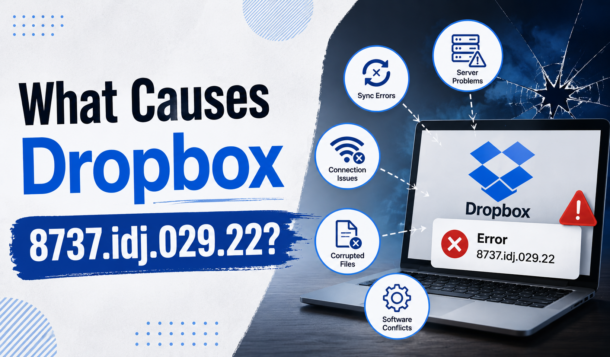
There is no single confirmed cause. Instead, several technical issues can trigger the error.
1. Corrupted Dropbox Cache
Dropbox stores temporary sync information in local cache folders. Over time, corrupted cache files can interfere with normal syncing operations.
2. Internet Connection Problems
A weak or unstable connection can interrupt Dropbox while it uploads or downloads files.
Even brief connection drops may trigger the error during large transfers.
3. Outdated Dropbox Application
Older versions of Dropbox may become incompatible with current server protocols.
This is especially common after major Dropbox updates.
4. Antivirus or Firewall Interference
Security software sometimes blocks Dropbox background processes by mistake.
VPNs and aggressive antivirus programs are frequent culprits.
5. Permission Issues
Dropbox needs read-and-write access to synced folders.
If operating system permissions change after updates, Dropbox may fail to access files properly.
6. Sync Conflicts
Editing the same file on multiple devices at the same time can confuse Dropbox’s syncing engine and create conflicts.
If you’re also organizing gaming files or team collaborations, you might find inspiration in this guide on Top Squad Name Ideas in MLBB – Ranked and Ready to Inspire, which helps streamline identity and structure for competitive play.
How to Fix Problems With Dropbox 8737.idj.029.22
Now let’s get into the fixes that actually work.
Fix 1: Restart Dropbox Properly
Sometimes the issue is temporary.
A full restart clears stuck background processes and refreshes the sync engine.
On Windows:
- Right-click the Dropbox icon in the taskbar.
- Select Quit Dropbox.
- Open Task Manager.
- End remaining Dropbox processes.
- Restart Dropbox.
On Mac:
- Click the Dropbox icon.
- Select Quit.
- Open Activity Monitor.
- Force close Dropbox processes.
- Relaunch the app.
Fix 2: Check Your Internet Connection
Dropbox relies heavily on connection stability.
Try these quick checks:
- Restart your router
- Switch from Wi-Fi to Ethernet
- Disable VPN temporarily
- Test internet speed
- Move closer to your router
- Avoid public networks during large uploads
Many users solve the issue simply by stabilizing their connection.
Fix 3: Clear Dropbox Cache
This is one of the most effective fixes.
Steps:
- Quit Dropbox completely.
- Open your Dropbox folder.
- Locate .dropbox.cache
- Delete files inside the cache folder.
- Restart Dropbox.
Do not worry — clearing cache does not delete your cloud files.
Fix 4: Update Dropbox
Running outdated software often creates compatibility issues.
To update:
- Open Dropbox.
- Go to settings/profile.
- Check for updates.
- Install the newest version.
You can also download the latest installer directly from Dropbox’s official website.
Fix 5: Disable Antivirus Temporarily
Security tools may mistakenly block Dropbox syncing.
Temporarily disable:
- Antivirus
- Firewall
- VPN software
If Dropbox starts working normally afterward, add Dropbox to your software whitelist or exclusions list.
Fix 6: Resolve File Conflicts
If multiple people edit the same file simultaneously, Dropbox may fail to sync correctly.
To fix this:
- Rename duplicate files
- Remove conflicted copies
- Keep one master version
- Avoid editing the same file from multiple devices simultaneously
Shared team folders are especially vulnerable to sync conflicts.
Interestingly, much like how users look for quick fixes or hidden insights in issues like Dropbox 8737.idj.029.22, gamers often search for updated Chainsaw Man Devil’s Heart Codes to unlock in-game advantages without unnecessary friction.
Fix 7: Reinstall Dropbox
If nothing else works, reinstalling the application can repair broken installation files.
Before reinstalling:
- Ensure your files are synced online
- Back up important local files
Then:
- Uninstall Dropbox
- Restart your computer
- Download the latest version
- Install and sign back in
In most cases, Dropbox automatically reconnects your cloud files afterward.
Is Dropbox 8737.idj.029.22 a Scam?
This is where things get important.
Several tech experts warn that fake “Dropbox error” popups are sometimes used in scam attempts. Legitimate Dropbox errors normally appear only inside the official Dropbox app or Dropbox website.
Be cautious if:
- A browser popup displays the error
- A random website asks you to call support
- You receive suspicious emails mentioning the code
- A message demands payment or remote access
If the error appears outside official Dropbox software, treat it carefully and run a malware scan immediately.
How to Prevent Dropbox Errors in the Future
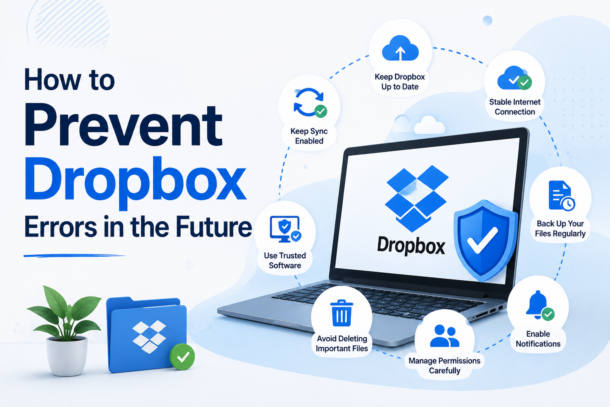
Once you fix the issue, these habits can help prevent it from returning:
- Keep Dropbox updated
- Maintain stable internet during uploads
- Clear cache occasionally
- Avoid simultaneous file editing
- Exclude Dropbox from antivirus scanning
- Use proper file naming conventions
- Restart Dropbox after major system updates
Small maintenance habits make a huge difference over time.
Much like how choosing the right setup early on matters—as seen in Fallout 4 Best Starting Stats: Optimal SPECIAL Setups For Early-Game Builds—getting your Dropbox configuration right from the start can prevent many of these issues from surfacing later.
Final Thoughts
So you have gotten “problems with Dropbox 8737.idj.029.22”? and can’t sync your latest files any more? Fear not for your files, as this is quite a common problem and rarely is associated with any data loss. Typical reasons for such problems are cached data, connection problems, outdated dropbox clients or permission problems.
For most issues with Dropbox we recommend a simple drop and drag of the dropdown menu to reset Dropbox, a delete of the cache and settings file, an update of the Dropbox application, or an uninstall and reinstall of the Dropbox application. But don’t worry! Most importantly, your cloud files are typically safe and accessible from the Dropbox website until we get you sorted out.
-
 Guides6 years ago
6 Proven Ways to Get more Instagram Likes on your Business Account
-
Mainstream12 years ago
BioWare: Mass Effect 4 to Benefit From Dropping Last-Gen, Will Not Share Template With Dragon Age: Inquisition
-
 Mainstream8 years ago
How to Buy Property & Safe Houses in GTA 5 (Grand Theft Auto 5)
-

 Guides2 years ago
Free Fire vs PUBG: Comparing Graphics, Gameplay, and More
-

 Guides2 years ago
50+ Free Fire ID and Passwords Login List (Giveaway) 2025
-
 Casual3 years ago
8 Ways to Fix Over-Extrusion and Under-Extrusion in 3D Printing
-

 Other2 years ago
Ajjubhai UID: Free Fire Details & Earnings
-

 Features2 years ago
Exploring Valorant eSports Stats: Unveiling the Metrics Behind Competitive Excellence