
Guides
Top 15 Roblox YouTubers to Watch in 2024 for Epic Content

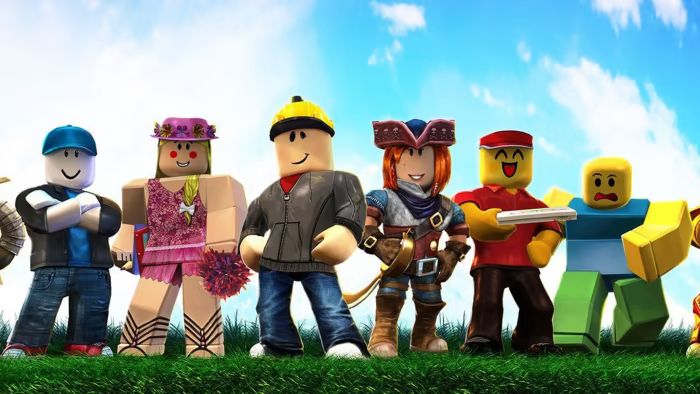
Roblox has revolutionized the gaming world. Its games, which cater to both beginner and advanced gamers, are fun, interactive, and customizable, making the whole experience fun and engaging.
The next time you are hooked to your screen looking to follow a few of the best Roblox YouTubers, keep in mind that quite a few publish epic content. Most of these YouTubers even indulge in live streaming.
So, the next time you search for great Roblox YouTubers to watch epic content, this list should make the process easier.
1. Flamingo
If one YouTuber is considered OG in the Roblox YouTube community, Flamingo is the best channel to refer to. Albert and the channel run it currently has close to 13 million subscribers, which they have achieved ever since launching their channel in 2017. One of the first viral videos of Flamingo is “I Spent 24 Hours on a Roblox Horror Game,” with millions of views. The great thing about this channel is its daily frequency of updates, and the comedic approach to its videos is one of the reasons why it has gained so much traction.
Current subscribers: 12.9 million
Explore how YouTubers are creating their own online games, bringing exciting new experiences to their fans and the gaming community!
2. KreekCraft
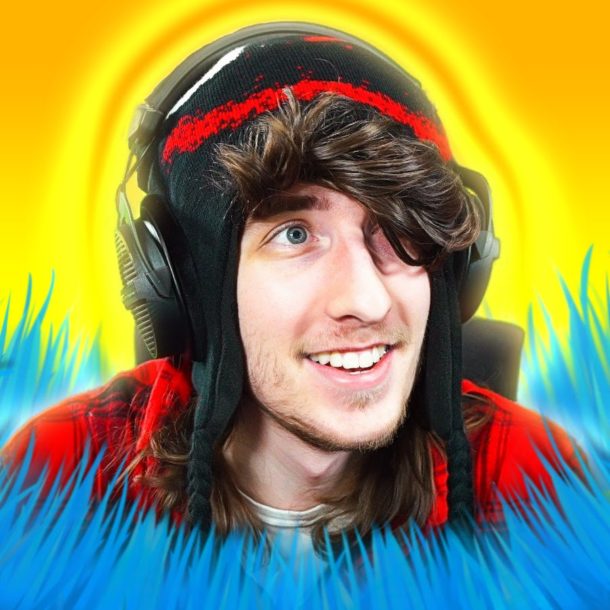
Up next on the list is KreekCraft, another popular YouTube channel with over 10 million subscribers. The captivating content and exciting gameplay showcased in the videos are some of the reasons behind the channel’s popularity. Forrest runs it, and you will often find him sharing unique strategies for several Roblox games, making the overall experience quite fun for the viewers. Also, the livestreams he does are watched by millions, defining the kind of fame he has in the Roblox community. With regular updates, reaction videos, and live gameplay, you get everything related to Roblox games on this channel. His video, “The Dumbest Hacker Group on Roblox,” is one of the most popular videos, with 9 million views.
Current subscribers: 10.4 million
3. Denis
Another respected Roblox YouTuber that you can’t miss out on is Denis. He is a creative gaming enthusiast and one of YouTube’s biggest and most followed Roblox creators. One of the most standout features of this channel is the upbeat and lighthearted gaming approach. Even on the live streams, you will find his demeanor quite calming. Also, one unique thing about Denis is that he focuses on creating family-friendly content that the younger viewers will particularly enjoy. If you love consistent and engaging Roblox entertainment content, you need to subscribe to this channel.
Current subscribers: 9.32 million
4. Thinknoodles
Thinkoodles is another popular Roblox and gaming creator you can’t miss out on subscribing to. The channel is run by Justin Watkins and has been quite active since 2011. He has been quite consistent with pushing out content not just in the Roblox niche but also in Minecraft and Club Penguin. You won’t find the creator showing his face much, but he likes showcasing his animated avatar, adding to the fun. You also get to witness his dogs, Kopi and Kloi, who are quite popular among the fans.
Current subscribers: 11.4 million
5. ItsFunneh
If you are looking for a laidback and fun Roblox YouTuber, ItsFunneh is popular. Its highlight is the charm and the funny content you witness on this channel. On this channel, ItsFunneh usually plays the Roblox games by herself, or you might see her play the games with her siblings. The best part of the whole process is the diverse range of strategies you learn about. She focuses on storytelling-driven content, which is quite refreshing to watch. Also, her videos are pretty consistent, so you wouldn’t have to worry about that. The “Roblox Drawing Obby” is one of her most watched videos.
Current subscribers: 11.4 million
6. Sketch
Run by Elijah Best, Sketch is another Roblox and gaming YouTube channel you wouldn’t regret subscribing to. He is an American YouTuber focusing on creating Roblox content that’s engaging, fun, and quirky. Also, Elijah is consistent with his content, publishing 3-4 videos weekly. If you are particularly a fan of lightsaber warriors and murder mines, Sketch is the channel that you have to indulge in. “Roblox GEF” is one of his most-watched videos, and Sketch doesn’t showcase his face on the channel.
Current subscribers: 5.1 million
Learn how to boost your content with our detailed guide on video promotion on YouTube, packed with strategies to help your videos reach a wider audience!
6. GamingwithKev
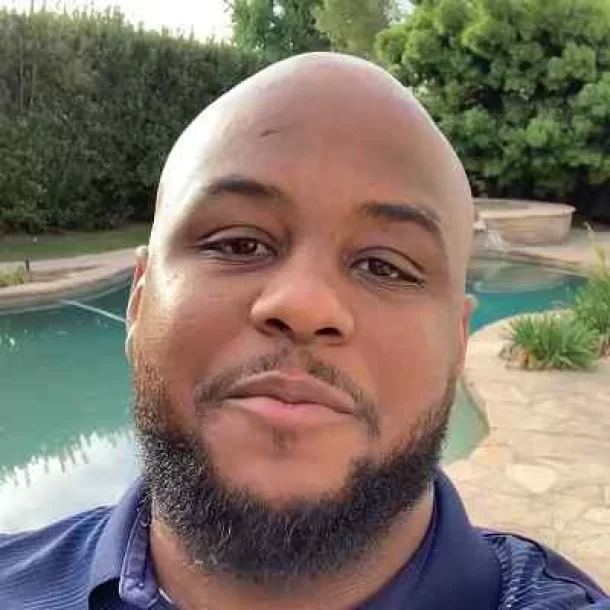
Being one of the most subscribed Roblox channels on YouTube, GamingwithKev is another YouTuber you must subscribe to. The vibrant and humorous approach to each game is one of the main reasons for Kev’s growing popularity. Beyond the standard Roblox games, Kev also plays simulations and challenge games, keeping his content refreshing and new. Also, he streams different RPGs, aka role-playing games, which add to the fans’ interest. If you are into energetic Roblox content, this is the channel to subscribe to.
Current subscribers: 12.8 million
7. Crainer
Crainer, aka Benjamin Vestergård, is another Roblox channel you must check out if you are looking for good live-streaming channels. The channel is almost a decade old, and the creator is from Denmark. Over the years, Benjamin has released over 5000 videos, and he currently has 7.8 million subscribers, which is crazy. His real-time commentary when he is playing the games is usually the highlight of his videos. After starting his family, Crainer has been quite focused on that, so expect videos sporadically on his channel. He also shares content around Minecraft.
Current subscribers: 7.8 million
8. Tofuu
Also known as TofuuGaming, this is another significant member of the YouTube Roblox community. If you like high-energy, high-pitch commentary style Roblox game videos and live streaming, this is hands down the best channel to which you will subscribe. There are innovative gameplay and walkthroughs, which you can follow if you are venturing new into Roblox. He also has two other gaming channels on YouTube, which you can follow for fun content.
Current subscribers: 3.95 million
9. LankyBox
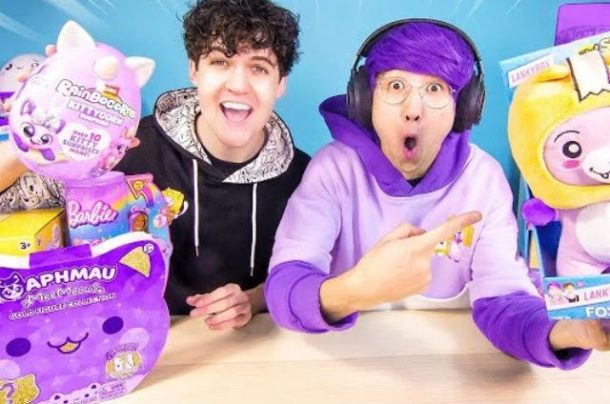
With close to 40 million subscribers, LankyBox is another leading YouTuber you can’t miss out on watching. Ever since the channel’s inception, the creator has posted over 11,000 videos. The catch is that they produce and share videos multiple times throughout the day as well. The audience is engaged with the content, and the hugely varied gameplay is primarily what attracts the attention of the viewers. Also, they produce “zero-budget remakes” of music videos, which is a hit on their channel, too.
Current subscribers: 39.8 million
10. InquisitorMaster
In the Roblox YouTube community, Inquisitor Master is another popular female creator with much traction in the niche. Her videos primarily focus on roleplay and adventure videos, which add to the viewers’ interests. Also, you will find a cast of friends in many of the Roblox gameplay walkthroughs that she posts on her YouTube, adding to the fun. The creator’s approach to the content she posts is another reason the channel has gained much traction.
Current subscribers: 10.2 million
11. iamSanna
Another famous female Roblox YouTuber to whom you have to subscribe is iamSanna. The channel is run by Sanna Van Vucht, who is Norwegian. Besides Roblox, Sanna also posts unique gameplay content across other niches, adding to the charm and the fun. Her calming yet bubble personality and commentary while she is playing the games, add to the intrigue. She also posts frequent videos on AdoptMe!, which has gained her even more traction. She posts multiple times a week, and “These Twins Buy Me Everything” is one of her most-watched videos.
Current subscribers: 6.6 million
12. Leah Ashe
Be it the pink-themed gameplay and her studio or the unique Roblox games she plays, Leah Ashe is one of the most viewed creators in the Roblox community. One of the best things that sets her apart is her engaging personality. She posts amazing role-play games, and her channel also focuses on fashion content alongside adventure and storytelling, which adds to the fun. You will often find her posting non-gaming videos, too, which is quite refreshing to see as well.
Current subscribers: 5.06 million
13. TanqR
Although quite less talked about, TanqR is one of those Roblox creators who has managed to secure a very niche audience for himself. Liam Andrew Presland runs the channel from England, and his commentary while playing different Roblox games highlights the whole experience. He has showcased himself playing Bedwars and has won the RB Battles Champion twice. If you are a newbie to Roblox, this is an excellent guide channel. He shares tips and strategies that make the gameplay experience quite fun too. Also, he is a family-friendly creator, which is great for teens to watch.
Current subscribers: 4.2 million
14. Poke
From playing Roblox on his Apple Vision Pro to sharing simple walkthrough videos, Poke is a popular and engaging Roblox YouTuber that you can consider adding to your watch list. He specializes in mystery and roleplay content, which is one of the main reasons he has gained much traction recently. The creative narratives he creates in each episode will keep you hooked and intrigued about how the game will end. He has an exclusive Roblox song he made on his channel with 22 million views.
Current subscribers: 5.2 million
15. SeeDeng
Although not the one with the most subscribers, SeeDeng is one of those fun and amazing Roblox creators that you wouldn’t regret subscribing to. The content is fresh and interactive, and you also get to learn a lot from this creator, which is a bonus. Some popular Roblox games he focuses on his channel are Roblox Murder Mystery 2 (MM2), Bed Wars, and Doors. Beyond that, he is quite consistent with posting gameplay videos of other games, adding some variety to the content on his channel.
Current subscribers: 1.2 million
Discover 5 easy ways to earn free Robux on Roblox, and start boosting your in-game currency without spending a dime!
Conclusion
The Roblox YouTube landscape constantly evolves, but these 15 creators have consistently delivered exceptional content. From thrilling gameplay to informative tutorials and engaging community interactions, they have captivated audiences and solidified their positions as top-tier Roblox YouTubers. So, if you are looking for amazing creators, these are undoubtedly some of the best ones.




Download Minecraft PE 1.21.131 APK for Android
Minecraft Bedrock 1.21.131 is a focused hotfix update — improved Spear combat, two important bug fixes, and better overall stability on Android. No new content, but a noticeably smoother experience.
Spear Knockback Improvement
The window during which a charged Spear attack can apply knockback has been extended. This makes combat feel more reliable — the attack now connects as expected without requiring pinpoint timing, especially useful when fighting multiple mobs at once.
Spear Animation Alignment
Charge attack animations now accurately sync with the Spear’s three gameplay phases: Engaged, Tired, and Disengaged. What you see on screen now matches what the game engine is actually doing — making combat more readable and reducing guesswork in fights.
Performance & Stability
Frame drops on mid-range Android hardware have been reduced. Memory handling improvements prevent sudden freezes during long play sessions. World loading and chunk generation are more reliable, reducing terrain “pop-in” when exploring or moving quickly.
Multiplayer Improvements
Backend updates improve session stability when players join or leave. Fewer disconnects and smoother synchronisation across Bedrock servers. Marketplace content and add-ons also load more consistently during multiplayer sessions.
Adventuring Time Achievement Fixed — The achievement no longer unlocks early. It now correctly requires visiting at least 17 biomes on PC, matching the intended design.
Marketplace Escape Key Fixed — Pressing Escape after using the Marketplace search now reliably returns players to the previous menu instead of getting stuck in a loop.
Add-on World Loading Fixed — A bug that triggered a “Block” error when loading or creating worlds with multiple add-ons installed has been resolved.
Download the APK
Tap one of the Download buttons above. Choose the Standard (no music) version if storage is limited, or the Full version for the complete experience. The ARM64 build is recommended for modern phones.
Enable “Install Unknown Apps”
Go to Settings → Security (or Privacy) → Install unknown apps. Enable the permission for your browser or file manager. Android requires this for any APK installed outside Google Play.
Open the APK File
Open your Downloads folder, find the Minecraft 1.21.131 APK, and tap it to launch the system installer. Follow the on-screen prompts.
Install Over Existing Version
In most cases you can install 1.21.131 directly over your existing Minecraft without losing any worlds or progress. If you see a signature conflict error, uninstall first — but back up your worlds beforehand.
Launch and Sign In
Open Minecraft, sign in with your Microsoft/Xbox Live account, and your existing worlds will load normally. Online multiplayer, Realms, and Marketplace content all work as before.
Download Minecraft PE 1.20 APK for Android
Get the full Minecraft Bedrock 1.20 (Trails and Tales) APK for Android. Supports Xbox Live sign-in. Multiple versions available — stable releases and preview builds.
Download the APK File
Tap the Download button above for the version you want. The APK file will save to your device’s Downloads folder.
Enable “Install Unknown Apps”
Go to Settings → Security or Privacy → Install unknown apps. Enable it for your browser or file manager. Android requires this for any APK installed outside of Google Play.
Open the Downloaded File
Open your Downloads folder (or tap the notification), find the Minecraft APK, and tap it to start the installer.
Confirm Installation
Tap Install and wait for the process to complete. If you see a “signature conflict” error, uninstall your existing Minecraft version first, then retry.
Launch and Sign In with Xbox Live
Open Minecraft, sign in with your Microsoft/Xbox Live account to access multiplayer, Realms, and cross-platform features.
-
 Guides7 years ago
6 Proven Ways to Get more Instagram Likes on your Business Account
-
Mainstream12 years ago
BioWare: Mass Effect 4 to Benefit From Dropping Last-Gen, Will Not Share Template With Dragon Age: Inquisition
-
 Mainstream8 years ago
How to Buy Property & Safe Houses in GTA 5 (Grand Theft Auto 5)
-

 Guides2 years ago
Free Fire vs PUBG: Comparing Graphics, Gameplay, and More
-

 Guides2 years ago
50+ Free Fire ID and Passwords Login List (Giveaway) 2025
-
 Casual3 years ago
8 Ways to Fix Over-Extrusion and Under-Extrusion in 3D Printing
-

 Other2 years ago
Ajjubhai UID: Free Fire Details & Earnings
-

 Features2 years ago
Exploring Valorant eSports Stats: Unveiling the Metrics Behind Competitive Excellence