
Guides
Why Would the Sims 4 Best 5 Sex Mods ever be Banned Worldwide?

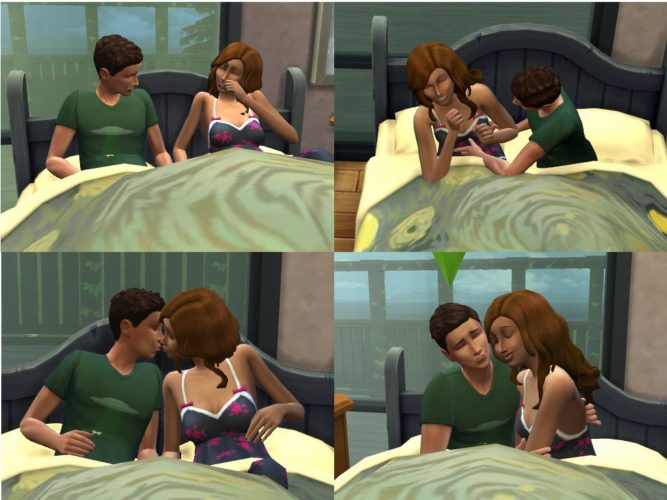
For those who want to escape reality, there’s no better escape than some quality time spent with your virtual best friend.
The Sims 4 series excels at providing a respite from the stresses of real life, but no other series does it better. People can essentially live a different life with the use of these video games. However, you can play as a normal person instead of living among zombies or mediaeval soldiers. Your Sims mature, get married, have children, buy a house, and lead a life that is, for the most part, absolutely relatable.
More haircuts, more colour options, more goals, and more careers are missing from the default version of The Sims 4. Most importantly, there should be more options for couples. After all, this is a computer-generated recreation of real-world events. Romance, heartbreak, and sex are commonplace in everyday life. Sex in droves.
Although Sims can “WooHoo,” the games toned version of getting it on, in the base edition of The Sims 4, the act is always done in a double bed and under the covers. They probably never deviate from missionary work, as well. ‘Snore.
Mods can help with that. Find out which The Sims 4 sex mods are the best, how they affect gameplay, and where to get them.
The Sims 4, 5 Best Sex Mods
It is possible for gamers who want to spice up their Sim’s next romantic endeavour to do it with the help of a few tweaks. One of these tweaks is guaranteed to suit your needs, whether you want to better reflect contemporary dating trends, take more risks, or get the most out of your Sim’s next sexual outing.
1.) Wicked Whims is the greatest overall sex mod for the Sims 4
If you’re looking for a way to expand your Sims 4 experience, “Wicked Whims” is the best option on our list. There are lots of non-sexual, but nonetheless relatable possibilities, in this mod’s NSFW content.
When it comes to expanding the scope of The Sims 4 gameplay, “Wicked Whims” deserves to be at the top of the list. There are lots of non-sexual, but nonetheless relatable possibilities, in this mod’s NSFW content.
“Wicked Whims” also includes the ability to have orgies, utilise strap-ons, contract and spread disease, and even have periods every month. Over 7,000 different animations can be selected and downloaded according to your sexual interests, ranging from vanilla missionary and cowgirl positions to BDSM, voyeurism and a variety of specific kink positions.
Sims 4’s sex mod doesn’t stop there. Various levels of desire and attractiveness, as well as birth control options, new varieties of jealousy, and other new reactions are all factors to take into consideration. This add-on acts as its own standalone expansion.
2.) Pregnancy-friendly sex mods in the Sims 4: Risky WooHoo
When it comes to relationships, The Sims 4’s default version doesn’t offer much room for experimentation. It is only possible for adult Sims to have “WooHoo” or “Try for Baby” intercourse. Because of this, there is no chance of an unplanned pregnancy or a teenager becoming a mother.
You may liven up your Sims’ sex lives without venturing into the steamy wormhole that is “Wicked Whims” with “Risky WooHoo” by modder PolarBearSims.
Sims 4 sex mod includes dangerous sex and all the issues that come with it, which is something that most people are familiar with. Teen pregnancy, teen-adult partnerships, and various fertility levels for different Sims are all possible thanks to this patch.
3.) Hoe it Up is the finest Sims 4 career sex mod.
The lack of profession opportunities in The Sims 4 is one of its most glaring flaws. Hoe It Up” by Sacrificial not only lets you incorporate sex job into your Sims résumé, but it also adds new skill sets that your Sim can improve on throughout their life.
“Hoe It Up” provides a few new alternatives for financial security. Sims can earn money by putting another Sim to sleep, but that’s just the beginning. As a bonus, this mod adds the possibility to make money via stripping. You can even own your own strip club in The Sims 4: Get To Work expansion pack if you install “Wicked Whims.”
4.) The greatest sex mod for dating in The Sims 4 is An app for meeting people
Dating applications like Tinder and others have become a part of American life. With the help of modder LittleMsSam, your next game of The Sims can have a little bit of real-world drama.
With the “SimDa” dating app, your single Sims may see what they’re missing out on before settling down with the right person. Are you looking for a new companion? Find out who shows up on a blind date. Are you more interested in a one-night stand with no commitments? With this helpful hack, scheduling one-night stands is a breeze. The mechanics of this mod may be fine-tuned to your liking, allowing you to change pregnancy risk, the age ranges allowed for dates, and more.
5.) Passionate Romance is the best Sims 4 sex mod for romance.
The Sims 4’s love interactions can be improved without the addition of pornographic aspects. Additional romantic options can be found in milder mods that don’t modify WooHoo’s gameplay in any way. Mods like “Passionate Romance” steer clear of explicit action in favour of more subdued thrills.
How to install a Sims 4 Sex Mod
- Download your mod or CC of choice.
- Unzip the download, if it’s a .rar or .zip file.
- Move the unzipped files to the mods folder. This will typically be in folder in “[DRIVE LETTER]:\Users\[USER NAME]\Documents\Electronic Arts\The Sims 4\sex Mods.” (Replace your own Windows user name and the letter for your hard drive. ) If the “Mods” folder doesn’t exist, you can make your own, as long as it’s in the same location.
- Open The Sims 4.
- Open the options, and then select the “game options” tab.
- Select the “other” tab.
- Make sure “enable custom content and mods” is checked.
- Relaunch The Sims 4.
Where is the Sex mod folder for Sims 4 in Windows C:
“[DRIVE LETTER]:\Users\[USER NAME]\Documents\Electronic Arts\The Sims 4 \Mods.”







Download Minecraft PE 1.21.131 APK for Android
Minecraft Bedrock 1.21.131 is a focused hotfix update — improved Spear combat, two important bug fixes, and better overall stability on Android. No new content, but a noticeably smoother experience.
Spear Knockback Improvement
The window during which a charged Spear attack can apply knockback has been extended. This makes combat feel more reliable — the attack now connects as expected without requiring pinpoint timing, especially useful when fighting multiple mobs at once.
Spear Animation Alignment
Charge attack animations now accurately sync with the Spear’s three gameplay phases: Engaged, Tired, and Disengaged. What you see on screen now matches what the game engine is actually doing — making combat more readable and reducing guesswork in fights.
Performance & Stability
Frame drops on mid-range Android hardware have been reduced. Memory handling improvements prevent sudden freezes during long play sessions. World loading and chunk generation are more reliable, reducing terrain “pop-in” when exploring or moving quickly.
Multiplayer Improvements
Backend updates improve session stability when players join or leave. Fewer disconnects and smoother synchronisation across Bedrock servers. Marketplace content and add-ons also load more consistently during multiplayer sessions.
Adventuring Time Achievement Fixed — The achievement no longer unlocks early. It now correctly requires visiting at least 17 biomes on PC, matching the intended design.
Marketplace Escape Key Fixed — Pressing Escape after using the Marketplace search now reliably returns players to the previous menu instead of getting stuck in a loop.
Add-on World Loading Fixed — A bug that triggered a “Block” error when loading or creating worlds with multiple add-ons installed has been resolved.
Download the APK
Tap one of the Download buttons above. Choose the Standard (no music) version if storage is limited, or the Full version for the complete experience. The ARM64 build is recommended for modern phones.
Enable “Install Unknown Apps”
Go to Settings → Security (or Privacy) → Install unknown apps. Enable the permission for your browser or file manager. Android requires this for any APK installed outside Google Play.
Open the APK File
Open your Downloads folder, find the Minecraft 1.21.131 APK, and tap it to launch the system installer. Follow the on-screen prompts.
Install Over Existing Version
In most cases you can install 1.21.131 directly over your existing Minecraft without losing any worlds or progress. If you see a signature conflict error, uninstall first — but back up your worlds beforehand.
Launch and Sign In
Open Minecraft, sign in with your Microsoft/Xbox Live account, and your existing worlds will load normally. Online multiplayer, Realms, and Marketplace content all work as before.
Download Minecraft PE 1.20 APK for Android
Get the full Minecraft Bedrock 1.20 (Trails and Tales) APK for Android. Supports Xbox Live sign-in. Multiple versions available — stable releases and preview builds.
Download the APK File
Tap the Download button above for the version you want. The APK file will save to your device’s Downloads folder.
Enable “Install Unknown Apps”
Go to Settings → Security or Privacy → Install unknown apps. Enable it for your browser or file manager. Android requires this for any APK installed outside of Google Play.
Open the Downloaded File
Open your Downloads folder (or tap the notification), find the Minecraft APK, and tap it to start the installer.
Confirm Installation
Tap Install and wait for the process to complete. If you see a “signature conflict” error, uninstall your existing Minecraft version first, then retry.
Launch and Sign In with Xbox Live
Open Minecraft, sign in with your Microsoft/Xbox Live account to access multiplayer, Realms, and cross-platform features.
-
 Guides7 years ago
6 Proven Ways to Get more Instagram Likes on your Business Account
-
Mainstream12 years ago
BioWare: Mass Effect 4 to Benefit From Dropping Last-Gen, Will Not Share Template With Dragon Age: Inquisition
-
 Mainstream8 years ago
How to Buy Property & Safe Houses in GTA 5 (Grand Theft Auto 5)
-

 Guides2 years ago
Free Fire vs PUBG: Comparing Graphics, Gameplay, and More
-

 Guides2 years ago
50+ Free Fire ID and Passwords Login List (Giveaway) 2025
-
 Casual3 years ago
8 Ways to Fix Over-Extrusion and Under-Extrusion in 3D Printing
-

 Other2 years ago
Ajjubhai UID: Free Fire Details & Earnings
-

 Features2 years ago
Exploring Valorant eSports Stats: Unveiling the Metrics Behind Competitive Excellence