
Guides
15 Of the Best Cute Roblox Outfits for Boys & Girls

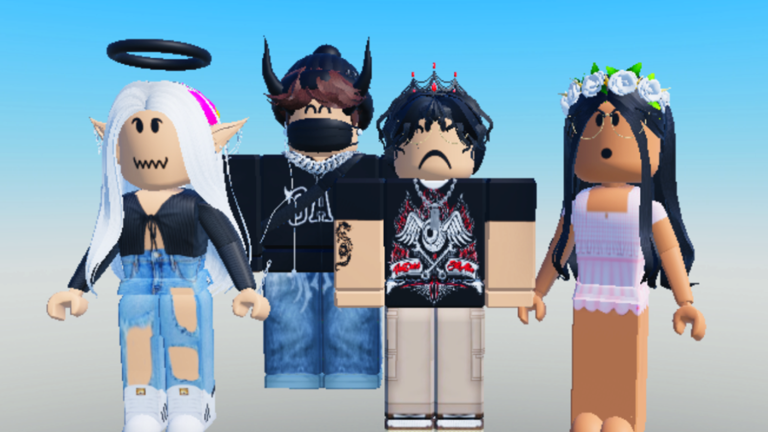
When you think of Roblox, you think of cute avatars, costumes, and outfits. However, irrespective of how long you have been on Roblox, donning a stylish avatar can make you a showstopper. Given that we live in a world filled with aesthetics and trends, finding cute Roblox outfits for boys and girls won’t be as challenging.
As you navigate through the metaverse, there’s no reason why you shouldn’t look your best. You interact with other players on the platform and even draw inspiration from their avatars.
Roblox has over 43 million users, meaning you can optimize your look by taking inspiration from millions of avatars. This article will highlight the top 15 cute Roblox outfits worth engaging in.
What is a Roblox Outfit?
Roblox outfit is a quintessential element of your Roblox character. It is an integral customization option that allows the users to optimize the look of their character with elements that best align with the trend and the player’s taste.
What’s great is that hundreds and thousands of Roblox outfits are available in the library. Depending on the expenses and your acquired Robux in the game, you can upgrade your gaming experience like no other.
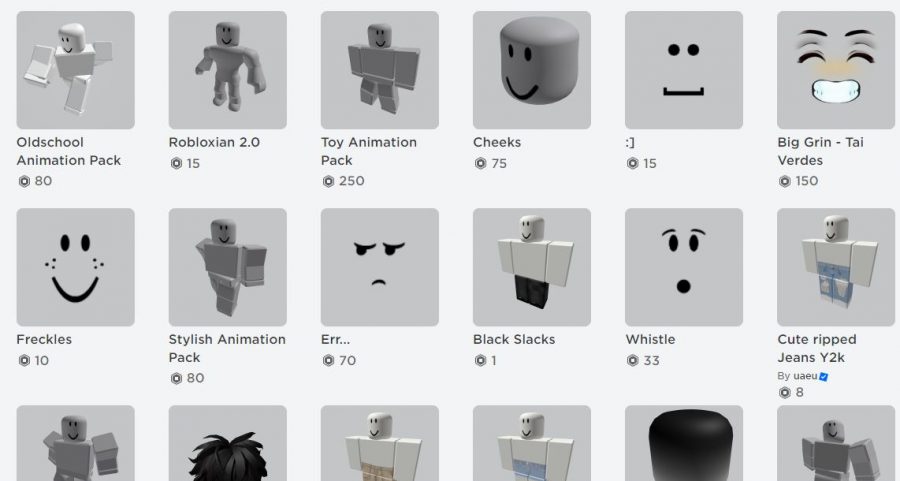
If you need help finding the Roblox outfits, navigate to the Avatar section. Under that, you should be able to see all the available outfits and customize the look of your Roblox character.
Best Cute Roblox Character Girl Outfits (2023)
If you play Minecraft avidly, you might compare the skins with the Roblox outfits. But there is a difference between them. With Roblox, you have to apply the outfits individually.
That said, when it comes to cute Roblox character girl outfits, we have sorted out a few popular ones to explore.
1. Stellar the Solar Scientist
If you are a science geek and want to equip your character better to look the same, the Stellar Solar Scientist is a great pick. She’s a space explorer, so you can go on universal journeys while looking fabulous.
The combination of white and purple pops out, and the overall style adds a chic look to the character. Also, the unique design is well-fitted around the character’s body, preventing the outfit from feeling bulky.
Also, you get a cute little purple-colored flag that sits atop your shoulder, adding to the space explorer persona.
2. Star-Mist Fairy
For the players who want their Roblox character to look like a “girly girl,” the Star-Mist Fairy is a pretty outfit option you can customize your character with.
This mystical outfit makes your Roblox avatar look pretty and like a fairy from another galaxy. Surprisingly, the combination of the star-studded wings bagged her the winning stake at the 2018 Rthro Design Contest.
So, you know for a fact that the design of this outfit isn’t underwhelming at all. The frilled edges and the bright combination of purple and golden look pretty enticing.
3. Astolfo by Fergusguy300
This one is for the users who prefer blocky Roblox avatars instead of sleek ones. As we mentioned, the outfit idea is designed and created by Fergusguy300 and gels well with the teen characters.
What stands out in this unique and player-created design is the eclectic pink that somehow manages to stand out. It’s stunning and cute simultaneously and ideal for girls who enjoy different shades of pink in their Roblox outfits.
Also, what’s great about this particular outfit is that it comes with a few accessories. You can purchase them separately.
4. Nezuko Kamado by Smhmica
This particular Roblox outfit is an ode to all anime lovers. The outfit is inspired by a character from the anime series Demon Slayer.
The combination of pink and brown gives the character a bold and badass look, which is perfect if your Roblox character has similar traits. Since Nezuko inspires the outfit, don’t be surprised that it’s a kimono she wears in the anime series too.
5. Free Hugs by Yye12050
Now, this one is heart-warming and adorable at the same time. In this, the Roblox avatar is dressed in a deep brown colored bear costume. But that’s not the cutest part. A tag on the front of the outfit says “Free Hugs.” Now, can anything get cuter than that?
To add to the cuteness, there’s an additional bear placed atop the avatar’s shoulder. If you are confused about which cute girl outfit to get started with, this is one of the best.
6. Kawaii Rabbit by SquidWaters
If the Kawaii in the name wasn’t a giveaway, even this Roblox outfit draws much inspiration from the anime world. This one features a white-colored girl wearing a cute baby pink-colored outfit with a bunny mask and ears. It isn’t everyone’s favorite, especially with the fit and design, but it’s an appealing option.
Hold on because this outfit also comes with stunning matching shoes for those who are fascinated. The character does come with an injured leg, which is a little off-putting.
7. Angry Gamer Girl by NADIRADIYANA
If you want some variety to your Roblox avatar’s appearance, the Angry Gamer Girl attire is for you. As the name suggests, the avatar isn’t pleasant to be around. However, the good thing is that the outfit is adorable.
The combination of baby pink and white with the headphones looks very aesthetic and cute. The overall attire mimics a school uniform, which elevates the degree of adorableness.
Best Cute Roblox Character Boy Outfits (2023)
With the cute girl outfits out of the way, let us shift our focus to the cute boy outfits. Unlike girl outfits, distinguishing boy outfits as attractive is challenging on Roblox. However, we have narrowed down the top ones.
1. Mallarisamuel
If you want your Roblox character to look sleek and stylish, Mallarisamuel is an excellent option. The look is stunning, paired with some elegant glasses and a scarf.
You do need around 285 Robux to be able to buy this stunning and devilish outfit. Also, the outfit comes with horns on the head, which add to the dramatics.
2. War_Commando
For the Roblox players looking for the most visually attractive and enticing outfit for their avatar, War_Commando is a great option. The all-black attire looks quite premium when your avatar wears it.
Also, the outfit comes with antlers, which gives a commando-esque look and feel. It is quite a premium outfit that needs around 450 Robux.
3. Srta_Bei16
Amidst all the options available, the outfit Srta_Bei16 is one of the most “out there” outfits you will come across. Although the outfit is primarily popular among females, it is also adorable for boys.
Like the previous outfit, this one requires the users to have around 455 Robux, so keep that into account.
4. Noahpromyt
While we are on the topic of unique Roblox outfits for boys, Noahpromyt is an option you can consider if you want a grungy, emo-looking outfit. The combination of the straw hat and Sasuke appears unique.
Building this overall outfit requires a lot of individual elements like rap hat, shaggy, joggers w, vans, and Rey’s staff. The outfit needs around 275 Robux.
5. Lalalaland987
Another famous outfit that’s popular among boys on Roblox is Lalalaland987. Building this outfit requires a mix of self-focus, Sasuke, a straw hat, and black manga hero air.
This particular outfit requires a mid-range investment of 263 Robux, so you must be mindful of it.
6. Dyandanger281
Although not the most popular Roblox outfit for boys on the platform, Dyandanger281 is another all-black outfit with a quirky binocular on the top of the head. The outfit involves various elements, including a black bear mask hoodie, clout goggles, a duffel bag, silly fun, etc.
Also, you get a cute little character atop the shoulder, which adds to the quirkiness of the overall outfit.
7. Jeffplayzzzrobloxx
The penultimate outfit idea for boys on Roblox is Jeffplayzzzrobloxx, which requires around 155 Robux for you to build the entire outfit. The combination of the blue and pink t-shirt and tan pants looks stunning.
Besides this, the outfit has several elements, including a joyous surprise, beautiful hair for beautiful people, khaki chinos, and a paper hat.
8. Mukhriz_Cool
Last on the list of top Roblox outfits for boys is Mukhriz_Cool, featuring an eye patch, black t-shirt, and checkered pants. You need around 330 Robux to put together the entire outfit, so consider that.
As for the different elements you’d have to buy for putting together this outfit, include floating silver sparkling, plaid bottoms with vans top, black sad boy plaid, joyful smile, etc.
How Do You Get Cute Outfits on Roblox?
You can find everything under the Avatar tab if you are new to Roblox and don’t know where to locate the cute outfits.
You need to go to the navigation menu, the Avatar section, and then select the Costumes tab. All the relevant elements you need to create an outfit are available.





Download Minecraft PE 1.21.131 APK for Android
Minecraft Bedrock 1.21.131 is a focused hotfix update — improved Spear combat, two important bug fixes, and better overall stability on Android. No new content, but a noticeably smoother experience.
Spear Knockback Improvement
The window during which a charged Spear attack can apply knockback has been extended. This makes combat feel more reliable — the attack now connects as expected without requiring pinpoint timing, especially useful when fighting multiple mobs at once.
Spear Animation Alignment
Charge attack animations now accurately sync with the Spear’s three gameplay phases: Engaged, Tired, and Disengaged. What you see on screen now matches what the game engine is actually doing — making combat more readable and reducing guesswork in fights.
Performance & Stability
Frame drops on mid-range Android hardware have been reduced. Memory handling improvements prevent sudden freezes during long play sessions. World loading and chunk generation are more reliable, reducing terrain “pop-in” when exploring or moving quickly.
Multiplayer Improvements
Backend updates improve session stability when players join or leave. Fewer disconnects and smoother synchronisation across Bedrock servers. Marketplace content and add-ons also load more consistently during multiplayer sessions.
Adventuring Time Achievement Fixed — The achievement no longer unlocks early. It now correctly requires visiting at least 17 biomes on PC, matching the intended design.
Marketplace Escape Key Fixed — Pressing Escape after using the Marketplace search now reliably returns players to the previous menu instead of getting stuck in a loop.
Add-on World Loading Fixed — A bug that triggered a “Block” error when loading or creating worlds with multiple add-ons installed has been resolved.
Download the APK
Tap one of the Download buttons above. Choose the Standard (no music) version if storage is limited, or the Full version for the complete experience. The ARM64 build is recommended for modern phones.
Enable “Install Unknown Apps”
Go to Settings → Security (or Privacy) → Install unknown apps. Enable the permission for your browser or file manager. Android requires this for any APK installed outside Google Play.
Open the APK File
Open your Downloads folder, find the Minecraft 1.21.131 APK, and tap it to launch the system installer. Follow the on-screen prompts.
Install Over Existing Version
In most cases you can install 1.21.131 directly over your existing Minecraft without losing any worlds or progress. If you see a signature conflict error, uninstall first — but back up your worlds beforehand.
Launch and Sign In
Open Minecraft, sign in with your Microsoft/Xbox Live account, and your existing worlds will load normally. Online multiplayer, Realms, and Marketplace content all work as before.
Download Minecraft PE 1.20 APK for Android
Get the full Minecraft Bedrock 1.20 (Trails and Tales) APK for Android. Supports Xbox Live sign-in. Multiple versions available — stable releases and preview builds.
Download the APK File
Tap the Download button above for the version you want. The APK file will save to your device’s Downloads folder.
Enable “Install Unknown Apps”
Go to Settings → Security or Privacy → Install unknown apps. Enable it for your browser or file manager. Android requires this for any APK installed outside of Google Play.
Open the Downloaded File
Open your Downloads folder (or tap the notification), find the Minecraft APK, and tap it to start the installer.
Confirm Installation
Tap Install and wait for the process to complete. If you see a “signature conflict” error, uninstall your existing Minecraft version first, then retry.
Launch and Sign In with Xbox Live
Open Minecraft, sign in with your Microsoft/Xbox Live account to access multiplayer, Realms, and cross-platform features.
-
 Guides7 years ago
6 Proven Ways to Get more Instagram Likes on your Business Account
-
Mainstream12 years ago
BioWare: Mass Effect 4 to Benefit From Dropping Last-Gen, Will Not Share Template With Dragon Age: Inquisition
-
 Mainstream8 years ago
How to Buy Property & Safe Houses in GTA 5 (Grand Theft Auto 5)
-

 Guides2 years ago
Free Fire vs PUBG: Comparing Graphics, Gameplay, and More
-

 Guides2 years ago
50+ Free Fire ID and Passwords Login List (Giveaway) 2025
-
 Casual3 years ago
8 Ways to Fix Over-Extrusion and Under-Extrusion in 3D Printing
-

 Other2 years ago
Ajjubhai UID: Free Fire Details & Earnings
-

 Features2 years ago
Exploring Valorant eSports Stats: Unveiling the Metrics Behind Competitive Excellence