
Guides
Logitech G403 vs Logitech G703: What to Choose?

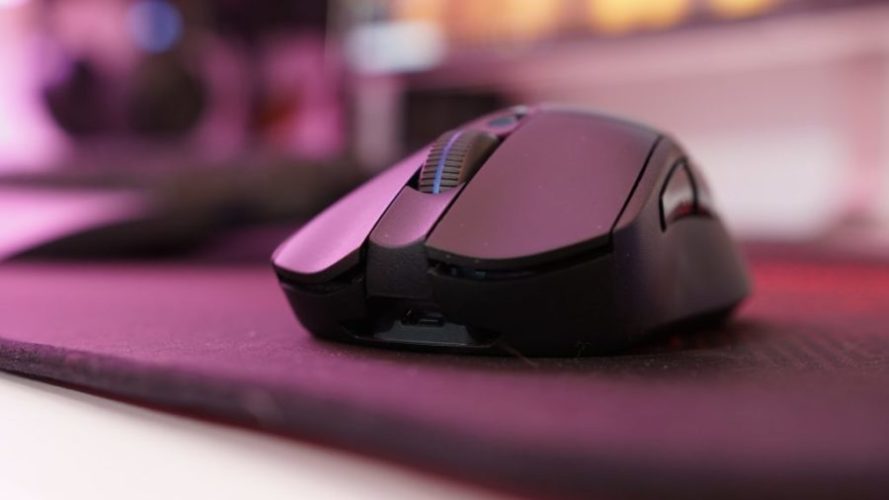
Choosing between two gadgets with similar specifications, and under the same price tag, the dilemma is daunting. When it comes to gaming mice, Logitech’s G403 and G703 are both top-notch picks. So if you are caught up between G403 and G703, and thinking which one to go for, we are here to help you!
Below you will find some detailed specifications of both, along with their pros, cons, and a comparison to make your job easier. Go ahead and check it out now!
Logitech G403
About:
The G403 comes in two versions: wireless and wired. While the wireless one uses a PMW3366 sensor, the wired G403 has the latest HERO sensor, which is also used by G703. Though HERO sensors are no doubt among the best that supports pixel by pixel precision tracking, we will consider both the options available under G403 label.
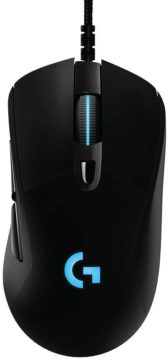
Specifications(Wired):
- Product Dimension: 5.1 x 10.2 x 20.3 cm.
- Item Weight: 195 g.
- Hero 16k sensor: It is one of the most advanced, with 1:1 tracking, 400+ ips, and 100 16,000 max dpi sensitivity plus zero smoothings, filtering, or acceleration.
- Light Sync RGB: Full spectrum lighting responds to in-game action, audio, and screen color; Customize lighting effects from 16.8-meter colors with g hub gaming software, and sync across g gear. Game-driven, full-spectrum RGB lighting responds to in-game action, audio, and screen color, synchronizing across G gear. Customize lighting animations and effects from ~16.8M colors using G HUB gaming software, and personalize to match your rig.
- Comfort and durability: lightweight (87g), comfortably designed to mold to your hand with rubber grips for added control; 10 g removable weight lets you tune to your preferences.
- G hub software: Configure six programmable buttons to simplify in-game actions and customize lighting, programmable action buttons. The fly dpi shifting lets you program and switch between five sensitivity settings from 100 to 16, 000 dpi to shift between pixel-precise targeting and lightning-fast maneuvers with fast button presses.
- Advance gaming performance: 8x faster than standard mice with a 1 ms report rate, and spring button tensioning for better response with less force. Cable length: 2.1 meters (6.9 feet). Connection: USB cord.
- The durability of the button: 20 million clicks
- Price: $52.99
- Customer rating on Amazon: 4.1/5.
CHECK TODAY’S PRICE on AMAZON
Pros:
- Shape: unique, simple
- Grip: comfortable
- Price: economic
- Very ergonomic
- Accurate with latest HERO sensor
Cons:
- Scrolling could be faster.
- Difficult to disassemble without tearing apart the little pads underneath.
- No PowerPlay support if you are looking for one.
- Wired
CHECK TODAY’S PRICE on AMAZON
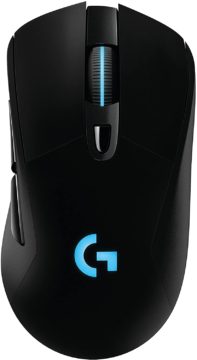
Specifications(Wireless):
- Performance: This mouse is for advanced gaming-grade performance with up to 8 times faster response time than standard mice so that with every mouse click, the moves are almost instantaneous from hand to screen. The advanced button tensioning helps keep the left and right mouse buttons primed to click, thus reducing the force needed to click. This leads to the delivery of exceptional click feel, response, and consistency.
- Dimension: 1.69 x 2.68 x 4.89 inches
- Sensors: Logitech’s most advanced optical sensor provides unbeatable fps mouse accuracy along with speed and flexibility, PMW3366.
- Design: It has an ergonomic, lightweight design with rubber side grips and a removable 10-gram weight for a genuinely comfortable grip and control.
- Built-in memory stores settings for five favorite games.
- Six programmable buttons simplify in-game actions.
- Customizable lighting from 16.8 million colors.
- In the case of Wireless mouse, the USB receiver will be provided inside or along with the mouse. Connection: USB cord or wireless receiver.
- Price: $158.99
- Customer rating on Amazon: 3.9/5.
CHECK TODAY’S PRICE on AMAZON
Pros:
- Wireless
- Good On-board memory
- Incredibly optimized 2.4GHz wireless connection is lag-free for responsiveness that outperforms the competition’s solutions, including wired ones. G403 lets you play more on a single charge or plugin for wired operation and charging
- Reduced lag and latency
- Long-lasting battery life
- Thumb buttons are well positioned
- Highly customizable DPI settings
Cons:
- Quite pricey
- No Dongle storage space
- Extra weight
CHECK TODAY’S PRICE on AMAZON
Logitech G703
About:
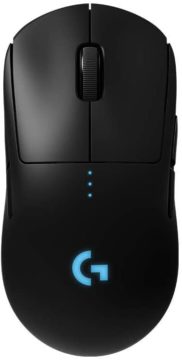
The G703 is almost similar to the G403 inbuilt. It comes with the Hero 16K Sensor, Lightspeed wireless technology with high responsiveness and connectivity for long lasting gameplay of up to 35 hours of continuous play with default LIGHTSYNC RGB lighting. It has robust dpi and high accuracy. Moreover, in this model, you can charge wirelessly on the PowerPlay mat without having to plug in the USB charger. Let’s take a detailed look at the specifications.
Specifications:
- Product Dimension: Length: 124 mm (4.9 in), Width: 68 mm (2.8 in), Height: 43 mm (1.7 in).
- Designed explicitly for Pro Gamers: G Pro Wireless Gaming Mouse is the result of collaborative work with professional gamers, bringing in advanced technologies to this ultralight model.
- Light-speed Wireless: The limitations of wireless latency is overcome by Pro-grade performance. It also ensures better connectivity and power support to deliver a neat, 1-millisecond report rate of connection.Through end-to-end engineering and design, Logitech G developed a robust wireless solution to solve the fundamental problems of latency, stability, and connectivity. The end result is LIGHTSPEED, a pro-grade wireless solution, that is actually faster than many wired gaming mice.
- Advanced metal-spring button tensioning keeps the primary left and right mouse buttons poised to trigger with less force, which means exceptional button feel, responsiveness and consistency every time you click.
- Hero 16K Sensor: This is Logitech’s most accurate sensor to date with up to 16,000 DPI and ten times the power efficiency of the previous generation for the ultimate in wireless gaming speed, accuracy, and responsiveness. Microprocessor: 32-bit ARM
- Game-driven, full-spectrum RGB lighting responds to in-game action, audio, and screen color, synchronizing across G gear. Customize lighting animations and effects from ~16.8M colors using G HUB gaming software, and personalize to match your rig.
- Ultra Lightweight: The innovative endoskeleton has been designed to create a super-thin yet incredibly durable outer shell, that enables the body to weigh in at a remarkably light and manageable 80 grams.
- PowerPlay mat for charging: The POWER PLAY energy field is transformed into charging current by the POWERCORE module, which attaches magnetically to compatible wireless gaming mice. Just snap it in and play. We’ve made it that simple. So, group up fearlessly, grind ranks, raid to your heart’s content, and repeat—ad infinitum.
- Ergonomic Ambidextrous Design: This is a tournament-ready mouse developed with esports pros for maximum comfort, control, and 50 million click durability. The four removable side buttons for supreme customization.
- Cable length: 1.80 meters.
- The durability of the button: 50 million clicks.
- Price: $200
- Customer rating on Amazon: 4.5/5.
CHECK TODAY’S PRICE on AMAZON
Pros:
- Light-weight
- Lightspeed Wireless
- Next generation HERO sensor
- PowerPlay option
- Nice grip
- Shape
- Good battery life
- Wireless has no perceptible input delay
- Super agile
Cons:
- Quite a steep price
- GPW is a bit tail heavy when the PowerPlay module is inserted
- May feel too light
- Double click issue in some cases
CHECK TODAY’S PRICE on AMAZON
Comparison
| No. | Point of Difference | Logitech G403
(Wired) |
Logitech G403 (Wireless) | Logitech G703
(Wireless) |
| 1 | SENSOR | HERO | PMW3366 | HERO |
| 2 | WIRELESS | NO | Custom 2.4GHz | LIGHTSPEED WIRELESS |
| 3 | ZERO SMOOTHING ACCELERATION, FILTERING | YES | NO | YES |
| 4 | DEPTH | 43mm | 43mm | 43mm |
| 5 | WEIGHT | 87.3g | 90g (100g with weight) | 96g (106g with weight) |
| 6 | HEIGHT | 124mm | 124mm | 124mm |
| 7 | WIDTH | 68mm | 68mm | 68mm |
| 8 | POWERPLAY | ABSENT | ABSENT | PRESENT |
| 9 | DURABILITY OF BUTTON (NO. OF CLICKS) | 20 million clicks | 20 million clicks | 50 million clicks |
| 10 | CHARGING | USB Cable | USB Cable | Logitech PowerPlay mat |
| 11 | DPI | 100 -16,000 DPI | 200-12,000 DPI | 100 -16,000 DPI |
| 12 | COMPATIBILITY | Windows from 7, 8, 8.1, and windows 10, macOS 10.11 | Windows from 7, 8, 8.1, and windows 10 | Windows from 7, 8, 8.1, and windows 10, macOS 10.11 ,Chrome OS |
| 13 | PRICE | $52.99 | $158.99 | $200 |
| 14 | AVERAGE CUSTOMER RATING (BASED ON AMAZON) | 4.1/5 | 3.9/5 | 4.5/5 |
Verdict
The basic differences between the wireless G403 and G703 is the PowerPlay charging mat option and sensor type.. While G703 has PowerPlay support and the latest HERO sensor which is undoubtedly among the best in the market accuracy-wise, G403 wireless comes with a PMW3366 sensor. Now, this sensor is not that bad and good for all your gaming activities. One other major difference is the durability. While G703 has an estimated button capacity of 50 million clicks, the G403 has 20 million click durability. But, the G703 comes at a steeper price. However, if you don’t want to spend extra bucks and are not particular about the wireless factor then you can also go for the wired G403. This one comes with the latest HERO sensor as well like G703, and is quite good in grip, design, and sensor accuracy. It also has a 20 million click durability, and comes at a much cheaper price.
Final Words
Both G403 and G703 from Logitech are good quality mice especially for gamers. They are highly sought after and come with comparable features. However, G703 with its HERO sensor, PowerPlay supported technology, and higher button durability (50 million clicks) comes ahead in the race. Although, the price tag is a bit too steep, compared to its counterparts.
The G403 wireless works with a PMW3366 instead of HERO sensors, which is good enough for gaming. If however, you are looking for a cheaper yet good quality mouse then the wired G403 is a good option since it also has the HERO sensors. So all in all, if budget is not a constraint go for G703, if you want to be economic and wired or wireless doesn’t matter to you, go for the wired G403. Finally, choose what you think suits your needs the best and enjoy your games!


Download Minecraft PE 1.21.131 APK for Android
Minecraft Bedrock 1.21.131 is a focused hotfix update — improved Spear combat, two important bug fixes, and better overall stability on Android. No new content, but a noticeably smoother experience.
Spear Knockback Improvement
The window during which a charged Spear attack can apply knockback has been extended. This makes combat feel more reliable — the attack now connects as expected without requiring pinpoint timing, especially useful when fighting multiple mobs at once.
Spear Animation Alignment
Charge attack animations now accurately sync with the Spear’s three gameplay phases: Engaged, Tired, and Disengaged. What you see on screen now matches what the game engine is actually doing — making combat more readable and reducing guesswork in fights.
Performance & Stability
Frame drops on mid-range Android hardware have been reduced. Memory handling improvements prevent sudden freezes during long play sessions. World loading and chunk generation are more reliable, reducing terrain “pop-in” when exploring or moving quickly.
Multiplayer Improvements
Backend updates improve session stability when players join or leave. Fewer disconnects and smoother synchronisation across Bedrock servers. Marketplace content and add-ons also load more consistently during multiplayer sessions.
Adventuring Time Achievement Fixed — The achievement no longer unlocks early. It now correctly requires visiting at least 17 biomes on PC, matching the intended design.
Marketplace Escape Key Fixed — Pressing Escape after using the Marketplace search now reliably returns players to the previous menu instead of getting stuck in a loop.
Add-on World Loading Fixed — A bug that triggered a “Block” error when loading or creating worlds with multiple add-ons installed has been resolved.
Download the APK
Tap one of the Download buttons above. Choose the Standard (no music) version if storage is limited, or the Full version for the complete experience. The ARM64 build is recommended for modern phones.
Enable “Install Unknown Apps”
Go to Settings → Security (or Privacy) → Install unknown apps. Enable the permission for your browser or file manager. Android requires this for any APK installed outside Google Play.
Open the APK File
Open your Downloads folder, find the Minecraft 1.21.131 APK, and tap it to launch the system installer. Follow the on-screen prompts.
Install Over Existing Version
In most cases you can install 1.21.131 directly over your existing Minecraft without losing any worlds or progress. If you see a signature conflict error, uninstall first — but back up your worlds beforehand.
Launch and Sign In
Open Minecraft, sign in with your Microsoft/Xbox Live account, and your existing worlds will load normally. Online multiplayer, Realms, and Marketplace content all work as before.
Download Minecraft PE 1.20 APK for Android
Get the full Minecraft Bedrock 1.20 (Trails and Tales) APK for Android. Supports Xbox Live sign-in. Multiple versions available — stable releases and preview builds.
Download the APK File
Tap the Download button above for the version you want. The APK file will save to your device’s Downloads folder.
Enable “Install Unknown Apps”
Go to Settings → Security or Privacy → Install unknown apps. Enable it for your browser or file manager. Android requires this for any APK installed outside of Google Play.
Open the Downloaded File
Open your Downloads folder (or tap the notification), find the Minecraft APK, and tap it to start the installer.
Confirm Installation
Tap Install and wait for the process to complete. If you see a “signature conflict” error, uninstall your existing Minecraft version first, then retry.
Launch and Sign In with Xbox Live
Open Minecraft, sign in with your Microsoft/Xbox Live account to access multiplayer, Realms, and cross-platform features.
-
 Guides6 years ago
6 Proven Ways to Get more Instagram Likes on your Business Account
-
Mainstream12 years ago
BioWare: Mass Effect 4 to Benefit From Dropping Last-Gen, Will Not Share Template With Dragon Age: Inquisition
-
 Mainstream8 years ago
How to Buy Property & Safe Houses in GTA 5 (Grand Theft Auto 5)
-

 Guides2 years ago
Free Fire vs PUBG: Comparing Graphics, Gameplay, and More
-

 Guides2 years ago
50+ Free Fire ID and Passwords Login List (Giveaway) 2025
-
 Casual3 years ago
8 Ways to Fix Over-Extrusion and Under-Extrusion in 3D Printing
-

 Other2 years ago
Ajjubhai UID: Free Fire Details & Earnings
-

 Features2 years ago
Exploring Valorant eSports Stats: Unveiling the Metrics Behind Competitive Excellence