
Guides
How to Rank Up Fast in Valorant Competitive Mode

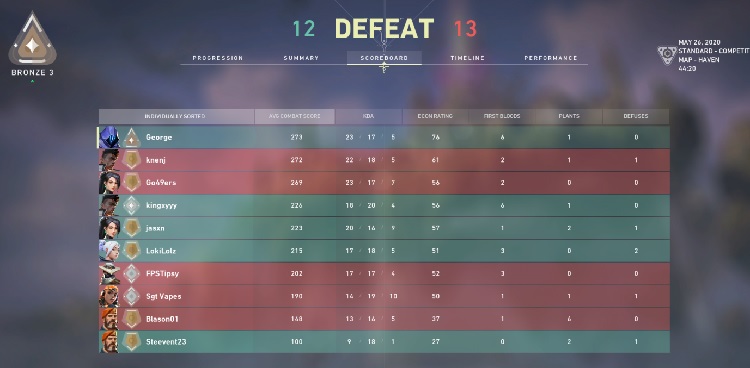
Ah, the Valorant ranked grind. It’s a grueling battle that has taken a lot of victims in its wake. Many a player have tried to climb up the rating ladder, but the majority of them have stagnated at their current ranks. It takes a significant amount of game knowledge and mechanical skill to get to your desired rank as fast as possible.
Luckily, there’s a few tips you can follow in order to improve in the game. These aren’t going to be in-game tips: rather, these are stuff you can do outside of Valorant games to get better and climb all the way to Immortal quickly.
Without further ado, let’s get into it!
Take breaks!

You might have heard that the best way to improve in Valorant is to play as many games as you can. That’s absolutely correct: playing more games helps you gain experience and improve your mechanical skills (although, as we’ll look at earlier, you can also improve your skills outside of Valorant). However, there are some caveats to playing a lot.
You might be playing in front of a computer, but you’ll still experience fatigue from playing constantly. Your reaction time and cognitive abilities will take a hit as you play more and more hours in a row. If you’re in a losing streak (or you’ve had terrible teammates despite winning), your mental will also likely be shot by the seventh or eighth hour playing.
A good rule of thumb is to limit your Valorant sessions to three to four hours in a row. That way, you’re able to maximize your peak potential while not experiencing the performance drop when you play too much. If you’re losing three games in a row, that’s also a good time to stop playing for a while and mentally reset.
Aim Trainers are your best friends
As I’ve alluded to earlier, you don’t need to rely necessarily on playing Valorant games to improve in your skills. If you’re having trouble on the mechanical side of things, there’s a lot of third-party games you can play to improve your aim significantly. I’m talking, of course, about aim trainers.
Aim trainers have risen in popularity thanks to Valorant and other FPS games gaining traction. In a nutshell, these games are compilations of mini-games you can play that can help you practice various first-person shooter skills. These skills include, but are not limited to: flicking, tracking, spray control, and crosshair placement.
The two most popular aim trainers in the market today are KovaaK’s and Aim Labs. KovaaK’s is a lot more comprehensive and detailed, but it has a $5 price tag. Aim Labs, on the other hand, is free, but doesn’t quite have the same depth as KovaaK’s. Both are still pretty good though: they offer different scenarios to practice different Valorant skills, and have some level of customization to suit your skill level.
Review!
Aim can only take you so far in Valorant, though. Many top-rated players are pretty firm in saying that past Platinum, everyone more or less has god-tier aim. What sets apart Diamonds from Immortals to Radiants is their game knowledge and game sense.
The best way to climb up the rating ladder in these tiers is to review your own gameplay. Unfortunately, Valorant doesn’t have a built-in replay system like Counter-Strike (Riot pls fix). There are multiple screen recording software you can use to watch your games, though. Insights.gg, OBS, or even your built-in Windows Screen Capture will allow you to review your Valorant demos.
When watching your Valorant demos, it’s important to pay attention to your mistakes and what you can do better. It’s also better if you review your VODs right after the game, since you’re more likely to recall your thought process throughout the match.
Get coached!
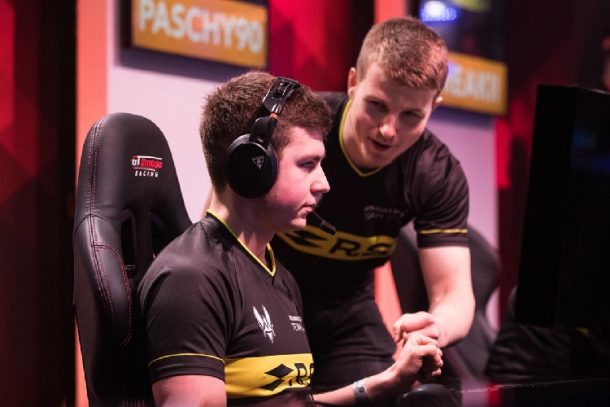
Self-improvement can be a tricky endeavor, especially in a game like Valorant. It takes some serious guts to be able to pick up on your own mistakes and make a concerted effort to improve on them. Oftentimes, players pick up bad habits and don’t realize they have these bad habits, because they go unpunished in their elo.
If you feel like you’re too biased of an observer to rate your own gameplay, perhaps you can consider getting a Valorant coach. Coaches will help you notice your bad habits and teach you how to fix them. They’ll also give you better tips on how to improve, and maybe even give you a concrete training regimen.
The biggest advantage of coaching, though, is that it’s personalized. Unlike YouTube guides, Valorant coaches will watch YOUR gameplay, and tweak what to teach you based on what they perceive is your skill level. You can ask one of your friends to coach you up, or if you’re looking for a professional, there’s plenty of for-hire coaches on sites like Fiverr.
Gear up!
One of the most underrated aspects of gaming is your peripherals and your set-up. You might be a god at Valorant, blessed with great aim and game sense, but if you have a toaster for a computer, you’re going to lose all of your duels in Bronze.
Because of that, it’s important for you or anyone else wanting to rank up faster in Valorant to invest in good gear. That doesn’t mean you need to gun for a 3090 though: try to find the best available units for you at a reasonable price. If you can nab a solid unit that can run the game at more than 60 frames per second, you’re all set.
As for your peripherals, consistency is the name of the game. Find a comfortable mouse, keyboard, and headset, and stick with those units. When I personally used to play in internet cafes, I would bring my own mouse since I’m used to that unit.
Get boosted!
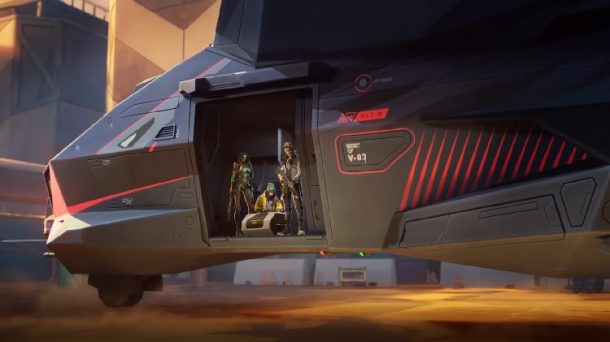
Valorant rank boosting is an extremely underrated tool when it comes to ranking up quickly in the game. Having a Diamond-level or above player smurf through your ranked games is a sure-fire way to get to the high ranks immediately. However, you might wonder how boosting can help you improve your own gameplay.
Well, the simple answer is it gets you up close and personal with an elite player. Watching someone who is miles ahead of you will help you learn the game better. It’s like watching your favorite NBA player from a courtside seat. You can see what exactly they are doing that makes them so much better than the rest of the competition.
If you’re going to get boosted by your friends or by some other third-party service, make sure to take the time to watch what they’re doing right. It will help you in keeping the rank you got yourself into, I promise.
Final words
The final tip we share to you is simple, and has already been said earlier in this article: play the goddamn game. You can read as much Valorant tips and tricks as you’d like, but nothing beats playing the game itself to improve and rank up better. Apply all the tips we’ve said here, and in no time you’ll be in Diamond… or even higher!
Image Source: Reddit




Download Minecraft PE 1.21.131 APK for Android
Minecraft Bedrock 1.21.131 is a focused hotfix update — improved Spear combat, two important bug fixes, and better overall stability on Android. No new content, but a noticeably smoother experience.
Spear Knockback Improvement
The window during which a charged Spear attack can apply knockback has been extended. This makes combat feel more reliable — the attack now connects as expected without requiring pinpoint timing, especially useful when fighting multiple mobs at once.
Spear Animation Alignment
Charge attack animations now accurately sync with the Spear’s three gameplay phases: Engaged, Tired, and Disengaged. What you see on screen now matches what the game engine is actually doing — making combat more readable and reducing guesswork in fights.
Performance & Stability
Frame drops on mid-range Android hardware have been reduced. Memory handling improvements prevent sudden freezes during long play sessions. World loading and chunk generation are more reliable, reducing terrain “pop-in” when exploring or moving quickly.
Multiplayer Improvements
Backend updates improve session stability when players join or leave. Fewer disconnects and smoother synchronisation across Bedrock servers. Marketplace content and add-ons also load more consistently during multiplayer sessions.
Adventuring Time Achievement Fixed — The achievement no longer unlocks early. It now correctly requires visiting at least 17 biomes on PC, matching the intended design.
Marketplace Escape Key Fixed — Pressing Escape after using the Marketplace search now reliably returns players to the previous menu instead of getting stuck in a loop.
Add-on World Loading Fixed — A bug that triggered a “Block” error when loading or creating worlds with multiple add-ons installed has been resolved.
Download the APK
Tap one of the Download buttons above. Choose the Standard (no music) version if storage is limited, or the Full version for the complete experience. The ARM64 build is recommended for modern phones.
Enable “Install Unknown Apps”
Go to Settings → Security (or Privacy) → Install unknown apps. Enable the permission for your browser or file manager. Android requires this for any APK installed outside Google Play.
Open the APK File
Open your Downloads folder, find the Minecraft 1.21.131 APK, and tap it to launch the system installer. Follow the on-screen prompts.
Install Over Existing Version
In most cases you can install 1.21.131 directly over your existing Minecraft without losing any worlds or progress. If you see a signature conflict error, uninstall first — but back up your worlds beforehand.
Launch and Sign In
Open Minecraft, sign in with your Microsoft/Xbox Live account, and your existing worlds will load normally. Online multiplayer, Realms, and Marketplace content all work as before.
Download Minecraft PE 1.20 APK for Android
Get the full Minecraft Bedrock 1.20 (Trails and Tales) APK for Android. Supports Xbox Live sign-in. Multiple versions available — stable releases and preview builds.
Download the APK File
Tap the Download button above for the version you want. The APK file will save to your device’s Downloads folder.
Enable “Install Unknown Apps”
Go to Settings → Security or Privacy → Install unknown apps. Enable it for your browser or file manager. Android requires this for any APK installed outside of Google Play.
Open the Downloaded File
Open your Downloads folder (or tap the notification), find the Minecraft APK, and tap it to start the installer.
Confirm Installation
Tap Install and wait for the process to complete. If you see a “signature conflict” error, uninstall your existing Minecraft version first, then retry.
Launch and Sign In with Xbox Live
Open Minecraft, sign in with your Microsoft/Xbox Live account to access multiplayer, Realms, and cross-platform features.
-
 Guides7 years ago
6 Proven Ways to Get more Instagram Likes on your Business Account
-
Mainstream12 years ago
BioWare: Mass Effect 4 to Benefit From Dropping Last-Gen, Will Not Share Template With Dragon Age: Inquisition
-
 Mainstream8 years ago
How to Buy Property & Safe Houses in GTA 5 (Grand Theft Auto 5)
-

 Guides2 years ago
Free Fire vs PUBG: Comparing Graphics, Gameplay, and More
-

 Guides2 years ago
50+ Free Fire ID and Passwords Login List (Giveaway) 2025
-
 Casual3 years ago
8 Ways to Fix Over-Extrusion and Under-Extrusion in 3D Printing
-

 Other3 years ago
Ajjubhai UID: Free Fire Details & Earnings
-

 Features2 years ago
Exploring Valorant eSports Stats: Unveiling the Metrics Behind Competitive Excellence