
Guides
Best and Safe ROM Sites to Download ROMs


It tugs a nostalgic string in your heart when you recall those cherished childhood moments when you’d rush home from school, toss your backpack aside, and immerse yourself in video games. For many of us, retro games evoke powerful nostalgia and represent an important part of our childhood. This is where ROMs (Read-Only Memory) come into play, allowing us to revisit these classic games on modern devices.
ROMs are essentially digital copies of game data from video game cartridges or discs. When paired with an emulator , ROMs enable players to enjoy classic games from systems like the Nintendo Entertainment System, Sega Genesis, or PlayStation 1 on computers, smartphones, and other modern devices.
However, navigating the world of ROMs comes with important legal and ethical considerations. Technically, downloading ROMs for games you don’t own physical copies fall into a legal gray area in many jurisdictions and may violate copyright laws. If you’re exploring this route, it’s crucial to use safe, reputable ROM sites that minimize security risks and respect ethical boundaries as much as possible.
What To Look For In A Safe ROM Site
When searching for ROMs online, your safety should be the top priority. Here are essential features to look for in a reputable ROM site:
- Secure Connections: Legitimate sites use HTTPS encryption, indicated by a padlock icon in your browser’s address bar, protecting your data during downloads.
- Clean User Interface: Trustworthy ROM sites typically have organized, professional layouts without excessive pop-ups or misleading download buttons.
- Minimal Invasive Advertising: While many free ROM sites use ads for revenue, safe sites don’t bombard you with aggressive, full-screen, or deceptive advertisements.
- Community Verification: Sites with active user communities often have reviews and comments that can help verify ROM quality and authenticity.
- Comprehensive Collections: Reliable ROM sites offer games from multiple consoles with accurate metadata and organized categorization.
- Transparency: Good ROM sites clearly state their policies and don’t hide information about what you’re downloading.
- Download Options: Reputable sites offer multiple download mirrors and reasonable download speeds without requiring premium memberships.
Also Read: Is ROMSFun Safe? – (Safety and User Experience)
Best & Safe ROM Sites To Download ROMs
1. WowROMs
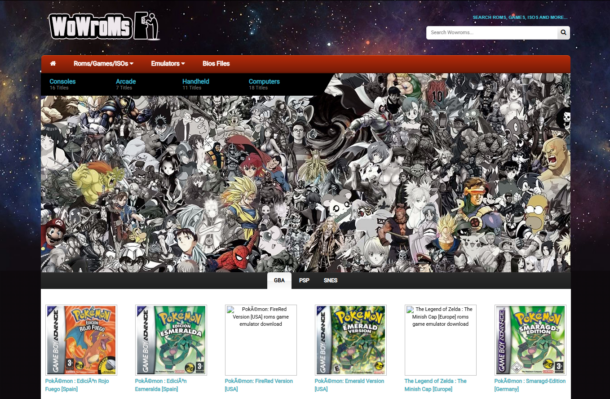
WowROMs stands out as one of the most comprehensive and user-friendly ROM sites available. Its well-organized interface categorizes games by console, making it easy to find titles from your favorite gaming system.
Features:
- Extensive library covering virtually every major gaming console
- Multiple download mirrors for each ROM
- Includes both ROMs and their corresponding emulators
- Clean interface with minimal intrusive advertising
- Games are sorted by popularity and release date for easy discovery
WowROMs offers a particularly impressive collection of Nintendo, Sega, and PlayStation titles, with detailed information pages for each game including release dates, publishers, and screenshots.
2. RomUlation
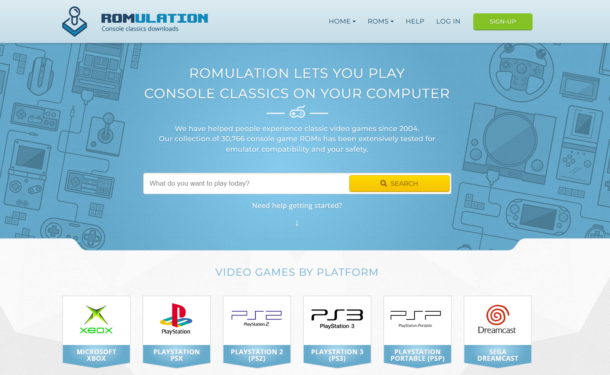
RomUlation has built a reputation for reliability and comprehensive organization. The site requires free registration to access downloads, which adds a layer of security and helps maintain the site’s integrity.
Features:
- Extensive collection of ROMs for Microsoft, Sony, Nintendo, and Sega consoles
- Featured sections for popular and newly added games
- Active community forum for troubleshooting and recommendations
- Detailed game information including genres and release dates
- Multiple download servers for faster access
RomUlation’s verification system helps ensure that the ROMs you download are clean and properly functioning, making it a trusted source among retro gaming enthusiasts.
Also Read: How Long Does it Take to Download Fortnite on PC
3. ROMsPedia
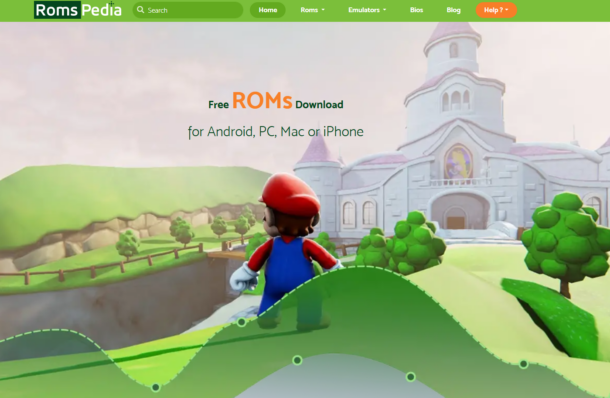
ROMsPedia offers one of the best user experiences among ROM sites, with a clean interface and straightforward navigation. Its lightweight design makes it accessible even on slower internet connections.
Features:
- Intuitive search function with advanced filtering options
- Compressed ROM files for quicker downloads
- Comprehensive emulator section with setup guides
- Minimal ads compared to other free ROM sites
- Regularly updated with new titles and fixes
ROMsPedia particularly excels in its organization of handheld console games, with an extensive collection of Game Boy, Nintendo DS, and PSP titles that are often harder to find on other sites.
4. CoolROM
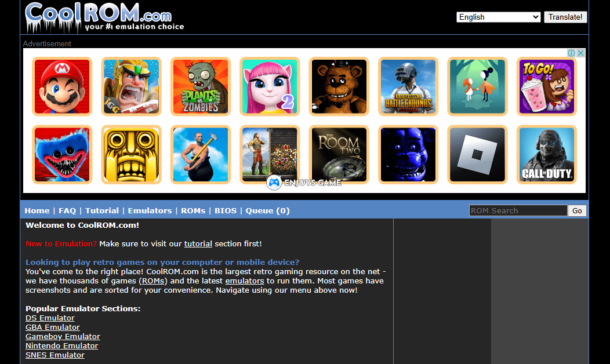
CoolROM has been a longtime favorite in the retro gaming community due to its reliability and educational approach. The site stands out for its dedication to helping newcomers understand emulation.
Features:
- Detailed installation guides and tutorials for beginners
- Clean, professional interface with clear download buttons
- Game filtering by genre, title, and console
- User rating system for games and emulators
- Regular security scanning of hosted files
CoolROM’s strength lies in its extensive documentation and community support, making it an excellent choice for users new to the world of ROMs and emulation.
Also Read: How Many GB is Valorant: Storage Guide
5. DopeROMs
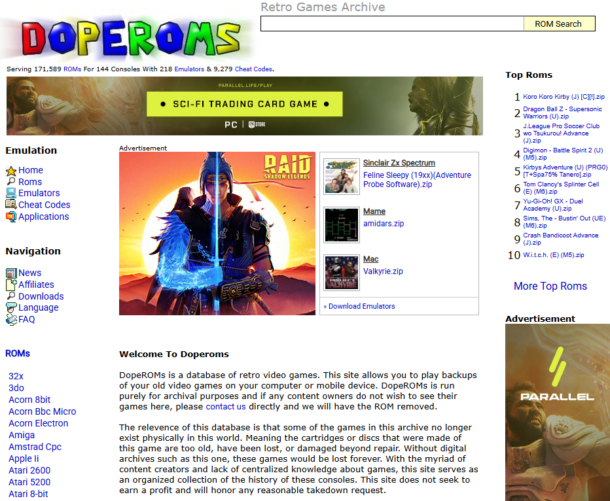
DopeROMs offers a minimalist approach that focuses on simplicity and ease of use. Rather than overwhelming users with options, it provides a straightforward browsing experience.
Features:
- Clean, ad-light interface
- Direct access to complete ROM libraries
- Beginner-friendly design
- Regularly verified ROM files
- Fast download speeds without premium requirements
While DopeROMs doesn’t offer as many filtering options as some competitors, its simplicity makes it an excellent choice for users who know exactly what they’re looking for.
6. Gamulator
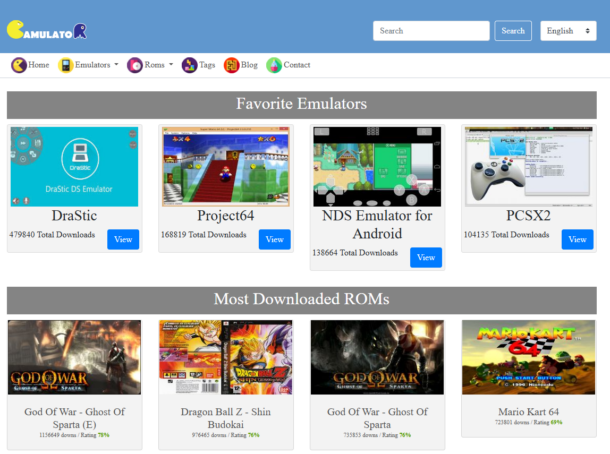
Gamulator combines a comprehensive ROM library with community features, creating a more engaging experience than most ROM repositories.
Features:
- Genre-based tagging system for easy discovery
- Request system for rare or missing games
- Both ROMs and emulators available
- Clean, modern interface
- Active moderation to ensure ROM quality
Gamulator’s unique request system makes it particularly valuable for collectors searching for obscure titles that might not be readily available on other platforms.
Also Read: How Big is Fortnite? System Requirements [Complete Size Guide]
7. ROM Hustler
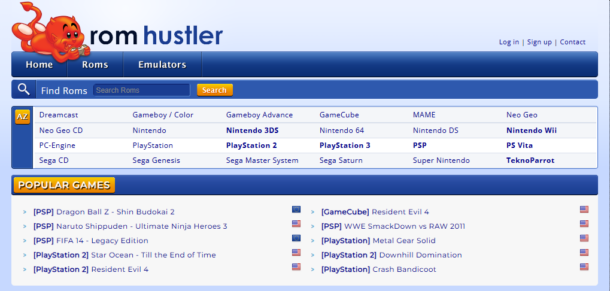
ROM Hustler rounds out our list with its focus on quality over quantity. While its library may not be the largest, its attention to ROM verification and file integrity makes it a trusted source.
Features:
- User rating system for games and emulators
- Categorization by console, genre, and popularity
- Detailed game information and screenshots
- Multiple download servers
- Regular testing of ROM files
ROM Hustler’s strength lies in its quality control, with administrators regularly verifying that downloads are working correctly and free from malware.
How To Download ROMs Safely
- Use Reliable Security Software: Always have updated antivirus software and consider using a dedicated malware scanner.
- Employ Ad Blockers: A good ad blocker can prevent malicious ads and reduce the risk of clicking deceptive download buttons.
- Verify Download Sources: Before clicking, hover over download links to confirm they lead to expected destinations, not redirects.
- Check File Extensions: Legitimate ROM files typically have extensions specific to their console (.nes, .gba, .iso, etc.). Be wary of executable (.exe) files unless downloading emulators.
- Scan Before Opening: Always scan downloaded files with your security software before extracting or running them.
- Use a VPN: Consider using a VPN service to protect your privacy when downloading ROMs.
- Avoid Required Surveys: Legitimate ROM sites rarely require completing surveys or other tasks to access downloads.
Also Read: Get Free BGMI UC In Your BGMI Account
Best Emulators For Playing ROMs
Finding the right emulator is just as important as finding safe ROMs. Here are some of the most reliable emulators by console:
Nintendo Systems:
- NES/SNES: RetroArch, Nestopia (NES), SNES9x (SNES)
- Game Boy/GBA: Visual Boy Advance, mGBA
- Nintendo 64: Project64, Mupen64Plus
- GameCube/Wii: Dolphin Emulator
Sony Systems:
- PlayStation: ePSXe, PCSX-Reloaded
- PlayStation 2: PCSX2
- PSP: PPSSPP
Sega Systems:
- Genesis/Mega Drive: Gens, Fusion
- Dreamcast: Redream, Reicast
For multi-system emulation, RetroArch offers a unified interface for numerous emulation “cores” covering most classic consoles, making it an excellent all-in-one solution.
Legal Disclaimer & Alternative Solutions
It’s important to acknowledge that downloading ROMs for games you don’t own physical copies of may violate copyright laws in many jurisdictions. Game publishers have taken legal action against ROM sites and users in the past.
Legal alternatives to consider include:
- Official Re-releases: Many classic games are available through official channels like Nintendo Switch Online, PlayStation Store, or Xbox Game Pass.
- Digital Storefronts: Platforms like GOG.com specialize in making classic games compatible with modern systems.
- Compilation Consoles: Products like the NES Classic, SNES Classic, or PlayStation Classic offer legal ways to play retro games.
- Abandonware Archives: Some sites focus on games that are no longer commercially available or supported, though the legal status of these remains complicated.
- ROM Creation from Personal Copies: In some jurisdictions, creating ROMs from games you legally own for personal use may be permissible, though this varies by country.
Also Read: PES 23 PPSSPP: Download PES 2023 PPSSPP ISO for Android
Conclusion
The world of ROMs offers a gateway to gaming history, allowing players to experience classics that might otherwise be lost to time. While the legal and ethical considerations are complex, approaching ROM downloading with respect for game creators and attention to security can help mitigate risks.
If you choose to explore ROM gaming, prioritize your safety by using reputable sites, maintaining good security practices, and considering legal alternatives when available.
By following the guidelines provided above, you can navigate the retro gaming landscape more safely while enjoying the rich history of video games.


Download Minecraft PE 1.21.131 APK for Android
Minecraft Bedrock 1.21.131 is a focused hotfix update — improved Spear combat, two important bug fixes, and better overall stability on Android. No new content, but a noticeably smoother experience.
Spear Knockback Improvement
The window during which a charged Spear attack can apply knockback has been extended. This makes combat feel more reliable — the attack now connects as expected without requiring pinpoint timing, especially useful when fighting multiple mobs at once.
Spear Animation Alignment
Charge attack animations now accurately sync with the Spear’s three gameplay phases: Engaged, Tired, and Disengaged. What you see on screen now matches what the game engine is actually doing — making combat more readable and reducing guesswork in fights.
Performance & Stability
Frame drops on mid-range Android hardware have been reduced. Memory handling improvements prevent sudden freezes during long play sessions. World loading and chunk generation are more reliable, reducing terrain “pop-in” when exploring or moving quickly.
Multiplayer Improvements
Backend updates improve session stability when players join or leave. Fewer disconnects and smoother synchronisation across Bedrock servers. Marketplace content and add-ons also load more consistently during multiplayer sessions.
Adventuring Time Achievement Fixed — The achievement no longer unlocks early. It now correctly requires visiting at least 17 biomes on PC, matching the intended design.
Marketplace Escape Key Fixed — Pressing Escape after using the Marketplace search now reliably returns players to the previous menu instead of getting stuck in a loop.
Add-on World Loading Fixed — A bug that triggered a “Block” error when loading or creating worlds with multiple add-ons installed has been resolved.
Download the APK
Tap one of the Download buttons above. Choose the Standard (no music) version if storage is limited, or the Full version for the complete experience. The ARM64 build is recommended for modern phones.
Enable “Install Unknown Apps”
Go to Settings → Security (or Privacy) → Install unknown apps. Enable the permission for your browser or file manager. Android requires this for any APK installed outside Google Play.
Open the APK File
Open your Downloads folder, find the Minecraft 1.21.131 APK, and tap it to launch the system installer. Follow the on-screen prompts.
Install Over Existing Version
In most cases you can install 1.21.131 directly over your existing Minecraft without losing any worlds or progress. If you see a signature conflict error, uninstall first — but back up your worlds beforehand.
Launch and Sign In
Open Minecraft, sign in with your Microsoft/Xbox Live account, and your existing worlds will load normally. Online multiplayer, Realms, and Marketplace content all work as before.
Download Minecraft PE 1.20 APK for Android
Get the full Minecraft Bedrock 1.20 (Trails and Tales) APK for Android. Supports Xbox Live sign-in. Multiple versions available — stable releases and preview builds.
Download the APK File
Tap the Download button above for the version you want. The APK file will save to your device’s Downloads folder.
Enable “Install Unknown Apps”
Go to Settings → Security or Privacy → Install unknown apps. Enable it for your browser or file manager. Android requires this for any APK installed outside of Google Play.
Open the Downloaded File
Open your Downloads folder (or tap the notification), find the Minecraft APK, and tap it to start the installer.
Confirm Installation
Tap Install and wait for the process to complete. If you see a “signature conflict” error, uninstall your existing Minecraft version first, then retry.
Launch and Sign In with Xbox Live
Open Minecraft, sign in with your Microsoft/Xbox Live account to access multiplayer, Realms, and cross-platform features.
-
 Guides7 years ago
6 Proven Ways to Get more Instagram Likes on your Business Account
-
Mainstream12 years ago
BioWare: Mass Effect 4 to Benefit From Dropping Last-Gen, Will Not Share Template With Dragon Age: Inquisition
-
 Mainstream8 years ago
How to Buy Property & Safe Houses in GTA 5 (Grand Theft Auto 5)
-

 Guides2 years ago
Free Fire vs PUBG: Comparing Graphics, Gameplay, and More
-

 Guides2 years ago
50+ Free Fire ID and Passwords Login List (Giveaway) 2025
-
 Casual3 years ago
8 Ways to Fix Over-Extrusion and Under-Extrusion in 3D Printing
-

 Other2 years ago
Ajjubhai UID: Free Fire Details & Earnings
-

 Features2 years ago
Exploring Valorant eSports Stats: Unveiling the Metrics Behind Competitive Excellence