
Video Games
Minecraft Day Length: Understanding the Basics

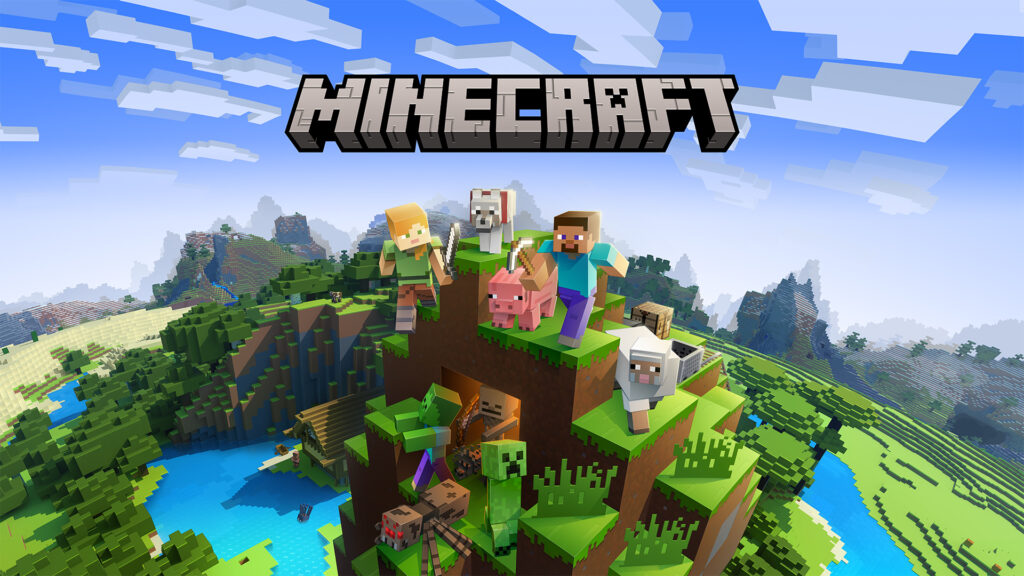
Okay, so picture this. You are so locked in on your Minecraft quest, building your dream castle or mining for diamonds, and suddenly nightfall sneaks upon you, breaking your flow. Moments like these often make the gamers wonder, How long is a Minecraft day? This day-night cycle is very important in the game and often determines important bits of the game, such as when mobs spawn, how to plan your farming, and even how far you can go from your base.
Don’t worry, we have all of it covered for you in this guide. Breaking down when a Minecraft day ends to how the time cycle works and translates into the real world.
What Is a Minecraft Day?
A 24-hour Minecraft day in the game consists of sunrise, daytime, sunset, and nighttime. No,w a full day in the game is equivalent ot only 20 minutes in actual real-world time. What this means is:
- 10 minutes of daylight (safe exploration and farming time)
- 7 minutes of nighttime (danger with hostile mobs)
- 1.5 minutes of dawn (sunrise)
- 1.5 minutes of dusk (sunset)
Understanding Minecraft’s Tick System
Now, Minecraft uses or measures time using ticks. In the game, one tick is equal to 1/20th of a second in real life. Therefore, 20 ticks means 1 second in real life. So, to count a full day in-game, you have 24,000 ticks.
This system is how commands, redstone, and even mods control the flow of time. When you see numbers like /time set 6000, those ticks correspond to specific moments of the day (in this case, noon).
Phases of a Minecraft Day
Each phase of the day looks different and influences how you play:
- Dawn (0–1000 ticks | 0:00–1:00 real minutes)
This is the point in the game when the sun is rising, and the mobs begin to burn. In short, the world is safe.
- Daytime (1000–12000 ticks | 1:00–10:00 real minutes)
The skies are bright, and you can farm, build things, or explore. Most mobs don’t spawn on the surface at this time.
- Dusk (12000–14000 ticks | 10:00–11:30 real minutes)
The skies turn orange at this stage, the light level drops, and mobs will prepare to spawn now.
- Nighttime (14000–22000 ticks | 11:30–18:30 real minutes)
Remember, darkness means danger. Mobs surface in the form of zombies, skeletons, spiders, and creepers.
- Midnight (18000 ticks | ~15 minutes in)
Now the moon is fully overhead at this stage and mob density will be at its peak.
- Late Night to Sunrise (22000–24000 ticks | 18:30–20:00 real minutes)
The cycle goes back to the first moment, mobs will burn and light will appear.
Real-Time Conversion of Minecraft Days
Because the game runs on a compressed schedule, it’s useful to see how real-world minutes translate into in-game hours.
| Real Time (Minutes:Seconds) | Minecraft Time | Event |
| 0:00 | 6:00 AM | Day begins (sunrise) |
| 0:23 | ~7:00 AM | Sunrise ends |
| 5:00 | 12:00 PM | Noon (sun overhead) |
| 9:41 | ~6:00 PM | Sunset begins |
| 10:28 | ~7:00 PM | Bedtime (safe sleep) |
| 11:32 | ~8:00 PM | Night begins |
| 15:00 | 12:00 AM | Midnight |
| 18:47 | ~5:30 AM | Sunrise starts |
| 19:06 | 6:00 AM | Dawn returns |
| 20:00 | 6:00 AM | Full cycle completed |
How to Change the Length of a Minecraft Day
Not all gamers prefer the default time cycle in Minecraft; some prefer longer days to get more time to build things, and then some prefer longer nights to fight mobs. Your ideal time can be set and customized by you in this manner:
Not everyone loves the default cycle. Sometimes you want longer days for building or longer nights for fighting mobs. Minecraft gives you several ways to customize time.
1. Using Commands
- Pause the cycle: /gamerule doDaylightCycle false
- Set exact times:
- /time set day → 6:00 AM
- /time set night → 6:00 PM
- /time set 6000 → Noon
- /time set 18000 → Midnight
- /time set day → 6:00 AM
- Add time manually: /time add <ticks>
2. Using Mods and Plugins
- Day Length (Modrinth): This mod syncs the Minecraft game time with how time flows in the real world.
- Custom Time Cycle (Modrinth): This hack lets you set the game day/night at different lengths.
3. Visual Adjustments
Resource packs can’t change time speed, but they can alter sun, moon, and sky textures for a more realistic feel.
The Role of the Day-Night Cycle in Gameplay
Minecraft’s time system isn’t just for immersion—it affects almost every gameplay decision.
Mob Spawning and Combat
- Hostile mobs spawn at light level ≤ 7.
- Creepers, skeletons, zombies, and spiders spawn at night.
- Spiders are neutral during the day but hostile at night.
- Endermen teleport away when exposed to sunlight.
Farming and Food Gathering
- Crops grow under light, not direct sun, so they keep growing at night if lit with torches.
- Daytime is safer for harvesting and breeding animals.
Building and Exploration
- Daytime = safety and progress.
- Nighttime = fortify bases or fight mobs.
- Redstone daylight detectors can automate farms and lamps.
Tracking Time in Minecraft
If you want to avoid being caught off guard by time changes in Minecraft, then there are easy ways to fix it. Firstly, you can craft a clock that will show you the Sun and Moon position. Some gamers also look at the sky as key. Here, the sun overhead would mean it is noon time, and the moon overhead means midnight.
You can use the /time query daytime for exact ticks. The Scoreboards and redstone counters automate time tracking, and the statistics menu helps to check how many days you have survived and played in the game. You can also debug your screen using the F3 key only in Java Edition) which shows you the exact day and ticks.
Survival Tips for Different Day Lengths
Depending on defaults or personalized time that you spend with, the following are some strategies:
Beds are lifesavers – Avoid long nights right now.
Bring a clock – Always know how much daylight is remaining.
Light up your structures – Keep mob spawns away from and around your base.
Stay in your quarters during nighttime – Utilize evenings to craft, smelt, and sort items.
Use cheats or mods – Adjust time for relaxed building or hardcore survival challenges.
Why Minecraft Day Length is Important
Learning about the Minecraft Day length is important to enhance the gaming experience. Based on whether you customize the time or not, you can schedule when to farm and when to explore during the day. While you can be prepared for mob threats and not be ambushed in the dark.
Based on the time of the day, you can figure out at which point you should start getting back home. Time customization also means you can build a redstone system with an internal sync for day-to-night detectors, creating automation basically. All these perks let you make fewer mistakes and see the Game Over screen a lot less.
Conclusion
Just 20 minutes in the real world, with 10 minutes of daylight, 7 of darkness, and 1.5 minutes each of dawn and dusk. But more than just marking time, this cycle dictates mob spawns, farming, exploration, and planning. Whether you’re playing with the vanilla options, freezing time with commands, or increasing days to hours with mods, learning the time system of Minecraft offers a big survival advantage. Next time the sun rises over your cube-like planet, you’ll have just a flat number of ticks before shadows descend. Make the most of it, because in Minecraft, every last tick counts.



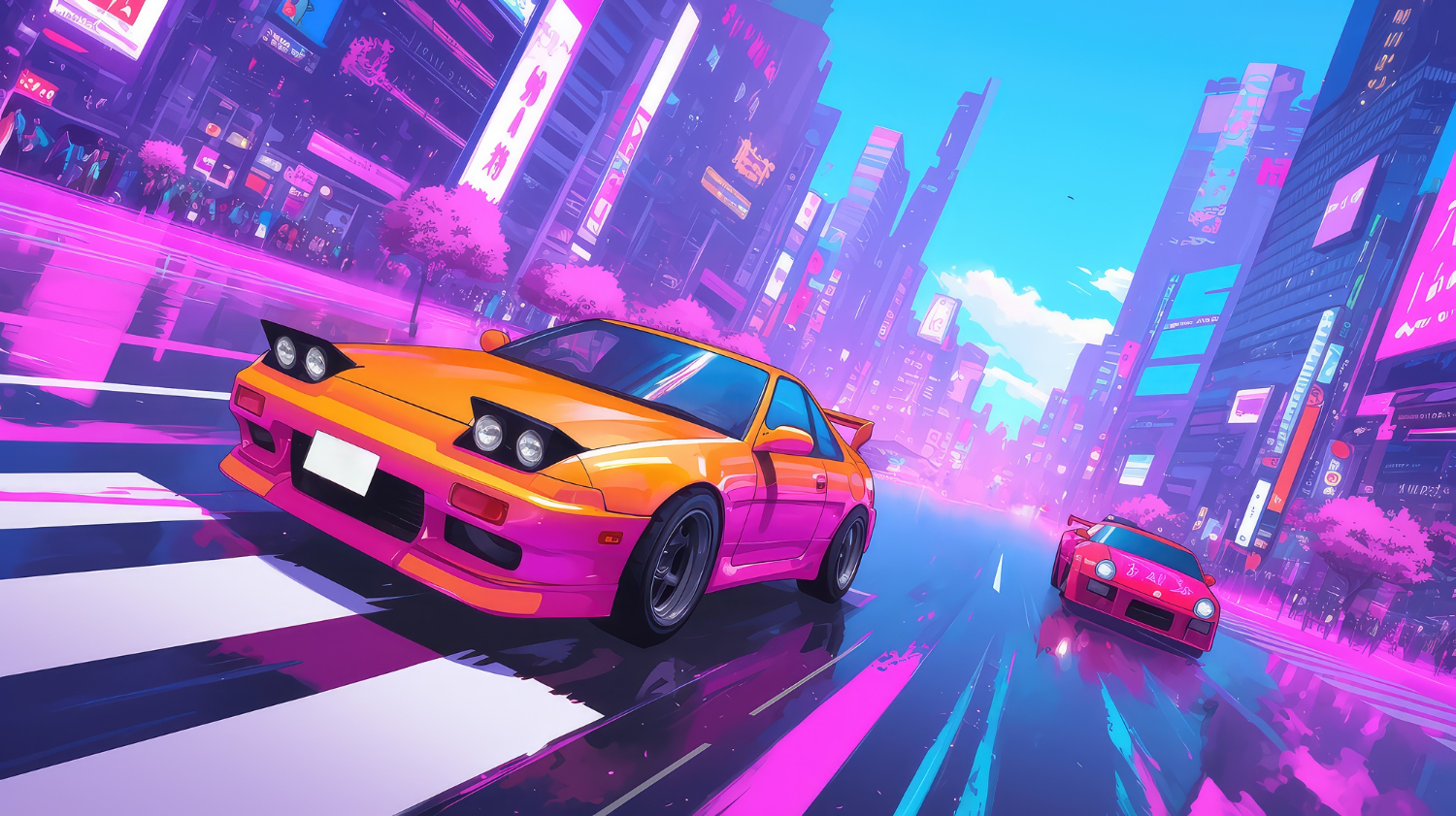
Drifting turns ordinary racing into something much more dynamic. Instead of simply following the fastest line around a track, players have to manage steering, acceleration, braking, and momentum while deliberately sending the car sideways through corners. The result is a style of racing that rewards timing and control while still being accessible to players looking for quick entertainment.
One of the biggest advantages of modern browser racing games is convenience. There is no need to install a large game client or spend time configuring complicated settings before getting behind the wheel. With a compatible browser and an internet connection, players can jump into a drifting challenge within minutes. For those looking for a collection of accessible titles, try the top free drifting games at the Drift Games Hub, where different styles of online drifting can be explored in one place.
Whether you prefer realistic handling, arcade-style action, obstacle courses, or score-based challenges, these 10 types of browser-based drifting games offer plenty of sideways racing fun.
1. Realistic Drift Simulators
For players who want to concentrate on technique, realistic drift simulators provide a more detailed driving experience. These games often give greater importance to vehicle weight, steering response, acceleration, and traction.
The objective is not simply to turn the car sharply and hold the accelerator. Successful drifting requires players to find the right balance between throttle and steering. These games can be particularly enjoyable for people who want to practice smooth transitions and controlled slides.
2. City Street Drifting Games
City-based drifting games put the action on urban roads surrounded by buildings, intersections, tunnels, and other obstacles. Their environments can make each corner feel different from the last.
Many of these games combine drifting with traditional checkpoint racing. Players need to maintain speed while avoiding barriers and staying on course. The compact layouts also make them suitable for short gaming sessions when you want a quick race rather than a lengthy campaign.
3. Mountain Drift Challenges
Mountain roads are naturally suited to drifting because they are filled with sharp bends and changes in direction. Browser games built around these environments usually emphasize precision and cornering.
A narrow road leaves less room for mistakes, so players have to judge their speed before entering each turn. Holding a long slide without touching the barriers can become a challenge in itself. These games are especially appealing to players who enjoy technical courses rather than wide racing circuits.
4. Drift Score Attack Games
Not every drifting game needs to be about finishing first. Score attack titles make the quality and length of your slides the central objective.
Players typically earn points for maintaining drifts, linking multiple corners, or achieving impressive angles. This creates a different kind of competition because the fastest route is not always the most rewarding one. A slower but longer controlled slide can sometimes produce a much higher score.
5. Stunt and Obstacle Drifting Games
Some online drifting games combine racing with stunt-based gameplay. Instead of simply navigating conventional tracks, players may encounter ramps, barriers, platforms, jumps, and unusual layouts.
These games are often more forgiving and arcade-oriented than realistic simulators. Their appeal comes from experimentation. Players can attempt dramatic slides, discover shortcuts, and figure out how to handle unusual obstacles while keeping the car moving.
6. Traffic Drifting Games
Traffic-based drifting games introduce another challenge: other vehicles. Players have to maintain control while navigating roads populated with moving cars.
The presence of traffic changes the rhythm of a drift. A corner that looks easy can suddenly become difficult when another vehicle occupies the ideal racing line. These games reward anticipation because players need to think about both the upcoming turn and the surrounding traffic.
7. Drift Racing Games With Car Customization
Customization can make an online drifting game feel more personal. Some browser titles allow players to change the appearance of their vehicles, while others provide upgrades that affect performance.
Visual customization might include different paint jobs, wheels, body styles, or other cosmetic details. Performance-focused games can go further by allowing adjustments to handling or acceleration. This adds another layer to the experience because players can experiment with different setups before returning to the track.
8. Time-Trial Drift Games
Time trials combine the technical nature of drifting with the pressure of the clock. Players must complete a course as quickly as possible while maintaining enough control to avoid costly mistakes.
The challenge is finding a balance between speed and precision. Entering a corner too aggressively can cause a spin or collision, while being overly cautious can result in a slow finish. Replaying the same course can therefore become part of the fun as players gradually improve their route and timing.
9. Multiplayer-Inspired Drift Competitions
Some browser-based racing games are designed around competitive features, leaderboards, or multiplayer-inspired challenges. Even when players are not directly racing against opponents in real time, rankings can provide an additional reason to keep practicing.
A leaderboard turns a simple drift into a personal challenge. After learning the track, players can attempt to improve their score, reduce their completion time, or achieve a longer uninterrupted slide. This format works particularly well for short online sessions because every attempt can produce a new target.
10. Casual Arcade Drifting Games
Sometimes the best choice is simply a game that is easy to understand and fun from the first attempt. Casual arcade drifting games typically use straightforward controls and exaggerated driving physics.
These titles are ideal when you do not want to spend time learning complicated mechanics. You can start a race, learn the basic controls, and begin experimenting with corners almost immediately. Their simple approach also makes them suitable for players who are new to drifting games.
What Makes a Browser Drifting Game Fun?
The strongest online drifting games tend to combine accessible controls with mechanics that reward practice. A game can be simple to start but still provide enough depth for players to improve over multiple attempts.
Track design is another important factor. A collection of interesting corners, changing road widths, obstacles, and different environments can make a game much more replayable. Vehicle handling also matters because drifting should feel responsive rather than completely random.
Most importantly, browser-based games benefit from keeping the experience convenient. When a player can open a page, select a car, and start drifting without a lengthy setup process, it becomes much easier to fit a few races into a break or casual gaming session.
Finding Your Next Online Drifting Challenge
Drifting games come in many forms, from technical mountain-road simulators to fast arcade races and score-based challenges. Some are designed around precision, while others focus on stunts, customization, or simply creating entertaining slides.
The variety is what makes browser-based drifting particularly appealing. You can try a realistic driving challenge when you want to concentrate on technique, then switch to a more casual arcade game when you want something faster and less demanding.
With so many online options available, there is always another corner to master, another score to beat, or another track to explore. All you need is a browser, a few minutes to spare, and a willingness to put your car sideways.

The perfect home setup can seem like the condition for taking games seriously: a permanent screen, familiar purchases, and every device within reach. That view misses what a trip can add. Playing abroad puts a familiar hobby next to local conversations, public spaces, and retail displays, so a short session can become a firsthand encounter with another gaming culture. The value comes from attention to place, not from treating travel as a method for changing rules.
Local arcades, game shops, conventions, cafés, esports spaces, and multilingual communities give play a setting that a desk at home cannot reproduce. They can also broaden a player’s sense of online participation, including discussions around game-related earning activity. A resource on how to make money online fits this travel lens when treated as part of international communities and events that reveal how people connect games with online opportunities, rather than as a detached shortcut.
Travel as Cultural Discovery, Not a Region Switch
Travel can reveal local release calendars, physical editions, regional promotions, and the games that receive visible attention in a particular market. It cannot promise earlier access or a different catalogue, because publishers and platforms set availability and release timing by region. The useful move is cultural discovery: browse displays, listen to conversation, and visit public gaming spaces when they are available. Those observations give a trip texture without turning geography into an account workaround.
A game that has been available at home may take on a different character when local players recommend it, discuss it, or display it prominently in stores. Keep three situations separate: playing an existing library abroad, buying a product in another country, and changing an account’s store region. Steam lets existing users keep seeing home-country prices and shop as usual while traveling. A store-country change is intended for people who have moved or live abroad for an extended period; it needs a payment method from that country and is generally limited to once every three months. PlayStation account country or region is selected at creation and cannot be changed later.
Choosing Digital Products With Account Context
Players can buy digital games through official platform stores or digital marketplaces. Eneba offers game keys and gift cards within a broad digital catalogue, while listing details can identify the relevant region and platform for a purchase.
Those details support smart product selection during a trip. Match a purchase to the account country, platform, and activation rules before checkout. PlayStation voucher codes must match the account’s country or region for activation, and some add-ons may not work with a physical game from another region. For physical editions, the relationship between the game’s region and an add-on deserves the same attention. This preparation keeps a purchase aligned with the account already in use.
Publisher and platform rules also determine DLC and preorder availability, so travel is no promise of content ahead of its stated release. The better travel setup values flexibility over a perfect room. A laptop, handheld, console already available at the destination, or a reliable existing account can keep gaming connected to the trip, depending on the game. Digital marketplaces like Eneba offer deals on digital products as a practical part of that travel toolkit.
Aimbot software feels like a shortcut. Anti-cheat feels like a coin flip until you actually look at the numbers, and then it stops feeling like a coin flip at all.
CS2’s Valve Anti-Cheat and VACnet system, Riot’s Vanguard, Activision’s Ricochet, and BattlEye all run different detection logic, different appeal odds, and wildly different ban cadences. Some wipe accounts in the tens of thousands. Others clear closer to a million in a single day.
None of that math changes because a product markets itself as undetectable. Undetectability is engineered risk reduction, not a promise. Battlelog.co builds toward that with 60+ hours of weekly QA and daily status updates, but the account still carries the exposure. Here’s what the risk actually looks like before deciding if aimbot ban risk is worth carrying into a ranked queue.
Key Takeaways
- Anti-cheat systems now ban faster and smarter than most players assume, whether it’s an aimbot, a wallhack, or ESP triggering the flag.
- False positives happen, and aim assist or high-refresh mice can get flagged too.
- VAC, Vanguard, Ricochet, and BattlEye differ sharply in strictness and appeal odds.
- Bans can spread beyond the game into streaming platforms and esports contracts.
- Undetectability is engineered risk reduction, never a guarantee against bans.
How Fast Anti-Cheat Actually Catches Aimbot Software
Valve doesn’t publish official VAC numbers, but community trackers paint a rough picture. Csstats.gg estimated 100,000+ CS2 accounts banned in July 2025 alone, the largest wave that year.
Ban Waves, Detection Timelines, and What the Numbers Show
Early 2026 cooled to roughly 57,000 bans over 30 days, still far above baseline. Daily volume usually sits in the low thousands, spiking past 9,000 on major wave days.
The outlier: on March 27, 2026, CS2 lead Ido Magal confirmed Valve banned 960,000 bot farm accounts in a single day, the largest ban operation in the game’s history. January 2026 alone saw 26,000+ accounts sanctioned in two weeks. None of this is instant detection. It’s pattern recognition catching up in batches, sometimes months later, and every wave means another round of permanent bans.
The Legal Fine Print Nobody Reads Before Cheating
Every EULA and terms of service agreement for CS2, Valorant, Call of Duty, and Fortnite bans cheat software explicitly. That’s not boilerplate, it’s the legal basis publishers use to justify permanent bans without refund.
ToS Violations, DMCA Claims, and Financial Exposure
Battle pass purchases, skins, and rank progress all get wiped with the account ban. Some anti-cheat vendors have pursued DMCA claims against cheat software developers directly, not users, but that legal exposure sits upstream of anyone running the software. The financial hit lands on the player either way: lost purchases, lost time, zero recourse through the platform. Account recovery isn’t part of the deal once a permanent ban lands.
VACnet, Vanguard, and the Machine Learning Watching Your Mouse
VACnet isn’t rule-based anymore. It’s a machine learning detection layer trained on millions of matches, flagging statistical anomalies in mouse movement, headshot ratio, and reaction timing.
Statistical Anomaly Models Explained Without the Jargon
Vanguard runs kernel level and always-on for Valorant, watching processes system-wide rather than just in-match. Ricochet does something similar for Warzone, cross-referencing input patterns against known aimbot and triggerbot signatures. Easy Anti-Cheat, used across several titles including Apex Legends and Fortnite, leans on similar heuristics.
None of these systems need to catch every cheat instantly. They need enough anomalies stacked up to justify a wave. That’s why detection often lags weeks behind actual aimbot and wallhack use, not hours.
Curious how a QA-driven product approaches that gap? Testing cadence factors heavily into engineered risk reduction against these exact detection models, so find out more here.
VAC vs Vanguard vs Ricochet vs BattlEye: Who Bans Hardest
Not every anti-cheat plays the same game. Some ban fast and loose, others wait and swing a heavier hammer. Knowing the difference matters before deciding where your aimbot ban risk is highest.
Kernel-Level Anti-Cheat and Strictness Compared
Vanguard runs kernel level and boots with Windows itself, giving Riot visibility other systems don’t get. That’s why Valorant bans skew fast and permanent, with almost no wiggle room for edge cases.
Ricochet takes a similar kernel level approach for Call of Duty, layering driver-level monitoring on top of server-side stats. Activision has leaned harder into this since 2023, targeting Cronus devices and traditional aimbots alike, including ESP and wallhack overlays.
VAC stays mostly usermode and statistical, which is part of why CS2 ban waves land in batches instead of real time. Easy Anti-Cheat sits somewhere in the middle, used across multiple titles including Apex Legends, with inconsistent strictness depending on the publisher’s configuration.
BattlEye splits the difference too, running kernel components in some games and lighter detection in others. None of these systems ban instantly, but the kernel-level ones close the detection window considerably. Some publishers escalate repeat offenders straight to an IP ban, cutting off new account creation from the same connection.
Appeal Policies Side by Side
Riot rarely reverses Vanguard bans once issued, treating them as final. Valve’s VAC bans are famously non-negotiable by design, permanent and untouchable through official support channels.
Activision offers a formal appeal path for Ricochet bans, though success rates for confirmed cheat software detection cases stay low. BattlEye’s appeal process varies by publisher, since BattlEye itself doesn’t run support, the game studio does. Account recovery after a confirmed aimbot ban is rare across all four systems, and a repeat offense can escalate an account ban into an IP ban on top of it.
When Aim Assist Gets Mistaken for an Aimbot
Here’s where things get messy. Anti-cheat doesn’t always know the difference between a skilled player and a scripted one.
Controller Input, High-Refresh Mice, and False Positives
Aim assist on controller inputs can mimic aimbot-style snapping, especially at tight FOV settings during close-range fights. Machine learning detection models flag statistical outliers, and unusually consistent tracking sometimes reads as one.
High-refresh mice paired with low sensitivity can also trigger false flags. Smooth, fast mouse movement across a wide FOV occasionally resembles the exact patterns anti-cheat trains itself to catch.
Console players crossing into PC lobbies via input converters face extra scrutiny too. Ricochet and Vanguard both watch for hardware signatures that suggest illegitimate legit hacking setups rather than raw skill, sometimes escalating straight to a hardware ban.
How to File an Appeal That Actually Gets Read
Support tickets that include match IDs, timestamps, and hardware specs get read faster than vague complaints. Screen recordings of the flagged session help more than any written explanation alone.
Keep language factual, skip the outrage. Reviewers move faster through appeals that look like evidence, not venting.
Beyond the Game Ban: Streaming, Esports, and Reputation Fallout
A ban doesn’t stay contained to one game client. It follows the account, and sometimes the person, well past the lobby.
Content Platform Policies
Twitch and YouTube both reserve the right to act on confirmed cheat software footage, especially if it’s tied to monetized content. Sponsorship deals often include morality clauses that treat a public ban as breach.
Contract Termination Risk for Competitive Players
Esports orgs treat confirmed aimbot use as a career-ending liability, not a minor infraction. An esports ban from a major title can end scrims, tournament eligibility, and signed contracts in the same week.
Competitive integrity rules at the org level often exceed what publishers require. Teams cut players preemptively just to protect sponsor relationships and league standing.
What Undetectable Software Actually Reduces (and What It Can’t)
No product erases risk entirely. What separates serious tools from throwaway ones is how the risk gets managed day to day.
Testing Cadence, Patch Response, and Refund Policy Explained
Battlelog.co runs randomized testing at least six times weekly against live anti-cheat builds, backed by 60+ hours of weekly QA. That cadence exists because detection models shift constantly, not once a season.
Immediate rebuilds follow every game patch, since a single anti-cheat update can flip a previously clean aimbot into a flagged one overnight. A daily-updated status page shows current detection state per title for aimbot, ESP, and wallhack products alike, no guesswork required.
HWID spoofers and cleaners get bundled into most products specifically because hardware bans and HWID bans hit harder than a simple account ban. A spoofer resets the hardware fingerprint tied to a prior HWID ban, though it does nothing against a network-level IP ban.
- Free swap or full refund if a product can’t be made to work against current detection.
- Sub-90-second live chat staffed by real agents, not bots, for urgent status questions.
- 493,751-member community sharing real-time reports on what’s holding up post-patch.
That’s engineered risk reduction. It’s not immunity, and no honest seller frames any cheat software that way. The current lineup covers aimbot, wallhack, ESP, and radar tools across supported titles, and availability rotates as the store refreshes regularly.
So, Is the Risk Worth It?
Depends what matters more: rank progress or the account itself. A permanent ban, hardware ban, or HWID ban can erase years of battle pass grinding overnight.
Anti-cheat keeps getting sharper, appeals stay a coin flip, and no cheat software removes risk completely. Engineered risk reduction is the honest ceiling here, not a promise. Account recovery almost never follows a confirmed aimbot ban, whether it happened in CS2, Fortnite, Apex Legends, or Warzone.
Weigh that before deciding whether dominating effortlessly is worth what’s on the line.
-
 Guides7 years ago
6 Proven Ways to Get more Instagram Likes on your Business Account
-
Mainstream12 years ago
BioWare: Mass Effect 4 to Benefit From Dropping Last-Gen, Will Not Share Template With Dragon Age: Inquisition
-
 Mainstream8 years ago
How to Buy Property & Safe Houses in GTA 5 (Grand Theft Auto 5)
-

 Guides2 years ago
Free Fire vs PUBG: Comparing Graphics, Gameplay, and More
-

 Guides2 years ago
50+ Free Fire ID and Passwords Login List (Giveaway) 2025
-
 Casual3 years ago
8 Ways to Fix Over-Extrusion and Under-Extrusion in 3D Printing
-

 Other2 years ago
Ajjubhai UID: Free Fire Details & Earnings
-

 Features2 years ago
Exploring Valorant eSports Stats: Unveiling the Metrics Behind Competitive Excellence