
Guides
How to Change Your Minecraft Username

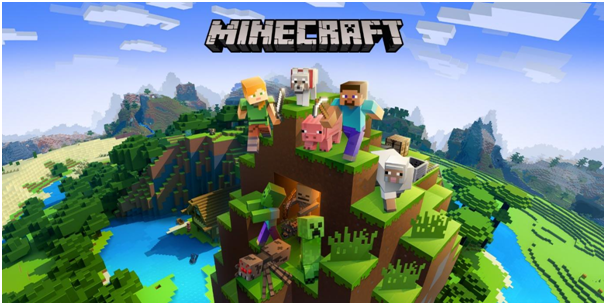
One of the easiest ways to distinguish yourself from other players is by adopting a unique Minecraft user name. Having a one-of-a-kind name can help you become noticed. In multiplayer games like Minecraft, the player’s unique username makes it simpler to identify them.
This article will teach you how you can change your Minecraft username easily. This can only be done once in 30 days, so you must be sure about the particular name that you are choosing.
3 Ways to Change Minecraft Username
Nothing is more aggravating than giving oneself the wrong name in the game. And things might become even worse if you don’t know how to modify your Minecraft user name. Here are the 3 methods by which you can change your Minecraft username:
Change Minecraft Username Via Mojang Account
Mojang is the most convenient way to change your name without spending a dime! It allows the user to alter the name by logging in with their Mojang account. To do so, you must first log in to your account. Let’s take basic steps to guarantee you don’t get off track:
- Launch your browser and navigate to the Mojang website.
- Click the Account button in the upper right corner of the screen.
- A Login button could be seen in the upper right corner of the screen. Click on that. (This step is only required if you are not logged in, if you are already logged in, then you can skip this step).
- Fill out all of the essential information and then press Login.
- From the center of the page, navigate to the profile name area.
- Click the Change button to the right of the user name.
- Now is the time to use all of your imagination to come up with a new name, and then fill up the column with it.
- Click the grey icon to check if the name has already been taken by another user.
- The red color indicates that the name is already in use, whereas the green color indicates that the new name that you have selected is available.
- If your preferred name is already taken, try an alternate spelling of the same name or try using uppercase letters, and then check for availability.
- Repeat this process until the desired results are obtained.
- Now enter the password in the box at the bottom of the screen. In this section, you will input your Minecraft password.
- When you enter your password, the name changes and the new user name is stored instantly.
- After you connect to Minecraft on the computer, you will see your new name (Windows and Mac).
Change Minecraft Username Via for Java Edition on Windows/Mac
To change the name, using a web browser, you need to navigate to the official Minecraft website.
- Go to the official website and sign in using the credentials you were given.
- Click the button located beneath the profile information tab.
- After you’ve logged in, scroll down to the bottom of the page.
- The current name on your profile will be displayed here.
- Click on the Change button.
- Ensure that users click the button to alter the name.
- A box appears to allow you to enter your new name.
- Fill in the blanks with your new name and select an option button for Changing Profile Name.
Change Minecraft Username Via for Bedrock Edition on Windows/Mac
Changing one’s name for Bedrock Edition may necessitate additional processes as well as a possible monetary payment for Bedrock gamers. These are the steps that you may follow:
- You need to pick “change account settings on Microsoft.com” on the same profile page.
- Then from the Microsoft website, select “your details” in the top-left corner of the screen.
- A player’s connected Xbox profile should be visible at the bottom of the “Your Info” page. Players may access their Xbox Live profile by visiting this Xbox link.
- Players will pick the “customize” button on the Xbox Live interface.
- Then click on the pencil symbol next to their Gamertag.
- This will take the player to a screen where he or she may create a new Gamertag.
Minecraft Username Rules & Restrictions
Your Minecraft username has a few restrictions. When deciding on a new name, you must keep in mind a few particularities about it. The platform also has certain limitations for a better user experience. The following are some restrictions to be aware of:
- The characters must have a reasonable length of around 3 to 16.
- Only one usage of special characters, such as underscores, is permitted.
- There should be no profane or abusive monikers.
- After 30 days, the name may only be changed once, so select wisely.
The old username that you have chosen will also be available for 7 days even after you have changed it. In case you wish to change it back to the old one, you can still do it in a 7-day time span. However, the Gamer tag cannot be changed as many times as the username. If you wish to do it several times, then you will have to pay.
Why can’t I change my Minecraft name?
Minecraft username can only be changed once every 30 days by the players, so if you are unable to change your username, it could be because you have recently changed it in the span of your 30 days window.
Is my previous name visible?
Yes, your previous name is always available to all the players as the old names can be saved and seen by other players.
How many times can you change your Minecraft username?
You can change your Minecraft username as many times as you want, however, there are a few restrictions about changing your name that you need to keep in mind, such as the rule that allows you to change your name only once in a 30 day time period, and keeping your name according to the special characters as mentioned in the terms.
Conclusion
Minecraft always gives its users a chance to change their usernames as an added advantage. We hope that the above article helped you understand how you can change your Minecraft username and the rules and regulations that must be kept in mind when trying to change your name.





Download Minecraft PE 1.21.131 APK for Android
Minecraft Bedrock 1.21.131 is a focused hotfix update — improved Spear combat, two important bug fixes, and better overall stability on Android. No new content, but a noticeably smoother experience.
Spear Knockback Improvement
The window during which a charged Spear attack can apply knockback has been extended. This makes combat feel more reliable — the attack now connects as expected without requiring pinpoint timing, especially useful when fighting multiple mobs at once.
Spear Animation Alignment
Charge attack animations now accurately sync with the Spear’s three gameplay phases: Engaged, Tired, and Disengaged. What you see on screen now matches what the game engine is actually doing — making combat more readable and reducing guesswork in fights.
Performance & Stability
Frame drops on mid-range Android hardware have been reduced. Memory handling improvements prevent sudden freezes during long play sessions. World loading and chunk generation are more reliable, reducing terrain “pop-in” when exploring or moving quickly.
Multiplayer Improvements
Backend updates improve session stability when players join or leave. Fewer disconnects and smoother synchronisation across Bedrock servers. Marketplace content and add-ons also load more consistently during multiplayer sessions.
Adventuring Time Achievement Fixed — The achievement no longer unlocks early. It now correctly requires visiting at least 17 biomes on PC, matching the intended design.
Marketplace Escape Key Fixed — Pressing Escape after using the Marketplace search now reliably returns players to the previous menu instead of getting stuck in a loop.
Add-on World Loading Fixed — A bug that triggered a “Block” error when loading or creating worlds with multiple add-ons installed has been resolved.
Download the APK
Tap one of the Download buttons above. Choose the Standard (no music) version if storage is limited, or the Full version for the complete experience. The ARM64 build is recommended for modern phones.
Enable “Install Unknown Apps”
Go to Settings → Security (or Privacy) → Install unknown apps. Enable the permission for your browser or file manager. Android requires this for any APK installed outside Google Play.
Open the APK File
Open your Downloads folder, find the Minecraft 1.21.131 APK, and tap it to launch the system installer. Follow the on-screen prompts.
Install Over Existing Version
In most cases you can install 1.21.131 directly over your existing Minecraft without losing any worlds or progress. If you see a signature conflict error, uninstall first — but back up your worlds beforehand.
Launch and Sign In
Open Minecraft, sign in with your Microsoft/Xbox Live account, and your existing worlds will load normally. Online multiplayer, Realms, and Marketplace content all work as before.
Download Minecraft PE 1.20 APK for Android
Get the full Minecraft Bedrock 1.20 (Trails and Tales) APK for Android. Supports Xbox Live sign-in. Multiple versions available — stable releases and preview builds.
Download the APK File
Tap the Download button above for the version you want. The APK file will save to your device’s Downloads folder.
Enable “Install Unknown Apps”
Go to Settings → Security or Privacy → Install unknown apps. Enable it for your browser or file manager. Android requires this for any APK installed outside of Google Play.
Open the Downloaded File
Open your Downloads folder (or tap the notification), find the Minecraft APK, and tap it to start the installer.
Confirm Installation
Tap Install and wait for the process to complete. If you see a “signature conflict” error, uninstall your existing Minecraft version first, then retry.
Launch and Sign In with Xbox Live
Open Minecraft, sign in with your Microsoft/Xbox Live account to access multiplayer, Realms, and cross-platform features.
-
 Guides7 years ago
6 Proven Ways to Get more Instagram Likes on your Business Account
-
Mainstream12 years ago
BioWare: Mass Effect 4 to Benefit From Dropping Last-Gen, Will Not Share Template With Dragon Age: Inquisition
-
 Mainstream8 years ago
How to Buy Property & Safe Houses in GTA 5 (Grand Theft Auto 5)
-

 Guides2 years ago
Free Fire vs PUBG: Comparing Graphics, Gameplay, and More
-

 Guides2 years ago
50+ Free Fire ID and Passwords Login List (Giveaway) 2025
-
 Casual3 years ago
8 Ways to Fix Over-Extrusion and Under-Extrusion in 3D Printing
-

 Other2 years ago
Ajjubhai UID: Free Fire Details & Earnings
-

 Features2 years ago
Exploring Valorant eSports Stats: Unveiling the Metrics Behind Competitive Excellence