
Guides
High risk merchant account: 101

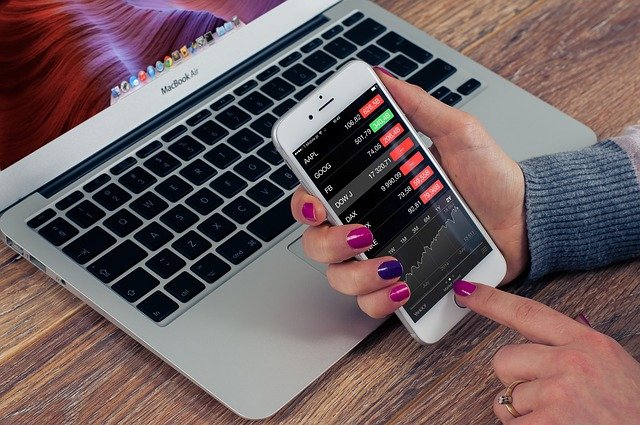
In the modern world, no e-commerce merchant can do without a bank online account and eWallet. However, if they want to be able to accept credit/debit cards, meaning to conduct electronic payments, they will need a payment processor, that links a seller, bank and financial networks.
Identifying your business as a high-risk one means that a bank evaluates it as such that possesses a greater chance of a chargeback, fraud or simple returns. You may say: “OK, so what? How does it change my way of doing business?” Let’s figure it out.
A high risk merchant account: definition and characteristics
A high risk merchant account is defined as a particular defined set of services that will allow a seller to conduct operations with online payments. It usually is accompanied by different harsher regulations and fees in comparison to low-risk (standard) accounts.
When you open account, e.g. bank online account for selling and getting the revenue you have to find a payment processor. They will check your scope of operation and take into account all possible dangerous factors, such as susceptibility to chargebacks and other malicious activities.
On this basis, they will label your account as the one where the risk is high or low. Simply put, if your company can possibly be hazardous in terms of financial loss to the institution, you will receive a high risk merchant account.
One of the most important criteria that defines your status is average monthly sales. For example, in the USA that number should be above 20000 USD, in the UK (Europe) – 15000 GBP (approximately 18000 EUR).
Are there any advantages of having a high risk merchant account?
While the drawbacks of such accounts may seem quite unfriendly, there are some benefits if you’re ready to spend more money on account maintenance.
- International sale. A high risk merchant account gives you access to international payment operations using different currencies and shipping your goods all over the world. As a result, you get the chance to expand your scope by getting access to oversee markets.
- More payment acquiring alternatives. While standard merchants are limited to accepting particular types of payments, high-risk ones get more options:
- Regular payment option for your customers;
- A larger range of goods and services to offer grows your chances to earn more money;
- The ability to process higher sales volumes.
- Top chargeback protection. With this option, you can be sure that your bank online account will be tightly secured. There is a set limit of chargebacks and when it’s exceeded low-risk accounts may get postponed or even terminated. High-risk ones will be limited with a card-accepting pause. But remember to take care of your chargeback issues to prevent major problems.
Even with these benefits, it’s vital to choose a trustworthy processor that will mitigate the risk.
How to establish a high risk merchant account?
If you decided that you need one, you have to find a reliable payment processor, like Maxpay.com. You will be asked to open account and connect your eWallet to it. With this, you will be able to use a range of MaxPay services, aimed at protecting you from facing larger scam and chargeback rates.
Summary
A high-risk account is nothing to be afraid of. While it has some drawbacks, it also opens many doors to bigger earnings. All you have to do is to find a solid processor and let them do their job.

Download Minecraft PE 1.21.131 APK for Android
Minecraft Bedrock 1.21.131 is a focused hotfix update — improved Spear combat, two important bug fixes, and better overall stability on Android. No new content, but a noticeably smoother experience.
Spear Knockback Improvement
The window during which a charged Spear attack can apply knockback has been extended. This makes combat feel more reliable — the attack now connects as expected without requiring pinpoint timing, especially useful when fighting multiple mobs at once.
Spear Animation Alignment
Charge attack animations now accurately sync with the Spear’s three gameplay phases: Engaged, Tired, and Disengaged. What you see on screen now matches what the game engine is actually doing — making combat more readable and reducing guesswork in fights.
Performance & Stability
Frame drops on mid-range Android hardware have been reduced. Memory handling improvements prevent sudden freezes during long play sessions. World loading and chunk generation are more reliable, reducing terrain “pop-in” when exploring or moving quickly.
Multiplayer Improvements
Backend updates improve session stability when players join or leave. Fewer disconnects and smoother synchronisation across Bedrock servers. Marketplace content and add-ons also load more consistently during multiplayer sessions.
Adventuring Time Achievement Fixed — The achievement no longer unlocks early. It now correctly requires visiting at least 17 biomes on PC, matching the intended design.
Marketplace Escape Key Fixed — Pressing Escape after using the Marketplace search now reliably returns players to the previous menu instead of getting stuck in a loop.
Add-on World Loading Fixed — A bug that triggered a “Block” error when loading or creating worlds with multiple add-ons installed has been resolved.
Download the APK
Tap one of the Download buttons above. Choose the Standard (no music) version if storage is limited, or the Full version for the complete experience. The ARM64 build is recommended for modern phones.
Enable “Install Unknown Apps”
Go to Settings → Security (or Privacy) → Install unknown apps. Enable the permission for your browser or file manager. Android requires this for any APK installed outside Google Play.
Open the APK File
Open your Downloads folder, find the Minecraft 1.21.131 APK, and tap it to launch the system installer. Follow the on-screen prompts.
Install Over Existing Version
In most cases you can install 1.21.131 directly over your existing Minecraft without losing any worlds or progress. If you see a signature conflict error, uninstall first — but back up your worlds beforehand.
Launch and Sign In
Open Minecraft, sign in with your Microsoft/Xbox Live account, and your existing worlds will load normally. Online multiplayer, Realms, and Marketplace content all work as before.
Download Minecraft PE 1.20 APK for Android
Get the full Minecraft Bedrock 1.20 (Trails and Tales) APK for Android. Supports Xbox Live sign-in. Multiple versions available — stable releases and preview builds.
Download the APK File
Tap the Download button above for the version you want. The APK file will save to your device’s Downloads folder.
Enable “Install Unknown Apps”
Go to Settings → Security or Privacy → Install unknown apps. Enable it for your browser or file manager. Android requires this for any APK installed outside of Google Play.
Open the Downloaded File
Open your Downloads folder (or tap the notification), find the Minecraft APK, and tap it to start the installer.
Confirm Installation
Tap Install and wait for the process to complete. If you see a “signature conflict” error, uninstall your existing Minecraft version first, then retry.
Launch and Sign In with Xbox Live
Open Minecraft, sign in with your Microsoft/Xbox Live account to access multiplayer, Realms, and cross-platform features.
-
 Guides7 years ago
6 Proven Ways to Get more Instagram Likes on your Business Account
-
Mainstream12 years ago
BioWare: Mass Effect 4 to Benefit From Dropping Last-Gen, Will Not Share Template With Dragon Age: Inquisition
-
 Mainstream8 years ago
How to Buy Property & Safe Houses in GTA 5 (Grand Theft Auto 5)
-

 Guides2 years ago
Free Fire vs PUBG: Comparing Graphics, Gameplay, and More
-

 Guides2 years ago
50+ Free Fire ID and Passwords Login List (Giveaway) 2025
-
 Casual3 years ago
8 Ways to Fix Over-Extrusion and Under-Extrusion in 3D Printing
-

 Other2 years ago
Ajjubhai UID: Free Fire Details & Earnings
-

 Features2 years ago
Exploring Valorant eSports Stats: Unveiling the Metrics Behind Competitive Excellence