
Guides
How to Choose the Right Laptop for Your Job

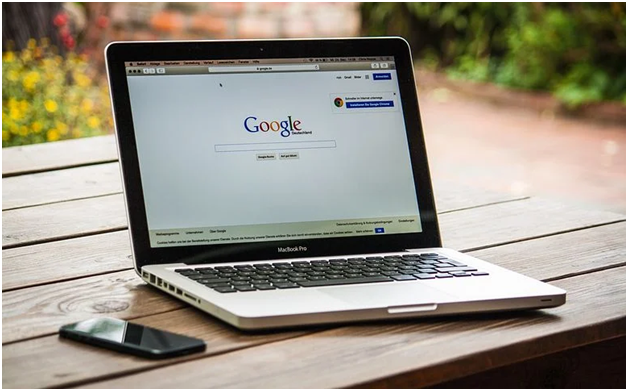
More and more people have computers these days. Teenagers use them for gaming or playing music. Others have them for their photography hobby, or to create their own videos. Added to that is the universal interest in the internet.
Virtually no business exists without having a computer presence. With the option of remote working, people are bringing laptops with them everywhere. It’s commonplace to see people perched in coffee shops, performing their daily jobs. As more and more people are forced to work from home due to Covid, sales of computers and laptops have soared.
Whenever someone needs to buy a laptop for work, they may feel overwhelmed by all the choices and information available. Different people have different needs and preferences, and it can be hard knowing what’s the best choice. This article is here to help.
Research Online
We can only discover so much information about laptops by walking around a computer store. There’s no guarantee the staff will provide the best advice or the cheapest deal. The computer technicians at https://www.laptopblogger.com/best-laptops-for-writers/ say more and more people are checking online review sites to gain the best recommendations. People seek to know what both the professionals and the public think of different laptops, and what are their strengths and weaknesses.
People also want to research such technical things as RAM, graphics cards, and CPU specifications.
Assess Your Work Needs
Write down all the different tasks that are performed weekly for work. Some people only need the internet, email, and such Microsoft applications as Word or Excel. These things don’t put a huge strain upon laptops or use uploads of battery life. As a result, a basic laptop may be sufficient. It will be cheaper too.
Other employees need to produce work videos and presentations. They may work with music files too. In such cases, a more powerful laptop would be required, with bigger memory and a quality graphics card.
Assess Your Memory Requirements
If someone uses a Mac laptop, their data may be stored in the iCloud. Other people may use Google Drive for storage. It’s also possible to use USB sticks and external drives to hold and transfer data. They do present the risk of theft or accidental file removal, however.
Laptops have different storage capacities, and people get what they pay for. The more RAM, the higher the cost. If a laptop is busy storing lots of information this will reduce the battery capacity on a daily basis. That may not be a problem if someone always works near a power source, however.
Think About Portability
Laptop sizes vary quite a bit these days. Those with 13’’ screens are small and easy to carry around. This would be great if someone was always seeing customers or traveling on buses or trains with it.
17’’ screens give a fuller visual experience, but the laptop will be on the heavier side.
Decide On Apple Or Windows
Someone who already has an iPhone or iPad may wish to buy a Mac laptop. The cloud data could be shared and synced on each gadget. Apple computers are more user-friendly than Windows, in the opinion of many.
There will always be people who opt for Windows laptops, however. They are more popular than Mac laptops in fact – although this doesn’t mean they are superior. Windows 10 includes software called Defender, which daily scans for viruses and threats. Anyone anxious to protect their work data may be wise considering additional software protection.
Think About Communication
In addition to using email or such applications like Slack, many employees use video calling. This enables colleagues to see each other as well as hear them. There are a number of ways this can be done, using such platforms as Zoom, WhatsApp, Facetime or Skype.
Not all laptops include the built-in camera that is needed for this purpose. Anyone who wants this facility and doesn’t want to buy an external camera will be wise buying a laptop with one built-in.
Consider Disk Drives
We’ve already mentioned memory and storage, but there is more to think about here. Many modern laptops have stopped including an external disc drive. This means no more capacity to play a CD or DVD.
If someone regularly creates and copies discs for work purposes, they would miss the lack of CD copying facilities. An external drive could be purchased and plugged into the laptop if required. Some people may prefer to have it all integrated from day one, however.
As we can see, there is plenty of food for thought. If a wise purchase is made, it will serve the business to its optimum for many years to come.

Download Minecraft PE 1.21.131 APK for Android
Minecraft Bedrock 1.21.131 is a focused hotfix update — improved Spear combat, two important bug fixes, and better overall stability on Android. No new content, but a noticeably smoother experience.
Spear Knockback Improvement
The window during which a charged Spear attack can apply knockback has been extended. This makes combat feel more reliable — the attack now connects as expected without requiring pinpoint timing, especially useful when fighting multiple mobs at once.
Spear Animation Alignment
Charge attack animations now accurately sync with the Spear’s three gameplay phases: Engaged, Tired, and Disengaged. What you see on screen now matches what the game engine is actually doing — making combat more readable and reducing guesswork in fights.
Performance & Stability
Frame drops on mid-range Android hardware have been reduced. Memory handling improvements prevent sudden freezes during long play sessions. World loading and chunk generation are more reliable, reducing terrain “pop-in” when exploring or moving quickly.
Multiplayer Improvements
Backend updates improve session stability when players join or leave. Fewer disconnects and smoother synchronisation across Bedrock servers. Marketplace content and add-ons also load more consistently during multiplayer sessions.
Adventuring Time Achievement Fixed — The achievement no longer unlocks early. It now correctly requires visiting at least 17 biomes on PC, matching the intended design.
Marketplace Escape Key Fixed — Pressing Escape after using the Marketplace search now reliably returns players to the previous menu instead of getting stuck in a loop.
Add-on World Loading Fixed — A bug that triggered a “Block” error when loading or creating worlds with multiple add-ons installed has been resolved.
Download the APK
Tap one of the Download buttons above. Choose the Standard (no music) version if storage is limited, or the Full version for the complete experience. The ARM64 build is recommended for modern phones.
Enable “Install Unknown Apps”
Go to Settings → Security (or Privacy) → Install unknown apps. Enable the permission for your browser or file manager. Android requires this for any APK installed outside Google Play.
Open the APK File
Open your Downloads folder, find the Minecraft 1.21.131 APK, and tap it to launch the system installer. Follow the on-screen prompts.
Install Over Existing Version
In most cases you can install 1.21.131 directly over your existing Minecraft without losing any worlds or progress. If you see a signature conflict error, uninstall first — but back up your worlds beforehand.
Launch and Sign In
Open Minecraft, sign in with your Microsoft/Xbox Live account, and your existing worlds will load normally. Online multiplayer, Realms, and Marketplace content all work as before.
Download Minecraft PE 1.20 APK for Android
Get the full Minecraft Bedrock 1.20 (Trails and Tales) APK for Android. Supports Xbox Live sign-in. Multiple versions available — stable releases and preview builds.
Download the APK File
Tap the Download button above for the version you want. The APK file will save to your device’s Downloads folder.
Enable “Install Unknown Apps”
Go to Settings → Security or Privacy → Install unknown apps. Enable it for your browser or file manager. Android requires this for any APK installed outside of Google Play.
Open the Downloaded File
Open your Downloads folder (or tap the notification), find the Minecraft APK, and tap it to start the installer.
Confirm Installation
Tap Install and wait for the process to complete. If you see a “signature conflict” error, uninstall your existing Minecraft version first, then retry.
Launch and Sign In with Xbox Live
Open Minecraft, sign in with your Microsoft/Xbox Live account to access multiplayer, Realms, and cross-platform features.
-
 Guides7 years ago
6 Proven Ways to Get more Instagram Likes on your Business Account
-
Mainstream12 years ago
BioWare: Mass Effect 4 to Benefit From Dropping Last-Gen, Will Not Share Template With Dragon Age: Inquisition
-
 Mainstream8 years ago
How to Buy Property & Safe Houses in GTA 5 (Grand Theft Auto 5)
-

 Guides2 years ago
Free Fire vs PUBG: Comparing Graphics, Gameplay, and More
-

 Guides2 years ago
50+ Free Fire ID and Passwords Login List (Giveaway) 2025
-
 Casual3 years ago
8 Ways to Fix Over-Extrusion and Under-Extrusion in 3D Printing
-

 Other3 years ago
Ajjubhai UID: Free Fire Details & Earnings
-

 Features2 years ago
Exploring Valorant eSports Stats: Unveiling the Metrics Behind Competitive Excellence