
Guides
Unity vs Unreal Engine – Which Gaming Engine Is Right For You?

Key Takeaways
- Unity is more beginner-friendly and ideal for indie developers.
- Unreal Engine excels in high-quality graphics and complex game development.
- Both engines support cross-platform development, but Unity has a slight edge.
Choosing the right game engine is crucial for each game developer – whether you’re an indie creator or part of a big franchise. There are multiple options, but the major debate centers around the two big names – Unity vs Unreal.
On one hand, Unity is praised for its user-friendly design and versatility, making it a popular choice among newcomers and indie developers. On the other hand, Unreal Engine is known for it’s stunning graphics and advanced capabilities, appealing to those working on more complex projects. In this article, we’ll break down the strengths and weaknesses of both engines to help you make the best choice for your game development needs.
Understanding Unity Engine
Overview of Unity
Unity is a very popular game engine, and it’s been around for quite a while. It’s become a go-to choice for developers all over the world because it lets you do a lot of things in one place, like build simulations, edit videos and sound, and create animations. It’s known for being versatile and supporting both 2D and 3D game development. You can use it to make games for many different platforms, including mobile, desktop, and consoles. This means you can develop your game once and then put it out everywhere, which saves a lot of time. It’s like a friendly neighborhood cafe.
Key Features of Unity
Unity has a bunch of features that make it a solid choice for game development. Here are a few:
- It has a comprehensive toolset, which is great for both 2D and 3D game development. It includes a visual scene editor, animation tools, and a physics engine.
- It supports cross-platform deployment, so you can put your games on mobile, desktop, and consoles. This makes it flexible for developers who want to reach a wide audience.
- Unity uses C# for scripting, which is a powerful way to develop complex game mechanics. Some say it’s more beginner-friendly than Unreal’s scripting, but still powerful for experienced developers.
Unity is known for its fast iteration cycles, partly because it minimizes code usage. If you want to build a quick prototype for a pitch, Unity could be the way to go.
And don’t forget the UI Toolkit that helps you build user interfaces.
Target Audience for Unity
Unity is often recommended for independent developers just starting in game development. Its user-friendly interface makes it great for beginners who want to explore game development with software that isn’t too complicated (and is often free). It’s also a good choice for smaller teams or projects with limited resources.
Unity’s ease of use and the availability of assets in the Asset Store can speed up development. It’s also a solid choice for those focusing on 2D games. It’s not just for beginners, though; many professional studios use Unity for various projects. It’s a versatile engine that can handle a lot. It’s like a comprehensive toolset for game creation.
Also Read: Pokemon Emerald Cheats: List of Cheat Codes
Exploring Unreal Engine
Overview of Unreal
Unreal Engine is a robust game development tool known for its capacity to create high-fidelity games and simulations. It’s a favorite for AAA titles and projects that demand top-tier visual quality. Unreal is used across industries, from game development to film and architecture, because of its advanced rendering capabilities and comprehensive toolset.
Key Features of Unreal
Unreal Engine comes packed with features that make it a powerhouse for developers:
- High-Fidelity Graphics: Unreal is known for its stunning visuals, advanced lighting, and realistic physics simulations. This makes it ideal for creating immersive experiences.
- Blueprint Visual Scripting: This node-based system allows developers to create gameplay mechanics and interactions without writing code, making it accessible to artists and designers.
- C++ Support: For advanced users, Unreal Engine offers full access to its source code, allowing for deep customization and optimization. This is a big plus for those who want to push the engine to its limits.
- Extensive Toolset: Unreal includes tools for animation, cinematic creation, level design, and more, providing a complete solution for game development.
Unreal Engine’s focus on visual quality and powerful tools makes it a top choice for developers aiming to create cutting-edge games and simulations. Its flexibility and scalability allow for projects of any size, from indie games to large-scale productions.
Target Audience for Unreal
Unreal Engine is a great fit for:
- AAA Game Developers: Studios creating high-budget, visually intensive games often choose Unreal for its advanced rendering capabilities and performance optimizations. The Unreal Engine is a powerful and versatile tool utilized by millions of developers.
- Experienced Developers: While Blueprint scripting lowers the barrier to entry, a solid understanding of programming concepts and game development pipelines is beneficial for fully utilizing Unreal’s potential.
- Architectural Visualization: Architects and designers use Unreal to create interactive and photorealistic visualizations of buildings and environments.
- Filmmakers and Animators: Unreal Engine is increasingly used for virtual production, allowing filmmakers to create real-time rendered scenes and animations.
Also Read: Game Remake vs. Remaster — Is There a Difference?
Ease of Use and Learning Curve
Choosing a game engine isn’t just about features; it’s also about how easy it is to learn and use. You want to spend more time creating and less time wrestling with the software, right? Let’s break down the learning curves for Unity and Unreal Engine.
Unity’s User-Friendly Interface
Unity is often praised for its intuitive interface. It’s designed to be approachable, even if you’re new to game development. The visual editor is drag-and-drop friendly, making it easy to assemble scenes and add components to game objects. Scripting is primarily done in C#, which is a widely used and relatively easy-to-learn language. Unity’s asset store also provides pre-made assets and tools, further simplifying the development process. This ease of use makes Unity a popular choice for beginners and indie developers. If you’re looking to speed up builds on Windows, there are tools available to help.
Unreal’s Complexity
Unreal Engine, on the other hand, has a steeper learning curve. While it offers powerful tools and stunning graphics capabilities, mastering Unreal requires a deeper understanding of programming concepts. The engine uses C++ as its primary scripting language, which can be more challenging to learn than C#. Unreal’s interface, while robust, can also feel overwhelming at first. However, Unreal’s Blueprint visual scripting system offers a more accessible entry point for those who prefer a node-based approach to programming. It’s worth noting that Unreal Engine is free to use, with a 5% royalty applied if your product earns more than $1 million.
Also Read: Is The Elder Scrolls Online Cross Platform
Best Practices for Beginners
No matter which engine you choose, there are some best practices to keep in mind when starting out:
- Start with simple projects: Don’t try to create an AAA game on your first try. Begin with smaller, manageable projects to learn the basics.
- Follow tutorials: There are tons of free and paid tutorials available online for both Unity and Unreal Engine. Take advantage of these resources to learn from experienced developers.
- Join the community: Both Unity and Unreal Engine have large and active communities. Don’t be afraid to ask for help and share your progress.
Choosing between Unity and Unreal Engine often comes down to your experience level and the type of game you want to create. Unity is generally easier to pick up and is great for 2D and mobile games. Unreal Engine offers more advanced features and is better suited for visually stunning 3D games, but it requires more time and effort to learn. Consider your goals and resources before making a decision.
Graphics and Performance Comparison
Visual Quality in Unity
Unity is pretty good for making games look nice, especially if you’re going for a stylized look or working on a 2D project. It’s not that Unity can’t do realistic graphics, but it often requires more work and extra assets to get there. You might need to tweak settings and use specific shaders to really push the visual limits. It’s also worth noting that Unity’s lighting system, while improved over the years, can sometimes be a bit tricky to get just right. But, for many indie developers, Unity offers a sweet spot between visual appeal and ease of use. Unity Engine is known for its flexibility.
Visual Quality in Unreal
Unreal Engine is often seen as the king of visual fidelity. It’s built to create stunning, realistic graphics right out of the box. The engine’s rendering capabilities are top-notch, and it includes advanced features like global illumination and physically-based rendering. This means that materials look more realistic, lighting is more dynamic, and overall, the visuals are just more impressive. Games like “Fortnite” and “Gears of War” show off what Unreal can do. If you’re aiming for AAA-quality graphics, Unreal is often the go-to choice.
Performance Considerations
When it comes to performance, both engines have their strengths and weaknesses. Unity is generally more lightweight and can run on a wider range of devices, including mobile phones and older PCs. However, this can sometimes come at the cost of visual quality. Unreal, on the other hand, is more demanding and typically requires more powerful hardware.
Here’s a quick rundown:
- Unity is better for 2D games and games targeting low-end devices.
- Unreal is better for high-fidelity 3D games and VR/AR applications.
- Both engines have optimization tools, but Unreal is often better optimized out-of-the-box for high-end visuals.
Choosing between Unity and Unreal often comes down to balancing visual quality with performance needs. If you’re making a mobile game, Unity might be the better choice. If you’re making a AAA game for PC or consoles, Unreal might be a better fit.
Also Read: How Big is Fortnite? System Requirements [Complete Size Guide]
Development Flexibility and Capabilities
2D vs 3D Game Development
Both Unity and Unreal Engine are powerhouses when it comes to both 2D and 3D game development, but they approach it differently. Unity is often favored for 2D projects due to its simpler workflow and dedicated 2D tools. Unreal Engine, while capable of 2D, really shines with its 3D capabilities. Unreal’s robust rendering engine and visual scripting system, Blueprint, make it a strong choice for visually stunning 3D games. It’s not that you can’t make a great 2D game in Unreal, but Unity tends to be more straightforward for that purpose.
Cross-Platform Support
If you want your game to reach as many players as possible, cross-platform support is key. Both engines do a pretty good job here, allowing you to deploy your game to various platforms, including PC, consoles, mobile, and web. Unity has been known for its ease of building for different platforms, but Unreal has been catching up. The choice might depend on the specific platforms you’re targeting and how well each engine supports them. For example, if you’re targeting niche consoles, you’ll want to check the engine’s compatibility.
Asset Store and Resources
Having access to a wide range of assets and resources can seriously speed up development. Both Unity and Unreal have their own asset stores, but they differ in content and pricing. The Unity Asset Store is known for its huge selection of assets, covering everything from models and textures to scripts and tools. Unreal Engine Marketplace also has a lot of stuff, but it tends to focus more on high-quality, AAA-ready assets.
Choosing between Unity and Unreal for development flexibility really comes down to your project’s needs. If you’re making a 2D game or need broad platform support, Unity might be the better choice. If you’re focused on high-fidelity 3D graphics and have the resources to invest in high-quality assets, Unreal could be the way to go.
Also Read: How Many GB is Valorant: Storage Guide
Cost and Licensing Models
Choosing between Unity and Unreal Engine isn’t just about features; it’s also about the money. Both engines offer ways to get started for free, but their long-term cost structures differ significantly. Understanding these differences is key to making a financially sound decision for your project.
Unity Pricing Structure
Unity has gone through some changes recently, and it’s important to stay up-to-date. They primarily use a subscription-based model. This means you pay a recurring fee to use the engine and its tools. The specifics of the subscription depend on your revenue and the size of your team.
There’s Unity Personal, which is free but has limitations, and then there are paid plans like Unity Pro and Enterprise, which unlock more features and support. It’s worth checking their website for the latest details, as things can change quickly. The recent controversy around the Runtime Fee caused a lot of confusion, so make sure you’re looking at the most current information.
Unreal Pricing Structure
Unreal Engine takes a different approach. It’s free to use during development, and you only start paying when your game or application begins generating revenue. The standard model involves paying royalties to Epic Games (the creators of Unreal Engine) once you exceed a certain revenue threshold.
As last checked, this was $1 million in gross revenue. The royalty is typically a percentage of your gross revenue after that point. This can be appealing for smaller teams or indie developers who don’t want to front the cost of a subscription. However, if your game becomes a massive hit, those royalties can add up. It’s a good idea to use a royalty calculator to estimate potential costs.
Free vs Paid Features
Both Unity and Unreal offer a range of features in their free versions, but the paid versions unlock additional capabilities and support. Here’s a quick rundown:
- Unity: The free version is great for learning and small projects, but it includes a Unity splash screen. Paid versions remove the splash screen, offer better support, and unlock advanced features like cloud services and analytics.
- Unreal Engine: The free version is surprisingly powerful, with access to almost all of the engine’s features. The main difference is the royalty structure once you start earning significant revenue. You get access to the full engine, including source code, regardless of whether you’re paying royalties or not.
- Support: Paid versions of both engines typically come with better support options, which can be crucial for larger teams or complex projects. Consider the level of support you’ll need when making your decision.
Ultimately, the best choice depends on your specific circumstances. If you’re just starting out or working on a small project, the free versions of either engine might be sufficient. However, as your project grows and your revenue increases, you’ll need to carefully consider the costs and benefits of each engine’s licensing model. Don’t forget to factor in potential support costs and the value of additional features offered in the paid versions.
Also Read: How Long Does it Take to Download Fortnite on PC
Final Thoughts
In the end, picking between Unity and Unreal Engine really comes down to what you need for your project. Unity is like that reliable friend who’s always there to help you get started, especially if you’re new to game development. It’s user-friendly and perfect for smaller games or prototypes. On the other hand, Unreal Engine is like that flashy sports car—great for those who want stunning visuals and are ready to tackle a steeper learning curve. Both engines have their strengths, so think about your goals, your team, and what kind of game you want to create. No matter which one you choose, you’re on the path to making something awesome!

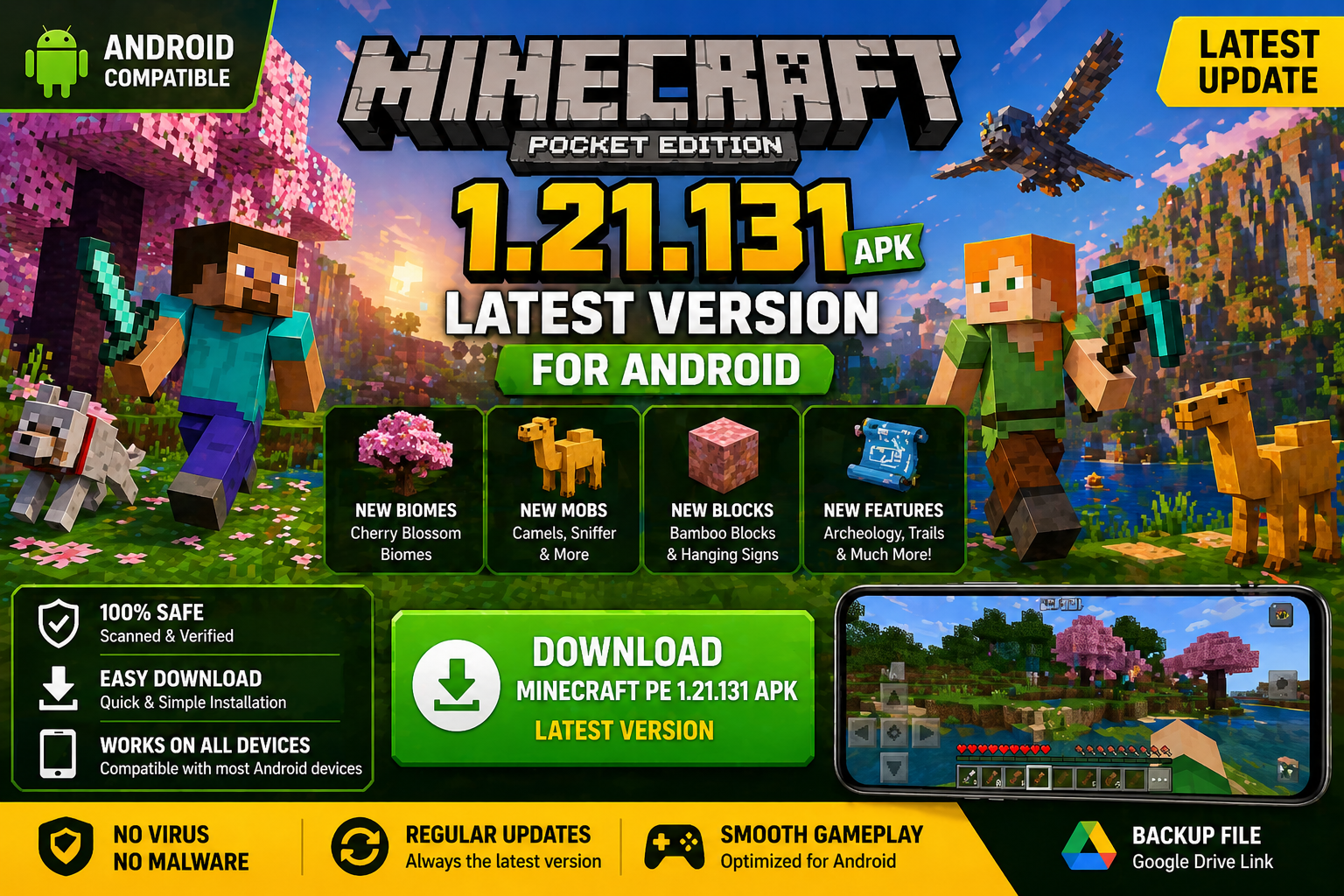
Download Minecraft PE 1.21.131 APK for Android
Minecraft Bedrock 1.21.131 is a focused hotfix update — improved Spear combat, two important bug fixes, and better overall stability on Android. No new content, but a noticeably smoother experience.
Spear Knockback Improvement
The window during which a charged Spear attack can apply knockback has been extended. This makes combat feel more reliable — the attack now connects as expected without requiring pinpoint timing, especially useful when fighting multiple mobs at once.
Spear Animation Alignment
Charge attack animations now accurately sync with the Spear’s three gameplay phases: Engaged, Tired, and Disengaged. What you see on screen now matches what the game engine is actually doing — making combat more readable and reducing guesswork in fights.
Performance & Stability
Frame drops on mid-range Android hardware have been reduced. Memory handling improvements prevent sudden freezes during long play sessions. World loading and chunk generation are more reliable, reducing terrain “pop-in” when exploring or moving quickly.
Multiplayer Improvements
Backend updates improve session stability when players join or leave. Fewer disconnects and smoother synchronisation across Bedrock servers. Marketplace content and add-ons also load more consistently during multiplayer sessions.
Adventuring Time Achievement Fixed — The achievement no longer unlocks early. It now correctly requires visiting at least 17 biomes on PC, matching the intended design.
Marketplace Escape Key Fixed — Pressing Escape after using the Marketplace search now reliably returns players to the previous menu instead of getting stuck in a loop.
Add-on World Loading Fixed — A bug that triggered a “Block” error when loading or creating worlds with multiple add-ons installed has been resolved.
Download the APK
Tap one of the Download buttons above. Choose the Standard (no music) version if storage is limited, or the Full version for the complete experience. The ARM64 build is recommended for modern phones.
Enable “Install Unknown Apps”
Go to Settings → Security (or Privacy) → Install unknown apps. Enable the permission for your browser or file manager. Android requires this for any APK installed outside Google Play.
Open the APK File
Open your Downloads folder, find the Minecraft 1.21.131 APK, and tap it to launch the system installer. Follow the on-screen prompts.
Install Over Existing Version
In most cases you can install 1.21.131 directly over your existing Minecraft without losing any worlds or progress. If you see a signature conflict error, uninstall first — but back up your worlds beforehand.
Launch and Sign In
Open Minecraft, sign in with your Microsoft/Xbox Live account, and your existing worlds will load normally. Online multiplayer, Realms, and Marketplace content all work as before.
Download Minecraft PE 1.20 APK for Android
Get the full Minecraft Bedrock 1.20 (Trails and Tales) APK for Android. Supports Xbox Live sign-in. Multiple versions available — stable releases and preview builds.
Download the APK File
Tap the Download button above for the version you want. The APK file will save to your device’s Downloads folder.
Enable “Install Unknown Apps”
Go to Settings → Security or Privacy → Install unknown apps. Enable it for your browser or file manager. Android requires this for any APK installed outside of Google Play.
Open the Downloaded File
Open your Downloads folder (or tap the notification), find the Minecraft APK, and tap it to start the installer.
Confirm Installation
Tap Install and wait for the process to complete. If you see a “signature conflict” error, uninstall your existing Minecraft version first, then retry.
Launch and Sign In with Xbox Live
Open Minecraft, sign in with your Microsoft/Xbox Live account to access multiplayer, Realms, and cross-platform features.
-
 Guides7 years ago
6 Proven Ways to Get more Instagram Likes on your Business Account
-
Mainstream12 years ago
BioWare: Mass Effect 4 to Benefit From Dropping Last-Gen, Will Not Share Template With Dragon Age: Inquisition
-
 Mainstream8 years ago
How to Buy Property & Safe Houses in GTA 5 (Grand Theft Auto 5)
-

 Guides2 years ago
Free Fire vs PUBG: Comparing Graphics, Gameplay, and More
-

 Guides2 years ago
50+ Free Fire ID and Passwords Login List (Giveaway) 2025
-
 Casual3 years ago
8 Ways to Fix Over-Extrusion and Under-Extrusion in 3D Printing
-

 Other2 years ago
Ajjubhai UID: Free Fire Details & Earnings
-

 Features2 years ago
Exploring Valorant eSports Stats: Unveiling the Metrics Behind Competitive Excellence