
Video Games
PS6 Specs Leak: Full Technical Sheet and PS5 vs PS5 Pro Comparison

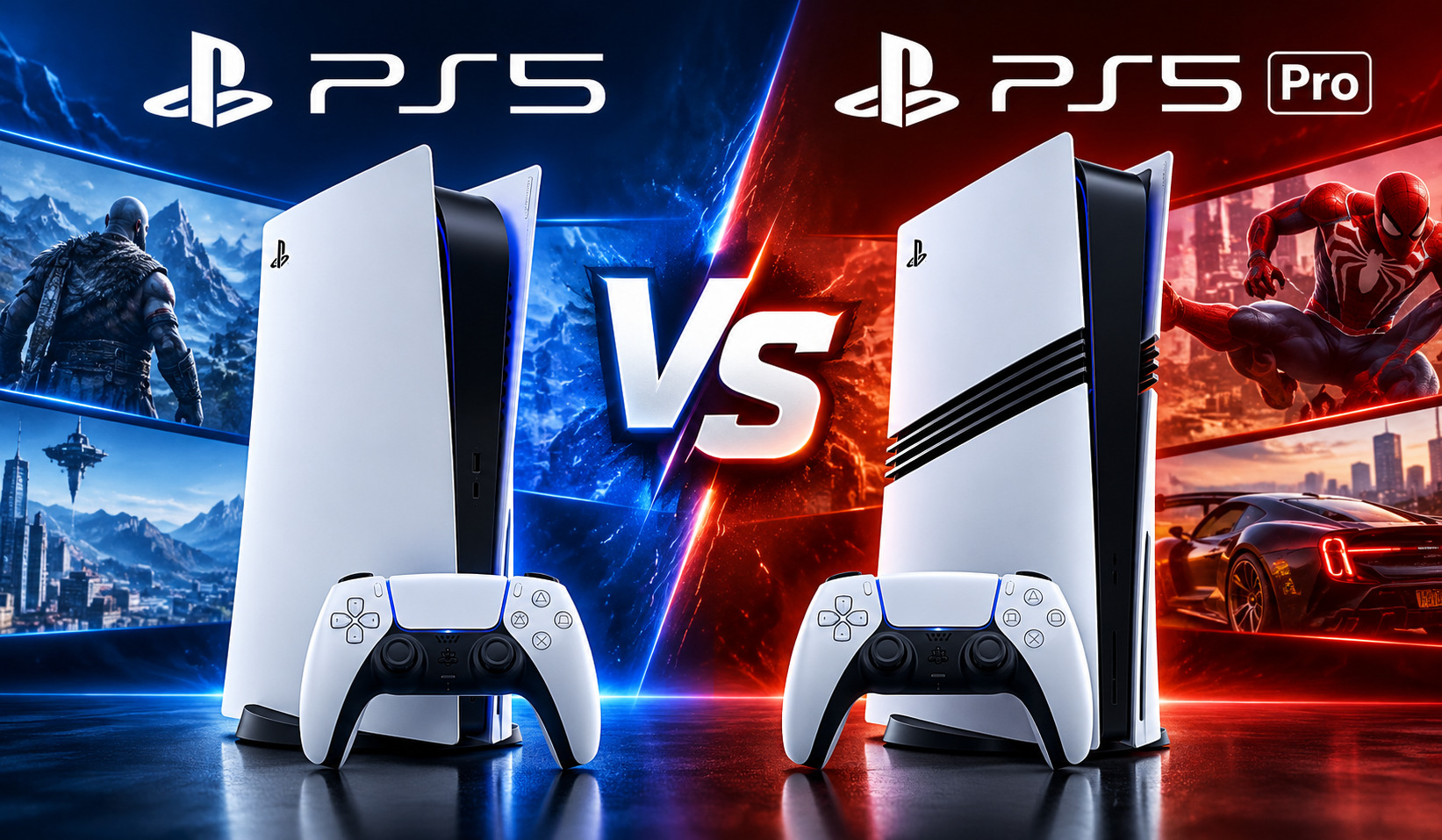
The PlayStation 6 is currently still a rumor, but the PS6 specs discussion has already begun. Leakage and reports suggest that AMD will deliver a new graphics architecture with faster CPUs, more powerful ray tracing, AI graphics acceleration, and higher memory bandwidth.
Here’s a list of what the latest PS6 specs are supposedly, the differences between the PS6 and PS5 and PS5 Pro, and what to believe and not to believe about the report.
PS6 Specs: What the Latest Leaks Claim
The most detailed leak reports describe a custom AMD APU, sometimes referred to as “Orion.” The reported design combines a Zen 6-class CPU with a next-generation AMD graphics architecture and GDDR7 memory.
| Specification | PS6 expected specs |
| CPU | AMD Zen 6-class |
| CPU configuration | 8 cores or 9–10 cores in different leaks |
| GPU | AMD RDNA 5-based |
| Compute Units | Around 40–54 CUs |
| GPU clock | Around 2.6–3.0 GHz |
| FP32 compute | Roughly 34–40 TFLOPS |
| Memory | 30–40GB GDDR7 |
| Memory bus | 160-bit to 192-bit |
| Memory bandwidth | Around 640GB/s |
| Process | 3nm reported |
| Power target | Around 160W reported |
| Resolution target | 4K |
| Frame-rate target | 4K/120fps expected |
| Ray tracing | Major generational upgrade rumored |
| AI upscaling | Expected |
| Backward compatibility | PS4 and PS5 widely expected |
These numbers are not a final Sony specification sheet. TechPP’s current PS6 tracker similarly labels the hardware as expected rather than officially confirmed, with some figures varying significantly between leak sets.
Zen 6 CPU Could Be a Huge PS6 Upgrade
One of the most important changes may happen away from the GPU.
The PS5 and PS5 Pro use custom eight-core Zen 2 CPUs. The PS6 is widely rumored to move to Zen 6-class cores. Some reports describe eight full Zen 6 cores, while others suggest a mixed design with seven or eight Zen 6C cores plus two low-power Zen 6 cores.
Modern games increasingly rely on the CPU for physics, AI, simulation, NPC behavior, and open-world environments. A newer architecture could therefore enable denser worlds without sacrificing frame rates. Clock speeds and the final core configuration remain unknown, however.
RDNA 5 Graphics and the Real PS6 Performance Story
The graphics department is where the PS6 leaks really shine.
It’s expected to have an RDNA 5-based GPU with roughly 40 to 54 compute units and a performance of around 34-40 TFLOPS in FP32 performance. Compared to the base PS5, which is rated at around 10.28 TFLOPS, and the PS5 Pro at 16.7 TFLOPS, it’s safe to say this one has promise.
TFLOPS can’t be directly converted into gaming performance due to the difference in architecture, but this would represent a huge jump in raw rendering power. Some estimates put it at around 2.5 to 3 times the raster performance of the original PS5, although this number should be taken with a grain of salt as it’s based mostly on leaks and not on any official benchmarks.
Keeping your games up to date is just as important as having the right hardware, so knowing How to Update Minecraft Bedrock on PC can help ensure you’re playing with the latest features and fixes.
Ray Tracing Could Be the Biggest Difference
If the PS6 has one technical feature that could visibly separate it from today’s PlayStation consoles, it may be ray tracing.
The PS5 introduced hardware-accelerated ray tracing, while the PS5 Pro increased ray-tracing performance substantially. Sony has also been working with AMD on technologies aimed at improving ray tracing and machine-learning graphics.
The most aggressive PS6 leaks claim a 6x to 12x improvement in ray-tracing performance over PS5. That range is far from confirmed, but it explains why PS6 discussions are increasingly focused on lighting rather than simply resolution.
A stronger RT architecture could make reflections, shadows, global illumination, and other lighting effects less expensive.
GDDR7 Memory: Why It Matters
The rumored transition from GDDR6 to GDDR7 is one of the other big components of this PS6 specs discussion.
Leaks suggest somewhere in the region of 30GB of GDDR7 in certain configurations while others suggest up to 40GB. A common talking point is 160-bit wide interface running at roughly 32 Gbps, which would yield around 640GB/s of bandwidth.
To put that in context, the PS5 currently has 16GB of GDDR6 with around 448GB/s of bandwidth while the PS5 Pro bumps that up to roughly 576GB/s.
More memory and bandwidth would enable a much more powerful GPU and the potential for larger game worlds than we’ve ever seen, although memory figures may well change ahead of launch.
PS6 vs PS5 vs PS5 Pro: Specs Comparison
| Feature | PS5 | PS5 Pro | PS6 expected |
| CPU | 8-core Zen 2 | 8-core Zen 2 | Zen 6-class |
| GPU | Custom RDNA 2 | Custom upgraded RDNA | RDNA 5-based |
| Compute Units | 36 | 60 | 40–54 rumored |
| FP32 | 10.28 TFLOPS | 16.7 TFLOPS | 34–40 TFLOPS rumored |
| Memory | 16GB GDDR6 | 16GB GDDR6 + 2GB DDR5 | 30–40GB GDDR7 rumored |
| Bandwidth | 448GB/s | 576GB/s | ~640GB/s rumored |
| AI upscaling | No PSSR at launch | PSSR | Advanced AI reconstruction expected |
| Ray tracing | Hardware RT | Improved RT | Major upgrade rumored |
| Storage | 1TB-class SSD | 2TB SSD | Not reliably leaked |
| 4K gaming | Yes | Yes | 4K/120fps target |
| Backward compatibility | PS4 | PS4 | PS4 + PS5 expected |
The PS5 and PS5 Pro columns represent released hardware, while the PS6 column consists of reported targets. That distinction is crucial when reading online comparison charts.
As gaming technology advances, tools like Vivid2201 Game Patches: Elevating the Standard for Modern Gaming highlight how software updates can improve performance, fix bugs, and enhance the overall gaming experience.
PS5 vs PS5 Pro: Where the Current Generation Stands

The PS5 Pro remains the most powerful officially released PlayStation model in this comparison. Sony gave it a larger GPU, faster memory, improved ray tracing, and PSSR, its AI-assisted image reconstruction technology.
Sony has stated that the PS5 Pro can deliver up to 45% faster rendering than the standard PS5. It also has 67% more compute units and memory that is 28% faster than the base PS5.
The PS6, if the leaks materialize, would be a different kind of upgrade. Instead of simply increasing GPU resources, it appears designed around newer CPU architecture, faster memory, advanced ray tracing, and deeper use of machine learning.
Will PS6 Support 8K?
8K appears in some PS6 rumor discussions, but it should not be treated as a confirmed gaming target.
The more consistently reported target is 4K gaming at high frame rates, particularly 120fps. An 8K output mode could exist for certain media or less demanding experiences, but there is currently no reliable Sony specification confirming native 8K gaming.
That distinction matters because “8K output” and “rendering a modern game natively at 8K” are very different things.
PS6 Release Date and Price: What We Know
The PS6 has no officially announced release date or price. Earlier reporting pointed toward 2027, while more recent reports suggest late 2028, with 2029 also discussed.
Some unofficial estimates place different PS6 models anywhere from roughly $350 to nearly $1,000, but there is no confirmed Sony pricing information. For now, launch timing and pricing remain open questions.
Players looking to get the most out of their gaming setup can explore Tech Hacks PBLinuxGaming: Smart Tweaks for Competitive Game to discover practical ways to improve performance and gain a competitive edge.
Final Thoughts
The most interesting part of the PS6 rumors is the direction of the hardware.
Sony appears to be moving toward CPU performance, machine learning, ray tracing, and memory bandwidth working together rather than relying mainly on raw raster power. Zen 6, RDNA 5, GDDR7, and AI-assisted rendering would fit that strategy.
But there is a large gap between an engineering target and a retail console. The reported 34–40 TFLOPS, 30–40GB memory, 6x–12x ray tracing claims, and 2028–2029 launch window could all change.
Until Sony officially reveals the PlayStation 6, the safest way to read the PS6 specs leaks is as a glimpse into possible hardware—not a finished technical sheet. The PS5 and PS5 Pro are known quantities; the PS6 is still the fascinating unknown.
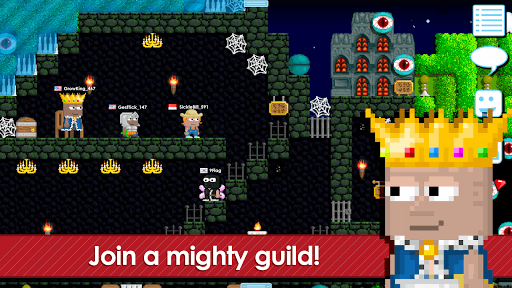
Growtopia has been running long enough that it has its own economy, its own slang, and a player base that treats world ownership the way other MMOs treat guild halls. It is a 2D sandbox where every world is built by someone, every item has a market value, and most of the content you play was made by another person rather than a design team. Published under the name Ubisoft Entertainment, it sits in the Adventure category on mobile stores, though in practice it behaves like a persistent online world with crafting, farming and trading at its core.
The pitch is simple. You get a blank world, a seed, and a few blocks. What you do with that is entirely up to you.
What Makes Growtopia an MMO Rather Than a Sandbox Toy
The distinction matters because it changes how people play. Worlds in Growtopia are shared spaces with names, locks and access rules, so building something is only half the activity. The other half is showing it to people, defending it, or charging admission in the form of world locks, the game’s informal currency.
Farming is the engine underneath all of it. You splice seeds, grow trees, harvest blocks and gems, then either use the materials or sell them. Thousands of unique items exist, and the ones that stop being obtainable become collector pieces. That is how a game about punching dirt turned into something with a secondary market and players who specialise in trading rather than building.
Mini games are the third pillar. Parkour runs, races, PVP arenas, puzzle worlds and story worlds are all player-generated, which means the catalogue grows constantly and quality varies wildly. Finding a good one is part of the experience.
Costumes, Status and the Social Layer of Growtopia
Growtopia leans hard on costume items. You can put together a space knight with a lightsaber, a doctor, a wizard, a queen with a dragon following her around, and the parts come from drops, events and the market. Appearance carries social weight here. Veteran players are recognisable on sight, and rare items function as a status marker in a way that is closer to an MMO than a casual builder.
Seasonal events bring in limited items and themed worlds, and the community organises around them, with trading servers and world shops filling up whenever a new batch lands. If you are the kind of player who enjoys spreadsheet-adjacent market games, that layer alone can hold your attention longer than the building does.
Running Growtopia on Windows for Longer Building Sessions
On a phone, Growtopia works fine for quick harvesting runs and checking your worlds, but placing blocks precisely with a thumb over the screen gets tedious during a large build, and trade chat is slow to type. That is the gap a desktop setup fills, and players who download Growtopia for Windows through an Android emulator usually do it for the keyboard, the mouse precision on block placement, and the ability to keep a wiki or item price list open in another window while they work.
The approach is the standard one: an Android environment running on your PC, with the game installed inside it. Nothing about Growtopia requires heavy hardware, so this is less about performance than about input and screen space.
Where New Players Usually Get Stuck
The early game is slow if you do not know what you are doing. New accounts start with limited inventory space and no world locks, and the fastest route forward is farming a cheap, reliable tree rather than chasing rare items. Learning what splices into what saves hours.
The other common trap is trusting strangers with your items. Scam attempts are a known part of the game’s social landscape, and the drop-and-trade culture makes them easy to fall for.
Shop world owners running a storefront for weeks, or players grinding toward one specific rare splice, are the ones who feel the difference a keyboard makes most: typing out prices in trade chat, lining up blocks exactly, keeping a splice list open while they farm. That’s less a phone game habit and more a routine, which is exactly what a bigger screen and a mouse are built for.
A Minecraft server can look simple from the outside: blocks, tools, farms, and a chat feed moving by at speed. Spend time on established community servers, though, and a much more structured system appears. Prices form around rare materials. Labor gets paid through plugins. Land carries upkeep costs. Whole districts become trade zones with their own routines and unwritten rules. What started as shared survival spaces has, over time, turned into a patchwork of functioning economies shaped by code, scarcity, and player behavior. The strongest servers do not leave that process to chance. They build rules that keep trade moving, wealth circulating, and resource pressure from tearing the whole system apart.
Server currencies, trade, land value, and controlled markets
Community servers use different economic systems depending on how players earn, exchange, and spend resources. Some rely on physical goods such as diamonds or emeralds, while others use plugin-based currencies connected to Vault and EssentialsX. Custom tokens are another option, often distributed through quests, daily tasks, or server events. Each model influences how administrators manage prices, resource availability, and currency circulation.
Player-operated shops form another part of these economies. Chest shops, trading posts, and automated farms allow players to exchange materials, equipment, and crafted goods. On Towny and SMP servers, land ownership also influences prices. Plots near town centers, transport routes, or established marketplaces can command higher prices because they provide better access to customers and trading infrastructure.
Chance-based minigames can operate within these controlled economies, allowing players to use server tokens in activities determined partly by random outcomes. However, virtual-currency minigames differ from real-money casino games, where wagers and payouts involve actual financial transactions. The distinction becomes clearer when comparing server minigames with established table-game categories, including variants grouped under 32Red Tafelspelen. While both formats may use recognizable mechanics involving cards, random outcomes, or virtual chips, their payment structures, currency values, and regulatory requirements are fundamentally different.
Towny and Skyblock produce opposite economic pressures
Two of the clearest examples of economic design in Minecraft are Towny-based survival servers and Skyblock networks. Towny usually produces a decentralized market. Players gather from a finite world, claim land, organize towns, and trade under natural limits set by distance, terrain, and time. Scarcity has weight because ore veins, building space, and safe transport all depend on the map and on local control. In that setting, a currency can act like soft fiat through plugins or remain tied to commodities such as diamonds. Either way, prices emerge from uneven supply and local demand.
Skyblock moves in the opposite direction. Resource generation is often engineered through island systems, minions, spawners, cobblestone generators, and admin-defined progression loops. That setup pushes servers toward a centralized economy, with hard fiat coins minted through tasks, sales, or automated actions. Global auction houses and instant-sell bazaars replace regional trade routes because distance has little meaning. Wealth moves faster, but scarcity is weaker unless administrators create strict sinks.
Those structural differences explain why the same item can hold very different value across server types. In Towny, labor and geography keep prices uneven. In Skyblock, automation and rapid turnover can flatten markets unless upgrades, cosmetic spending, and special enchants absorb currency. One format rewards regional commerce. The other needs firm top-down tuning to prevent runaway accumulation.
Jobs, guilds, and paid labor turn routine tasks into market roles
Many long-running servers add job systems to make repetitive work pay in a predictable way. Mining, farming, woodcutting, fishing, and crafting become income sources through plugin frameworks that assign fixed rewards per action. That changes the economy in a direct way. Instead of relying only on resale value, players can estimate returns from time spent on labor. A wheat farm is no longer useful only for food or villager trading. It becomes part of a wage loop backed by server rules.
Guilds and town groups build on that foundation. A settlement may hire members to gather stone for walls, stock community shops, or harvest wood for construction. Large factions often divide labor into roles: suppliers, builders, transport handlers, and traders. This creates a labor market with visible pay rates and known specialties. Newer players gain a route into the economy through work rather than land ownership or rare gear.
Paid labor also gives administrators another balancing tool. If item prices fall because supply gets too high, wage outputs can be adjusted or tied to daily caps. If a server wants to push agriculture, shipping, or brewing, it can reward those jobs more strongly for a period. That level of control keeps markets moving without forcing every decision through direct price setting.
Wealth gaps appear fast when sinks and limits are too weak
Unregulated Minecraft economies often run into the same pattern. Early adopters secure land, automate farms, and gain access to trade first. Their position compounds over time, especially when there are few maintenance costs and no meaningful limits on stockpiling. The result can be extreme wealth inequality. On some servers, staff have reported Gini-style patterns that resemble severe concentration in real-world economies. Once that happens, normal trade starts to weaken because too much value sits with too few players.
Inflation often grows alongside that gap. If server money is created faster than goods leave circulation, prices climb and common labor pays less in real terms. This happens often on servers with unchecked mob farms, loose sell-shop values, or stacked automation that floods the market around the clock. Rich players can absorb the shift. New arrivals usually cannot.
Communities that stay healthy tend to install several drains at once. Land upkeep taxes remove passive hoards. Nation maintenance in Towny pushes groups to stay productive. Auction fees clip rapid reselling. Limited plots near spawn stop a few players from owning all prime retail space. Some servers also reset resource worlds on a schedule so extraction continues without collapsing the main map’s settlement structure.
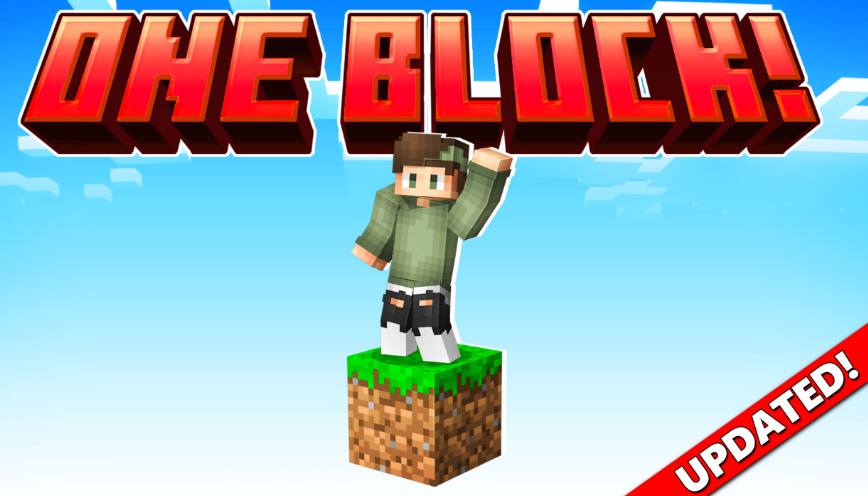
Minecraft is known for giving players endless freedom to create, explore and survive. However, starting a new world can sometimes feel overwhelming, especially when the available resources are limited. One Block survival maps add an extra challenge by changing the traditional Minecraft experience. Instead of exploring a large world from the beginning, players start with a single block and must carefully use every resource they receive.
The popular One Block by Dodo Studios experience for Minecraft Bedrock introduces players to this unique survival concept. While the idea may seem simple, many new players quickly discover that success requires planning, patience and smart decision-making.
Rushing Through The First Stages Too Quickly
One of the most common mistakes beginners make in One Block Minecraft Bedrock is progressing too quickly without preparing their surroundings. Since almost every block can provide important resources, breaking blocks without thinking about what comes next can create unnecessary challenges.
New players often focus only on collecting materials instead of building a safe and organised starting area. Creating storage, setting up basic tools and making sure there is enough space to expand can make a significant difference later in the game.
A good strategy is to treat the first stages as a preparation phase. Even simple improvements, such as creating platforms and organising resources, help players avoid losing valuable items or running into problems when new challenges appear.
Forgetting The Importance Of Resource Management
Another mistake many beginners make is using resources without considering future needs. In a traditional Minecraft world, players can usually travel to new areas to collect missing materials. In One Block gameplay, every resource has more value because progression depends on the blocks that appear.
Players should think carefully before crafting items or using rare materials. Building too many unnecessary objects early on can slow down progress and make later stages more difficult.
Learning how to manage limited resources is one of the most rewarding parts of this type of Minecraft challenge. It encourages players to plan ahead and understand the importance of every decision they make.
Missing Opportunities To Explore New Minecraft Experiences
Many Minecraft players enjoy survival mode because it allows them to create their own goals. However, custom maps and Marketplace content can introduce completely new ways to play. Exploring additional experiences is a great way to discover challenges that are different from the standard Minecraft formula.
Players looking for new adventures can visit Minecraft Bedrock Marketplace to discover a wide range of worlds, add-ons and creative projects. These experiences allow players to try different gameplay styles while keeping the familiar Minecraft foundation.
One Block-style challenges are a good example of how small changes can completely transform the way players approach the game. Instead of simply collecting materials and building freely, players must think strategically and adapt to unexpected situations.
Minecraft continues to remain popular because it gives players the freedom to create their own adventures. Whether someone is new to survival gameplay or an experienced builder looking for a fresh challenge, custom worlds and add-ons offer countless possibilities.
Avoiding common beginner mistakes can make the One Block experience more enjoyable and rewarding. With better planning, careful resource management and a willingness to explore new content, players can turn a single block into the foundation of an impressive Minecraft world.
-
 Guides7 years ago
6 Proven Ways to Get more Instagram Likes on your Business Account
-
Mainstream12 years ago
BioWare: Mass Effect 4 to Benefit From Dropping Last-Gen, Will Not Share Template With Dragon Age: Inquisition
-
 Mainstream8 years ago
How to Buy Property & Safe Houses in GTA 5 (Grand Theft Auto 5)
-

 Guides2 years ago
Free Fire vs PUBG: Comparing Graphics, Gameplay, and More
-

 Guides2 years ago
50+ Free Fire ID and Passwords Login List (Giveaway) 2025
-
 Casual3 years ago
8 Ways to Fix Over-Extrusion and Under-Extrusion in 3D Printing
-

 Other3 years ago
Ajjubhai UID: Free Fire Details & Earnings
-

 Features2 years ago
Exploring Valorant eSports Stats: Unveiling the Metrics Behind Competitive Excellence