
Guides
Huawei MateBook 14s Overview

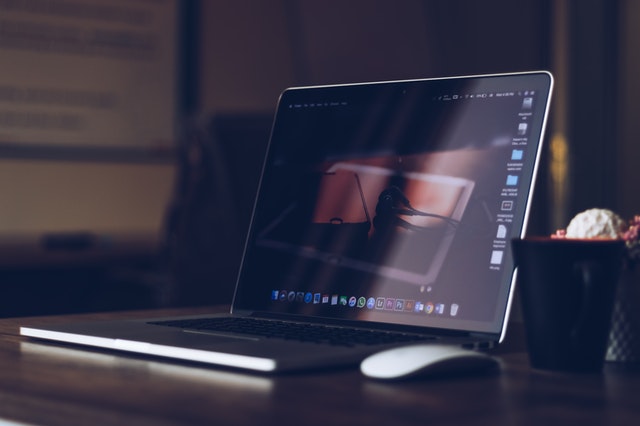
Huawei is known for producing high-quality laptops. The MateBook X was the first company to include Dolby Atmos audio on a 13-inch laptop, and it’s always pushed for high screen-to-body ratios, high-quality keyboards, and more. Huawei MateBook 14 is one of the first laptops to debut with Windows 11, and it has several common features among the current computers. Here is an overview of Huawei Matebook 14s.
Price and Availability
The MateBook 14s is presently available in much of Europe and Asia, while no plans for a North American release have been announced.
Two configurations available in the UK and much of Europe, either directly from Huawei or via retailers such as Amazon:
- £1,199/€1,349 for i7+16GB+512GB
- £1,299/€1,549 for i7+16GB+1TB+Thunderbolt 4
The £100 extra for double capacity and greater connection makes sense in the UK, but the €200 cost in much of Europe makes this less interesting unless you need a TB4.
Battery-life
The battery life is more than sufficient for a workday, with an average of 13 hours and 23 minutes on the PCMark 10 benchmarks and 12 hours and 17 minutes when watching a looping film. That offers you enough time to work or study for a whole day, watch an episode or two of your favourite shows, play online games with the offers such as GGBet no deposit bonus, and perform some basic everyday things like online shopping without worrying about finding a power outlet.
Design
The Huawei MateBook 14s follow in the footsteps of other Huawei laptops, such as MateBook 16 and MateBook Pro X. It boasts a CNC machined aluminium chassis that is remarkably light at 3.1 pounds/1.4 kg. It is somewhat heavier than both the Dell XPS 13 and the MacBook Air, but only marginally, and we had no trouble carrying it for hours on a commute.
It’s well-made and appears scratch-resistant, so you won’t have to worry about actual damage if it gets dirty. However, we discovered that fingerprints were easy to leave on the surface, so bring some cleaning wipes with you if you want to keep everything looking brand new.
Ports are a concern on this laptop, as they are on many others, due to manufacturers’ attempts to narrow down chassis designs. You only get one USB-A port (the conventional kind of USB); however, it is at least USB 3.2, which might be a problem if you have a lot of accessories to put into your tablet.
Two USB-C connections, one of which serves as the laptop’s charging port, a regular audio jack, and an HDMI port for connecting to an external display for extra items, are also included. However, it oddly lacks Thunderbolt certification. If you upgrade to the Evo model, you’ll have Thunderbolt connections, which provide quicker data transfer speeds. This is something to think about if you have a lot of huge files to add and remove from your laptop.
Buttons
With tactile keys that emit a faint, quiet click, typing on the Huawei MateBook 14s feels satisfyingly responsive. Nothing is squishy, and everything is well-organized, with the power button on the laptop’s top right-hand side rather than integrated into the keyboard.
Because it’s out of the way, you’re less likely to make a mistake and put your laptop to sleep. In our tests, the power button also acts as a competent fingerprint reader, detecting the user’s print every time and preventing non-users from obtaining access.
You won’t find a numeric keypad on this laptop, which isn’t surprising considering its size. The arrow keys are also a little smaller than you’re accustomed to but getting used to them didn’t take long.
Touchpad
The touchpad is wide and has a pleasant, slight roughness to it for added grip; however, if you’re clumsy, the absence of distinct left/right buttons may be bothersome.
Screen
The 14.2-inch screen features a resolution of 2520 x 1680p (also known as 2.5K) and a 16:10 aspect ratio. This display size, dubbed the ‘golden ratio’ by firms like MSI, is becoming more prevalent due to the additional height being very useful for productivity.
The screen has a somewhat matte covering that helps decrease glare in bright conditions, although it’s glossier than you’d expect. The maximum brightness is likewise 400 nits, which is adequate (again, comparable to the MacBook Air), though you may struggle to see the display outside in intense sunlight. It also functions as a touch screen, and it was responsive enough to make navigating through web pages a snap.
Other noteworthy features include a 90Hz frame rate and a 100% sRGB colour gamut. You won’t be playing any demanding AAA games on it. Still, you can at least watch 90 frames per second for low-demand titles, and these capabilities are also suitable for anybody wishing to get into video editing and photography.
Speakers
If you intend on viewing TV episodes or movies, you’ll be glad to learn that the Huawei Matebook 14s has four speakers, which are outstanding for a laptop. The volume is high, the bass is audible, and the song has nice depth.
Microphone
The MateBook 14s has four microphones that can pick up your speech from up to five meters away, as well as built-in AI noise cancellation. Personal Speech Enhancement is a handy function since it can focus and improve your voice while reducing surrounding noise.
Performance
The Huawei MateBook 14s is powered by an Intel i7-11370H processor from the 11th generation. While it’s not exactly a portable workstation, it outperformed the Huawei MateBook X Pro in our tests, as well as other desired ultra-portables like the Dell XPS 13, so it should be able to handle just about everything you throw at it within reason.
You’ll also receive 16GB of DDR4 RAM, which should be more than enough to run apps like Adobe Photoshop and Premiere Pro, and 1TB of fast SSD storage to store your work and download the programs you need.
Our Verdict
The MateBook 14s is a great improvement to the company’s laptop range that simultaneously addresses the central problem in previous MateBooks while also providing more power than ever before.
This machine is incredibly powerful for its size, even when it comes to graphics-intensive applications, thanks to an H-series i7 CPU and 16GB RAM – yet if you’re not looking for a powerhouse, you can save money elsewhere, including on other Huawei MateBooks.
This is a solid all-rounder, with plenty of ports and a wonderful keyboard, best suited to someone who priorities performance.

Download Minecraft PE 1.21.131 APK for Android
Minecraft Bedrock 1.21.131 is a focused hotfix update — improved Spear combat, two important bug fixes, and better overall stability on Android. No new content, but a noticeably smoother experience.
Spear Knockback Improvement
The window during which a charged Spear attack can apply knockback has been extended. This makes combat feel more reliable — the attack now connects as expected without requiring pinpoint timing, especially useful when fighting multiple mobs at once.
Spear Animation Alignment
Charge attack animations now accurately sync with the Spear’s three gameplay phases: Engaged, Tired, and Disengaged. What you see on screen now matches what the game engine is actually doing — making combat more readable and reducing guesswork in fights.
Performance & Stability
Frame drops on mid-range Android hardware have been reduced. Memory handling improvements prevent sudden freezes during long play sessions. World loading and chunk generation are more reliable, reducing terrain “pop-in” when exploring or moving quickly.
Multiplayer Improvements
Backend updates improve session stability when players join or leave. Fewer disconnects and smoother synchronisation across Bedrock servers. Marketplace content and add-ons also load more consistently during multiplayer sessions.
Adventuring Time Achievement Fixed — The achievement no longer unlocks early. It now correctly requires visiting at least 17 biomes on PC, matching the intended design.
Marketplace Escape Key Fixed — Pressing Escape after using the Marketplace search now reliably returns players to the previous menu instead of getting stuck in a loop.
Add-on World Loading Fixed — A bug that triggered a “Block” error when loading or creating worlds with multiple add-ons installed has been resolved.
Download the APK
Tap one of the Download buttons above. Choose the Standard (no music) version if storage is limited, or the Full version for the complete experience. The ARM64 build is recommended for modern phones.
Enable “Install Unknown Apps”
Go to Settings → Security (or Privacy) → Install unknown apps. Enable the permission for your browser or file manager. Android requires this for any APK installed outside Google Play.
Open the APK File
Open your Downloads folder, find the Minecraft 1.21.131 APK, and tap it to launch the system installer. Follow the on-screen prompts.
Install Over Existing Version
In most cases you can install 1.21.131 directly over your existing Minecraft without losing any worlds or progress. If you see a signature conflict error, uninstall first — but back up your worlds beforehand.
Launch and Sign In
Open Minecraft, sign in with your Microsoft/Xbox Live account, and your existing worlds will load normally. Online multiplayer, Realms, and Marketplace content all work as before.
Download Minecraft PE 1.20 APK for Android
Get the full Minecraft Bedrock 1.20 (Trails and Tales) APK for Android. Supports Xbox Live sign-in. Multiple versions available — stable releases and preview builds.
Download the APK File
Tap the Download button above for the version you want. The APK file will save to your device’s Downloads folder.
Enable “Install Unknown Apps”
Go to Settings → Security or Privacy → Install unknown apps. Enable it for your browser or file manager. Android requires this for any APK installed outside of Google Play.
Open the Downloaded File
Open your Downloads folder (or tap the notification), find the Minecraft APK, and tap it to start the installer.
Confirm Installation
Tap Install and wait for the process to complete. If you see a “signature conflict” error, uninstall your existing Minecraft version first, then retry.
Launch and Sign In with Xbox Live
Open Minecraft, sign in with your Microsoft/Xbox Live account to access multiplayer, Realms, and cross-platform features.
-
 Guides7 years ago
6 Proven Ways to Get more Instagram Likes on your Business Account
-
Mainstream12 years ago
BioWare: Mass Effect 4 to Benefit From Dropping Last-Gen, Will Not Share Template With Dragon Age: Inquisition
-
 Mainstream8 years ago
How to Buy Property & Safe Houses in GTA 5 (Grand Theft Auto 5)
-

 Guides2 years ago
Free Fire vs PUBG: Comparing Graphics, Gameplay, and More
-

 Guides2 years ago
50+ Free Fire ID and Passwords Login List (Giveaway) 2025
-
 Casual3 years ago
8 Ways to Fix Over-Extrusion and Under-Extrusion in 3D Printing
-

 Other3 years ago
Ajjubhai UID: Free Fire Details & Earnings
-

 Features2 years ago
Exploring Valorant eSports Stats: Unveiling the Metrics Behind Competitive Excellence