
Guides
The Ultimate Guide to Choosing a Reliable and Secure Online Casino


With the rise of online gambling, choosing a reliable and secure online casino has become crucial for players who want to enjoy their gaming experience while protecting their personal and financial information. The online casino industry is vast, offering a plethora of options for players looking to play for real money. In this comprehensive guide, we will explore the key factors to consider when selecting the best online casinos for real money.
1: Licensing and Regulation

1.1 Research the Casino’s Licensing
Before depositing your hard-earned money into an online casino, it is vital to ensure that the casino is licensed and regulated by a reputable authority. Look for licenses from well-known regulatory bodies such as the Malta Gaming Authority (MGA), the United Kingdom Gambling Commission (UKGC), or the Gibraltar Regulatory Authority. These licenses ensure that the casino operates within strict guidelines and is accountable for its actions.
1.2 Verify the Casino’s Security Measures
When playing for real money, the security of your personal and financial information is paramount. A reliable online casino should utilize the latest encryption technology, such as Secure Socket Layer (SSL) encryption, to safeguard your data. Additionally, check if the casino has a privacy policy in place and if it undergoes regular security audits by independent third parties.
2: Game Selection and Software Providers
2.1 Variety of Games
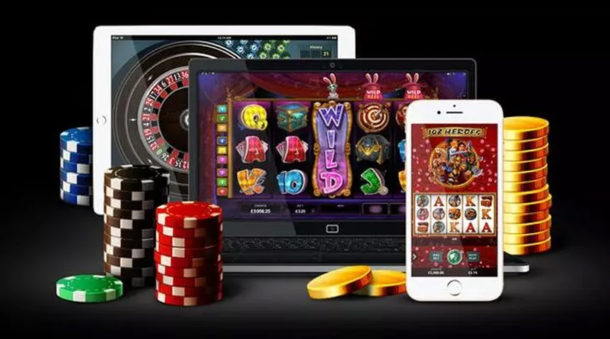
One of the main factors that make online casinos attractive is their game selection. Look for a casino that offers a wide range of games, including popular options like slots, blackjack, roulette, poker, and live dealer games. A diverse game library ensures that you will never get bored and can find something that suits your preferences.
2.2 Reliable Software Providers
The quality and fairness of the games offered by an online casino are directly influenced by the software providers they collaborate with. Reputable software providers, such as Microgaming, NetEnt, and Playtech, are known for their high-quality games and fair gameplay. Ensure that the casino you choose partners with renowned software providers to guarantee a reliable gaming experience.
3: Banking Options and Payout Speed
3.1 Secure and Diverse Banking Methods
A trustworthy online casino should offer a variety of secure banking options for deposits and withdrawals. Look for commonly accepted methods such as credit/debit cards, e-wallets like PayPal or Neteller, and bank transfers. Additionally, check if the casino supports your preferred currency to avoid any conversion fees or complications.
3.2 Payout Speed and Policies
When playing for real money, quick and hassle-free withdrawals are essential. Look for online casinos that have a reputation for fast payouts. Additionally, familiarize yourself with the casino’s withdrawal policies, including any fees or limitations imposed. Opt for a casino that prioritizes timely payments and provides transparent information regarding their withdrawal procedures.
4: Customer Support and Reputation
5.1 Responsive Customer Support
A reliable online casino should have a responsive and efficient customer support team to assist you with any queries or concerns. Check if the casino provides multiple support channels, such as live chat, email, and telephone support. Additionally, consider their support hours and response times to ensure that help is readily available when you need it.
5.2 Reputation and Player Reviews
Researching the reputation of an online casino is crucial before committing to it. Look for player reviews and testimonials from reputable sources to gain insights into the casino’s track record. Pay attention to feedback regarding customer support, game fairness, and withdrawal processes. A casino with a positive reputation among players is more likely to provide a reliable and enjoyable gaming experience.
5.3 Reliable and Secure Source
Choosing a reliable and secure online casino is vital for a positive and safe gaming experience. By considering factors such as licensing and regulation, game selection, banking options, bonuses, customer support, and reputation, you can make an informed decision when selecting the best online casinos for real money. One of the key aspects to prioritize is the variety of games offered by the casino. The best online casinos for real money will provide a wide range of options, including popular slots, blackjack, roulette, poker, and live dealer games. This ensures that you have an immersive and enjoyable gaming experience with ample opportunities to win. Additionally, reputable online casinos collaborate with renowned software providers to offer high-quality games with fair gameplay. When assessing the options available, keep in mind that the best online casinos for real money prioritize security, transparency, and player satisfaction.
Summary
Choosing a reliable and secure online casino is vital for a positive and safe gaming experience. By considering factors such as licensing and regulation, game selection, banking options, bonuses, customer support, and reputation, you can make an informed decision when selecting the best online casinos for real money. Remember to conduct thorough research, compare different options, and prioritize your personal preferences to find the perfect online casino that meets your needs. Now that you’re equipped with this comprehensive guide, you can embark on your online gambling journey with confidence.





Download Minecraft PE 1.21.131 APK for Android
Minecraft Bedrock 1.21.131 is a focused hotfix update — improved Spear combat, two important bug fixes, and better overall stability on Android. No new content, but a noticeably smoother experience.
Spear Knockback Improvement
The window during which a charged Spear attack can apply knockback has been extended. This makes combat feel more reliable — the attack now connects as expected without requiring pinpoint timing, especially useful when fighting multiple mobs at once.
Spear Animation Alignment
Charge attack animations now accurately sync with the Spear’s three gameplay phases: Engaged, Tired, and Disengaged. What you see on screen now matches what the game engine is actually doing — making combat more readable and reducing guesswork in fights.
Performance & Stability
Frame drops on mid-range Android hardware have been reduced. Memory handling improvements prevent sudden freezes during long play sessions. World loading and chunk generation are more reliable, reducing terrain “pop-in” when exploring or moving quickly.
Multiplayer Improvements
Backend updates improve session stability when players join or leave. Fewer disconnects and smoother synchronisation across Bedrock servers. Marketplace content and add-ons also load more consistently during multiplayer sessions.
Adventuring Time Achievement Fixed — The achievement no longer unlocks early. It now correctly requires visiting at least 17 biomes on PC, matching the intended design.
Marketplace Escape Key Fixed — Pressing Escape after using the Marketplace search now reliably returns players to the previous menu instead of getting stuck in a loop.
Add-on World Loading Fixed — A bug that triggered a “Block” error when loading or creating worlds with multiple add-ons installed has been resolved.
Download the APK
Tap one of the Download buttons above. Choose the Standard (no music) version if storage is limited, or the Full version for the complete experience. The ARM64 build is recommended for modern phones.
Enable “Install Unknown Apps”
Go to Settings → Security (or Privacy) → Install unknown apps. Enable the permission for your browser or file manager. Android requires this for any APK installed outside Google Play.
Open the APK File
Open your Downloads folder, find the Minecraft 1.21.131 APK, and tap it to launch the system installer. Follow the on-screen prompts.
Install Over Existing Version
In most cases you can install 1.21.131 directly over your existing Minecraft without losing any worlds or progress. If you see a signature conflict error, uninstall first — but back up your worlds beforehand.
Launch and Sign In
Open Minecraft, sign in with your Microsoft/Xbox Live account, and your existing worlds will load normally. Online multiplayer, Realms, and Marketplace content all work as before.
Download Minecraft PE 1.20 APK for Android
Get the full Minecraft Bedrock 1.20 (Trails and Tales) APK for Android. Supports Xbox Live sign-in. Multiple versions available — stable releases and preview builds.
Download the APK File
Tap the Download button above for the version you want. The APK file will save to your device’s Downloads folder.
Enable “Install Unknown Apps”
Go to Settings → Security or Privacy → Install unknown apps. Enable it for your browser or file manager. Android requires this for any APK installed outside of Google Play.
Open the Downloaded File
Open your Downloads folder (or tap the notification), find the Minecraft APK, and tap it to start the installer.
Confirm Installation
Tap Install and wait for the process to complete. If you see a “signature conflict” error, uninstall your existing Minecraft version first, then retry.
Launch and Sign In with Xbox Live
Open Minecraft, sign in with your Microsoft/Xbox Live account to access multiplayer, Realms, and cross-platform features.
-
 Guides7 years ago
6 Proven Ways to Get more Instagram Likes on your Business Account
-
Mainstream12 years ago
BioWare: Mass Effect 4 to Benefit From Dropping Last-Gen, Will Not Share Template With Dragon Age: Inquisition
-
 Mainstream8 years ago
How to Buy Property & Safe Houses in GTA 5 (Grand Theft Auto 5)
-

 Guides2 years ago
Free Fire vs PUBG: Comparing Graphics, Gameplay, and More
-

 Guides2 years ago
50+ Free Fire ID and Passwords Login List (Giveaway) 2025
-
 Casual3 years ago
8 Ways to Fix Over-Extrusion and Under-Extrusion in 3D Printing
-

 Other2 years ago
Ajjubhai UID: Free Fire Details & Earnings
-

 Features2 years ago
Exploring Valorant eSports Stats: Unveiling the Metrics Behind Competitive Excellence