
Guides
Elden Ring Weapon Tier List 2022

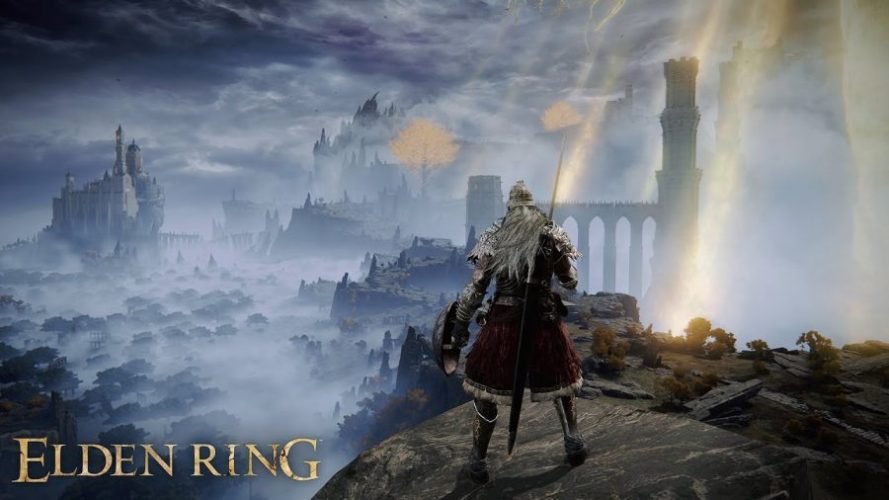
Ever since the release of Elden Ring, the game has managed to secure the attention of global users for the right reasons. It is a role-playing action game, which means that being reliant on weapons is crucial for survival in this game.
However, most players have a question regarding the availability of weapons. Should one opt for the primary weapons or go for more advanced options available in the different levels in the game?
This article will explore everything you possibly need to know about the Elden Ring Weapon Tier list and the available weapons in each tier.
Weapons in Elden Ring
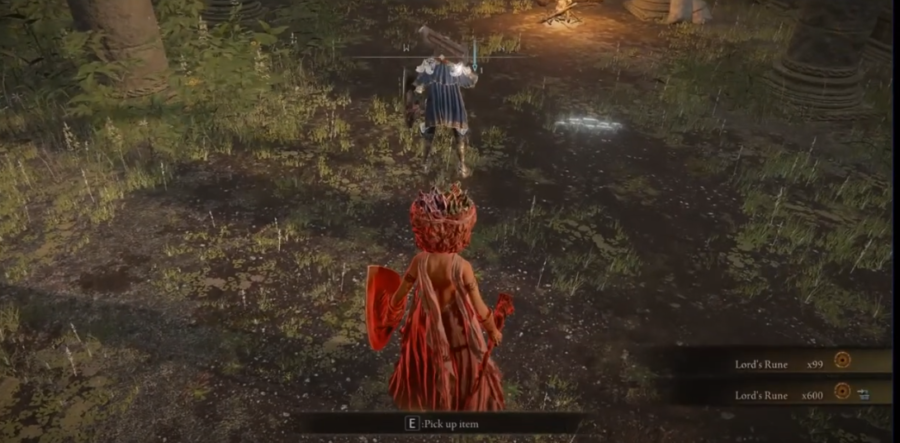
Elden Ring is a relatively new game released in February 2022. With the influence of the fantasy world and the fast-paced action in the game, it has acquired a dedicated and loyal base of gamers.
If you are new to the game and don’t know much about the game’s backdrop, Elden Ring happens out of a cathedral. This acts as a base or the central hub where weapons and magic are used for a player to move through the different levels.
From the Cathedral, players have a choice to scope through nine connected areas, including the forest and mountains. To survive through each terrain and even the enemies around, you need good access to weapons – ones that will fair well and contribute to your survival in the game.
Also Read: Elden Ring Confessor Build: A Beginner Guide
Elden Ring Weapon Tier List (2022)
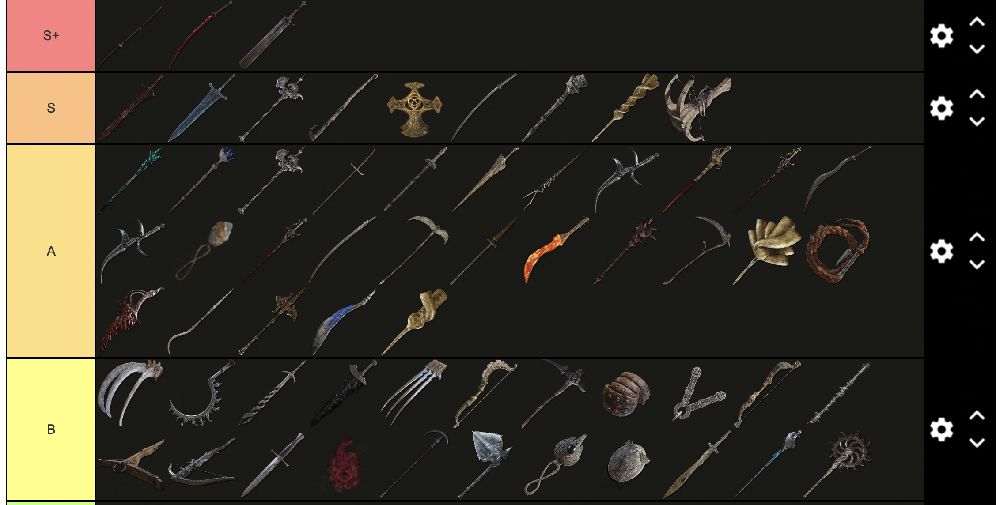
A tier list is self-explanatory. It consists of a list of all the weapons based on their importance, usage, and power. So, the weapons in Elden Ring that are the most powerful are ranked at the top of the tier list, and so on.
To ensure better survival chances, access to the right weapons is crucial. You can’t expect things to work in your favor if you don’t have the means to defend yourself.
For a brief understanding, the Elden Ring Weapon Tier List is divided into seven categories – S to F. And, you guessed it right – S comprises the most potent weapons. In contrast, F comprises the weakest in the lot.
We will highlight more on that in the following paragraphs.
1. S-Tier List
| Weapon Name | Skill |
| Blasphemous Blade | Taker’s Flames |
| Dark Moon Greatsword | Moonlight Greatsword |
| Death’s Poker | Ghostflame Ignition |
| Erdtree Bow | Mighty Shot |
| Fallingstar Beast Jaw | Gravity Bolt |
| Gargoyle’s Blackblade | Corpse Wax Cutter |
| Godslayer’s Greatsword | The Queen’s Black Flame |
| Lion Greatbow | Radahn’s Rain |
| Meteoric Ore Blade | Gravitas |
| Mohgwyn’s Sacred Spear | Bloodboon Ritual |
| Moonveil | Transient Moonlight |
| Scepter of the All-Knowing | Knowledge Above All |
| Rivers of Blood | Corpse Piler |
| Scepter of the All-Knowing | Knowledge Above All |
| Sword of Night and Flame | Night-and-Flame Stance |
| Carian Regal Scepter | Spinning Weapon |
2. A-Tier Weapons
| Weapon Name | Skill |
| Bastard’s Stars | Nebula |
| Beastclaw Greathammer | Regal Beastclaw |
| Blade of Calling | Blade of Gold |
| Bolt of Gransax | Ancient Lightning Spear |
| Cleanrot Spear | Sacred Phalanx |
| Cranial Vessel Candlestand | Surge of Faith |
| Crystal Sword | Spinning Slash |
| Death Ritual Spear | Spearcall Ritual |
| Dragon Greatclaw | Endure |
| Dragon King’s Cragblade | Thundercloud Form |
| Eclipse Shotel | Death Flare |
| Envoy’s Greathorn | Great Oracular Bubble |
| Grafted Blade Greatsword | Bear Witness! |
| Halo Scythe | Waterfowl Dance |
| Horn Bow | Hoarfrost Stomp |
| Magma Blade | Magma Guillotine |
3. B-Tier Weapons
| Weapon Name | Skill |
| Antspur Rapier | Impaling Thrust |
| Cipher Pata | Unblockable Blade |
| Clayman’s Harpoon | Impaling Thrust |
| Crystal Spear | None |
| Frozen Needle | Impaling Thrust |
| Gargoyle’s Black Axe | War Cry |
| Ghostflame Torch | Torch Attack |
| Glintstone Kris | Glintstone Dart |
| Great Omenkiller Cleaver | None |
| Hammer | Quickstep |
| Loretta’s War Sickle | Sea of Magma |
| Marika’s Hammer | Kick |
| Nagakiba | Square Off |
| Not Flowing Hammer | Blood Blade |
| Ringed Finger | Glintblade Phalanx |
| Starscourge Greatsword | Kick |
4. C-Tier Weapons
| Weapon Name | Skill |
| Bandit’s Curved Sword | Spinning Slash |
| Cinquedea | Quickstep |
| Curved Club | None |
| Gargoyle’s Twinblade | Spinning Slash |
| Jar Cannon | Kick |
| Mace | Kick |
| Ordovis’s Greatsword | Ordovis’s Vortex |
| Rotten Greataxe | Endure |
| Steel-Wire Torch | Firebreather |
| Troll’s Hammer | Troll’s Roar |
| Torch | Torch Attack |
| Warpick | Kick |
| Watchdog’s Staff | Sorcery of the Crozier |
| Watchdogs Greatsword | Stamp Upward Cut |
| Finger Seal | None |
| Grossmesser | Spinning Slash |
5. D-Tier Weapons
| Weapon Name | Skill |
| Beastman’s Cleaver | None |
| Bloodhound’s Fang | Bloodhound’s Finesse |
| Butchering Knife | Barbaric Roar |
| Celebrant’s Skull | Barbaric Roar |
| Cleanrot Knight’s Sword | Impaling Thrust |
| Club | Barbaric Roar |
| Erdtree Greatbow | Through and Through |
| Flail | Spinning Chain |
| Ghiza’s Wheel | Spinning Wheel |
| Golem’s Halberd | Charge Forth |
| Great Stars | Endure |
| Longbow | Mighty Shot |
| Misericorde | Quickstep |
| Omen Cleaver | Spinning Slash |
| Pulley Box | Mighty Shot |
| Shamshir | Spinning Slash |
6. E-Tier Weapons
| Weapon Name | Skill |
| Battle Axe | Wild Strikes |
| Bloodstained Dagger | Quickstep |
| Broadsword | Square Off |
| Celebrant’s Cleaver | Wild Strikes |
| Commander’s Standard | Rallying Standard |
| Dismounter | Spinning Slash |
| Gargoyle’s Halberd | Spinning Slash |
| Great Mace | Endure |
| Greatsword | Stamp (Upward Cut) |
| Highland Axe | War Cry |
| Iron Cleaver | Wild Strikes |
| Iron Greatsword | None |
| Monk’s Flameblade | None |
| Scorpion’s Stinger | Repeating Thrust |
| Serpentine Blade | Double Slash |
| Shotel | Spinning Slash |
7. F-Tier Weapons
| Weapon Name | Skill |
| Banished Knight’s Halberd | Charge Forth |
| Black Bow | Barrage |
| Caestus | Endure |
| Claymore | Lion’s Claw |
| Composite Bow | Mighty Short |
| Erdsteel Dagger | Quickstep |
| Flamberge | Stamp Upward Cut |
| Forked Hatchet | Quickstep |
| Great Epee | Impaling Thrust |
| Halberd | Charge Forth |
| Harp Bow | Barrage |
| Iron Ball | Braggart’s Roar |
| Lance | Charge Forth |
| Longsword | Square Off |
| Misbegotten Shortbow | Barrage |
| Noble’s Estoc | Impaling Thrust |
These are just some of the most popular and effective weapons in Elden Ring. Remember that the list we have sorted doesn’t include ALL the weapons since there are hundreds more to add. However, when playing Elden Ring, focus on acquiring the weapons that will matter in the game. There’s no point in mindlessly collecting weapons without knowing what they are used for.
Also Read: Elder Ring: The One Guide to Rule Them All
Conclusion
Now that you have a comprehensive idea of the top Elden Ring weapons, making your way through the game shouldn’t be difficult. However, we understand that mastering this game can take some time. Therefore, what we’d recommend you do is explore the best weapons and their uses. Once you have that sorted, it should enable you to make it through the different levels in the game using the weapons you have collected during your weapon hunt.
Also, never leave behind a weapon you acquire. Even though you can’t find a good use for the said weapon right now, you never know what you might need it for.


Download Minecraft PE 1.21.131 APK for Android
Minecraft Bedrock 1.21.131 is a focused hotfix update — improved Spear combat, two important bug fixes, and better overall stability on Android. No new content, but a noticeably smoother experience.
Spear Knockback Improvement
The window during which a charged Spear attack can apply knockback has been extended. This makes combat feel more reliable — the attack now connects as expected without requiring pinpoint timing, especially useful when fighting multiple mobs at once.
Spear Animation Alignment
Charge attack animations now accurately sync with the Spear’s three gameplay phases: Engaged, Tired, and Disengaged. What you see on screen now matches what the game engine is actually doing — making combat more readable and reducing guesswork in fights.
Performance & Stability
Frame drops on mid-range Android hardware have been reduced. Memory handling improvements prevent sudden freezes during long play sessions. World loading and chunk generation are more reliable, reducing terrain “pop-in” when exploring or moving quickly.
Multiplayer Improvements
Backend updates improve session stability when players join or leave. Fewer disconnects and smoother synchronisation across Bedrock servers. Marketplace content and add-ons also load more consistently during multiplayer sessions.
Adventuring Time Achievement Fixed — The achievement no longer unlocks early. It now correctly requires visiting at least 17 biomes on PC, matching the intended design.
Marketplace Escape Key Fixed — Pressing Escape after using the Marketplace search now reliably returns players to the previous menu instead of getting stuck in a loop.
Add-on World Loading Fixed — A bug that triggered a “Block” error when loading or creating worlds with multiple add-ons installed has been resolved.
Download the APK
Tap one of the Download buttons above. Choose the Standard (no music) version if storage is limited, or the Full version for the complete experience. The ARM64 build is recommended for modern phones.
Enable “Install Unknown Apps”
Go to Settings → Security (or Privacy) → Install unknown apps. Enable the permission for your browser or file manager. Android requires this for any APK installed outside Google Play.
Open the APK File
Open your Downloads folder, find the Minecraft 1.21.131 APK, and tap it to launch the system installer. Follow the on-screen prompts.
Install Over Existing Version
In most cases you can install 1.21.131 directly over your existing Minecraft without losing any worlds or progress. If you see a signature conflict error, uninstall first — but back up your worlds beforehand.
Launch and Sign In
Open Minecraft, sign in with your Microsoft/Xbox Live account, and your existing worlds will load normally. Online multiplayer, Realms, and Marketplace content all work as before.
Download Minecraft PE 1.20 APK for Android
Get the full Minecraft Bedrock 1.20 (Trails and Tales) APK for Android. Supports Xbox Live sign-in. Multiple versions available — stable releases and preview builds.
Download the APK File
Tap the Download button above for the version you want. The APK file will save to your device’s Downloads folder.
Enable “Install Unknown Apps”
Go to Settings → Security or Privacy → Install unknown apps. Enable it for your browser or file manager. Android requires this for any APK installed outside of Google Play.
Open the Downloaded File
Open your Downloads folder (or tap the notification), find the Minecraft APK, and tap it to start the installer.
Confirm Installation
Tap Install and wait for the process to complete. If you see a “signature conflict” error, uninstall your existing Minecraft version first, then retry.
Launch and Sign In with Xbox Live
Open Minecraft, sign in with your Microsoft/Xbox Live account to access multiplayer, Realms, and cross-platform features.
-
 Guides6 years ago
6 Proven Ways to Get more Instagram Likes on your Business Account
-
Mainstream12 years ago
BioWare: Mass Effect 4 to Benefit From Dropping Last-Gen, Will Not Share Template With Dragon Age: Inquisition
-
 Mainstream8 years ago
How to Buy Property & Safe Houses in GTA 5 (Grand Theft Auto 5)
-

 Guides2 years ago
Free Fire vs PUBG: Comparing Graphics, Gameplay, and More
-

 Guides2 years ago
50+ Free Fire ID and Passwords Login List (Giveaway) 2025
-
 Casual3 years ago
8 Ways to Fix Over-Extrusion and Under-Extrusion in 3D Printing
-

 Other2 years ago
Ajjubhai UID: Free Fire Details & Earnings
-

 Features2 years ago
Exploring Valorant eSports Stats: Unveiling the Metrics Behind Competitive Excellence