
Guides
Gaming with the Big B

It is, without a doubt, one of the body’s most complicated organs.
Made up of billions of neurons, with each electrical pulse traveling at 268 miles per hour, our brains have seemingly unlimited storage capacity.
That mass of pink, crinkly, blobby stuff hidden in our skull controls thought, memory, temperature, movement, touch, motor skills, vision, breathing, hunger and pretty much every process that regulates our body.
It’s a marvelous evolutionary piece of engineering or a miracle from God, depending on which side of the creationist/evolutionary fence you sit on.
But what happens to our brains when we play computer games? Does it, as some studies suggest, increase our cognitive ability or does it, as my mum would say, “turn you into a dribbling wreck with square eyes!”.
Let’s take a deeper look at how gaming affects the pink stuff.
Scientists writing for Frontiers in Human Neuroscience reviewed and summarized 116 scientific studies and found that not only does our brain perform differently when playing video games, but it also changes the structure!
Attention, for instance, is much more efficient in gamers than in non-gamers.
The research also showed that playing video games increases the size of the brain that deals with visuospatial skills – a person’s ability to identify visual and spatial relationships among objects. These are needed for movement, depth and distance perception. Poor driving, for instance, can be a result of impaired visuospatial skills.
But what happens to our brains at a chemical level when playing video games?
The two most popular chemicals released when we play are Dopamine and Oxytocin, both created and released in the brain.
Dopamine creates a sense of joyfulness and pleasure, whilst Oxytocin is known as the love hormone; it plays a key role in social bonding.
Dopamine release is one of the main reasons gaming is considered addictive. You play, you get excited, Dopamine gets released, and you want to feel that “pleasure” feeling time and again.
It’s not the only drawback of too much gaming; sitting behind a screen for too long and not moving can cause obesity, loneliness, isolation, neck and back problems and depression.
Telltale signs of gaming addiction can include intense urges to play, buying games you really can’t afford, neglecting your appearance and lying to yourself and others about how much you play.
These symptoms are very similar to those suffering from gambling addictions, and if you are experiencing any of them, please reach out and talk to someone.
That’s because Dopamine is also released when gambling; every time you hit a spin win, jackpot or win on the roulette table, Dopamine is released.
The problem with Dopamine is that your body develops a tolerance to it. The more you play, the more you build tolerance, causing players to seek out that rush by betting or playing more often.
And that’s only half of the problem. Scientists have found that people with gambling problems have increased connectivity to the Dopamine reward system of the brain PLUS reduced connectivity to the prefrontal cortex. This front portion of the brain controls planning, personality and the ability to process consequences.
In other words, the brain is going, “wooo Dopamine, I don’t care if I lose money I can’t afford to”.
Why does all this matter? Well, both playing games and gambling have become intertwined in recent years. Online casinos have developed interactive gambling and ever more realistic video-style slots to play.
They also constantly use gambling and gaming interchangeably when promoting their products and brands.
Gaming and gambling are becoming more connected than ever. And perhaps, that’s understandable, not just because of the technological developments but also because of the age demographic of those playing. Video games are no longer the preserve of teenagers!
More than 215 million people play video games in the USA, with the average age of gamers being 33 years old. It’s a global industry worth $220 BILLION!
And that’s just video games. Online casino gambling is estimated to have a global worth of $145 BILLION.
And let’s be honest, online casinos want people to bet more and more because they want more and more money.
Making and designing games that appeal to video game players and demarking the industry as more of a gaming environment than a gambling environment are two strategies that have been employed by online casinos for quite some time because they’re looking to tap into the gaming market and attract more and more customers from it.
And informing all of their thinking is how the brain reacts when playing games or gambling.
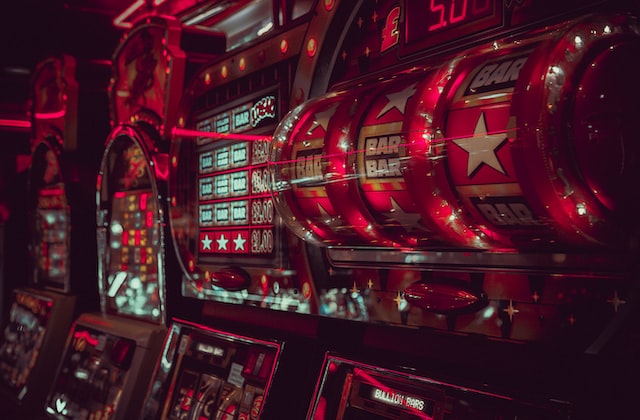
For instance, gameplay is a classic way to encourage gamers to gamble. Years ago, an online slot machine was similar to those you’d find in a land-based casino, consisting of three reels, probably fruit icons for win lines and three bells for a jackpot.
These days video slots can have detailed animations as introductions, realistic high-end graphics, and interactive characters distributing an array of special features such as sticky wilds, stacked wilds and random win features.
Online casinos have also taken a leaf out of the gaming world when it comes to the sounds and lights of a slot. Not only do catchy tunes and bright flashing lights make it a more immersive experience. Bright lights and sounds are extremely powerful when combined with reward uncertainty. If your looking for an online casino that fits your style, have a look at the selection at casinos.win, each is thoroughly researched and reviewed.
Take Mario, for instance, one of the pioneers of the gaming world; even back then, in the 80s, the repetitive soundtrack pulsed and got louder as the action got wilder, evoking an ever greater thrill and expectation.
Imagine then that you have two bonuses already on your slot and the last reel is spinning faster and faster, the sound getting louder and louder and your expectation of landing that final bonus to get you on the bonus feature gets bigger and bigger. You are about to win big, or so you think.
But it doesn’t stick, and instead of calling it a day, you want to gamble more because you were ‘soooo’ close to getting on the bonus feature. Special sound cues like this when you’re on the verge of thinking you’re about to win increases excitement and your probability to carry on betting. Those electronic impulses in your brain just went into overdrive.
Another type of gambling strategy based on gaming is proving skill. Many new games now evoke games by making them look like games of skill rather than games of chance. There’s been an explosion in the gambling world of battle-style/tribal-style slots where the perception of the game is that there is some skill involved in winning rather than being the game of chance it really is.
But it isn’t all one-way traffic.
Over the years, the gaming world has also lifted some pretty nifty ideas from the online gambling world.
Loot boxes are a classic example. Paying to open a box of treasure, spinning a prize wheel or spinning to win a prize to open a box has long been a staple of online casinos.
Loot boxes, where gamers use actual money to purchase keys to open the loot boxes, chests, cases, crates, or bundles to receive a virtual item and enhance the game play are now a common occurrence in gaming; as is paying to upgrade levels, buy specific items or new download packs.
eSports is another area where the gaming and gambling markets have become indelibly linked with gamblers now able to bet on competitive video game playing.
Social Casinos are also on the rise and once again blur the lines. Normally produced by online casinos, they offer everything a normal casino offers without the wagering requirement. Obviously, the hope from the casino is that you will enjoy yourself and go on to play at a real money casino.
Both the gaming and gambling markets are so successful because they spend vast amounts of time and money understanding every nuance of their target audiences and how their brains tick. They investigate how their audience will think, how they will react, what excites them, what will continue to excite them and so on.
Nothing is left to chance for these global markets; that’s why they are global markets.
So, if you think you’re developing a gaming or gambling problem, please reach out and speak to someone.
There are numerous strategies that can help, including reducing screen time, not playing when under the influence, setting yourself time and deposit limits and many more.
If you don’t want to speak to someone, check out one of the many gambling or gaming support websites that are only a Google click away.
But remember this key point. When things stop being fun, when you are consumed by one thing, when you put it above all else, including health and wealth, then you do have a problem. Seek help and advice at the earliest opportunity, don’t simply ignore it.

Download Minecraft PE 1.21.131 APK for Android
Minecraft Bedrock 1.21.131 is a focused hotfix update — improved Spear combat, two important bug fixes, and better overall stability on Android. No new content, but a noticeably smoother experience.
Spear Knockback Improvement
The window during which a charged Spear attack can apply knockback has been extended. This makes combat feel more reliable — the attack now connects as expected without requiring pinpoint timing, especially useful when fighting multiple mobs at once.
Spear Animation Alignment
Charge attack animations now accurately sync with the Spear’s three gameplay phases: Engaged, Tired, and Disengaged. What you see on screen now matches what the game engine is actually doing — making combat more readable and reducing guesswork in fights.
Performance & Stability
Frame drops on mid-range Android hardware have been reduced. Memory handling improvements prevent sudden freezes during long play sessions. World loading and chunk generation are more reliable, reducing terrain “pop-in” when exploring or moving quickly.
Multiplayer Improvements
Backend updates improve session stability when players join or leave. Fewer disconnects and smoother synchronisation across Bedrock servers. Marketplace content and add-ons also load more consistently during multiplayer sessions.
Adventuring Time Achievement Fixed — The achievement no longer unlocks early. It now correctly requires visiting at least 17 biomes on PC, matching the intended design.
Marketplace Escape Key Fixed — Pressing Escape after using the Marketplace search now reliably returns players to the previous menu instead of getting stuck in a loop.
Add-on World Loading Fixed — A bug that triggered a “Block” error when loading or creating worlds with multiple add-ons installed has been resolved.
Download the APK
Tap one of the Download buttons above. Choose the Standard (no music) version if storage is limited, or the Full version for the complete experience. The ARM64 build is recommended for modern phones.
Enable “Install Unknown Apps”
Go to Settings → Security (or Privacy) → Install unknown apps. Enable the permission for your browser or file manager. Android requires this for any APK installed outside Google Play.
Open the APK File
Open your Downloads folder, find the Minecraft 1.21.131 APK, and tap it to launch the system installer. Follow the on-screen prompts.
Install Over Existing Version
In most cases you can install 1.21.131 directly over your existing Minecraft without losing any worlds or progress. If you see a signature conflict error, uninstall first — but back up your worlds beforehand.
Launch and Sign In
Open Minecraft, sign in with your Microsoft/Xbox Live account, and your existing worlds will load normally. Online multiplayer, Realms, and Marketplace content all work as before.
Download Minecraft PE 1.20 APK for Android
Get the full Minecraft Bedrock 1.20 (Trails and Tales) APK for Android. Supports Xbox Live sign-in. Multiple versions available — stable releases and preview builds.
Download the APK File
Tap the Download button above for the version you want. The APK file will save to your device’s Downloads folder.
Enable “Install Unknown Apps”
Go to Settings → Security or Privacy → Install unknown apps. Enable it for your browser or file manager. Android requires this for any APK installed outside of Google Play.
Open the Downloaded File
Open your Downloads folder (or tap the notification), find the Minecraft APK, and tap it to start the installer.
Confirm Installation
Tap Install and wait for the process to complete. If you see a “signature conflict” error, uninstall your existing Minecraft version first, then retry.
Launch and Sign In with Xbox Live
Open Minecraft, sign in with your Microsoft/Xbox Live account to access multiplayer, Realms, and cross-platform features.
-
 Guides6 years ago
6 Proven Ways to Get more Instagram Likes on your Business Account
-
Mainstream12 years ago
BioWare: Mass Effect 4 to Benefit From Dropping Last-Gen, Will Not Share Template With Dragon Age: Inquisition
-
 Mainstream8 years ago
How to Buy Property & Safe Houses in GTA 5 (Grand Theft Auto 5)
-

 Guides2 years ago
Free Fire vs PUBG: Comparing Graphics, Gameplay, and More
-

 Guides2 years ago
50+ Free Fire ID and Passwords Login List (Giveaway) 2025
-
 Casual3 years ago
8 Ways to Fix Over-Extrusion and Under-Extrusion in 3D Printing
-

 Other2 years ago
Ajjubhai UID: Free Fire Details & Earnings
-

 Features2 years ago
Exploring Valorant eSports Stats: Unveiling the Metrics Behind Competitive Excellence