
Guides
How to Make Your Own Scale Models

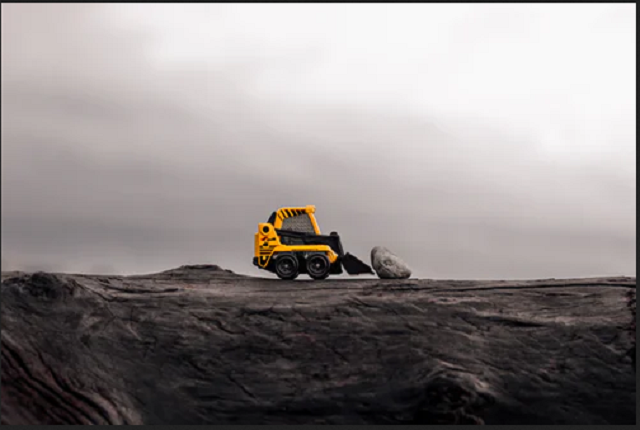
I expect we’ve all seen models of different shapes and sizes. Filmmakers use them as simulated buildings to blow up, or the military for planning their campaigns. Architects create them to demonstrate what a finished building will look like, while others take up model making as their hobby. Scale models take things to the next level, where these three-dimensional creations can reflect the size and materials of the original. The more accurate and detailed they are, the more impressive the result. It can be hard for a newcomer to know where to start, and that’s what this article is all about.
Decide the Level of Complexity
Someone who is new to model making is strongly advised to create a simple thing first. They’re likely to need fewer utensils at this stage. They may have bought a pack containing all the brushes, paint, and glue that is needed. Other more experienced people may go for the advanced options, such as purchasing a 3D printer. The experts of https://io3dprint.com/best-3d-printer-gaming-miniatures/ say these give model makers the chance to design their own creations. It’s a challenging task, but highly addictive. Such models like Ender 3 can cope with making mini models too.
Prepare in Advance
Model making is perfect for people with a passion for something, like trains or airplanes. It’s strongly advisable to do the research in advance and to decide how complex the model is going to be. Guides are available in paper and online formats, that not only give a ‘How To’ guide but also include photos showing every step of the way. Guidance videos also feature on some sites online.
Something else to consider is the scale. The small scale is 1/72 to 1/200. The mid-range is 1/32 to 1/48. The large scale is ¼ to 1/25. If one plans to have several airplanes on display, perhaps they should all match the same scale for comparison purposes. Train sets will need everything to be uniform, whether it is an outhouse or a platform.
Light, Air, and Glue
It will be important to work somewhere with adequate natural or artificial lighting. Accuracy always suffers when people work in poor light. Stationery, flat surface will also be essential.
When using glue or paint, it’s important to have a well-ventilated room. When sanding plastic or using spray paints, an OSHA-approved or EN-140-certified respirator mask will need to be worn. The same thing applies when using airbrushes.
During their creation, models can be held together with clamps or pegs, depending on their size. It’s worth researching what is the most suitable glue. Some are particularly good with small items. If something has been glued together wrongly, liquid cement can help get it unstuck.
Other Tools
It’s amazing how many utensils are amassed once one begins this journey. People need everything from pens and paper to calculators. There are brushes, tweezers, cutters, and paint sets. Hobby knives and scissors are used for creating outlines, and putty and glue for adhesion. There are also rulers and tape measures, masking tape, and rubber bands to be considered.
The Actual Process
It’s tempting to create some models by doing things in the wrong order or before the glue or paint is dry. This should be resisted at all times or the quality will suffer.
First of all, look at the original item to be replicated, and obtain full measurements. Scaling down can be done with the aid of a calculator. Before cutting out the material, it’s strongly advisable to draw the plan. Once everything has been assembled, it can be trimmed, glued, primed, and painted.
Products sometimes need to be cleaned before use. Oil or pieces of rogue plastic from moldings can be an issue.
There is no consensus among model makers as to which is best: enamel or acrylic paints. They both have their pluses and minuses, so it’s really a matter of personal taste. The last stage involves the areas of fine detail, including intricate painting. These final touches are what will make the biggest impression on others.
We begin our hobby with a passion, and decide how technical we want to be. We may settle for painting molded plastic models or advance to creating our own with 3D printers. A suitable workspace is important, including light and ventilation. We decide on the best scale for our creations and follow the correct process from start to finish.
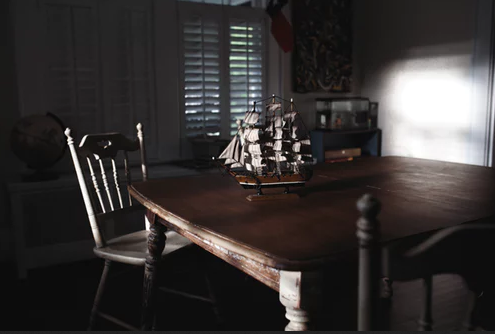
There is an abundance of resources available in shops and online. Friendships can be made and considerable hours spent doing what for many is a fulfilling and enjoyable hobby. An exciting collection can be amassed, to impress family and friends.

Download Minecraft PE 1.21.131 APK for Android
Minecraft Bedrock 1.21.131 is a focused hotfix update — improved Spear combat, two important bug fixes, and better overall stability on Android. No new content, but a noticeably smoother experience.
Spear Knockback Improvement
The window during which a charged Spear attack can apply knockback has been extended. This makes combat feel more reliable — the attack now connects as expected without requiring pinpoint timing, especially useful when fighting multiple mobs at once.
Spear Animation Alignment
Charge attack animations now accurately sync with the Spear’s three gameplay phases: Engaged, Tired, and Disengaged. What you see on screen now matches what the game engine is actually doing — making combat more readable and reducing guesswork in fights.
Performance & Stability
Frame drops on mid-range Android hardware have been reduced. Memory handling improvements prevent sudden freezes during long play sessions. World loading and chunk generation are more reliable, reducing terrain “pop-in” when exploring or moving quickly.
Multiplayer Improvements
Backend updates improve session stability when players join or leave. Fewer disconnects and smoother synchronisation across Bedrock servers. Marketplace content and add-ons also load more consistently during multiplayer sessions.
Adventuring Time Achievement Fixed — The achievement no longer unlocks early. It now correctly requires visiting at least 17 biomes on PC, matching the intended design.
Marketplace Escape Key Fixed — Pressing Escape after using the Marketplace search now reliably returns players to the previous menu instead of getting stuck in a loop.
Add-on World Loading Fixed — A bug that triggered a “Block” error when loading or creating worlds with multiple add-ons installed has been resolved.
Download the APK
Tap one of the Download buttons above. Choose the Standard (no music) version if storage is limited, or the Full version for the complete experience. The ARM64 build is recommended for modern phones.
Enable “Install Unknown Apps”
Go to Settings → Security (or Privacy) → Install unknown apps. Enable the permission for your browser or file manager. Android requires this for any APK installed outside Google Play.
Open the APK File
Open your Downloads folder, find the Minecraft 1.21.131 APK, and tap it to launch the system installer. Follow the on-screen prompts.
Install Over Existing Version
In most cases you can install 1.21.131 directly over your existing Minecraft without losing any worlds or progress. If you see a signature conflict error, uninstall first — but back up your worlds beforehand.
Launch and Sign In
Open Minecraft, sign in with your Microsoft/Xbox Live account, and your existing worlds will load normally. Online multiplayer, Realms, and Marketplace content all work as before.
Download Minecraft PE 1.20 APK for Android
Get the full Minecraft Bedrock 1.20 (Trails and Tales) APK for Android. Supports Xbox Live sign-in. Multiple versions available — stable releases and preview builds.
Download the APK File
Tap the Download button above for the version you want. The APK file will save to your device’s Downloads folder.
Enable “Install Unknown Apps”
Go to Settings → Security or Privacy → Install unknown apps. Enable it for your browser or file manager. Android requires this for any APK installed outside of Google Play.
Open the Downloaded File
Open your Downloads folder (or tap the notification), find the Minecraft APK, and tap it to start the installer.
Confirm Installation
Tap Install and wait for the process to complete. If you see a “signature conflict” error, uninstall your existing Minecraft version first, then retry.
Launch and Sign In with Xbox Live
Open Minecraft, sign in with your Microsoft/Xbox Live account to access multiplayer, Realms, and cross-platform features.
-
 Guides7 years ago
6 Proven Ways to Get more Instagram Likes on your Business Account
-
Mainstream12 years ago
BioWare: Mass Effect 4 to Benefit From Dropping Last-Gen, Will Not Share Template With Dragon Age: Inquisition
-
 Mainstream8 years ago
How to Buy Property & Safe Houses in GTA 5 (Grand Theft Auto 5)
-

 Guides2 years ago
Free Fire vs PUBG: Comparing Graphics, Gameplay, and More
-

 Guides2 years ago
50+ Free Fire ID and Passwords Login List (Giveaway) 2025
-
 Casual3 years ago
8 Ways to Fix Over-Extrusion and Under-Extrusion in 3D Printing
-

 Other2 years ago
Ajjubhai UID: Free Fire Details & Earnings
-

 Features2 years ago
Exploring Valorant eSports Stats: Unveiling the Metrics Behind Competitive Excellence