
Guides
Latest News from the Gambling World


Top 3 News
Professionals are trying to keep up with the latest news from around the world. A tip for beginners is to follow this action from the first game. It gives you a big advantage over your opponents.
ComeOn! gambling company has signed a contract with the Canadian Premier League
Gambling company ComeOn! has become the official online betting and casino partner of the Canadian Premier League football team. The cooperation between the operator and the sports organisation will begin with the new season.
ComeOn! logos will be featured on stadiums and the uniforms of teams competing in the Premier League, and information about the company will be placed on media platforms associated with the sports organisation.
Canadian Premier League Commissioner David Clanachan, commenting on the agreement reached with the operator, described the deal with ComeOn! A new step for greater fan involvement in the sporting organisation’s events.
Irish land-based gambling operator to launch casino online
Irish operator FunFair Casino, which has 25 casinos, has decided to launch gambling online. The company has signed a partnership deal with Maltese gambling computer technology developer Aspire Global.
Under the terms of the deal, FinFair Casino will gain access to an online platform to host its online casinos. Aspire Global will take over risk management, player support, fraud prevention and other functions.
Mill Adventure has received a B2B licence from Malta’s gambling regulator
Gambling software developer Mill Adventure has been licensed by the state gambling regulator in Malta.
The company has received approval to operate as a B2B (Business to Business) company, which will expand its reach into the online gambling industry. And gambling operators – will get modern, optimised innovations with original solutions. For example, for casino management based on artificial intelligence.
The developer Mill Adventure had previously been granted a Maltese licence to operate in the B2C (“Business to Consumer”) format, gambling industry experts recalled.
The Malta Gaming Authority has stripped the Smart Operations operator of its gambling licence.
Malta’s gambling regulator has granted Money Bite a licence for virtual financial assets.
As a reminder, the Malta Gambling Authority was headed by Ryan Pace, who has links to the country’s top leadership.
Which Casino to Choose for Online Gambling in Australia?

The most popular question that worries not only newcomers but also advanced gamblers. At this moment in the top Best Online Casinos in Australia the leading position is taken by best online FairGO Casino in Australia.
It is a reliable and honest casino that was launched in 2017 by the world-renowned company Deckedia NV. The main currency for deposit and withdrawal is the Australian dollar. And the main language is English .
Security
Even before the start of FairGO Australia took care about the safety of visitors. They obtained a Curacao licence, which allows gambling activities all over the world. Moreover, in order to prevent your data from falling into the hands of cheaters, the software developers have implemented 256-bit ssl security. This means that even the most clever cybercriminals will not be able to break through it.
The games at FairGO
The lobby is inclusive of all new and popular games, and players can enjoy them whether they are newbies or professionals.
A quick search and multiple filters make the search easy. The website also features daily tournaments, which are great for those who like to follow the action live. The 150+ games are divided into the following categories:
- Hot Games-entertainments with the highest winning percentage are placed in this category. You can view the “Return to Player” feature, which shows the average return for each game. If the RTP is 88 percent, this means that on average a player can get back AUD$88 for every AUD$100 in deposits. Games featured in the category are : Sparky 7, Bubble Bubble 3, Egyptian Gold, Wildfire 7, Frog Luck, Springtime Debree and more;
- New Games- an ever-evolving and fast-paced category that includes Neon Wheel 7, Desert Raiders, Nine Worlds, Sweet Blast 16, Lucky Buddha, and Penguin Deck;
- Slot machines are a widespread category amongst Australians. They like it for its versatility and ease of play. The games are based on a random number generator, so you don’t have to worry about anyone controlling the process. The following types of games can be found here: 2,5,6 reels, progressives, pay any, floating symbols, bonus round. Games available in the slot machines category include: copy cat luck, Run, rabbit, Run!, treasure of the Aztecs, Thai Emerald, Big Santa, Twister Wilds, and more;
- The board games are divided into two sub-categories, namely Caribbean games and 21 games. The main games are blackjack and poker, which is available in different variations such as Caribbean draw poker, Caribbean stud poker, blackjack + perfect pair, three card poker;
- Video poker is a game which combines video slots and poker. It has the following subcategories: 1,3,10,52 hands. The most popular games are: bonus poker deluxe, jacks and higher, joker poker, wild sevens, bonus poker, double poker.
- Progressives are games in which you have a great chance of striking the jackpot in the following games: Caribbean Hold’em Poker, Spirit of the Incas, Shop 2, Caribbean Stud Poker, and Let ’em Ride.
Demo version of the games
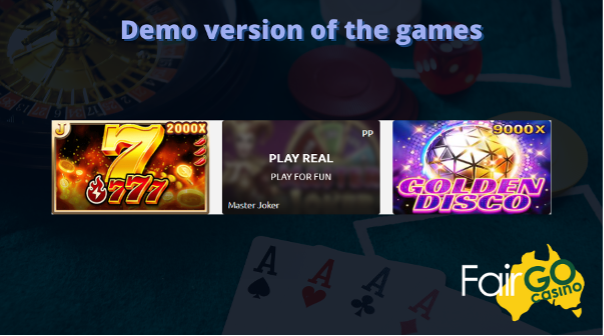
This is a unique opportunity for new players to learn the rules of the game and devise a strategy without spending a cent of real money. There are plenty of games available in the demo version where you can spend AUD$1,000. Step by step instructions to play the demo version at jetwin :
- Go to the official website of jetwin casino ;
- Go to the main page;
- Register on the website . To do this, click on the “Register” button located in the top right corner. Enter all the necessary details and proceed with your activities;
- When you sign in to your account, select “Practice” mode;
- Choose the available slots and games and enjoy.
Conclusion
To stay ahead of the best in a fast moving industry like gambling, you’ve got to learn new things all the time. Doing so can help you analyse your opponents, and by extension, give you a head start in the game.



Download Minecraft PE 1.21.131 APK for Android
Minecraft Bedrock 1.21.131 is a focused hotfix update — improved Spear combat, two important bug fixes, and better overall stability on Android. No new content, but a noticeably smoother experience.
Spear Knockback Improvement
The window during which a charged Spear attack can apply knockback has been extended. This makes combat feel more reliable — the attack now connects as expected without requiring pinpoint timing, especially useful when fighting multiple mobs at once.
Spear Animation Alignment
Charge attack animations now accurately sync with the Spear’s three gameplay phases: Engaged, Tired, and Disengaged. What you see on screen now matches what the game engine is actually doing — making combat more readable and reducing guesswork in fights.
Performance & Stability
Frame drops on mid-range Android hardware have been reduced. Memory handling improvements prevent sudden freezes during long play sessions. World loading and chunk generation are more reliable, reducing terrain “pop-in” when exploring or moving quickly.
Multiplayer Improvements
Backend updates improve session stability when players join or leave. Fewer disconnects and smoother synchronisation across Bedrock servers. Marketplace content and add-ons also load more consistently during multiplayer sessions.
Adventuring Time Achievement Fixed — The achievement no longer unlocks early. It now correctly requires visiting at least 17 biomes on PC, matching the intended design.
Marketplace Escape Key Fixed — Pressing Escape after using the Marketplace search now reliably returns players to the previous menu instead of getting stuck in a loop.
Add-on World Loading Fixed — A bug that triggered a “Block” error when loading or creating worlds with multiple add-ons installed has been resolved.
Download the APK
Tap one of the Download buttons above. Choose the Standard (no music) version if storage is limited, or the Full version for the complete experience. The ARM64 build is recommended for modern phones.
Enable “Install Unknown Apps”
Go to Settings → Security (or Privacy) → Install unknown apps. Enable the permission for your browser or file manager. Android requires this for any APK installed outside Google Play.
Open the APK File
Open your Downloads folder, find the Minecraft 1.21.131 APK, and tap it to launch the system installer. Follow the on-screen prompts.
Install Over Existing Version
In most cases you can install 1.21.131 directly over your existing Minecraft without losing any worlds or progress. If you see a signature conflict error, uninstall first — but back up your worlds beforehand.
Launch and Sign In
Open Minecraft, sign in with your Microsoft/Xbox Live account, and your existing worlds will load normally. Online multiplayer, Realms, and Marketplace content all work as before.
Download Minecraft PE 1.20 APK for Android
Get the full Minecraft Bedrock 1.20 (Trails and Tales) APK for Android. Supports Xbox Live sign-in. Multiple versions available — stable releases and preview builds.
Download the APK File
Tap the Download button above for the version you want. The APK file will save to your device’s Downloads folder.
Enable “Install Unknown Apps”
Go to Settings → Security or Privacy → Install unknown apps. Enable it for your browser or file manager. Android requires this for any APK installed outside of Google Play.
Open the Downloaded File
Open your Downloads folder (or tap the notification), find the Minecraft APK, and tap it to start the installer.
Confirm Installation
Tap Install and wait for the process to complete. If you see a “signature conflict” error, uninstall your existing Minecraft version first, then retry.
Launch and Sign In with Xbox Live
Open Minecraft, sign in with your Microsoft/Xbox Live account to access multiplayer, Realms, and cross-platform features.
-
 Guides7 years ago
6 Proven Ways to Get more Instagram Likes on your Business Account
-
Mainstream12 years ago
BioWare: Mass Effect 4 to Benefit From Dropping Last-Gen, Will Not Share Template With Dragon Age: Inquisition
-
 Mainstream8 years ago
How to Buy Property & Safe Houses in GTA 5 (Grand Theft Auto 5)
-

 Guides2 years ago
Free Fire vs PUBG: Comparing Graphics, Gameplay, and More
-

 Guides2 years ago
50+ Free Fire ID and Passwords Login List (Giveaway) 2025
-
 Casual3 years ago
8 Ways to Fix Over-Extrusion and Under-Extrusion in 3D Printing
-

 Other2 years ago
Ajjubhai UID: Free Fire Details & Earnings
-

 Features2 years ago
Exploring Valorant eSports Stats: Unveiling the Metrics Behind Competitive Excellence