
Guides
Are Cards Good for Your Brain?

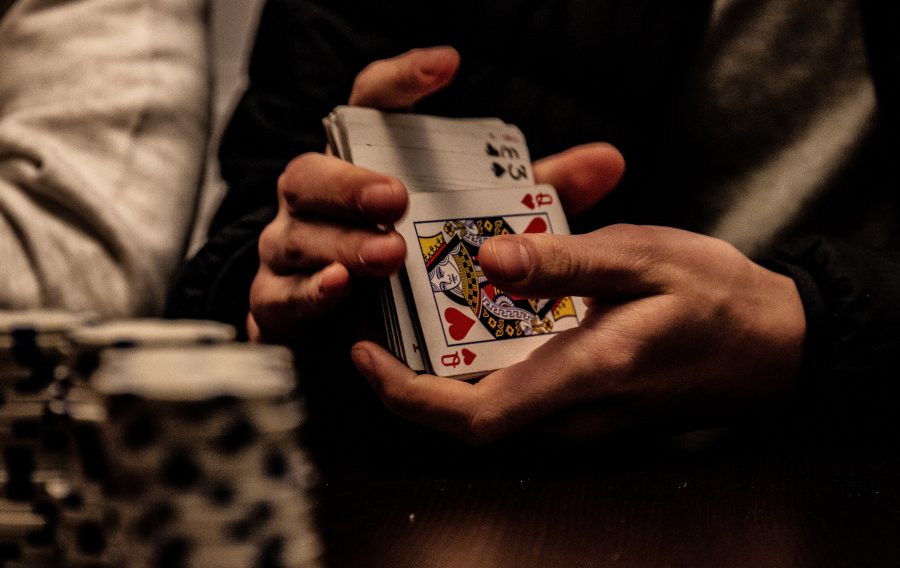
Have you ever wondered why card games are so popular? Of course, there is nowhere you’ll go in this world where people don’t enjoy playing this type of games. But why is this the case? Well, for one, they are exceptionally fun to play whether you enjoy the games among friends or in a casino setting. And speaking of casinos, the games like blackjack, poker, and baccarat usually come with fantastic casino bonuses that players can claim to enrich their gaming experiences.
Besides the fun factor, players who actively gamble in blackjack or poker often relish the potential of landing huge sums of money as a payout after winning a game or tournament. The World Series of Poker is an excellent example of a massive social convention where the most skilled card players meet to best each other in high-stakes matches. Winners of the said events end up grabbing payouts often worth millions of dollars.
However, the recreational and monetary rewards are not the only benefits card players reap when they engage in the game. Studies have shown that the activity brings a multitude of benefits to your mental wellness, which is why we are here today. Read on to discover why playing cards are good for your brain.
You Can Learn New Skills
While the games like blackjack and poker may appear deceivingly easy, they could take you a lifetime to completely master the ins and outs of the game. However, if you ask even the most seasoned poker players, they will agree that no matter how well-versed you are in the rules of play, you never stop learning.
That’s because there is no point where you’ll play two games in precisely the same way, meaning that there will always be something new you experience. As a result, the learning never stops. And what beats learning and developing your skills in something you already enjoy doing? That is the beauty of the mentioned games. Given that you will keep learning the longer you play, your favourite amusement will never get boring!
Playing Boosts Your Mental Health
Did you know you can improve your mental health when playing the amusements like blackjack, poker, and baccarat? Yes, that’s right. This is possible because you don’t always have to play the game in high-stakes tournaments, which may sometimes mean that you have to withstand the stress that comes with the completion.
In fact, unless you are a professional card game player, most people consider playing cards a leisure activity that we often play with friends and family. So, when close friends and family are in the mix, gameplay usually also comes with tons of laughter and chatter that will ultimately get you in a fantastic mood.
Given that playing card games is a perfect mood-boosting activity, it would be wise if you organized such events every week or every month whenever you find the time. Such interactions will nurture your mental health as for the few hours you play, you will forget about your troubles and relish the simpler pleasures of life.
Teach You to Be Patient, Disciplined and Focused
When you actively participate in card game tournaments, you will easily find yourself laser-focused and engaged for hours on end. Moreover, such concentration means you have to be super patient to prevent rash decisions that could cost you in the long run.
Similarly, during gameplay, you have to be disciplined and weigh every single decision that you make. You must calculate all risks of doubling down, folding, or waiting for that one trump card that will change the tides for you as you play. Some of the games that require a combination of these three qualities include:
- Pai Gow Poker
- Texas Hold’em Poker
- Omaha Poker
- Baccarat
- Single Deck Blackjack
- Three Card Poker
Keeping Your Mind Sharp
Whichever card game you enjoy playing, the mental gymnastics that comes with it makes it a perfect exercise tool for your mind at any age. However, older players benefit more as our brains usually age as we pile up our years.
Therefore, enjoying card-based entertainment will ensure that your brain stays sharp even as you age, meaning that you’ll be fighting off cognitive decline usually associated with old age. That’s because the very foundation of card games is problem-solving and strategy, along with some mathematics and critical reasoning. So, when you twist your mental muscles with the card game experience, you will keep your brain healthier for longer.
Time to Play Has Come
There you have it; devoting time to your favourite card-based amusement goes a longer way than just killing boredom. So, if you haven’t played these games in a while, it’s about time you get back to playing (whether online or with friends) so that you can keep nourishing your mental health!


Download Minecraft PE 1.21.131 APK for Android
Minecraft Bedrock 1.21.131 is a focused hotfix update — improved Spear combat, two important bug fixes, and better overall stability on Android. No new content, but a noticeably smoother experience.
Spear Knockback Improvement
The window during which a charged Spear attack can apply knockback has been extended. This makes combat feel more reliable — the attack now connects as expected without requiring pinpoint timing, especially useful when fighting multiple mobs at once.
Spear Animation Alignment
Charge attack animations now accurately sync with the Spear’s three gameplay phases: Engaged, Tired, and Disengaged. What you see on screen now matches what the game engine is actually doing — making combat more readable and reducing guesswork in fights.
Performance & Stability
Frame drops on mid-range Android hardware have been reduced. Memory handling improvements prevent sudden freezes during long play sessions. World loading and chunk generation are more reliable, reducing terrain “pop-in” when exploring or moving quickly.
Multiplayer Improvements
Backend updates improve session stability when players join or leave. Fewer disconnects and smoother synchronisation across Bedrock servers. Marketplace content and add-ons also load more consistently during multiplayer sessions.
Adventuring Time Achievement Fixed — The achievement no longer unlocks early. It now correctly requires visiting at least 17 biomes on PC, matching the intended design.
Marketplace Escape Key Fixed — Pressing Escape after using the Marketplace search now reliably returns players to the previous menu instead of getting stuck in a loop.
Add-on World Loading Fixed — A bug that triggered a “Block” error when loading or creating worlds with multiple add-ons installed has been resolved.
Download the APK
Tap one of the Download buttons above. Choose the Standard (no music) version if storage is limited, or the Full version for the complete experience. The ARM64 build is recommended for modern phones.
Enable “Install Unknown Apps”
Go to Settings → Security (or Privacy) → Install unknown apps. Enable the permission for your browser or file manager. Android requires this for any APK installed outside Google Play.
Open the APK File
Open your Downloads folder, find the Minecraft 1.21.131 APK, and tap it to launch the system installer. Follow the on-screen prompts.
Install Over Existing Version
In most cases you can install 1.21.131 directly over your existing Minecraft without losing any worlds or progress. If you see a signature conflict error, uninstall first — but back up your worlds beforehand.
Launch and Sign In
Open Minecraft, sign in with your Microsoft/Xbox Live account, and your existing worlds will load normally. Online multiplayer, Realms, and Marketplace content all work as before.
Download Minecraft PE 1.20 APK for Android
Get the full Minecraft Bedrock 1.20 (Trails and Tales) APK for Android. Supports Xbox Live sign-in. Multiple versions available — stable releases and preview builds.
Download the APK File
Tap the Download button above for the version you want. The APK file will save to your device’s Downloads folder.
Enable “Install Unknown Apps”
Go to Settings → Security or Privacy → Install unknown apps. Enable it for your browser or file manager. Android requires this for any APK installed outside of Google Play.
Open the Downloaded File
Open your Downloads folder (or tap the notification), find the Minecraft APK, and tap it to start the installer.
Confirm Installation
Tap Install and wait for the process to complete. If you see a “signature conflict” error, uninstall your existing Minecraft version first, then retry.
Launch and Sign In with Xbox Live
Open Minecraft, sign in with your Microsoft/Xbox Live account to access multiplayer, Realms, and cross-platform features.
-
 Guides7 years ago
6 Proven Ways to Get more Instagram Likes on your Business Account
-
Mainstream12 years ago
BioWare: Mass Effect 4 to Benefit From Dropping Last-Gen, Will Not Share Template With Dragon Age: Inquisition
-
 Mainstream8 years ago
How to Buy Property & Safe Houses in GTA 5 (Grand Theft Auto 5)
-

 Guides2 years ago
Free Fire vs PUBG: Comparing Graphics, Gameplay, and More
-

 Guides2 years ago
50+ Free Fire ID and Passwords Login List (Giveaway) 2025
-
 Casual3 years ago
8 Ways to Fix Over-Extrusion and Under-Extrusion in 3D Printing
-

 Other3 years ago
Ajjubhai UID: Free Fire Details & Earnings
-

 Features2 years ago
Exploring Valorant eSports Stats: Unveiling the Metrics Behind Competitive Excellence