
Guides
How Can CBD Balm Help You?

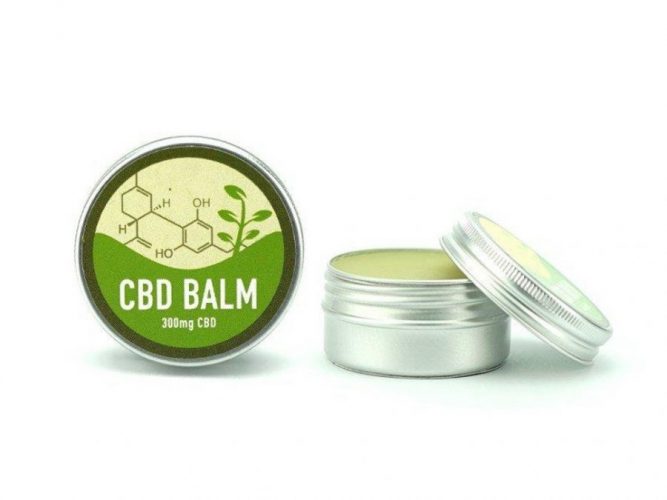
There’s probably no product that has yet witnessed experimentation with CBD infusion. Cannabidiol is a valuable cannabinoid derived from hemp that can alleviate stress and pain, help you sleep better, and achieve the large-scale anxiety relief you’ve been craving. So, CBD is everywhere, and in this article, we dwell on the use and choice of CBD balms. Let’s talk about this product honestly to clarify whether CBD balms are really helpful or if it’s all about marketing. After reading, you’ll know for sure whether it’s worth googling “CBD muscle balm near me” or whether it’s better to buy a pack of CBD gummies instead.
Benefits of CBD
The first point of reference is the scientifically backed evidence of CBD’s health benefits. Why would so many manufacturers add CBD to CBD balms, promising inflammation and pain relief to users? In fact, there’s enough data to prove that CBD really works:
- Relief for anxiety, depression, and PTSD. Garcia-Gutierrez et al. recently held a large-scale study that examined the potential of using cannabidiol as a new alternative for the treatment of anxiety, depression, and psychotic disorders. The researchers found CBD to be a safer alternative to medications while at the same time noticing pronounced therapeutic effects of CBD treatment. Stanciu et al. also confirmed the efficiency of CBD in treating mood disorders, anxiety, and PTSD by delivering a consistent review of existing evidence on this subject.
- Treatment of seizures. Gray and Whalley offered insightful analysis of the proposed mechanisms of CBD action in epilepsy, and Lazarini-Lopes et al. noticed the anticonvulsant effects of CBD in epileptic seizures.
- Promotion of high-quality sleep and pain relief. The impact of CBD on pain and sleep quality is given a thorough review in the study of Sativex effects by Russo et al. Another study by Eskander et al. revealed the value of CBD in the treatment of acute and chronic back pain.
- Non-psychoactive relaxing and soothing effect. There is much scholarly evidence on the stress relief and relaxation that CBD use brings to patients with various health conditions.
As all these benefits are clinically proven, you can choose a CBD product for treating various health conditions and be sure to receive tangible therapeutic effects.
What Should You Expect from a CBD Balm?
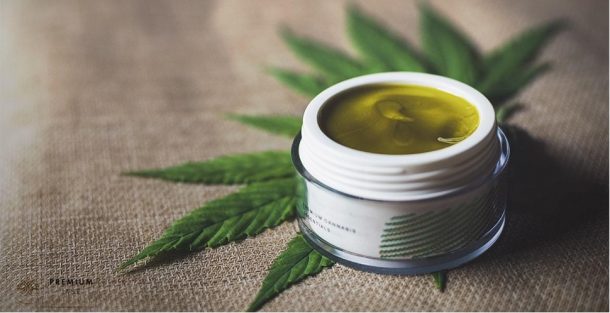
Now, let’s get more precise about this concrete CBD product. CBD works, but what about a CBD balm for muscle pain? Can a CBD pain relief balm indeed cope with its task and bring the relief you seek? The effects you can expect include the following:
- A soothing and refreshing impact on tired, aching muscles;
- Heating of the muscles for improved blood circulation during massages;
- Skin nourishment and moisturization;
- Dry skin treatment;
- Management of acne, eczema, and psoriasis;
- Effective prevention of wrinkles.
To achieve these effects with a chosen CBD balm, you can apply it as follows:
- Take some CBD balm with a hand and rub it between the fingers to warm it and achieve the intended texture.
- Massage the balm circularly into the tired, aching muscles and joints.
Experts also recommend taking a bath or a shower before a massage with a CBD balm to warm your body up and intensify the effect of CBD components on muscle and joint pain. You may get even more therapeutic value by choosing products with additional soothing ingredients, like eucalyptus leaf oil, peppermint leaf oil, tea tree, peppermint, camphor, etc.
Tips for Choosing the Best CBD Balm
You must select the product wisely to derive maximum CBD balm benefits. Here are the most important pointers that will help you distinguish a mediocre (or poor-quality) balm from a superior one.
- Third-party lab testing and ISO 17025 compliance are vital for a serious brand.
- The manufacturer should state clearly where it took the hemp from which CBD was extracted.
- The COA results should indicate the minimum THC content (up to 0.3%) and freedom of the product’s ingredients from pesticides, solvents, and other hazardous chemicals.
- The label should indicate the CBD potency accurately.
- The product should contain natural, organic ingredients.
Besides these details that can be easily found on the product’s package or the official manufacturer’s website, we recommend checking the CBD muscle balm reviews on independent websites. Users eagerly share their impressions and experiences of specific products, so you can quickly find unbiased evidence about CBD balm side effects, allergies, or other issues.
Interesting Facts about CBD Balms
Now that you think you know everything about CBD balms, we have bad news for you: you don’t. Here are some interesting facts that can change your attitude to this seemingly plain CBD product and diversify its applications in your wellness regimen.
Most CBD Balms Have Similar Components
As soon as you decide to buy a CBD balm and start searching for the best product online, you will be startled by the variety of brands and products on offer. Marketing does wonders, and CBD balms’ prices and ratings will be impressively different, leaving you clueless about which item to buy. But in reality, the ingredients of all CBD balms are largely the same. There’s simply no room for experimentation in this area, and the dominant majority of products you’ll find will contain avocado oil, jojoba oil, coconut oil, MCT oil as a fatty oil base, and a natural wax product for a thicker texture. The CBD included in the balm may vary depending on your needs and preferences; you can choose broad-spectrum, full-spectrum, or isolate CBD types.
They Reach the Source of Pain the Best
It will be a huge relief for you to know that CBD balm effects are the most pronounced of all CBD topicals. These products contain the right content in the right concentration to reach the source of pain and inflammation, bringing you effective relief. This effect is achieved due to the thick texture of the balm guaranteed by natural wax. Counter to CBD oils that may distribute uncontrollably all over your skin, the balm will stay on the area you’ve applied it to, giving you a higher concentration of CBD right in the place you need.
It’s All about the Concentration
The ingredients of all CBD balms are largely the same, so there’s no use searching for something extraordinary. However, what sets most CBD balms apart is the concentration of CBD you will receive. The minimum effective concentration is 250mg CBD per ounce of CBD balm, so you should focus on this amount to avoid wasting money on a non-effective product. Anything higher than 250mg CBD will also do, as the balm is applied topically, and the risk of overdosing is non-existent.
Balms Work Exceptionally Well in Skin Care
You may think about CBD balms only in the context of pain and stress relief, but their application goes much further than that. The CBD balm can become your effective skincare item, as cold-pressed hemp oil contains 80% of essential fatty acids with an ideal ratio of omega-3 and omega-6 fatty acids. The composition of CBD oil prevents skin aging, increases the balance of moisture in the skin, and helps address acne, psoriasis, and eczema. Thus, due to CBD’s anti-oxidant and anti-inflammatory properties, you can strengthen your skin’s defense and achieve radiant-looking, healthy skin.
Balms Help with Prevention and Remediation
As a rule, CBD is used when the person already experiences intense pain, joint soreness, and major physical discomfort. However, the often-overlooked value of CBD balms is in the ability to prevent these issues if they are applied regularly and work in the problematic areas of your body. As CBD balms are often used to treat skin problems, you can apply the prophylactic amount of the CBD balm to your skin to avoid your condition’s aggravation. The same works well with joints and muscles; a bit of CBD balm applied to your body after an intense workout can save you the trouble of recovering the muscles for an extended period afterward.
DIY CBD Balm
Now, we’ve come to a bonus tip – a DIY CBD balm that everyone can manufacture at home without relying on the industrial producer. You’re just one step away from a natural ointment that will meet all your health needs.
You can create a CBD balm with hemp oil and coconut oil. To get this CBD-infused balm, you should dissolve coconut butter and hemp oil base together, then let the oil mix cool down, and add some CBD oil drops. The resulting substance should be poured into convenient forms and refrigerated. Add some natural beeswax to make the texture thicker and achieve the effect of an industrial balm.
Conclusion: Is a CBD Balm Worth Buying?
As you can see, CBD balms are pretty effective for a variety of health conditions, such as skin problems, joint inflammation, and muscle soreness. They work better than other variants of CBD topicals, which is a result of natural wax inclusion into their content. Thus, if you have skin problems or frequently suffer muscle and joint pain after physical exercise, we recommend having a CBD balm in your wellness kit. You’ll surely enjoy the fast relief and effective action it offers.

Download Minecraft PE 1.21.131 APK for Android
Minecraft Bedrock 1.21.131 is a focused hotfix update — improved Spear combat, two important bug fixes, and better overall stability on Android. No new content, but a noticeably smoother experience.
Spear Knockback Improvement
The window during which a charged Spear attack can apply knockback has been extended. This makes combat feel more reliable — the attack now connects as expected without requiring pinpoint timing, especially useful when fighting multiple mobs at once.
Spear Animation Alignment
Charge attack animations now accurately sync with the Spear’s three gameplay phases: Engaged, Tired, and Disengaged. What you see on screen now matches what the game engine is actually doing — making combat more readable and reducing guesswork in fights.
Performance & Stability
Frame drops on mid-range Android hardware have been reduced. Memory handling improvements prevent sudden freezes during long play sessions. World loading and chunk generation are more reliable, reducing terrain “pop-in” when exploring or moving quickly.
Multiplayer Improvements
Backend updates improve session stability when players join or leave. Fewer disconnects and smoother synchronisation across Bedrock servers. Marketplace content and add-ons also load more consistently during multiplayer sessions.
Adventuring Time Achievement Fixed — The achievement no longer unlocks early. It now correctly requires visiting at least 17 biomes on PC, matching the intended design.
Marketplace Escape Key Fixed — Pressing Escape after using the Marketplace search now reliably returns players to the previous menu instead of getting stuck in a loop.
Add-on World Loading Fixed — A bug that triggered a “Block” error when loading or creating worlds with multiple add-ons installed has been resolved.
Download the APK
Tap one of the Download buttons above. Choose the Standard (no music) version if storage is limited, or the Full version for the complete experience. The ARM64 build is recommended for modern phones.
Enable “Install Unknown Apps”
Go to Settings → Security (or Privacy) → Install unknown apps. Enable the permission for your browser or file manager. Android requires this for any APK installed outside Google Play.
Open the APK File
Open your Downloads folder, find the Minecraft 1.21.131 APK, and tap it to launch the system installer. Follow the on-screen prompts.
Install Over Existing Version
In most cases you can install 1.21.131 directly over your existing Minecraft without losing any worlds or progress. If you see a signature conflict error, uninstall first — but back up your worlds beforehand.
Launch and Sign In
Open Minecraft, sign in with your Microsoft/Xbox Live account, and your existing worlds will load normally. Online multiplayer, Realms, and Marketplace content all work as before.
Download Minecraft PE 1.20 APK for Android
Get the full Minecraft Bedrock 1.20 (Trails and Tales) APK for Android. Supports Xbox Live sign-in. Multiple versions available — stable releases and preview builds.
Download the APK File
Tap the Download button above for the version you want. The APK file will save to your device’s Downloads folder.
Enable “Install Unknown Apps”
Go to Settings → Security or Privacy → Install unknown apps. Enable it for your browser or file manager. Android requires this for any APK installed outside of Google Play.
Open the Downloaded File
Open your Downloads folder (or tap the notification), find the Minecraft APK, and tap it to start the installer.
Confirm Installation
Tap Install and wait for the process to complete. If you see a “signature conflict” error, uninstall your existing Minecraft version first, then retry.
Launch and Sign In with Xbox Live
Open Minecraft, sign in with your Microsoft/Xbox Live account to access multiplayer, Realms, and cross-platform features.
-
 Guides7 years ago
6 Proven Ways to Get more Instagram Likes on your Business Account
-
Mainstream12 years ago
BioWare: Mass Effect 4 to Benefit From Dropping Last-Gen, Will Not Share Template With Dragon Age: Inquisition
-
 Mainstream8 years ago
How to Buy Property & Safe Houses in GTA 5 (Grand Theft Auto 5)
-

 Guides2 years ago
Free Fire vs PUBG: Comparing Graphics, Gameplay, and More
-

 Guides2 years ago
50+ Free Fire ID and Passwords Login List (Giveaway) 2025
-
 Casual3 years ago
8 Ways to Fix Over-Extrusion and Under-Extrusion in 3D Printing
-

 Other3 years ago
Ajjubhai UID: Free Fire Details & Earnings
-

 Features2 years ago
Exploring Valorant eSports Stats: Unveiling the Metrics Behind Competitive Excellence