
Guides
Guide to Opening CSGO Cases & What to Expect

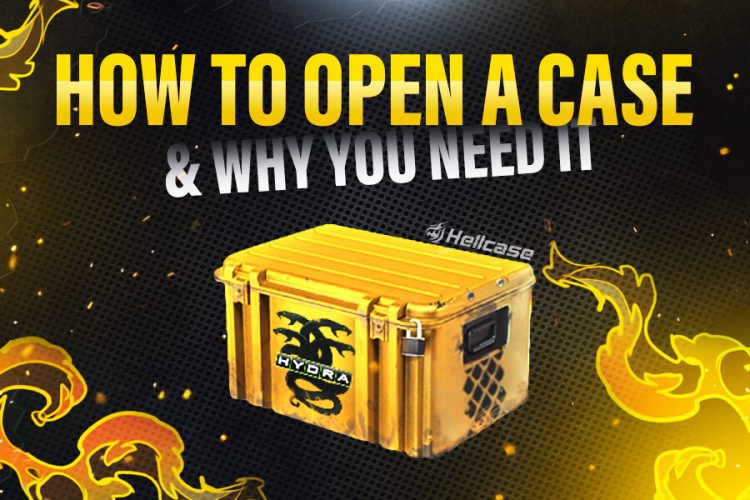
Since the debut of cases and skins in 2013, the game has gained incredible popularity. From that point, the game has become better from an aesthetic point of view and has given players a chance to earn money inside the game. Now, every player dreams of a rare and expensive skin. In this review, we will tell you in more detail everything or almost everything about cases, skins, and how to get them. So read the information in the article below to be on topic.
What are Cases & What do they contain?
CS:GO cases were introduced to players in 2013 and became instantly popular as they offered players rare and costly skins. That year, users` interest in CS: GO case opening online increased significantly and continues to be considerable. CS: GO Cases are a box with different skins for weapons or knives. There are standard cases that come along with updates to the game or as part of collections.
There are also unique cases that you can find on different platforms. The contents of cases are selected according to various criteria, such as the rarity of skins or common elements in the design. They can be both cheap and expensive, depending on their rarity level. You can open cases and get skins only with the help of special keys.
How does the case system work in CS:GO
Roughly speaking, opening CS: GO cases are a kind of game of chance. You have information about the case you want to open and the key to open it, but you can never know what exactly you will get from the case. There is no logical sequence or algorithm here. All you can hope for is your luck. But one thing we can say for sure is that finding expensive skin is quite possible. First, you need to focus on the cost of the case itself. After all, the more expensive the case, the more valuable its contents.
What Are Skins?
Initially, the main task of the skins is to make the game more aesthetically beautiful. They absolutely do not affect the character of the weapon. They only give the weapon a unique appearance, so players want the rarest skins. Although the price does not directly depend on the beauty of the skin design, everyone focuses on the price, not the appearance. After all, in this way, the player can also boast of his inventory.
The price depends on the rarity level of the skin, and there are several of them. The cheapest and most common Mil-Spec quality skins. The next level is Restricted quality; skins of this quality cost a bit more. Next, come to the Classified quality skins, you can rarely find them in cases, and they cost an order of magnitude more expensive. And finally, Covert red skins are very rare. Knives and glove skins can cost a couple of thousand dollars in Special Rarity quality.
What are keys?
Keys are produced to open cases. You cannot get them for free and can only purchase them. The game has a universal key that fits several cases, and special keys are also given to certain cases. When buying a key, it is automatically linked to a case that it can open.
How to get cases in CS:GO
The safest and best way is to buy a case on a reliable platform. There, you can choose a case yourself, and see what you can get from it. For example, a case that costs more and the contents will also be better, and the chance of getting rare skin is higher.
How to Open Cases in CS:GO
To open CS:GO case online, you will need the case itself and the key to open it. Just go to the “Inventory” section, select the case, pick the key and click “Open” Then, you will see how the roulette wheel spins and shows your skin.
What Can You Get?
A standard case contains skins of several rarity levels. You can get a weapon skin, a skin for a knife, or gloves from the case. You can also find decals on some of the cases that are meant to, again, make your weapon unique. Glove and knife skins are considered the rarest, and you will be fortunate if you get them.
How to Receive a Free Case?
Apart from buying cases, then you can also get them for free. For example, players can take part in various drawings and, if they are lucky, get a case for free.
You can also get a free case by participating in promotions. For example, take a survey, earn points, and exchange them for a case. Some platforms give cases to their users for a small daily deposit.
And for the minimum amount, you have the opportunity to get excellent skin every day.
How to Use Items from Cases?
You can do whatever you want with the items in the cases. First of all, they are devised to decorate weapons. Therefore, you can simply assemble a collection of your own skins and use them in battles.
The second purpose of skins is to give their owner not only a certain status but also profit. You can sell skins on different platforms or exchange them with other users. Although the exchange of skins will not bring you any earnings, in this way, you can diversify and refresh your inventory a little.
Other Quick Ways To Get Cases in CSGO
By registering, you can also get various CS: GO cases quickly and free of charge. Immediately after you enter your data and register, you will receive a free case.
There are platforms where you can get a case just like that, and you don’t even need to complete any straightforward actions. But you should treat such platforms with care to avoid fraud on their part.
Also, do not forget that you can be rewarded for a good game with a case, and this is the best option among those listed since, in this way, the case is not only free but also the skins in it are pretty good.
To Sum Up!
Cases and skins CS: GO is an integral and significant part of this game. Therefore, you should definitely try to get a case or buy one. It can be an excellent investment not only from an aesthetic point of view but also in order to make a good profit. If you can’t afford to buy a case, you can always get it for free, and you just need to remember about security and cooperate only with trusted platforms.
Author BIO:

Radosław Davidović is Hellcase’s customer success manager. He enjoys blogging to share his knowledge and experience with customers.

Download Minecraft PE 1.21.131 APK for Android
Minecraft Bedrock 1.21.131 is a focused hotfix update — improved Spear combat, two important bug fixes, and better overall stability on Android. No new content, but a noticeably smoother experience.
Spear Knockback Improvement
The window during which a charged Spear attack can apply knockback has been extended. This makes combat feel more reliable — the attack now connects as expected without requiring pinpoint timing, especially useful when fighting multiple mobs at once.
Spear Animation Alignment
Charge attack animations now accurately sync with the Spear’s three gameplay phases: Engaged, Tired, and Disengaged. What you see on screen now matches what the game engine is actually doing — making combat more readable and reducing guesswork in fights.
Performance & Stability
Frame drops on mid-range Android hardware have been reduced. Memory handling improvements prevent sudden freezes during long play sessions. World loading and chunk generation are more reliable, reducing terrain “pop-in” when exploring or moving quickly.
Multiplayer Improvements
Backend updates improve session stability when players join or leave. Fewer disconnects and smoother synchronisation across Bedrock servers. Marketplace content and add-ons also load more consistently during multiplayer sessions.
Adventuring Time Achievement Fixed — The achievement no longer unlocks early. It now correctly requires visiting at least 17 biomes on PC, matching the intended design.
Marketplace Escape Key Fixed — Pressing Escape after using the Marketplace search now reliably returns players to the previous menu instead of getting stuck in a loop.
Add-on World Loading Fixed — A bug that triggered a “Block” error when loading or creating worlds with multiple add-ons installed has been resolved.
Download the APK
Tap one of the Download buttons above. Choose the Standard (no music) version if storage is limited, or the Full version for the complete experience. The ARM64 build is recommended for modern phones.
Enable “Install Unknown Apps”
Go to Settings → Security (or Privacy) → Install unknown apps. Enable the permission for your browser or file manager. Android requires this for any APK installed outside Google Play.
Open the APK File
Open your Downloads folder, find the Minecraft 1.21.131 APK, and tap it to launch the system installer. Follow the on-screen prompts.
Install Over Existing Version
In most cases you can install 1.21.131 directly over your existing Minecraft without losing any worlds or progress. If you see a signature conflict error, uninstall first — but back up your worlds beforehand.
Launch and Sign In
Open Minecraft, sign in with your Microsoft/Xbox Live account, and your existing worlds will load normally. Online multiplayer, Realms, and Marketplace content all work as before.
Download Minecraft PE 1.20 APK for Android
Get the full Minecraft Bedrock 1.20 (Trails and Tales) APK for Android. Supports Xbox Live sign-in. Multiple versions available — stable releases and preview builds.
Download the APK File
Tap the Download button above for the version you want. The APK file will save to your device’s Downloads folder.
Enable “Install Unknown Apps”
Go to Settings → Security or Privacy → Install unknown apps. Enable it for your browser or file manager. Android requires this for any APK installed outside of Google Play.
Open the Downloaded File
Open your Downloads folder (or tap the notification), find the Minecraft APK, and tap it to start the installer.
Confirm Installation
Tap Install and wait for the process to complete. If you see a “signature conflict” error, uninstall your existing Minecraft version first, then retry.
Launch and Sign In with Xbox Live
Open Minecraft, sign in with your Microsoft/Xbox Live account to access multiplayer, Realms, and cross-platform features.
-
 Guides7 years ago
6 Proven Ways to Get more Instagram Likes on your Business Account
-
Mainstream12 years ago
BioWare: Mass Effect 4 to Benefit From Dropping Last-Gen, Will Not Share Template With Dragon Age: Inquisition
-
 Mainstream8 years ago
How to Buy Property & Safe Houses in GTA 5 (Grand Theft Auto 5)
-

 Guides2 years ago
Free Fire vs PUBG: Comparing Graphics, Gameplay, and More
-

 Guides2 years ago
50+ Free Fire ID and Passwords Login List (Giveaway) 2025
-
 Casual3 years ago
8 Ways to Fix Over-Extrusion and Under-Extrusion in 3D Printing
-

 Other2 years ago
Ajjubhai UID: Free Fire Details & Earnings
-

 Features2 years ago
Exploring Valorant eSports Stats: Unveiling the Metrics Behind Competitive Excellence