
Guides
What are Some of the Best Games Developed by Australian game Developers?

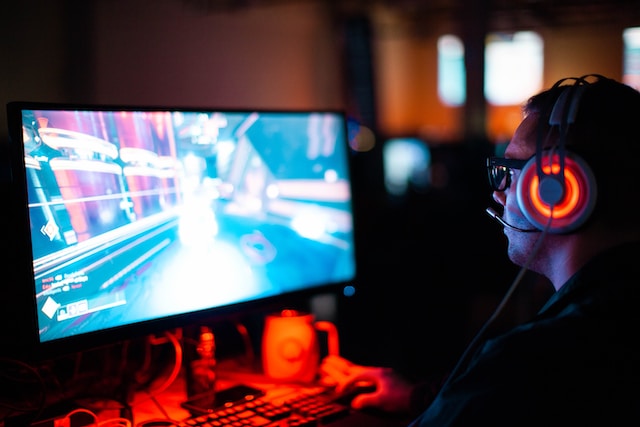
The Australian game development industry has been gaining traction in recent years, with many talented developers creating innovative and engaging games across a variety of genres. Australian game developers have made a significant impact on the gaming industry, with games such as “Hollow Knight,” “Unto the End,” and “Hand of Fate” gaining critical acclaim and a dedicated following.
This blog post will highlight some of the best games developed by Australian game developers and explore their unique features and gameplay mechanics. Additionally, we will discuss the relationship between Australian game development and the casino/gambling industry, highlighting successful collaborations between game developers and casinos/gambling sites.
The Australian game development industry has also been instrumental in shaping the future of gaming, with many developers pushing the boundaries of what is possible in terms of gameplay, graphics, and storytelling. As technology continues to evolve, it will be interesting to see how Australian game developers adapt to new trends and emerging technologies
Top Games Developed by Australian Developers
Australian game developers have created some truly outstanding games that have gained critical acclaim and a dedicated following. Here, we will provide an overview of the top games developed by Australian developers.
“Hollow Knight” – Developed by Team Cherry, “Hollow Knight” is a 2D action-adventure game that has garnered widespread praise for its atmospheric world-building, challenging gameplay, and intricate level design. The game’s stunning hand-drawn visuals and haunting soundtrack create an immersive experience that draws players into a dark and mysterious world.
“Unto the End” – Developed by 2 Ton Studios, “Unto the End” is a 2D side-scrolling action game that emphasizes realistic combat mechanics and player choice. The game’s striking visuals and moody soundtrack set the stage for a challenging and engaging experience that rewards careful observation and strategic thinking.
“Hand of Fate” – Developed by Defiant Development, “Hand of Fate” is a unique blend of action RPG and card game mechanics. Players navigate a series of randomly generated dungeons, battling enemies and collecting loot, while card-based mechanics determine the flow of the game. The game’s atmospheric visuals and immersive sound design make for a compelling and memorable experience.
“The Gardens Between” – Developed by The Voxel Agents, “The Gardens Between” is a puzzle game that centers around time manipulation mechanics. Players navigate a series of surreal, dreamlike environments, manipulating time to solve puzzles and progress through the game. The game’s stunning visuals and evocative music create a mesmerizing experience that is both relaxing and thought-provoking.
“Crossy Road” – Developed by Hipster Whale, “Crossy Road” is a mobile game that has gained widespread popularity for its addictive gameplay and charming visuals. Players navigate a series of obstacles, attempting to cross a busy road without getting hit by cars. The game’s bright and colorful graphics and catchy soundtrack make for a fun and engaging experience.
Australian Game Developers and the Casino Industry
The Australian game development industry has played a significant role in the casino and gambling industry. Australian game developers have created a wide range of games that are popular among casino players, including slot machines, table games, and online casino games.
One of the reasons Australian game developers have become popular in the casino industry is their expertise in creating visually appealing and immersive games. These games are designed to engage players and keep them coming back for more. Additionally, many Australian game developers have a background in creating video games, which has allowed them to bring a unique perspective to casino game design.
Another factor that has contributed to the success of Australian game developers in the casino industry is their focus on innovation. Many Australian game developers are constantly pushing the boundaries of what is possible in terms of game design and technology. This has led to the creation of new and exciting games that offer players a fresh and engaging experience.
The success of Australian game developers in the casino industry has not gone unnoticed. Many of the world’s largest casino and gambling companies have partnered with Australian game developers and some of the best bitcoin gambling sites are now offering these games to their users. These partnerships have also resulted in creation of some of the most popular games in the casino industry, such as “Lightning Link” and “Dragon Link” by Aristocrat, and “Big Red” and “Queen of the Nile” by Ainsworth.
Australian Game Developers and the Future of Gaming.
Furthermore, Australian game developers have been instrumental in the growth of online gambling. Many online gambling sites now offer a wide range of games developed by Australian game developers, including online slots, table games, and video poker. The availability of these games has helped to attract a new generation of online gamblers who are looking for exciting and engaging games.
The Australian game development industry has been at the forefront of innovation, with many developers pushing the boundaries of what is possible in terms of gameplay, graphics, and storytelling. As technology continues to evolve, it will be interesting to see how Australian game developers adapt to new trends and emerging technologies.
One of the most significant trends in gaming is the growth of mobile gaming. As more and more people use their mobile devices to play games, Australian game developers have been quick to capitalize on this trend by developing games specifically for mobile platforms. Many Australian game developers have created mobile versions of their popular games, which has helped to broaden their reach and attract new players.
Another emerging trend in gaming is the rise of virtual and augmented reality. While still in its early stages, virtual and augmented reality has the potential to revolutionize the gaming industry. Australian game developers are at the forefront of this trend, with many already developing games that take advantage of this technology. The use of virtual and augmented reality in gaming could potentially create an entirely new gaming experience, where players are fully immersed in the game world.
Conclusion
In conclusion, the Australian game development industry has made a significant impact on the gaming industry, creating some of the most popular and innovative games in recent years. Their focus on immersive gameplay, stunning visuals, and innovative mechanics has helped to shape the future of gaming.
Moreover, the Australian game development industry has been instrumental in the growth of the casino and gambling industry, with many of their games becoming some of the most popular in the industry. Their expertise in creating visually appealing and engaging games has helped to attract new players to the industry.
Looking to the future, Australian game developers are well-positioned to take advantage of emerging technologies such as virtual and augmented reality. With their track record of innovation and creativity, we can expect to see Australian game developers continue to push the boundaries of what is possible in gaming, creating new and exciting experiences for players around the world.
In addition, as the gaming industry continues to grow, we can expect to see a greater focus on inclusivity and diversity. Australian game developers have already demonstrated a commitment to creating games that feature diverse characters and storylines, and this trend is likely to continue in the future.
Overall, the Australian game development industry has proven to be a significant contributor to the gaming industry, and it is important to recognize their achievements and contributions. As the industry continues to evolve and grow, we can expect to see Australian game developers play an even greater role in shaping its future.

Download Minecraft PE 1.21.131 APK for Android
Minecraft Bedrock 1.21.131 is a focused hotfix update — improved Spear combat, two important bug fixes, and better overall stability on Android. No new content, but a noticeably smoother experience.
Spear Knockback Improvement
The window during which a charged Spear attack can apply knockback has been extended. This makes combat feel more reliable — the attack now connects as expected without requiring pinpoint timing, especially useful when fighting multiple mobs at once.
Spear Animation Alignment
Charge attack animations now accurately sync with the Spear’s three gameplay phases: Engaged, Tired, and Disengaged. What you see on screen now matches what the game engine is actually doing — making combat more readable and reducing guesswork in fights.
Performance & Stability
Frame drops on mid-range Android hardware have been reduced. Memory handling improvements prevent sudden freezes during long play sessions. World loading and chunk generation are more reliable, reducing terrain “pop-in” when exploring or moving quickly.
Multiplayer Improvements
Backend updates improve session stability when players join or leave. Fewer disconnects and smoother synchronisation across Bedrock servers. Marketplace content and add-ons also load more consistently during multiplayer sessions.
Adventuring Time Achievement Fixed — The achievement no longer unlocks early. It now correctly requires visiting at least 17 biomes on PC, matching the intended design.
Marketplace Escape Key Fixed — Pressing Escape after using the Marketplace search now reliably returns players to the previous menu instead of getting stuck in a loop.
Add-on World Loading Fixed — A bug that triggered a “Block” error when loading or creating worlds with multiple add-ons installed has been resolved.
Download the APK
Tap one of the Download buttons above. Choose the Standard (no music) version if storage is limited, or the Full version for the complete experience. The ARM64 build is recommended for modern phones.
Enable “Install Unknown Apps”
Go to Settings → Security (or Privacy) → Install unknown apps. Enable the permission for your browser or file manager. Android requires this for any APK installed outside Google Play.
Open the APK File
Open your Downloads folder, find the Minecraft 1.21.131 APK, and tap it to launch the system installer. Follow the on-screen prompts.
Install Over Existing Version
In most cases you can install 1.21.131 directly over your existing Minecraft without losing any worlds or progress. If you see a signature conflict error, uninstall first — but back up your worlds beforehand.
Launch and Sign In
Open Minecraft, sign in with your Microsoft/Xbox Live account, and your existing worlds will load normally. Online multiplayer, Realms, and Marketplace content all work as before.
Download Minecraft PE 1.20 APK for Android
Get the full Minecraft Bedrock 1.20 (Trails and Tales) APK for Android. Supports Xbox Live sign-in. Multiple versions available — stable releases and preview builds.
Download the APK File
Tap the Download button above for the version you want. The APK file will save to your device’s Downloads folder.
Enable “Install Unknown Apps”
Go to Settings → Security or Privacy → Install unknown apps. Enable it for your browser or file manager. Android requires this for any APK installed outside of Google Play.
Open the Downloaded File
Open your Downloads folder (or tap the notification), find the Minecraft APK, and tap it to start the installer.
Confirm Installation
Tap Install and wait for the process to complete. If you see a “signature conflict” error, uninstall your existing Minecraft version first, then retry.
Launch and Sign In with Xbox Live
Open Minecraft, sign in with your Microsoft/Xbox Live account to access multiplayer, Realms, and cross-platform features.
-
 Guides7 years ago
6 Proven Ways to Get more Instagram Likes on your Business Account
-
Mainstream12 years ago
BioWare: Mass Effect 4 to Benefit From Dropping Last-Gen, Will Not Share Template With Dragon Age: Inquisition
-
 Mainstream8 years ago
How to Buy Property & Safe Houses in GTA 5 (Grand Theft Auto 5)
-

 Guides2 years ago
Free Fire vs PUBG: Comparing Graphics, Gameplay, and More
-

 Guides2 years ago
50+ Free Fire ID and Passwords Login List (Giveaway) 2025
-
 Casual3 years ago
8 Ways to Fix Over-Extrusion and Under-Extrusion in 3D Printing
-

 Other2 years ago
Ajjubhai UID: Free Fire Details & Earnings
-

 Features2 years ago
Exploring Valorant eSports Stats: Unveiling the Metrics Behind Competitive Excellence