
Guides
Is ROMSFun Safe? – (Safety and User Experience)

Video games have evolved drastically over the years. What started with similar gameplay on the consoles is now available on smartphones. However, despite it all, people are still nostalgic for old-school games.
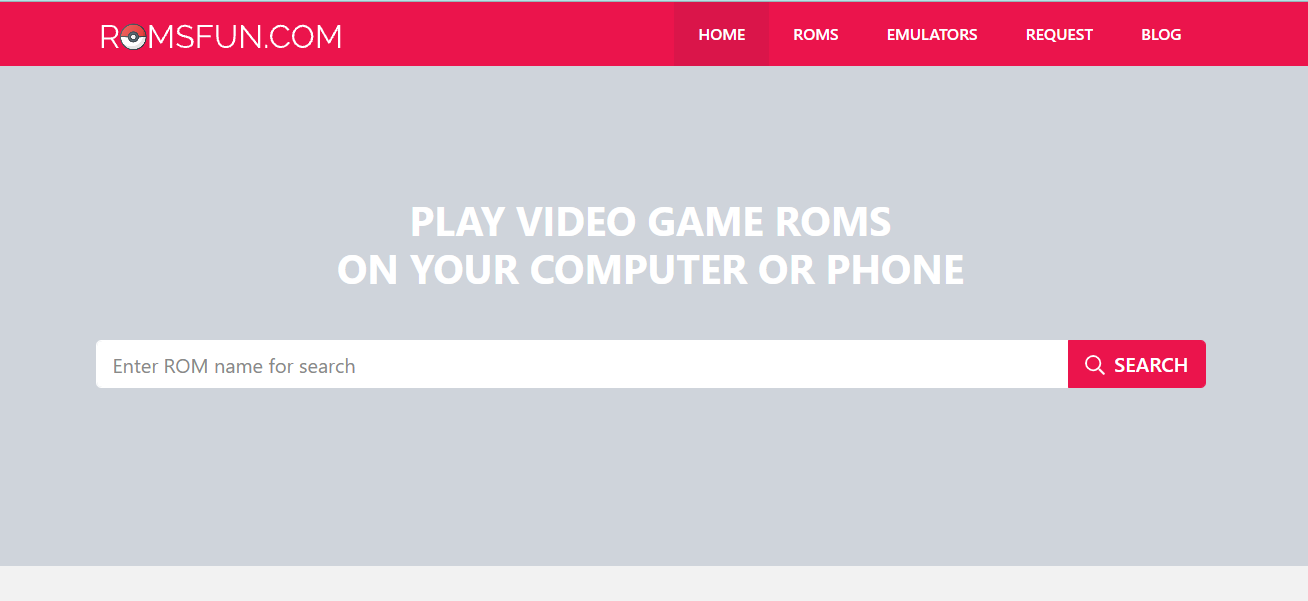
This is where platforms like ROMSFun come into the picture. This is a free game library website where you can download free video game ROMs. The perk? These ROMs allow you to find and play old games on computer devices called emulators.
If you are curious about using ROMSFun and have been wondering if it is safe, this guide will explore all the relevant details.
What is ROMSFun?
Before we discuss details about user experience and safety further, let’s first address the basics.
As previously mentioned, ROMSFun is a free website for hosting ROMs. On this platform, you can access download links to a variety of games from retro consoles, such as the GBA, Nintendo 64, PSP, Saga Master System, Super Nintendo, Xbox, PS4, and more.
The main reason behind the growing popularity of ROMSFun is its accessibility. Users don’t have to register, create an account, or worry about paying anything to access the extensive library of ROM files, which is quite convenient. Since the platform runs advertisements, they don’t charge anything from the users.
With ROMSFun, the main objective is to keep old games accessible to gamers interested in playing them. However, several gaming development companies have highlighted how sharing ROM files infringes on the copyright of the game, making ROMSFun a platform worth questioning.
What kind of ROM Files are Available on ROMSFun?
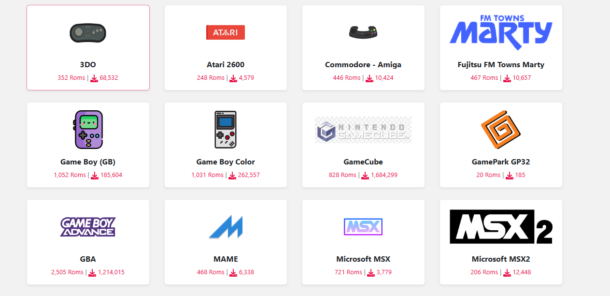
Now, the main attraction of any free ROM files library website is the kind of games you will get access to. Since ROMSFun is one of the largest platforms, there are numerous games that you can indulge yourself in.
Some of these include:
- Super Mario Bros
- The Legend of Zelda
- Sonic the Hedgehog
- Pokemon Ultra Sun
- Pokemon Alpha Sapphire
- Pokémon Omega Ruby
- New Super Mario Bros. 2
- Mario Kart: Double Dash!!
- Final Fantasy VII
- Pokemon Red and Blue
- Super Smash Bros
- Mortal Kombat
- Pokemon Omega Paradox
- Pokémon X & Y’s
What’s excellent about ROMSFun is that its game library is constantly expanding. Numerous other games are available on the platform, and they keep on adding more. Although the source of the game files isn’t specified on their platform, it is safe to assume they are extracted from original cartridges or illegal sources.
How to Download ROMs from ROMSFun?
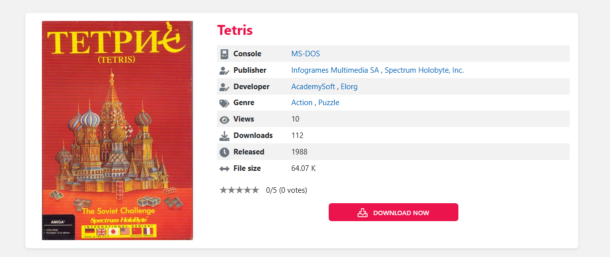
Despite everything, if you are desperate to play certain old-school games that aren’t available anywhere else, you can consider downloading the ROM files from ROMSFun. The process is pretty simple, and here’s what you need to do:
If you have a specific game in mind that you wish to download, you can search for it on the website or browse through the options on the homepage.
Once you find the game, click on it and then click on “Download Now.”
As a side note, if your device has ad blockers, you’ll have to disable them for some time until the download is completed.
Once you click the download button, the download process starts without any waiting time, which is quite amazing. The overall user interface is quite simple and not filled with ads.
Note: You don’t need to sign up or register, so don’t bother with that. You can directly download the ROM files.
How to Fix Left 4 Dead 2 Install Problems, Freezes and Errors
Is Downloading ROMs from ROMSFun Legal?
The short answer is no. Downloading ROM files from third-party sources is never legal. In fact, there are reports that Nintendo has sued ROMSFun multiple times.
The majority of games made by big game-developing companies have been copyrighted for 50+ years, meaning that their distribution by third-party platforms like ROMSFun violates those copyright issues.
You can consider keeping a backup of the game you are playing, just to be on the safe side in case you lose your progress. When it comes to using emulators, games that are no longer copyrighted are usually safer to play on such devices or platforms.
While using ROMSFun is not necessarily legal, it is also understandable that gamers don’t want to lose touch with playing old-school games. When you download ROM files from third-party websites like ROMSFun, you have to be careful about the files you download and access.
Is ROMSFun Safe to Use?
Beyond the legality, the next thing to consider is the safety factors. Is ROMSFun safe to use? The majority of people who have used this platform have mentioned that there are no issues with the download process.
Not only that, but the prominent concern people have regarding using third-party ROM platforms is whether the downloaded file is safe for the device. With ROMSFun, you don’t necessarily have to worry about that.
The only thing you have to be a little cautious about is the pop-up ads that appear on the website. Although not always, clicking on such pop-ups can lead you to malicious websites, hampering the authenticity of the user experience.
ROMSFun is more or less safe to use, and there have been no significant complaints from users. However, there always remains a lingering risk, which you must be mindful of at every step.
How do you detect malware in downloads from ROMSFun?
The biggest danger people experience when downloading files from ROMSFun is being worried about malware in the downloaded files. Harmful codes can be inserted into the ROM files that you download.
To avoid that and detect malware before downloads, keep the following in mind:
- Look out for suspicious file names of the downloaded files.
- ROMs that are downloaded from unauthorized sources.
- Too big file download size.
- Additional files are downloaded alongside the actual ROM file.
- Anti-virus updates or alerts are sent from the built-in antivirus software in the system.
If any of these red flags pop up while you are downloading files from ROMSFun, it is a sign that you need to stop the download process immediately. Downloading malware-infested files can steal data or provide the hacker with access to sensitive data.
Is Using VPN Better While Using ROMSFun?
With the lingering malware threats while using ROMSFun, one common question that most people have is about using a VPN.
Usually, if you want to take extra precautions to safeguard your personal information, it is better to use a VPN when using ROMSFun. This minimizes the risks of spyware and malware significantly. Enabling a VPN essentially encrypts your web traffic and conceals your IP address, ensuring fewer chances of malware threats.
You do want to rely on paid VPNs for optimal functioning, though, because free VPNs often jeopardize users’ safety. With the paid versions, you get access to privacy and speed, which always comes in handy.
Final Words
The popularity of ROMSFun explains why people are often curious to learn more about the website and how you can use it to your benefit. If you are considering downloading ROM files from ROMSFun and have been looking into ways to navigate the download process, this guide explains all that in detail. Ensure that you follow the download process to the T and keep your system free of malware threats while downloading files.

Download Minecraft PE 1.21.131 APK for Android
Minecraft Bedrock 1.21.131 is a focused hotfix update — improved Spear combat, two important bug fixes, and better overall stability on Android. No new content, but a noticeably smoother experience.
Spear Knockback Improvement
The window during which a charged Spear attack can apply knockback has been extended. This makes combat feel more reliable — the attack now connects as expected without requiring pinpoint timing, especially useful when fighting multiple mobs at once.
Spear Animation Alignment
Charge attack animations now accurately sync with the Spear’s three gameplay phases: Engaged, Tired, and Disengaged. What you see on screen now matches what the game engine is actually doing — making combat more readable and reducing guesswork in fights.
Performance & Stability
Frame drops on mid-range Android hardware have been reduced. Memory handling improvements prevent sudden freezes during long play sessions. World loading and chunk generation are more reliable, reducing terrain “pop-in” when exploring or moving quickly.
Multiplayer Improvements
Backend updates improve session stability when players join or leave. Fewer disconnects and smoother synchronisation across Bedrock servers. Marketplace content and add-ons also load more consistently during multiplayer sessions.
Adventuring Time Achievement Fixed — The achievement no longer unlocks early. It now correctly requires visiting at least 17 biomes on PC, matching the intended design.
Marketplace Escape Key Fixed — Pressing Escape after using the Marketplace search now reliably returns players to the previous menu instead of getting stuck in a loop.
Add-on World Loading Fixed — A bug that triggered a “Block” error when loading or creating worlds with multiple add-ons installed has been resolved.
Download the APK
Tap one of the Download buttons above. Choose the Standard (no music) version if storage is limited, or the Full version for the complete experience. The ARM64 build is recommended for modern phones.
Enable “Install Unknown Apps”
Go to Settings → Security (or Privacy) → Install unknown apps. Enable the permission for your browser or file manager. Android requires this for any APK installed outside Google Play.
Open the APK File
Open your Downloads folder, find the Minecraft 1.21.131 APK, and tap it to launch the system installer. Follow the on-screen prompts.
Install Over Existing Version
In most cases you can install 1.21.131 directly over your existing Minecraft without losing any worlds or progress. If you see a signature conflict error, uninstall first — but back up your worlds beforehand.
Launch and Sign In
Open Minecraft, sign in with your Microsoft/Xbox Live account, and your existing worlds will load normally. Online multiplayer, Realms, and Marketplace content all work as before.
Download Minecraft PE 1.20 APK for Android
Get the full Minecraft Bedrock 1.20 (Trails and Tales) APK for Android. Supports Xbox Live sign-in. Multiple versions available — stable releases and preview builds.
Download the APK File
Tap the Download button above for the version you want. The APK file will save to your device’s Downloads folder.
Enable “Install Unknown Apps”
Go to Settings → Security or Privacy → Install unknown apps. Enable it for your browser or file manager. Android requires this for any APK installed outside of Google Play.
Open the Downloaded File
Open your Downloads folder (or tap the notification), find the Minecraft APK, and tap it to start the installer.
Confirm Installation
Tap Install and wait for the process to complete. If you see a “signature conflict” error, uninstall your existing Minecraft version first, then retry.
Launch and Sign In with Xbox Live
Open Minecraft, sign in with your Microsoft/Xbox Live account to access multiplayer, Realms, and cross-platform features.
-
 Guides7 years ago
6 Proven Ways to Get more Instagram Likes on your Business Account
-
Mainstream12 years ago
BioWare: Mass Effect 4 to Benefit From Dropping Last-Gen, Will Not Share Template With Dragon Age: Inquisition
-
 Mainstream8 years ago
How to Buy Property & Safe Houses in GTA 5 (Grand Theft Auto 5)
-

 Guides2 years ago
Free Fire vs PUBG: Comparing Graphics, Gameplay, and More
-

 Guides2 years ago
50+ Free Fire ID and Passwords Login List (Giveaway) 2025
-
 Casual3 years ago
8 Ways to Fix Over-Extrusion and Under-Extrusion in 3D Printing
-

 Other2 years ago
Ajjubhai UID: Free Fire Details & Earnings
-

 Features2 years ago
Exploring Valorant eSports Stats: Unveiling the Metrics Behind Competitive Excellence